The 6 Best Complete Survey Software in 2026, Ranked
6 tools for the best complete Survey software, compared on pricing, free plans and best-fit use. Every profile names its biggest catch. Choose faster.
- Editor's choice
 SurveyMonkey
General-purpose surveys with AI help
Starts at$25 per user per monthVisit surveymonkey.comFull review - Great alternative
 Typeform
Conversational forms with automation
Starts atSee websiteVisit typeform.comFull review - Also consider
 QuestionPro
Adaptable question types and templates
Starts at$83 per user a monthVisit questionpro.comFull review
Direct answer
SurveyMonkey is the first pick on this list for general-purpose surveys with AI help. Listed starting prices: SurveyMonkey from $25 per user per month, QuestionPro from $83 per user a month and Formstack from $83 a month. Look at Typeform for conversational forms with automation, and at QuestionPro for adaptable question types and templates. The other 3 tools in the list cover narrower or pricier cases.
TL;DR:
- The list opens with SurveyMonkey, aimed at general-purpose surveys with AI help.
- Qualtrics XM suits enterprise experience management programs.
- A fair warning about SurveyMonkey: advanced research needs may exceed basics.
- SurveyMonkey is the only tool of the 6 with a free plan.
Last checked November 2026. Prices and plan details were read from the vendors' own pages in November 2026; vendors change plans often, so confirm the current price on the vendor site before you buy.
Quick comparison
| Tool | Best for | Starts at | Free plan? | |
|---|---|---|---|---|
| SurveyMonkey | General-purpose surveys with AI help | $25 per user per month | Yes | Visit |
| Typeform | Conversational forms with automation | See website | Not stated | Visit |
| QuestionPro | Adaptable question types and templates | $83 per user a month | Free trial | Visit |
 Zoho Survey | Teams already in the Zoho ecosystem | See website | Not stated | Visit |
 Formstack | Forms with documents and e-signatures | $83 a month | Free trial | Visit |
 Qualtrics XM | Enterprise experience management programs | See website | Not stated | Visit |
Our 6 picks for complete Survey software
LinkVetted compared 6 tools for complete Survey software. The goal is a practical shortlist: published prices, free plan facts, best-fit use cases and honest limits for every entry.
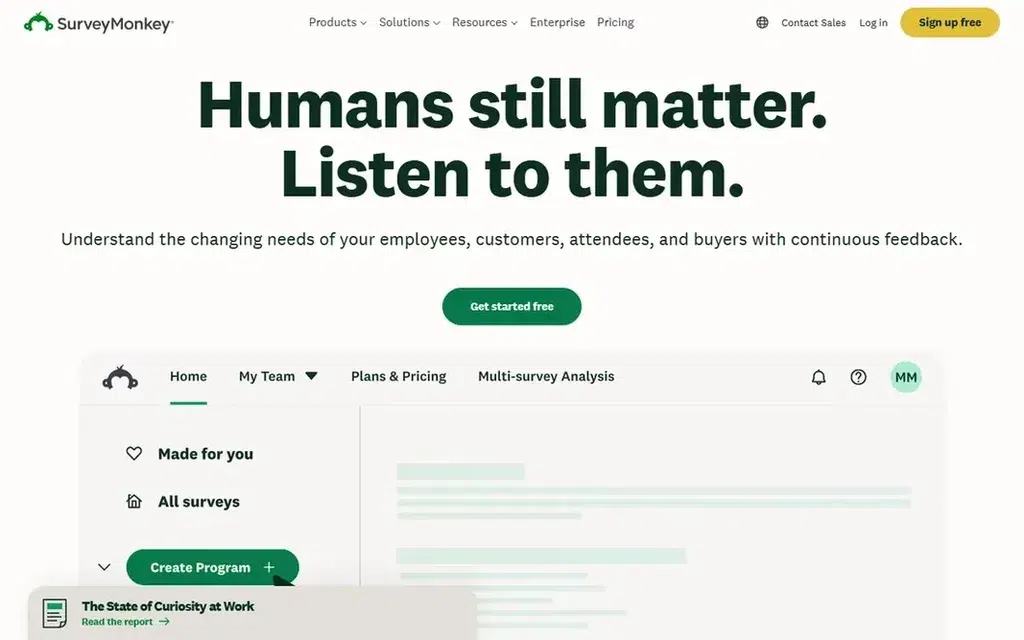
Pick SurveyMonkey if this describes you: general-purpose surveys with AI help. Its stated use cases span employee and customer feedback, market research, and event registrations, which makes it a practical general-purpose choice for numerous departments. As for the details, teams that want to move rapidly from question to published survey will find it familiar.
More specifically, for complicated research designs or deep experience management programs, the system may not handle every advanced need without extras. As for the details, pick SurveyMonkey when wide, approachable survey creation matters more than specialized depth. SurveyMonkey starts at: $25 per user per month. A free plan is available with SurveyMonkey.
Where it falls short: Advanced research needs may exceed basics.
- Spans employee and customer feedback
- Deals with market research and registrations
- Feature depth varies by use case
Typeform was built for conversational forms with automation. Typeform centers on AI-powered forms that trigger automatic workflows, with vendor messaging about enriching leads, following up, and expanding revenue without code. The conversational format can feel less efficient for lengthy research questionnaires or dense matrix questions.
Drawbacks to consider: Conversational style may not suit long surveys.
For everyday use, choose Typeform when form design and automatic follow-up are central to your survey goals. Beyond that, marketing and lead-generation use cases are a natural fit. Typeform does not show a starting price in this comparison, so check the vendor site for current pricing. On free options: Not stated.
- AI-powered form building
- No-code workflow automation
- Automation focus skews toward lead workflows
In short, QuestionPro is for adaptable question types and templates. QuestionPro describes an online survey system with a large library of question types, ready-made templates, and tools to build surveys in minutes. It works for both customer feedback and general research needs.
If your needs are minimal, a more straightforward builder may be quicker. Pick QuestionPro when question variety and templates are priorities. Starting cost for QuestionPro: $83 per user per month. Free options: Free trial.
Watch-outs: Breadth of choices can slow new users.
- Ready-made templates
- Broad range of question types
- Advanced research support needs checking
Zoho Survey was built for teams already in the Zoho ecosystem. Zoho Survey is an online survey forms maker for market research, feedback questionnaires, and customer satisfaction work, with configurable forms. It is a sensible option for organizations already using Zoho products, where survey data can sit alongside other business tools.
Downsides: Best value relies on ecosystem fit.
In daily use, if deep experience management is the goal, a dedicated platform may fit better. As for the details, general feedback and research use cases are well covered. Check the vendor site for Zoho Survey pricing; none is listed in this comparison. Free plan details: Not stated.
- Includes market research and CSAT
- Configurable survey forms
- Advanced research depth needs checking
Formstack targets forms with documents and e-signatures. As a broader form and workflow product, its survey analysis capabilities may not match dedicated research tools, so confirm reporting depth with the vendor.
Downsides: Broader form product than pure survey tool.
From a buyer's view, operations and administrative teams commonly have these needs. Worth adding: Formstack describes secure, easy-to-use forms, document generation, and e-signature tools that help organizations simplify workflows. The starting price for Formstack: $83 per month. Free options: Free trial.
- Workflow simplifying focus
- Secure forms positioning
- Survey analytics depth needs checking

For enterprise experience management programs, Qualtrics XM is a natural candidate. Qualtrics XM positions itself as an experience management product built around AI, with messaging about simulating customer and employee experiences, predicting outcomes, and acting on insights.
The breadth of the product can be more than a small team needs for straightforward feedback collection, and understanding the full scope normally needs talking with the vendor. Qualtrics XM shows no starting price here, so confirm the cost on the vendor site. Trial and free access: Not stated.
Limits to weigh: Full capability needs vendor discussion.
- Supports customer and employee research
- Wide experience management scope
- Platform breadth may overwhelm small teams
Selection criteria
We compared the tools on published pricing, free plan or trial availability, feature coverage for complete Survey software, and the limits each vendor documents. Seat minimums, billing terms and add-ons can move the real cost, so the starting prices here are a guide and not a quote. Order on the page follows fit for the typical buyer first, then price transparency and free access. Your own requirements should decide the final pick.
Pre-purchase checklist
- Get a written quote from Typeform, Zoho Survey and Qualtrics XM; the list shows no starting price for them.
- Test the free plan from SurveyMonkey against your real workload before relying on it.
- Run a trial of QuestionPro and Formstack with real work before paying for a year; your own workflow is the best test.
- Read the limits listed for SurveyMonkey first: advanced research needs may exceed basics.
- Verify that exporting from Typeform is possible on your plan and covers all your records.
- Ask the daily users to test QuestionPro on a live task before you roll it out to everyone.
FAQ
How do I choose between Qualtrics XM and SurveyMonkey?
Qualtrics XM leans toward broader experience management with predictive analytics messaging, whereas SurveyMonkey emphasizes approachable survey creation with AI and templates. From a buyer's view, choose Qualtrics XM if surveys are part of a wider experience strategy, and SurveyMonkey if quick general-purpose surveys matter most.
What is the cheapest option for complete Survey software in this list?
On published monthly entry prices, SurveyMonkey is the lowest here at $25 per user per month. Entry price is only part of the cost, because seats, add-ons and billing terms can change the total. Each of the 6 options in this complete Survey software guide has its own card above with the price, free plan and limits.
Can I try these options before paying?
Often, yes. SurveyMonkey has a free plan and QuestionPro and Formstack offer a free trial. Use your own data and a real task during the test, and check what the free tier or trial limits before you rely on it.
Is SurveyMonkey the right pick for everyone comparing complete Survey software?
No single tool suits every team. SurveyMonkey comes first because it fits general-purpose surveys with AI help, while Typeform suits conversational forms with automation and QuestionPro suits flexible question types and templates. Match the tool to your own size, budget and workflow before deciding.
Do these tools publish their prices?
Not all of them. Typeform, Zoho Survey and Qualtrics XM publish no starting price, so expect a quote request for those. The rest, SurveyMonkey included, show a starting price, though seats and billing terms still change the final cost.
Sources
- https://www.surveymonkey.com
- https://www.typeform.com
- https://www.questionpro.com
- https://www.zoho.com/survey
- https://www.formstack.com
- https://www.qualtrics.com