Choosing Solar Installer Field Service Software in 2026: 5 Options Compared
5 tools for the best solar installer field service software, compared on pricing, free plans and best-fit use. Caveats come with every verdict. Decide faster.

- Editor's choiceMicrosoft Dynamics 365 Field Service
Teams already using Microsoft business tools
Starts atSee websiteVisit microsoft.comFull review - Great alternative
 Service Fusion
Contractors seeking productivity-focused field service management
Starts at$220 per monthVisit servicefusion.comFull review - Also consider
 Kickserv
Home service firms managing jobs and payments
Starts at$60 per monthVisit kickserv.comFull review
Direct answer
Our first pick is Microsoft Dynamics 365 Field Service, best for teams already using Microsoft business tools. Listed starting prices: Service Fusion from $220 per month, Kickserv from $60 per month and Housecall Pro from $59 a month. Look at Service Fusion for contractors seeking productivity-focused field service management, and at Kickserv for home service companies managing jobs and payments. Prices, free plans and limits for all 5 tools follow.
TL;DR:
- The list opens with Microsoft Dynamics 365 Field Service, aimed at teams already using Microsoft business tools.
- Starting prices begin at $59 per month with Housecall Pro.
- A fair warning about Kickserv: narrower scope than enterprise systems.
- Microsoft Dynamics 365 Field Service, ServiceTitan and the 3 others all need a premium plan or a trial, since no free plan is listed.
Last checked November 2026. Prices and plan details were read from the vendors' own pages in November 2026; vendors change plans often, so confirm the current price on the vendor site before you buy.
Quick comparison
| Tool | Best for | Starts at | Free plan? | |
|---|---|---|---|---|
| Microsoft Dynamics 365 Field Service | Teams already using Microsoft business tools | See website | Not stated | Visit |
| Service Fusion | Contractors seeking productivity-focused field service management | $220 per month | No | Visit |
| Kickserv | Home service firms managing jobs and payments | $60 per month | Free trial | Visit |
 Housecall Pro | Home service firms wanting an established system | $59 a month | Free trial | Visit |
 ServiceTitan | All-in-one home and commercial contractor operations | See website | Free trial | Visit |
Tool-by-tool breakdown
Short on time? The summary and table above give the quick view of 5 tools for solar installer field service software, and the profiles that follow give the detail behind each entry.
Microsoft Dynamics 365 Field Service
Best for: Teams already using Microsoft business tools
Microsoft Dynamics 365 Field Service is built with teams already using Microsoft business tools in mind. Evaluate configuration effort against your operational scale before choosing it.
If you need a quick-start tool for a handful of technicians, this is likely more than required. Also, enterprise products usually demand more implementation effort and administrative overhead than small crews can absorb. No starting price is listed for Microsoft Dynamics 365 Field Service here; confirm pricing on the vendor site. Free access: Not stated.
Honest limits: Needs implementation planning.
- Suits Microsoft-centric organizations
- AI-driven self-service scheduling
- Enterprise complexity for small teams
Service Fusion
Best for: Contractors seeking productivity-focused field service management
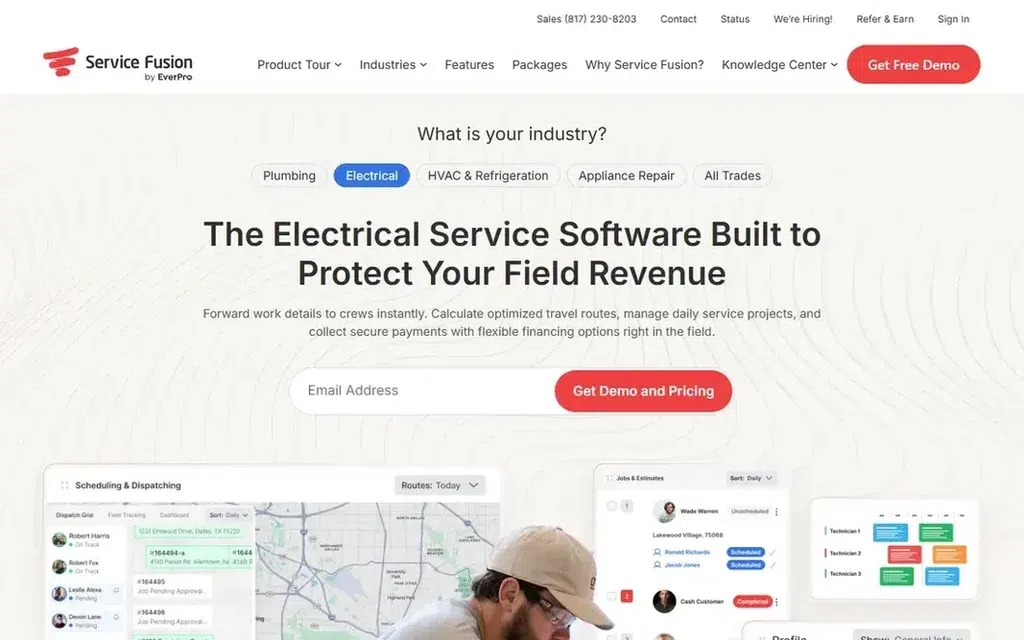
Think of Service Fusion for contractors seeking productivity-focused field service management. Confirm how its job structures manage multi-day installations.
Where it falls short: Productivity claims should be verified for your workflow.
On top of that, Service Fusion provides all-in-one field service management software designed for service companies and contractors, with a stated emphasis on saving time and increasing productivity. The starting price for Service Fusion: $220 per month. Service Fusion has no free plan.
- All-in-one field service management
- Designed for service firms and contractors
- Solar-specific features not highlighted
Kickserv is a good fit for home service companies managing jobs and payments. Kickserv offers field service management software for jobs, customers, communication and payments pitched at home service companies.
In practice, Solar installers doing residential work can use it to organize jobs and keep customer communication and payment collection in one place. For everyday use, Kickserv's stated scope centers on home service fundamentals, so complicated commercial solar projects with long timelines may exceed it. On cost, Kickserv starts like this: $60 per month. As for free access: Free trial.
Limits to weigh: Restricted evidence of solar-specific support.
- Communication and payment features
- Job and customer management
- Narrower scope than enterprise products
Housecall Pro makes the most sense for home service firms wanting an established system. Housecall Pro is home services business management software geared toward home service companies, presented as a complete option for field service professionals. Its orientation toward home services means large commercial solar projects may need more specialized project management.
Commercial-heavy installers should weigh broader systems. Confirm that the workflows you depend on, for example multi-day installations and service callbacks, are handled the way you expect. The starting price for Housecall Pro: $59 per month. Trial and free access: Free trial.
What to check first: Home service focus over commercial solar.
- Positioned as a complete option
- Aimed at home service companies
- Feature depth varies by workflow

ServiceTitan serves all-in-one home and commercial contractor operations. ServiceTitan describes itself as all-in-one software made for home and commercial contractors to keep service visits and construction projects running smoothly. If you run a lean operation, a more straightforward tool may be easier to adopt.
The main drawbacks: General trades focus instead of solar-specific.
Upsides: Wide operational scope in one system.
From a buyer's view, for solar installers, that combination is relevant because installation projects and later service calls commonly live in different systems. Solar-specific workflows are not the stated focus, so evaluate how well its project tracking maps to your installation process. More specifically, the breadth that makes it capable can also make it heavy for very small crews that only need scheduling and invoicing. This comparison lists no price for ServiceTitan; ask the vendor. Free access: Free trial.
- Aimed at both home and commercial trades
- Includes service visits and construction projects together
- Large feature set may overwhelm small teams
Our selection method
LinkVetted used vendor pricing pages and product documentation as the base, then compared plans, free access and documented limits for 5 tools. Seat minimums, billing terms and add-ons can move the real cost, so the starting prices here are a guide and not a quote. The order reflects how well each tool fits the most common buying scenario for solar installer field service software, then price clarity, then free plan access. It is a starting point, not a verdict.
Things to verify first
- Ask Microsoft Dynamics 365 Field Service and ServiceTitan for a written quote, since no starting price is shown.
- Take the trial from Kickserv, Housecall Pro and ServiceTitan and push a live task through it before you pay.
- Read the limits listed for Microsoft Dynamics 365 Field Service first: enterprise complexity for small teams.
- Confirm you can export your data from Service Fusion, so leaving later does not mean losing records.
- Check whether the features you need in Kickserv sit on the entry plan or only on higher tiers.
FAQ
Is a general field service tool enough for solar work?
Frequently yes, particularly for residential installers, because the core needs are scheduling, job tracking and payments. Check whether the tool supports multi-stage jobs before committing.
What is the cheapest option for solar installer field service software in this list?
On published monthly entry prices, Housecall Pro is the lowest here at $59 per month. Entry price is only part of the cost, because seats, add-ons and billing terms can change the total. Prices, free plan details and limits for all 5 tools in this Solar Installer field service software roundup sit on the individual cards above.
What should solar installers look for in field service software?
Prioritize tools that deal with both long installation projects and continuing service calls, since solar work spans both. Confirm the product suits your mix of residential and commercial work.
How are the tools for solar installer field service software ordered?
The order follows typical fit for solar installer field service software, with Microsoft Dynamics 365 Field Service first and ServiceTitan last, then price clarity and free access. It is editorial judgement, not a score, so another team could rank the tools differently.
Is Microsoft Dynamics 365 Field Service the right pick for everyone comparing solar installer field service software?
No single tool suits every team. Microsoft Dynamics 365 Field Service comes first because it fits teams already using Microsoft business tools, while Service Fusion suits contractors seeking productivity-focused field service management and Kickserv suits home service businesses managing jobs and payments. Match the tool to your own size, budget and workflow before deciding.
Can I try these options before paying?
Often, yes. Kickserv, Housecall Pro and ServiceTitan offer a free trial. Use your own data and a real task during the test, and check what the free tier or trial limits before you rely on it. Each of the 5 options in this Solar Installer field service software guide has its own card above with the price, free plan and limits.
Sources
- https://www.microsoft.com/en-us/dynamics-365/products/field-service
- https://www.servicefusion.com
- https://www.kickserv.com
- https://www.housecallpro.com
- https://www.servicetitan.com
Related guides
- Top 6 Blueprint Markup Software for Field Superintendents for 2026 (Prices and Free Plans)
- 5 Compliance Software for Field Service Teams Worth Shortlisting in 2026
- Best Field Service Management Software in 2026: 9 Tools Compared
- Best Field Service Management Software for Small Business in 2026: 8 Tools Compared