Best Software to Record Video Podcasts for 2026: Our 5 Vetted Picks
Best software to record video podcasts: 5 tools compared on price, free plans and fit. Every profile names its biggest catch. Built for quick decisions.
- Editor's choice
 Restream
Multistreaming live video podcasts
Starts at$239 a monthVisit restream.ioFull review - Great alternative
 StreamYard
Live streaming and recording in the browser
Starts atSee websiteVisit streamyard.comFull review - Also consider
 Ecamm Live
Mac-based live streaming and recording
Starts atSee websiteVisit ecamm.comFull review
Direct answer
Restream comes first here, mainly for Multistreaming live video podcasts. Listed starting prices: Restream from $239 a month and Riverside from $24 a month. StreamYard is the stronger choice for Live streaming and recording in the browser, while Ecamm Live suits Mac-based live streaming and recording. Details, prices and limits for the rest of the 5 tools are below.
TL;DR:
- Restream takes the first slot, best suited to Multistreaming live video podcasts.
- Riverside comes with a trade-off: advanced editing may require learning.
- The lowest published monthly entry price here is $24 per month, from Riverside.
- Riverside is the only tool of the 5 with a free plan.
- Zoom suits familiar meeting-based recording.
Last checked November 2026. Prices and plan details were read from the vendors' own pages in November 2026; vendors change plans often, so confirm the current price on the vendor site before you buy.
Quick comparison
| Tool | Best for | Starts at | Free plan? | |
|---|---|---|---|---|
| Restream | Multistreaming live video podcasts | $239 a month | Not stated | Visit |
| StreamYard | Live streaming and recording in the browser | See website | Free trial | Visit |
| Ecamm Live | Mac-based live streaming and recording | See website | Not stated | Visit |
 Riverside | Remote video podcast recording and editing | $24 a month | Yes | Visit |
 Zoom | Familiar meeting-based recording | See website | Not stated | Visit |
Software to Record Video Podcasts profiles
LinkVetted put together this guide to software to record video podcasts for readers who want a clear shortlist without reading every vendor page. It compares 5 tools on starting price, free plans, who each one suits and where each one falls short.
For Multistreaming live video podcasts, Restream is a natural candidate. Restream is a simple live video product that helps you build videos and multistream them to your favorite channels.
Restream centres on live distribution instead of deep recording or editing. If you need high-quality remote interviews with separate tracks, a tool like Riverside is more appropriate. Price to start with Restream: $239 per month. On free options: Not stated.
Watch-outs: Limited built-in editing.
- Browser-based
- Multistreams to numerous channels
- Most useful for live instead of recorded workflows
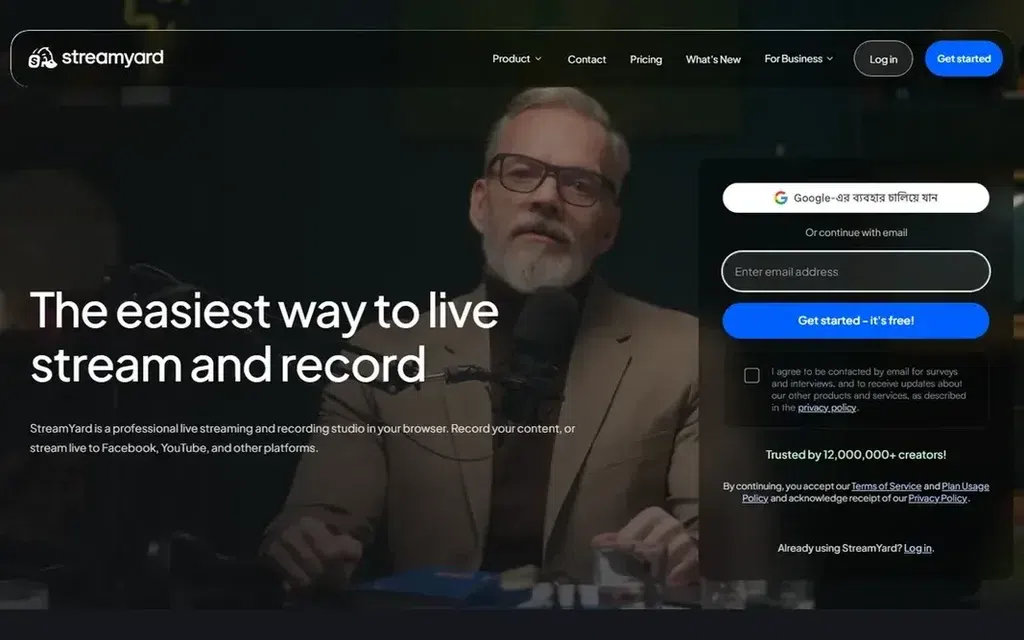
For Live streaming and recording in the browser, StreamYard is a natural candidate. StreamYard is a professional live streaming and recording studio that runs in your browser.
It lets you record content or stream live to Facebook, YouTube, and other products. For recorded interviews with separate tracks and editing, Riverside may be more suitable. StreamYard does not show a starting price in this comparison, so check the vendor site for current pricing. Free options: Free trial.
Watch-outs: Needs stable internet for live sessions.
- Streams to several products
- Browser-based studio
- Live focus may limit advanced post-production
Ecamm Live makes the most sense for Mac-based live streaming and recording. Ecamm Live is a feature-rich live streaming system for Mac, supporting Facebook, YouTube, Instagram, X, Twitch, and LinkedIn livestreaming.
It is also oriented toward live production, which may be more than a straightforward recorded podcast needs. Also, choose Ecamm Live when you are on Mac and want refined live displays. Ecamm Live shows no starting price here, so confirm the cost on the vendor site. Trial and free access: Not stated.
What to check first: Mac only.
- Recording capability
- Supports major social systems
- May need learning for advanced scenes
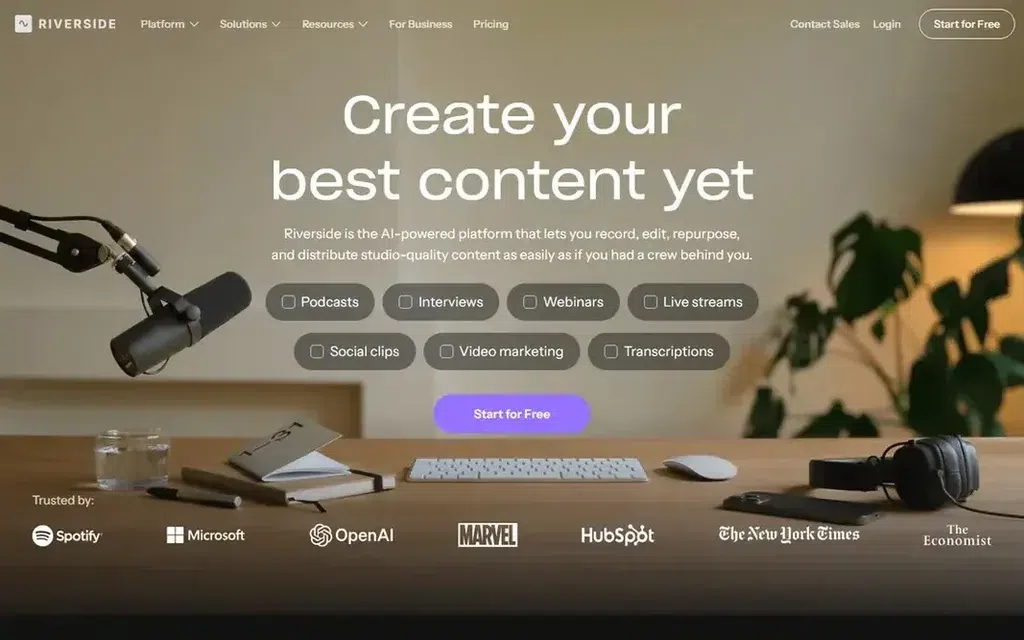
For remote video podcast recording and editing, Riverside is a natural candidate. Riverside is an online studio for high-quality podcast and video recording and editing. Powered by AI, it is aimed at human conversations and supports remote interviews.
What to check first: Advanced editing may need learning.
The product relies on internet connections for remote sessions, so very poor connectivity can affect recording. Choose Riverside when remote interviews and integrated editing are priorities. On cost, Riverside starts like this: $24 per month. Riverside includes a free tier.
- Built-in editing powered by AI
- Browser-based studio
- Depends on stable internet for remote guests
For familiar meeting-based recording, Zoom is a natural candidate. Zoom is a system for video meetings, chat, webinars, and events.
It is often used to record video podcast interviews because guests already know it. Zoom shows no starting price here, so confirm the cost on the vendor site. Free plan details: Not stated.
Points against: Recording quality depends on settings and connection.
- Contains chat and webinars
- Recording available in meetings
- Not designed specifically for podcast production
How these tools were picked
LinkVetted used vendor pricing pages and product documentation as the base, then compared plans, free access and documented limits for 5 tools. Plan names, prices and limits change often. Treat the figures here as a starting point and verify them with the vendor. The order reflects how well each tool fits the most common buying scenario for software to record video podcasts, then price clarity, then free plan access. It is a starting point, not a verdict.
Before you commit
- Get a written quote from StreamYard, Ecamm Live and Zoom; the list shows no starting price for them.
- Look at the free plan from Riverside closely: its caps decide whether it is usable for real work.
- Take the trial from StreamYard and push a live task through it before you pay.
- Read the limits listed for Restream first: restricted built-in editing.
- Ask whether Riverside integrates with your current software, and whether that comes standard or as an add-on.
- Verify that exporting from Zoom is possible on your plan and covers all your records.
FAQ
What is the cheapest option for software to record video podcasts in this list?
On published monthly entry prices, Riverside is the lowest here at $24 per month. Entry price is only part of the cost, because seats, add-ons and billing terms can change the total. Prices, free plan details and limits for all 5 tools in this software to record video Podcasts roundup sit on the individual cards above.
What is the best software to record video podcasts remotely?
Start with Restream if you need Multistreaming live video podcasts. StreamYard is the better match for Live streaming and recording in the browser, and Ecamm Live for Mac-based live streaming and recording. The best choice depends on budget, team size and workflow.
Is Restream the right pick for everyone comparing software to record video podcasts?
No single tool suits every team. Restream comes first because it fits Multistreaming live video podcasts, while StreamYard suits Live streaming and recording in the browser and Ecamm Live suits Mac-based live streaming and recording. Match the tool to your own size, budget and workflow before deciding.
How are the tools for software to record video podcasts ordered?
The order follows typical fit for software to record video podcasts, with Restream first and Zoom last, then price clarity and free access. It is editorial judgement, not a score, so another team could rank the tools differently.
Can I try these tools before paying?
Often, yes. Riverside has a free plan and StreamYard offers a free trial. Use your own data and a real task during the test, and check what the free tier or trial limits before you rely on it.
Sources
- https://restream.io
- https://streamyard.com
- https://www.ecamm.com
- https://riverside.fm
- https://zoom.us