6 Best Webinar Software to Host Video Podcasts for 2026, Vetted and Compared
Best webinar software to host video podcasts: 6 contenders ranked by fit, with entry costs and free tiers. Each tool gets a one-line verdict. See which fits.
- Editor's choice
 Riverside
High-quality podcast and video recording
Starts at$24 a monthVisit riverside.fmFull review - Great alternative
 StreamYard
Live streaming to social systems
Starts atSee websiteVisit streamyard.comFull review - Also consider
 GoTo Webinar
Business webinars with IT support integration
Starts atSee websiteVisit goto.comFull review
Direct answer
This list puts Riverside first for high-quality podcast and video recording. Listed starting prices: Riverside from $24 a month, Livestorm from €2.50 per attendee and Restream from $239 a month. If your case is different, StreamYard suits live streaming to social products and GoTo Webinar suits business webinars with IT support integration. All 6 tools are compared below on price, free plan and limits.
TL;DR:
- Riverside sits first on this list: high-quality podcast and video recording.
- Riverside stands alone as the one tool in this list with a free plan.
- Riverside has the lowest monthly starting price in this list: $24 per month.
- Restream suits Multistreaming live video to numerous channels.
- A fair warning about Livestorm: may be overkill for straightforward podcast recording.
Last checked November 2026. Prices and plan details were read from the vendors' own pages in November 2026; vendors change plans often, so confirm the current price on the vendor site before you buy.
Quick comparison
| Tool | Best for | Starts at | Free plan? | |
|---|---|---|---|---|
| Riverside | High-quality podcast and video recording | $24 a month | Yes | Visit |
| StreamYard | Live streaming to social systems | See website | Free trial | Visit |
| GoTo Webinar | Business webinars with IT support integration | See website | Not stated | Visit |
 Livestorm | Marketing teams running branded video events | €2.50 per attendee | Not stated | Visit |
 Zoom Webinars | Dependable webinar hosting with audience management | See website | Not stated | Visit |
 Restream | Multistreaming live video to numerous channels | $239 a month | Not stated | Visit |
The best webinar software to host video podcasts
LinkVetted put together this guide to webinar software to host video podcasts for readers who want a clear shortlist without reading every vendor page. It compares 6 tools on starting price, free plans, who each one suits and where each one falls short.
Riverside is aimed squarely at high-quality podcast and video recording. Riverside is an online studio for high-quality podcast and video recording and editing, powered by AI and aimed at human conversations.
It records local tracks for each participant, which helps maintain quality even on weaker connections. Price to start with Riverside: $24 per month. Free access exists with Riverside.
Where it is weaker: Live streaming to social systems is not the primary focus.
- Built-in editing tools
- Aimed at remote conversations
- Webinar-style audience management is restricted
For live streaming to social systems, StreamYard is a natural candidate. It fits video podcasters who want to broadcast live to social channels and engage with a live audience.
Pricing for StreamYard is not stated here, so ask the vendor for current figures. Free plan details: Free trial.
Watch-outs: Recording features are entry-level compared with podcast studios.
- Multistream to several systems
- Browser-based studio with no install
- Audience management for webinars is restricted
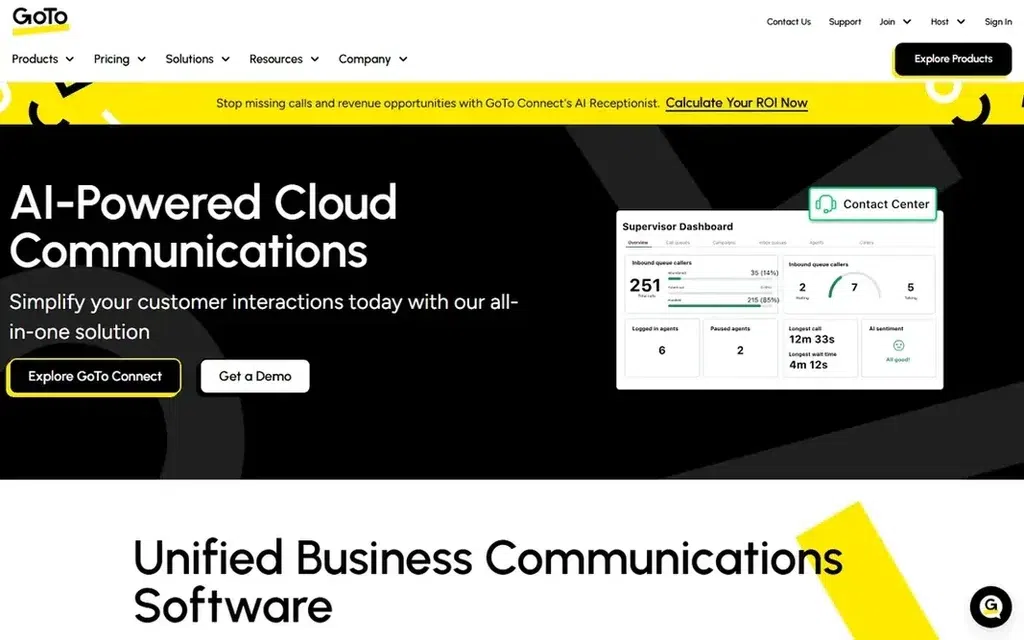
GoTo Webinar is a good fit for business webinars with IT support integration. GoTo Webinar is offered by GoTo, a company that supplies business communication and IT support software for organizations of several sizes. As for the details, for video podcast production, GoTo Webinar may lack the advanced recording and distribution features found in dedicated podcast or streaming tools.
Beyond that, if you need high-fidelity local recordings or one-click multistreaming, look at systems made for those tasks. In daily use, the webinar tool comes with standard features for hosting live sessions with audience interaction and recording. GoTo Webinar shows no starting price here, so confirm the cost on the vendor site. Free access: Not stated.
Watch-outs: Podcast recording choices are entry-level.
- Part of a broader business communication suite
- Dependable webinar delivery
- Less focus on social multistreaming
Livestorm is built with marketing teams running branded video events in mind. Livestorm is an all-in-one webinar system built for marketing teams, with tools for branded events, engagement insights, and CRM data sync. The product is optimized for marketing events instead of podcast production, so features like audio editing and podcast feed distribution are not its core strength.
Where Livestorm stands out: Engagement insights and CRM sync.
In practice, if your primary goal is to record and publish a podcast to directories, a podcast studio tool may be more direct. For video podcasts, it can host live episodes with audience interaction and offer analytics to measure engagement. The starting price for Livestorm: €2.50 per attendee. On free options: Not stated.
Honest limits: Focus is on marketing events.
- Branded event experience
- AI-enhanced features
- May be overkill for straightforward podcast recording
Zoom Webinars targets dependable webinar hosting with audience management. For video podcasts, it gives you a structured webinar format with host controls, audience Q&A, and recording choices.
Honest limits: Advanced production features are restricted.
The product is made for meetings and webinars instead of podcast production, so advanced editing and distribution to podcast feeds may need other tools. This comparison lists no price for Zoom Webinars; ask the vendor. Free options: Not stated.
- Supports large audiences with controls
- Familiar interface for hosts and guests
- Podcast-specific recording may need extras
Restream is built with Multistreaming live video to plenty of channels in mind. Restream is a live video system that lets you build videos and multistream them to your favorite channels. In daily use, for video podcasts, it is handy for reaching audiences across several social systems simultaneously.
Trade-offs to know: Webinar features are not the focus.
As for the details, if you need a full webinar experience with audience controls, consider a dedicated webinar tool. In practice, Restream is aimed at multistreaming instead of hosting interactive webinars, so features like registration, Q&A moderation, and attendee analytics are restricted. The starting price for Restream: $239 per month. Trial and free access: Not stated.
- Multistream to several systems at once
- Browser-based interface
- Recording and editing tools are restricted
How we compared the tools
What to check before you buy
- Ask StreamYard, GoTo Webinar and Zoom Webinars for a written quote, since no starting price is shown.
- Test the free plan from Riverside against your real workload before relying on it.
- Take the trial from StreamYard and push a live task through it before you pay.
- Read the limits listed for Riverside first: Webinar-style audience management is restricted.
- Confirm minimum seats and billing terms with Zoom Webinars before you commit to an annual plan.
- Add up seats, add-ons and usage charges for GoTo Webinar before comparing it with cheaper entries.
FAQ
Can I use webinar software to record a video podcast?
Even so, recording quality may vary, and some tools are optimized for meetings instead of studio-quality podcast production. Check if local recording is available for better results.
Do I need multistreaming for a video podcast?
Multistreaming lets you broadcast live to several products at once, which can help reach a wider audience. It is handy if your podcast is live and you want to engage viewers on different social channels.
Which options for webinar software to host video podcasts have a free plan?
Riverside is the only tool in this list with a free plan. Free plans usually cap users, projects or features, so check the limits on the vendor page. One other tool offers a trial instead. All 6 picks in this webinar software to host video Podcasts comparison list a starting price, free plan details and the main limits on their cards above.
How are the tools for webinar software to host video podcasts ordered?
Riverside sits first and Restream last because the order follows typical fit for webinar software to host video podcasts, then price clarity and free access. It is a judgement call, so read each profile for fit and limits.
What is the difference between webinar software and podcast studio tools?
Webinar software is built for live events with audience management, registration, and engagement features. Some systems blend both, but most specialize in one area.
Do these tools publish their prices?
Not all of them. StreamYard, GoTo Webinar and Zoom Webinars publish no starting price, so expect a quote request for those. The rest, Riverside included, show a starting price, though seats and billing terms still change the final cost.
Sources
- https://riverside.fm
- https://streamyard.com
- https://www.goto.com
- https://livestorm.co
- https://www.zoom.com
- https://restream.io