Best Apps to Listen to Podcasts in 2026: 9 Apps Compared
Looking for the best apps to listen to podcasts in 2026? We compare 9 podcast players for iPhone, Android, and web, with free and paid plans in detail.
- Editor's choice
 Apple Podcasts
iPhone simplicity
Starts atFreeVisit apple.comFull review - Great alternative
 Spotify
Music plus podcasts
Starts atFreeVisit spotify.comFull review - Also consider
 Pocket Casts
Cross-platform listening
Starts atFreeVisit pocketcasts.comFull review
TL;DR:
- Apple Podcasts and Spotify are the easiest starting points, because most listeners already have one of them installed.
- Pocket Casts is the best cross-platform player for listeners who switch between iPhone, Android, and web.
- Overcast is the best iPhone-only player for audio quality, with Smart Speed and Voice Boost.
- Podcast Addict is the best Android-only player for customization, while Castbox suits discovery and community comments.
- YouTube Music is the best platform to listen to podcasts with video, while Amazon Music suits Prime members who want audio in one app.
Quick comparison
| Tool | Best for | Starts at | Free plan? | |
|---|---|---|---|---|
| Apple Podcasts | iPhone simplicity | Free | Yes | Visit |
| Spotify | Music plus podcasts | Free | Yes | Visit |
| Pocket Casts | Cross-platform listening | Free | Yes | Visit |
 Overcast | iPhone audio quality | Free | Yes | Visit |
 YouTube Music | Video podcasts | Free | Yes | Visit |
 Castbox | Discovery and community | Free | Yes | Visit |
 Podcast Addict | Android customization | Free | Yes | Visit |
 Amazon Music | Prime members | Free | Yes | Visit |
 Player FM | Cross-platform discovery | Free | Yes | Visit |
The best apps to listen to podcasts
A good podcast app does three jobs well: it finds shows, it keeps your place across devices, and it makes long listening comfortable. The apps below differ on those jobs, and on whether they also carry music, video, or audiobooks.
Apple Podcasts is the default answer for iPhone users, and for good reason. It is already installed, it syncs subscriptions and playback position through iCloud, and it works with CarPlay, Siri, and Apple Watch. Transcripts, chapters, and paid podcast subscriptions are built in, so most listeners never need another app.
The limits show up for power users. Apple Podcasts lacks Smart Speed-style silence trimming and per-show audio normalization, and there is no Android version for mixed-device households. If you live entirely in the Apple ecosystem and want simplicity, it is hard to beat. If you switch phones often, Pocket Casts is safer.
- Built into iPhone, iPad, Mac, and Apple Watch
- ICloud sync across Apple devices
- Transcripts and chapters on many shows
- No Android app
- Advanced playlist and audio controls are thinner than Pocket Casts or Overcast
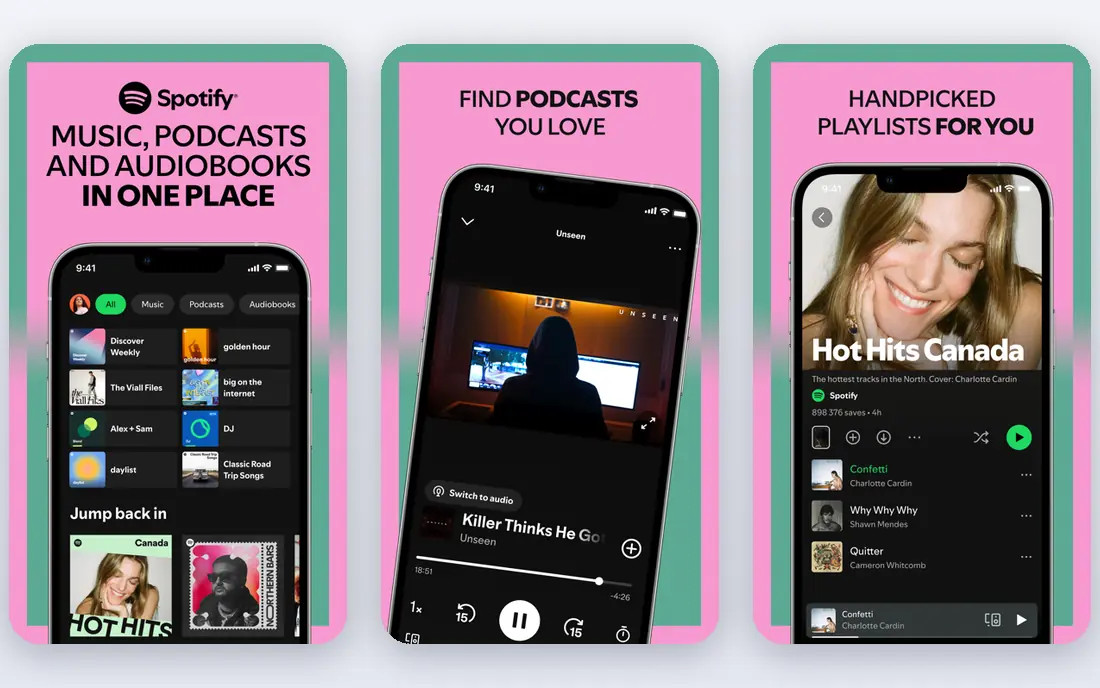
Spotify is the best platform to listen to podcasts if you already use it for music. You can move from a playlist to a podcast without switching apps, recommendations surface new shows based on your listening, and the app works on iPhone, Android, web, desktop, cars, and smart speakers. The free tier lets you stream podcasts, while Premium at $11.99 per month for an individual plan adds ad-free music and offline downloads.
Dedicated podcast fans may miss advanced features. Spotify playback controls, filters, and queue management are simpler than Pocket Casts or Podcast Addict, and some shows are exclusive to Spotify, which can limit choice elsewhere. For casual to regular listeners who want one audio app, Spotify is a strong pick.
- Music, podcasts, and audiobooks in one app
- Strong recommendations and charts
- Works on almost every device
- Podcast downloads need Premium for offline listening in some cases
- Podcast controls are simpler than dedicated players
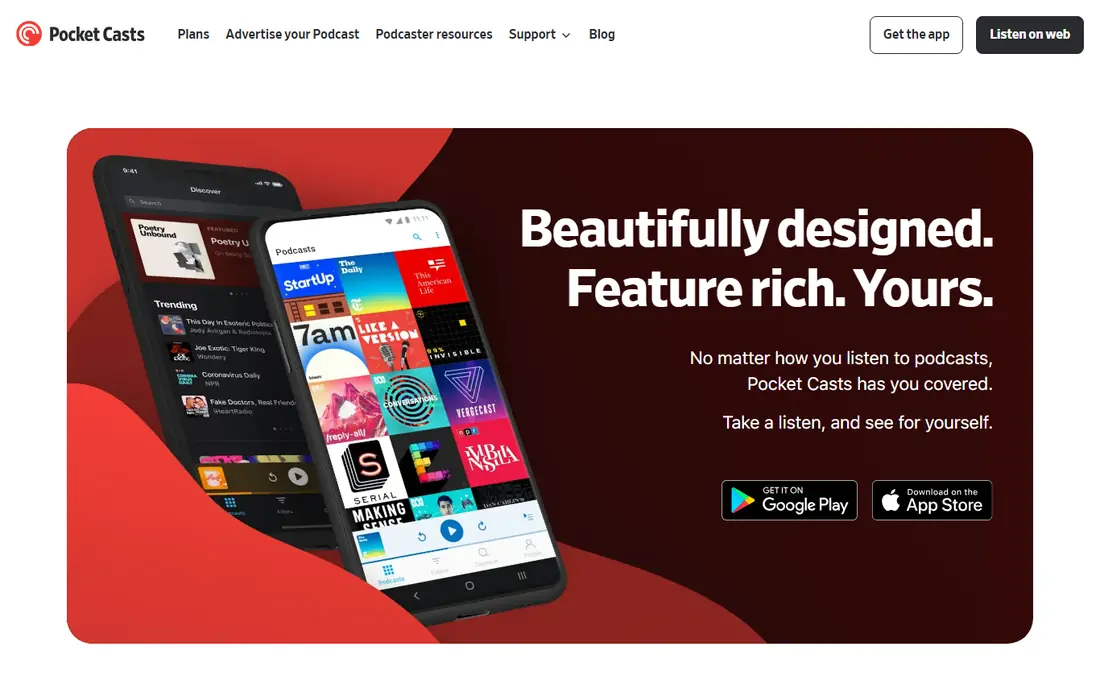
Pocket Casts is our pick for most serious podcast listeners, because it treats cross-platform sync as a core feature, not an afterthought. Start an episode on your phone, continue on the web at work, and finish on a tablet, with position, queue, and subscriptions kept in step. Folders and filters organize a large library, and Up Next gives a playlist-style queue that is easy to reorder.
The free tier covers most listening, while Pocket Casts Plus, listed at $39.99 per year in app store material, adds cloud storage, desktop apps, and extra features. Discovery is less aggressive than Spotify, so you may need to find shows elsewhere and subscribe by RSS or search. If you listen daily across devices, Pocket Casts earns its place.
- Reliable sync across iOS, Android, and web
- Folders, filters, and Up Next queue
- Trim silence and variable speed
- Plus features like cloud storage and desktop playback need a paid plan
- Discovery is weaker than Spotify
Overcast is the favorite of many iPhone podcast fans for one reason: it makes spoken audio sound better and take less time. Smart Speed shortens silences without changing pitch, and Voice Boost lifts quiet voices so you do not need to adjust volume between shows. The interface is clean, downloads are reliable, and the app feels fast even with a large library.
The limit is platform. Overcast is iPhone only, so Android users and mixed-device households need another player. Premium, listed at $9.99 per year, removes ads and adds extra features, but the free version already includes Smart Speed and Voice Boost. If you use an iPhone and listen for hours each week, Overcast is hard to beat.
- Smart Speed trims silences
- Voice Boost normalizes volume across shows
- Clean, fast interface
- IPhone only, with no Android app
- Web playback is limited compared with Pocket Casts
YouTube Music is the best platform to listen to podcasts when video matters. Many creators now publish video versions of their shows, and YouTube Music lets you switch between video and audio, follow creators you already watch, and discover podcasts through YouTube recommendations. The free tier streams podcasts, while Premium adds background play and ad-free music.
Podcast-specific tools are thinner here than in Pocket Casts or Overcast. Queue management, filters, and per-show settings are basic, and the app is organized around music first. If you mainly watch video podcasts or follow YouTube creators, YouTube Music is ideal. If you mainly listen to audio-only shows, a dedicated player will feel more precise.
- Video and audio podcasts in one place
- Large catalog from YouTube creators
- Works on iPhone, Android, and web
- Podcast controls are simpler than dedicated players
- Background play for video needs a paid plan in many cases
Castbox stands out for discovery and community. Listeners can comment inside episodes, rate shows, and follow recommendations from other users, which helps when you are looking for a new show in a niche topic. The catalog is large, covering podcasts and some audiobooks, and the apps work on both iPhone and Android.
Ads on the free tier and variable premium pricing are the drawbacks. Check the current premium price in the app store before subscribing, since plans have changed over time. If you like social discovery and comments, Castbox is worth trying alongside a more powerful player for queue management.
- Large catalog with in-episode comments
- Community ratings and recommendations
- Works on iOS and Android
- Free tier includes ads
- Premium pricing varies by plan and region
Podcast Addict is the Android power user choice. It offers detailed control over playlists, automatic downloads, playback speed, sleep timers, and per-podcast settings, and it can subscribe to almost any podcast via RSS. For listeners with dozens of shows and strict routines, that control is unmatched on Android.
The interface is the trade-off. New users may find the number of options overwhelming, and there is no iPhone version. A premium option removes ads, with pricing listed in app store material around $10 per year in some reports, though you should confirm the current price in the store. If you use Android and want total control, Podcast Addict is the pick.
- Deep customization for playlists, filters, and automation
- Huge catalog via RSS
- Reliable downloads
- Android only
- Interface can feel busy for new users
Amazon Music is a practical choice for Prime members who want podcasts without another subscription. Podcasts are included with Prime, the app works on phones, web, and Alexa speakers, and you can move between music and spoken audio in one place. That convenience matters for households already paying for Prime delivery and video.
Dedicated podcast features are basic compared with Pocket Casts or Overcast, and the best music catalog sits behind Music Unlimited rather than Prime. If you are a Prime member and a casual to regular podcast listener, Amazon Music is good value. If you listen for hours daily, pair it with a dedicated player for queue control.
- Podcasts included with Prime
- Music and podcasts in one app
- Works on iPhone, Android, and Alexa devices
- Podcast discovery and controls are simpler than dedicated players
- Full music catalog needs a paid Music Unlimited plan
Player FM suits listeners who want a cross-platform player with strong topic discovery. You can browse by topic, follow shows, and sync across phone and web, with offline listening and cloud features on paid plans. It is a good middle ground between a simple built-in app and a highly customized player.
The free tier is usable but not as generous as Apple Podcasts or Spotify for sync and offline use, and the design feels less refined than Pocket Casts. Check the current Pro price, listed in app store material around $9.99 per month, before subscribing. For topic-driven discovery across devices, Player FM is a solid backup player.
- Works on iOS, Android, and web
- Topic-based discovery
- Cloud sync on paid plans
- Free tier limits some sync and offline features
- Interface is less polished than Pocket Casts
How we picked these
We compared official app pages, pricing and subscription information, platform support, and playback features for podcast apps active in October 2026. We favored apps with a working free tier, reliable downloads, and sync across at least two device types, and we included iPhone-only, Android-only, and cross-platform options so readers can match the list to their phones. We left out apps that had shut down or that no longer offer a working podcast catalog.
We did not claim hands-on testing. Our comparison rests on vendor pages, app store listings, and public reviews, and we recommend trying two apps for a week each with the same shows before settling on one.
What to check before you choose
First, check your devices. An iPhone-only app is a poor choice if you also use Android or Windows, and an Android-only app will strand an iPhone user. Pocket Casts, Spotify, and Castbox are the safest cross-platform bets, while Overcast and Podcast Addict are best when you are committed to one phone platform.
Second, test your queue habit. Some listeners want a simple Up Next list, while others want folders, filters, and automatic downloads by topic. Import your current subscriptions into a trial app, set up one playlist, and see whether daily use feels easy or fiddly after three days.
Third, check offline needs. Commuters, travelers, and gym listeners need reliable downloads and storage controls. Confirm how downloads work on the free tier, since some apps limit offline listening to paid plans, and set downloads to Wi-Fi only if you have a limited mobile plan.
FAQ
What is the best app to listen to podcasts for free?
Apple Podcasts is best for iPhone users, Spotify is best for music plus podcasts, and Pocket Casts is best for cross-platform free listening. All three offer a usable free tier without paying.
What is the best platform to listen to podcasts with video?
YouTube Music is the best platform for video podcasts, because many creators publish video versions on YouTube. Spotify also carries video for some shows, but YouTube Music has the broadest video catalog.
Which podcast app is best for Android?
Podcast Addict is best for Android customization, while Pocket Casts and Spotify are best for cross-platform Android use. Castbox is a good Android option for discovery and community comments.
Which podcast app is best for iPhone?
Overcast is best for iPhone audio quality, Apple Podcasts is best for simplicity, and Pocket Casts is best if you also use Android or web. Try Overcast first if you listen for hours each week.
Can I listen to podcasts offline?
Yes, most apps here support downloads, but some limit offline listening to paid plans. Apple Podcasts, Pocket Casts, Overcast, and Podcast Addict support downloads on free tiers, while Spotify offline downloads generally need Premium.
Do I need to pay for a podcast app?
No, for most listening. Paid plans add cloud storage, desktop playback, ad removal, or offline music, but the core podcast catalog is free on every app in this list. Pay only if a paid feature solves a problem you actually have.