Best Platform to Host Webinars in 2026: 9 Tools Compared
Compare the best platform to host webinars in 2026, with live, automated, and interactive video options, attendee limits, and pricing for every team and budget.
- Editor's choice
 Zoom Webinars
Large audiences and familiar reliability
Starts at$66.67 per monthVisit zoom.comFull review - Great alternative
 GoTo Webinar
Corporate webinars and dependable delivery
Starts at$59 per monthVisit goto.comFull review - Also consider
 Demio
Small teams wanting the easiest setup
Starts at$45 per monthVisit demio.comFull review
TL;DR:
- The best platform to host webinars depends on audience size, interactivity needs, and whether you run live, automated, or paid events.
- Demio and Livestorm are the strongest small-business picks, thanks to browser-based rooms, published pricing, and trials.
- Zoom Webinars and GoTo Webinar suit larger and more formal audiences, with reliability and scale as their main strengths.
- Enterprise tools such as ON24 and BigMarker are quote only, but they offer the deepest engagement and event features.
- Our pick for most small teams is Demio for ease of use, with Livestorm as the flexible alternative and Zoom Webinars for large audiences.
Quick comparison
| Tool | Best for | Starts at | Free plan? | |
|---|---|---|---|---|
| Zoom Webinars | Large audiences and familiar reliability | $66.67 per month | No | Visit |
| GoTo Webinar | Corporate webinars and dependable delivery | $59 per month | Free trial | Visit |
| Demio | Small teams wanting the easiest setup | $45 per month | Free trial | Visit |
 Livestorm | Professional browser events and automation | $105 per month | Yes | Visit |
 WebinarJam | Selling during live and automated events | $39 per month | Free trial | Visit |
 ClickMeeting | Budget webinars, teaching, and paid events | See website | Free trial | Visit |
 ON24 | Enterprise marketing and large virtual events | See website | No | Visit |
 BigMarker | Hybrid events, summits, and branded hubs | See website | No | Visit |
 Zoho Webinar | Zoho teams and tight budgets | $8 per month | Free trial | Visit |
The best platform to host webinars
These platforms all host live video events, but they differ on attendee limits, engagement tools, automation, and price. The right one is the one your audience can join easily and your team can run without stress.

Zoom Webinars is the safe choice when audience familiarity matters more than novelty. Most attendees already know Zoom, which reduces join problems and support questions, and the platform scales from hundreds to thousands of attendees. Polls, Q and A, chat, and reactions cover standard engagement needs well.
Pricing needs care, since the webinar add-on sits on top of a paid Zoom Workplace plan, so the total monthly cost is higher than the add-on price alone. It also works best with the Zoom app, though browser joining is available. For large or formal events, that reliability is worth the total price.
- Very familiar to audiences
- Scales to large attendee counts
- Polls, Q and A, chat, and reactions
- Needs a Zoom Workplace Pro license on top of the webinar add-on
- No free plan

GoTo Webinar has hosted corporate webinars for years, and that maturity shows in dependable delivery and straightforward analytics. Registration, reminders, polls, surveys, handouts, and CRM sync cover the standard marketing workflow without extra tools. A free trial with no card lets teams run a real event before paying.
The interface is more traditional than newer browser-first rivals, and attendee limits rise with price, so large events cost more. For companies that value proven reliability and a familiar workflow over the newest design, GoTo Webinar remains a strong pick.
- Long track record for corporate events
- Polls, surveys, handouts, and Q and A
- CRM integrations
- Interface feels more traditional than Demio or Livestorm
- Higher tiers needed for larger audiences
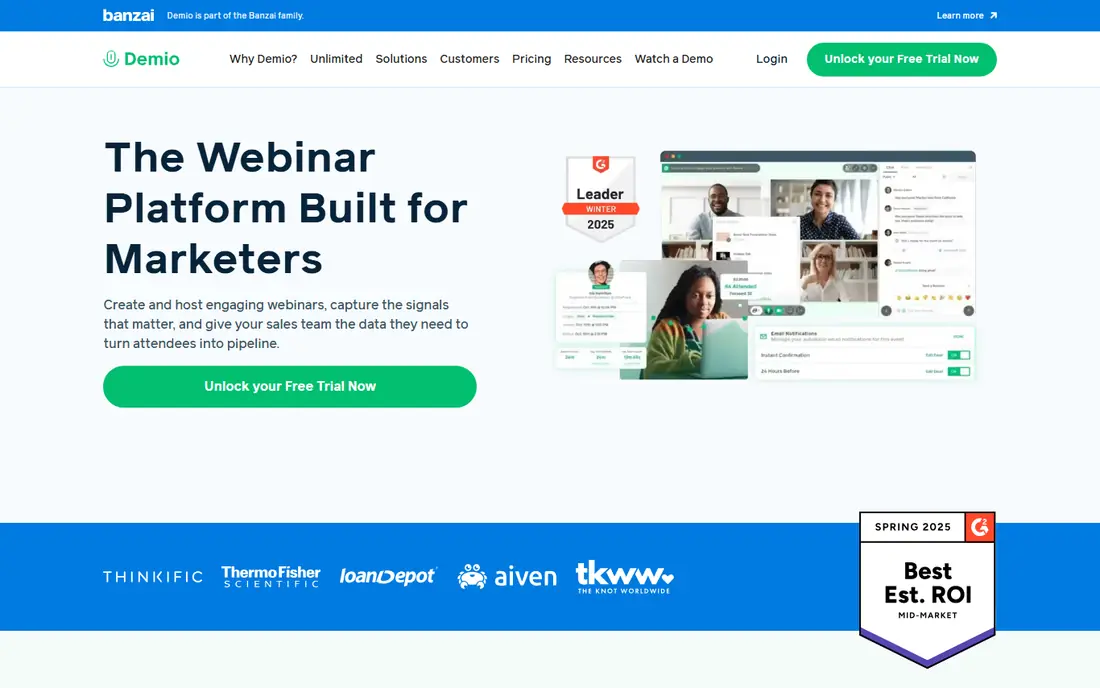
Demio is our pick for most small teams because it removes friction at every step. Attendees join in a browser with no download, hosts get a clean interface with polls, handouts, Q and A, and chat, and automated replays turn a live event into an evergreen asset. Setup is fast enough that a first webinar can go live the same week you subscribe.
The entry plan is limited to 50 attendees, so growing audiences need a higher tier. That is still fair value for small marketing and training teams, but large-event hosts should compare Zoom Webinars or GoTo Webinar on total cost. For ease of use, Demio is hard to beat.
- Fully browser-based, no downloads
- Clean modern interface
- Automated replays and engagement tracking
- Entry plan covers only 50 attendees
- Costs rise with audience size
Livestorm suits teams that want polished, branded events without downloads or plugins. Its browser rooms support polls, Q and A, breakout rooms, and file sharing, and its automation covers scheduled and on-demand webinars with email sequences and CRM integrations. A free tier lets you test small events before committing.
Pricing is usage based around active contacts and sessions, so costs can climb as your audience grows. Teams running occasional events may still find it good value, while frequent large-event hosts should model a full year of contacts. For professional marketing events, Livestorm is a flexible and capable choice.
- Browser-based rooms
- Polls, Q and A with upvotes, breakouts, and file sharing
- On-demand and automated events
- Usage-based pricing can rise with active contacts
- Multi-host setups add cost
WebinarJam is built for marketers who need a webinar to sell, not just inform. In-room buy buttons, timed offers, polls, and handouts support live launches and evergreen funnels, and automated replays keep selling after the live event ends. The starting price is among the lowest here, which helps course creators and small launches.
The trade-off is polish. The interface is busier than Demio or Livestorm, and the learning curve is steeper for first-time hosts. If your main goal is conversion rather than corporate polish, WebinarJam offers strong selling tools for the price.
- Low starting price
- Buy buttons, offers, and scarcity tools in the room
- Automated replays
- Interface is busier than Demio
- Trial terms and attendee limits vary by plan
ClickMeeting is a budget-friendly option for teachers, trainers, and small businesses that need more than a meeting tool. It offers whiteboards, breakout rooms, polls, surveys, and Q and A, plus paid event features for ticketed sessions. A 14-day trial with a small attendee limit lets you test a real class before paying.
Pricing is published in several currencies and varies by plan, so check the price in your currency and the attendee count included. It is not as polished as Demio or Livestorm, but for teaching and paid events on a budget, ClickMeeting delivers solid value.
- Browser-based rooms
- Whiteboard, breakout rooms, and surveys
- Built-in paid event options
- Pricing varies by currency and plan
- Interface is less modern than Demio
ON24 is the enterprise standard for marketing webinars and virtual events. It offers more than twenty engagement tools, including polls, surveys, breakout networking, resource lists, and calls to action, plus analytics that feed directly into CRM and marketing automation. Large virtual events and multi-session programs are its home ground.
Pricing is quoted and typically annual, which puts ON24 out of reach for small teams. It also needs more setup time than simpler tools. For enterprises that treat webinars as a core demand generation channel, though, its depth and reporting justify the investment.
- Deep engagement toolkit with many interactive tools
- Strong analytics and CRM integration
- Large event scale
- Quote-only pricing
- Overkill and costly for small teams
BigMarker goes beyond single webinars to cover summits, series, hybrid events, and branded video hubs. Custom designs, in-player calls to action, polls, and sponsor features suit organizations running a full event program rather than an occasional webinar. Its scale handles large audiences well.
That breadth means quote-only pricing and more setup than a small team needs for one monthly webinar. If you run a series or a summit, BigMarker is worth a demo. If you run one simple webinar a month, Demio or Livestorm will be faster and cheaper.
- Supports webinars, summits, and hybrid events
- Branded media hubs
- Strong customization
- Quote-only pricing
- Setup complexity for simple single webinars
Zoho Webinar is the budget pick for teams already using Zoho CRM, Campaigns, or Meeting. Its low starting price covers basic webinar needs, including registration, polls, Q and A, and recording, and Zoho integrations keep lead data flowing without extra middleware. That makes it an easy add-on for Zoho shops.
Outside Zoho, its engagement and automation depth trail the leaders here, and larger or more interactive events may need a stronger platform. For small Zoho teams that need affordable, reliable webinars, it is excellent value.
- Very low starting price
- Integrates with Zoho CRM and apps
- Polls, Q and A, and co-hosting
- Feature depth lags ON24 and BigMarker
- Best value only inside the Zoho ecosystem
How we picked these
We compared official pricing pages, feature documentation, and independent 2026 webinar comparisons for platforms that host live and automated events. We favored tools with browser or app joining, registration and reminder workflows, engagement tools, and analytics, and we kept a mix of budget, mid-market, and enterprise options. We did not claim hands-on testing. Where pricing is quoted or varies by attendee count, we say so and note the entry tier where published.
What to check before you buy
Start with your audience and your join experience. Every required download reduces show-up rates, so browser-based rooms suit cold audiences, while app-based rooms suit internal or familiar audiences. Test joining from a phone and a laptop, and check how registration, reminders, and replays work in the trial.
Next, check attendee limits, engagement tools, and CRM integration. A low starting price can hide a small attendee cap, and missing CRM sync can leave your sales team chasing spreadsheets after every event. Finally, decide if you need live only, automated only, or both. Automated webinars suit repeating demos, while live events suit launches and anything where real interaction is the point.
Live versus automated
Live webinars build trust and allow real questions, but they demand a host at a fixed time. Automated webinars replay a recording on a schedule with live chat, polls, and offers, which scales better for demos and courses. Many teams use both: live for launches, automated for evergreen lead generation.
FAQ
What is the best platform to host webinars for small businesses?
Demio and Livestorm are the strongest small-business picks, thanks to browser-based rooms, published pricing, and trials. Zoho Webinar suits Zoho teams on a tight budget, while WebinarJam suits small teams that need to sell inside the room.
What is the best interactive video software for webinars?
Demio, Livestorm, ON24, and BigMarker offer the strongest interactive video features, including polls, Q and A, chat, breakout rooms, and in-player calls to action. The best choice depends on audience size and budget, with Demio and Livestorm covering most small-team needs.
What is the best software to host a webinar for a large audience?
Zoom Webinars and GoTo Webinar suit large audiences best, thanks to scale and reliability. ON24 and BigMarker also handle large and multi-session events, but they are quote only and better suited to enterprise programs.
How much does webinar software cost?
Small-team plans start near $8 to $45 per month, mid-market plans run higher with audience size, and enterprise platforms are quoted annually. Always check attendee limits, host counts, and whether a base meeting license is also required, as with Zoom Webinars.
Do attendees need to download software to join?
It depends on the platform. Demio, Livestorm, ClickMeeting, GoTo Webinar, ON24, and BigMarker run fully in the browser, while Zoom Webinars works best with the Zoom app, though browser joining is available. Browser joining usually improves show-up rates for cold audiences.
Can I run automated or paid webinars?
Yes. Demio, Livestorm, WebinarJam, and ClickMeeting support automated replays, and ClickMeeting, WebinarJam, and BigMarker support paid or ticketed events in various forms. Check payment processing, attendee limits, and refund handling before you sell tickets.