Best Software to Create Diagrams (2026): 5 Picks Checked on Vendor Pages
Weighing the best software to create diagrams? We lined up 5 products by cost, free access and fit. Short, factual notes on every option. Reviewed this month.

- Editor's choice
 SmartDraw
Floor plans and layout diagrams
Starts atSee websiteVisit smartdraw.comFull review - Great alternative
 Miro
Visual collaboration and product planning
Starts at$8 per member per monthVisit miro.comFull review - Also consider
 Creately
Org, process and cloud planning
Starts atSee websiteVisit creately.comFull review
Direct answer
SmartDraw leads the list, best for floor plans and layout diagrams. Listed starting prices: Miro from $8 per member per month and Gliffy from $2.80 per user a month. For a different need, Miro covers visual collaboration and product planning and Creately covers Org, process and cloud planning. The remaining 2 options are covered below with prices and limits.
TL;DR:
- Top of the list is SmartDraw, which targets floor plans and layout diagrams.
- 3 of 5 tools offer a free plan: Miro, Creately, Gliffy.
- Before buying Gliffy, weigh this: narrower fit outside Atlassian environments.
- Lucidchart is the one to check for intelligent, data-connected diagramming.
Last checked November 2026. Prices and plan details were read from the vendors' own pages in November 2026; vendors change plans often, so confirm the current price on the vendor site before you buy.
Quick comparison
| Tool | Best for | Starts at | Free plan? | |
|---|---|---|---|---|
| SmartDraw | Floor plans and layout diagrams | See website | Free trial | Visit |
| Miro | Visual collaboration and product planning | $8 per member per month | Yes | Visit |
| Creately | Org, process and cloud planning | See website | Yes | Visit |
| Gliffy | Technical diagramming in Confluence | $2.80 per user a month | Yes | Visit |
 Lucidchart | Intelligent, data-connected diagramming | See website | Not stated | Visit |
5 software to create diagrams in detail
Short on time? The summary and table above give the quick view of 5 software to create diagrams, and the profiles that follow give the detail behind each entry.
SmartDraw was built for floor plans and layout diagrams. Organizations producing both plans and straightforward business diagrams get a single tool. Its emphasis on layouts means teams doing deep technical or software architecture diagramming may want a more specialized choice for example Gliffy.
Upsides: Also includes flowcharts and org charts.
Where it falls short: Teams needing deep technical diagramming may look elsewhere.
SmartDraw is positioned around simple floor plans and other layouts, handling buildings, homes, offices, sites, planograms, evacuations, fire safety and accident reconstructions, plus flowcharts, org charts and more. Beyond that, pick SmartDraw when physical spaces and plans are the primary diagramming need. SmartDraw does not show a starting price in this comparison, so check the vendor site for current pricing. As for free access: Free trial.
- Solid for building and site layouts
- No training required
- Layout work is the clear focus over technical diagramming
Think of Miro for visual collaboration and product planning. Miro presents itself as an AI innovation workspace that accelerates product development from ideation to launch, aligning teams and breaking down tool silos on one visual system.
Workshops, planning and visual thinking are its capable settings. Since it spans many collaboration activities, teams that only need precise technical diagrams may find it broader than necessary. Starting cost for Miro: $8 per member per month. Miro offers a free plan.
Downsides: Diagramming is one part of a broader workspace.
- AI-powered visual workspace
- Helps align teams across tools
- May be more than needed for pure diagram work
Think of Creately for Org, process and cloud planning. Creately is positioned around planning your org, processes and systems with AI, handling org planning, process mapping and cloud architecture, and working from data like HR records, procedures and cloud accounts.
Where it is weaker: General-purpose diagramming may need another tool.
Teams mapping structures and processes together are the natural audience. Also, a tool like Miro or Lucidchart may handle wider collaboration. Creately shows no starting price here, so confirm the cost on the vendor site. Free access exists with Creately.
- AI-assisted planning from existing data
- Cloud architecture support
- Centered on planning use cases
Gliffy
Best for: Technical diagramming in Confluence
Gliffy is a good fit for technical diagramming in Confluence. Gliffy, offered by Perforce, centres on AI-powered technical diagramming for Confluence. Choose Gliffy when technical diagrams have to sit straight within Confluence documentation.
Worth adding: engineering and technical documentation groups are the clearest match. Its Confluence-centered design means teams outside that ecosystem may not get the full benefit. The starting price for Gliffy: $2.80 per user per month. Gliffy has a free plan.
What to check first: Less suited to general visual collaboration.
- AI-powered technical diagramming
- Suits documentation-heavy teams
- Narrower fit outside Atlassian environments
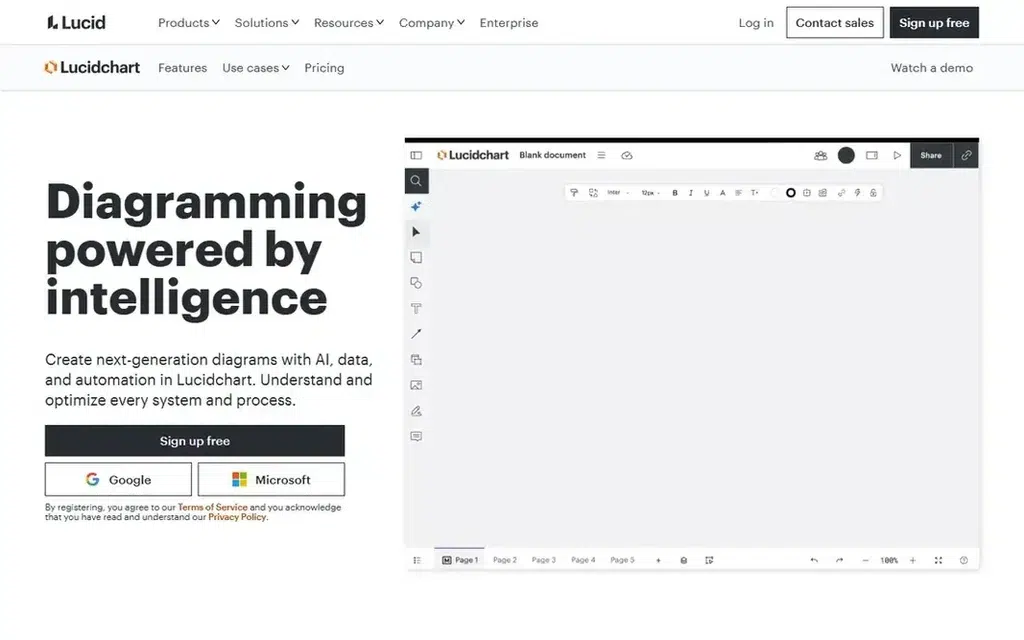
Lucidchart makes the most sense for intelligent, data-connected diagramming. It suits organizations that want diagrams connected to live information instead of static drawings.
For everyday use, since it leans toward advanced, data-driven diagramming, casual users may find more capability than they need for a fast flowchart. Lucidchart shows no starting price here, so confirm the cost on the vendor site. On free options: Not stated.
Drawbacks to consider: Wide feature set can feel heavy for straightforward charts.
- Capable for system and process mapping
- AI-assisted diagram creation
- Less suited to teams wanting a minimal tool
How these tools were picked
Pricing pages, product documentation and feature lists were the main sources, and every entry carries at least one honest drawback. Where a price is missing, the vendor does not list one publicly or ties it to a quote. Always confirm before budgeting. Tools are placed by general fit for software to create diagrams, with price clarity and free access as tie-breakers. A different team can reasonably rank them differently.
Things to verify first
- Confirm the entry price on the vendor page. For SmartDraw, Creately and Lucidchart that means a quote rather than a fixed price.
- Check what the free option really includes: Miro, Creately and Gliffy offer a free plan, and usage caps differ.
- Run a trial of SmartDraw with real work before paying for a year; your own workflow is the best test.
- Before choosing SmartDraw, weigh its main limit: layout work is the clear focus over technical diagramming.
- Read the plan comparison for Gliffy carefully; key features often start on a higher tier.
- Before you load data into Creately, check what an export looks like and who can run it.
FAQ
Do these tools publish their prices?
Not all of them. SmartDraw, Creately and Lucidchart publish no starting price, so expect a quote request for those. The rest, Miro included, show a starting price, though seats and billing terms still change the final cost.
Is SmartDraw the right pick for everyone comparing software to create diagrams?
No single tool suits every team. SmartDraw comes first because it fits floor plans and layout diagrams, while Miro suits visual collaboration and product planning and Creately suits Org, process and cloud planning. Match the tool to your own size, budget and workflow before deciding.
What is the cheapest option for software to create diagrams in this list?
On published monthly entry prices, Gliffy is the lowest here at $2.80 per user per month. Entry price is only part of the cost, because seats, add-ons and billing terms can change the total. For the full picture, the cards above cover all 5 entries of this software to create Diagrams list, including price, free plan and limits.
Which options for software to create diagrams have a free plan?
Miro, Creately and Gliffy offer a free plan in this list. Free plans usually cap users, projects or features, so check the limits on the vendor page. One other tool offers a trial instead.
Which diagramming tool is a good match for security-conscious teams?
The first pick on this list is SmartDraw, because it suits floor plans and layout diagrams. Miro is better for visual collaboration and product planning, and Creately for Org, process and cloud planning. Check price and limits against your own needs before choosing.
Sources
- https://www.smartdraw.com
- https://miro.com
- https://creately.com
- https://www.gliffy.com
- https://www.lucidchart.com