Best Software for Automotive Design (2026): 5 Picks Checked on Vendor Pages
Best software for automotive design: 5 tools compared on price, free plans and fit. We put KeyShot first for live rendering and visualization. Plain facts.
- Editor's choice
 KeyShot
Live rendering and visualization
Starts at$7.92 per monthVisit keyshot.comFull review - Great alternativeSiemens Simcenter
Predictive simulation and test applications
Starts atSee websiteVisit plm.sw.siemens.comFull review - Also considerSubstance 3D Painter
Live texturing and material creation
Starts atSee websiteVisit adobe.comFull review
Direct answer
KeyShot is the first pick on this list for live rendering and visualization. Listed starting prices: KeyShot from $7.92 per month. Look at Siemens Simcenter for predictive simulation and test applications, and at Substance 3D Painter for live texturing and material creation. Prices, free plans and limits for all 5 tools follow.
TL;DR:
- The list opens with KeyShot, aimed at live rendering and visualization.
- PTC Creo fits Parametric CAD for automotive components.
- The main caution on ZBrush: not intended for precise CAD modeling.
- None of the 5 tools, from KeyShot to PTC Creo, has a free plan, so budget for a subscription or use a trial.
- KeyShot has the lowest monthly starting price in this list: $7.92 per month.
Last checked November 2026. Prices and plan details were read from the vendors' own pages in November 2026; vendors change plans often, so confirm the current price on the vendor site before you buy.
Quick comparison
| Tool | Best for | Starts at | Free plan? | |
|---|---|---|---|---|
| KeyShot | Live rendering and visualization | $7.92 per month | Free trial | Visit |
| Siemens Simcenter | Predictive simulation and test applications | See website | Not stated | Visit |
| Substance 3D Painter | Live texturing and material creation | See website | Not stated | Visit |
 ZBrush | Digital sculpting and detailing | See website | Not stated | Visit |
| PTC Creo | Parametric CAD for automotive components | See website | Not stated | Visit |
Every option for software for automotive design explained
LinkVetted put together this guide to software for automotive design for readers who want a clear shortlist without reading every vendor page. It compares 5 tools on starting price, free plans, who each one suits and where each one falls short.
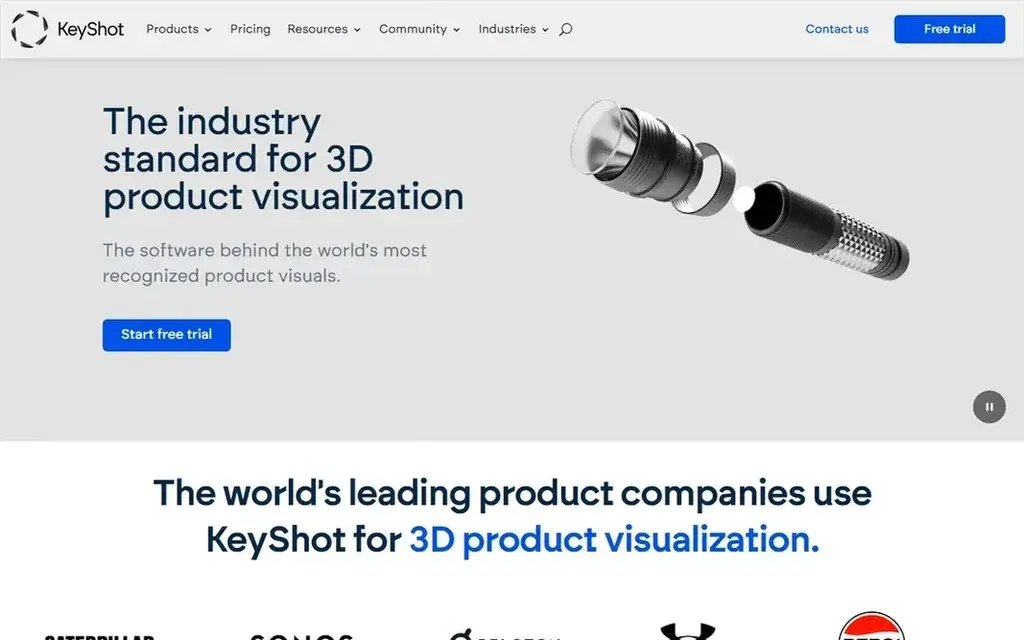
KeyShot is aimed squarely at live rendering and visualization. KeyShot is a 3D rendering and AI visualization software known for its modern live rendering technology. It enables collaboration from concept to product launch for product design firms.
Honest limits: May need feature-rich hardware for complicated scenes.
Automotive designers use it to produce photorealistic visuals of vehicles and components, making it a strong match for presentations and design reviews. For everyday use, KeyShot is not a full CAD modeling tool, so it is best used alongside a CAD program like Creo. KeyShot starts at: $7.92 per month. Free plan details: Free trial.
- Supports collaboration from concept to launch
- Live 3D rendering technology
- Restricted CAD modeling capabilities
Siemens Simcenter
Best for: Predictive simulation and test applications
Where Siemens Simcenter fits: predictive simulation and test applications. The tool suits organizations looking for a full simulation option that can grow with their needs.
Downsides: Needs expertise to completely use.
Simcenter may be overkill for small teams or straightforward projects, and it needs specialized knowledge to use effectively. Check the vendor site for Siemens Simcenter pricing; none is listed in this comparison. Trial and free access: Not stated.
- Adaptable and scalable simulation portfolio
- Supports every step of the digital journey
- Can be complicated to plug into other CAD tools
Substance 3D Painter
Best for: Live texturing and material creation
Substance 3D Painter is aimed squarely at live texturing and material creation. Adobe Substance 3D Painter is a 3D painting software that lets artists to apply textures, materials, and masks onto 3D assets in live.
For everyday use, Substance 3D Painter is centred on texturing and does not bundle modeling or simulation features. No starting price is listed for Substance 3D Painter here; confirm pricing on the vendor site. Free plan details: Not stated.
The main drawbacks: Restricted modeling capabilities.
- Live texturing with smart materials
- Industry-standard 3D painting software
- Needs integration with other 3D tools
Pick ZBrush if this describes you: digital sculpting and detailing. In automotive design, it is commonly employed for concept development and adding intricate details to vehicle interiors and exteriors.
Limits to weigh: Steep ramp-up time for beginners.
ZBrush does not show a starting price in this comparison, so check the vendor site for current pricing. As for free access: Not stated.
- Well suited to organic shapes and concept design
- Capable digital sculpting tools
- Not intended for precise CAD modeling
PTC Creo
Best for: Parametric CAD for automotive components
Pick PTC Creo if this describes you: Parametric CAD for automotive components. It is widely used in automotive design for creating in-depth parts and assemblies with parametric modeling.
Watch-outs: Needs training for full proficiency.
The software suits engineering teams that require solid tools for product development and want to advance their design workflows. This comparison lists no price for PTC Creo; ask the vendor. Free access: Not stated.
- Industry-leading 3D CAD capabilities
- Parametric modeling for complicated assemblies
- Steep ramp-up time for new users
How we compared the tools
LinkVetted looked at what each vendor publishes: pricing, plan limits, feature coverage for software for automotive design and stated drawbacks. No hands-on testing is claimed. Seat minimums, billing terms and add-ons can move the real cost, so the starting prices here are a guide and not a quote. Position on the page reflects fit for a typical buyer first, with price clarity and free access breaking ties. Treat it as a guide, not a ruling.
What to confirm before you sign up
- Confirm the entry price on the vendor page. For Siemens Simcenter, Substance 3D Painter, ZBrush and PTC Creo that means a quote rather than a fixed price.
- Run a trial of KeyShot with real work before paying for a year; your own workflow is the best test.
- Read the limits listed for KeyShot first: limited CAD modeling capabilities.
- Find out whether the entry plan of KeyShot covers your must-haves or only a trimmed-down version.
- See whether Siemens Simcenter offers onboarding or training, and whether it is included in the price.
FAQ
Is KeyShot the right pick for everyone comparing software for automotive design?
No single tool suits every team. KeyShot comes first because it fits real-time rendering and visualization, while Siemens Simcenter suits predictive simulation and test applications and Substance 3D Painter suits real-time texturing and material creation. Match the tool to your own size, budget and workflow before deciding.
Do these tools publish their prices?
Not all of them. Siemens Simcenter, Substance 3D Painter, ZBrush and PTC Creo publish no starting price, so expect a quote request for those. The rest, KeyShot included, show a starting price, though seats and billing terms still change the final cost.
Does any tool for software for automotive design here have a free plan?
A permanent free plan is not offered by KeyShot, PTC Creo or the other tools here. KeyShot offer a trial. Plan a short evaluation period instead.
Can I try these tools before paying?
Often, yes. KeyShot offers a free trial. Use your own data and a real task during the test, and check what the free tier or trial limits before you rely on it. Each of the 5 options in this software for automotive design guide has its own card above with the price, free plan and limits.
Sources
- https://www.keyshot.com
- https://plm.sw.siemens.com/en-US/simcenter
- https://www.adobe.com/products/substance3d-painter.html
- https://www.maxon.net/en/zbrush
- https://www.ptc.com/en/products/creo