The 5 Best Security Internet Browser in 2026, Ranked
Best security internet browser: 5 tools compared on price, free plans and fit. Our number one: Brave, for privacy-first everyday browsing. Details below.
- Editor's choice
 Brave
Privacy-first everyday browsing
Starts atSee websiteVisit brave.comFull review - Great alternative
 Opera
Everyday privacy and security features
Starts atSee websiteVisit opera.comFull review - Also considerChrome Enterprise
Managed enterprise browsing at scale
Starts at$6 per user per monthVisit chromeenterprise.googleFull review
Direct answer
Brave leads the list, best for privacy-first everyday browsing. Listed starting prices: Chrome Enterprise from $6 per user per month. Opera fits everyday privacy and security features; Chrome Enterprise fits managed enterprise browsing at scale. The remaining 2 options are covered below with prices and limits.
TL;DR:
- Number one here is Brave, a fit for privacy-first everyday browsing.
- Island is the one to check for governing work across endpoints.
- One limit worth knowing about Chrome Enterprise: Enterprise focus may exceed personal needs.
- For the cheapest start, look at Chrome Enterprise: $6 per user monthly.
- Chrome Enterprise is the only tool of the 5 with a free plan.
Last checked November 2026. Prices and plan details were read from the vendors' own pages in November 2026; vendors change plans often, so confirm the current price on the vendor site before you buy.
Quick comparison
| Tool | Best for | Starts at | Free plan? | |
|---|---|---|---|---|
| Brave | Privacy-first everyday browsing | See website | Not stated | Visit |
| Opera | Everyday privacy and security features | See website | Not stated | Visit |
| Chrome Enterprise | Managed enterprise browsing at scale | $6 per user per month | Yes | Visit |
 Vivaldi | Adaptable, feature-rich private browsing | See website | Not stated | Visit |
 Island | Governing work across endpoints | See website | Not stated | Visit |
The best security internet browser
LinkVetted compared 5 tools for security internet browser. The goal is a practical shortlist: published prices, free plan facts, best-fit use cases and honest limits for every entry.
Think of Brave for privacy-first everyday browsing. Organizations requiring policy-driven deployment frequently compare Chrome Enterprise or Edge for Business.
Drawbacks to consider: Ad blocking can affect some sites.
More specifically, Brave is presented as a quick, private and secure browser for PC, Mac and mobile that blocks tracking software and aims for a quicker, ad-free experience that saves data and battery life. Its focus is privacy and speed instead of centralized enterprise administration, so large IT teams may need extra management tooling. Brave shows no starting price here, so confirm the cost on the vendor site. On free options: Not stated.
- Blocks tracking software by default
- Available on desktop and mobile
- Fewer enterprise management features
Opera targets everyday privacy and security features. Opera is marketed as a quicker, safer and smarter browser that is completely featured for privacy, security and more. Its messaging centers on consumer features instead of enterprise administration.
So IT teams needing policy reporting may prefer Chrome Enterprise or Edge for Business. Privacy-focused users comparing defaults may also consider Brave or Vivaldi. This comparison lists no price for Opera; ask the vendor. As for free access: Not stated.
Watch-outs: Enterprise controls are less prominent.
- Available across devices
- Safer positioning
- Feature set varies by system
Chrome Enterprise
Best for: Managed enterprise browsing at scale
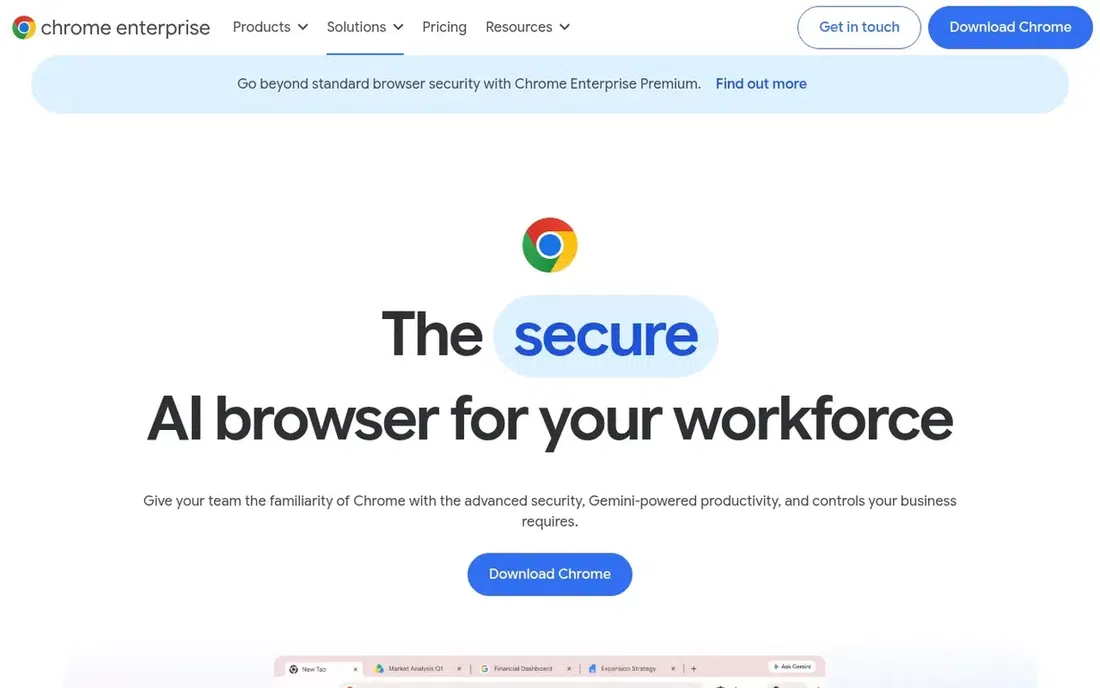
Chrome Enterprise is designed for managed enterprise browsing at scale. Smaller teams or individuals wanting a straightforward private browser may find the enterprise orientation heavier than needed and could look at consumer-focused options instead.
Limits to weigh: Enterprise focus may exceed personal needs.
Chrome Enterprise pricing: $6 per user monthly. Chrome Enterprise offers a free plan.
- Made for business deployment
- Guards corporate data
- Needs policy planning
Vivaldi is designed for adaptable, feature-rich private browsing. The breadth of features can feel busy for people who want a minimal browser. It is not positioned primarily as an enterprise management suite.
Beyond that, Vivaldi is a browser with a fun, adaptable approach and plenty of clever features built in, available for desktop, mobile and even cars. It states that it does not track you, making it a fit for users who want deep customization and privacy in one package. In practice, organizations needing centralized policies commonly look to Chrome Enterprise or Edge for Business. Check the vendor site for Vivaldi pricing; none is listed in this comparison. Free plan details: Not stated.
Watch-outs: Feature density can overwhelm new users.
- Highly adaptable customization
- States that it does not track you
- Restricted enterprise management focus
Island makes the most sense for governing work across endpoints. Teams seeking a standalone browser may prefer Chrome Enterprise or Edge for Business, whereas privacy-focused individuals may choose Brave.
Island describes its product as a frontier control plane for human and AI workers that makes it possible for, governs and guards work across endpoint, network, data and identity. Check the vendor site for Island pricing; none is listed in this comparison. Trial and free access: Not stated.
The main drawbacks: Needs deployment planning.
- Governs endpoint, network
- Data and identity
- Product scope may be wide for small teams
How we chose
A buyer's checklist
- Ask Brave, Opera, Vivaldi and Island for a written quote, since no starting price is shown.
- Test the free plan from Chrome Enterprise against your real workload before relying on it.
- Before choosing Brave, weigh its main limit: fewer enterprise management features.
- Test the integrations you rely on with Brave before committing; some connectors sit on upper tiers.
- Check whether the features you need in Opera sit on the entry plan or only on higher tiers.
FAQ
Is Brave the right pick for everyone comparing security internet browser?
No single tool suits every team. Brave comes first because it fits privacy-first everyday browsing, while Opera suits everyday privacy and security features and Chrome Enterprise suits managed enterprise browsing at scale. Match the tool to your own size, budget and workflow before deciding.
Are privacy-focused browsers right for business use?
Even so, they are less centered on enterprise administration and reporting. Organizations with strict policy needs commonly pair them with management tooling or choose an enterprise-oriented browser.
Which options for security internet browser have a free plan?
Chrome Enterprise is the only tool in this list with a free plan. Free plans usually cap users, projects or features, so check the limits on the vendor page. Each of the 5 options in this security internet browser guide has its own card above with the price, free plan and limits.
How should I evaluate browser security claims?
Start with documented features for example authentication, data controls and reporting, then check how they map to your policies. Verify details on vendor sites and test in a pilot.
How are the tools for security internet browser ordered?
Brave sits first and Island last because the order follows typical fit for security internet browser, then price clarity and free access. It is a judgement call, so read each profile for fit and limits.
Do these tools publish their prices?
Not all of them. Brave, Opera, Vivaldi and Island publish no starting price, so expect a quote request for those. The rest, Chrome Enterprise included, show a starting price, though seats and billing terms still change the final cost.
Sources
- https://brave.com
- https://www.opera.com
- https://chromeenterprise.google
- https://vivaldi.com
- https://www.island.io