9 Best All in One Internet Security Software Suites for 2026
We compared the best all in one internet security software suites for antivirus, VPN, password tools and identity monitoring, with pricing and free options.
- Editor's choice
 Norton 360 Deluxe
Families wanting every extra in one plan
Starts at$49.99 per yearVisit norton.comFull review - Great alternative
 Bitdefender Total Security
Best overall value and light performance
Starts atSee websiteVisit bitdefender.comFull review - Also consider
 McAfee+
Households with many devices
Starts at$39.99 per yearVisit mcafee.comFull review
TL;DR:
- Norton 360 Deluxe packs the most extras, including an unlimited VPN and cloud backup, while Bitdefender Total Security leads on value and light system impact.
- McAfee stands out for large households, since its main plans cover unlimited devices rather than a fixed device count.
- Avast One and Malwarebytes offer genuinely useful free tiers if your budget is zero, though paid plans add VPN, firewall and identity features.
- First year prices are often far lower than renewal prices, so check the renewal rate before you buy a multi device suite.
- Windows built in protection is solid for a single careful user, but a suite adds cross device cover, parental controls and identity monitoring.
Quick comparison
| Tool | Best for | Starts at | Free plan? | |
|---|---|---|---|---|
| Norton 360 Deluxe | Families wanting every extra in one plan | $49.99 per year | Free trial | Visit |
| Bitdefender Total Security | Best overall value and light performance | See website | Yes | Visit |
| McAfee+ | Households with many devices | $39.99 per year | Free trial | Visit |
 Avast One | Best free antivirus with paid extras | Free | Yes | Visit |
 ESET Home Security Premium | Light protection for older or slower PCs | See website | Free trial | Visit |
 Malwarebytes Premium | Simple malware cleanup and scam protection | See website | Yes | Visit |
 Trend Micro Maximum Security | Simple family protection with folder shielding | See website | Free trial | Visit |
 Kaspersky Premium | Balanced suite with VPN and identity tools | See website | Free trial | Visit |
 TotalAV | Budget paid protection for several devices | See website | Yes | Visit |
The best all in one internet security software
We compared official pricing pages, feature pages, app store listings and public reviews for suites that bundle antivirus with at least two extras, such as a VPN, password manager, firewall or identity monitoring. The list below covers single device users, families and large households, with free options where they are genuinely useful.

Norton 360 Deluxe is our pick for households that want one subscription to cover most security needs. The plan covers five devices across Windows, Mac, Android and iOS, and it bundles antivirus, a firewall, an unlimited VPN, cloud backup, dark web monitoring and a password manager. For a family that would otherwise pay separately for a VPN and a password manager, the bundle can cost less in total. The main drawback is renewal pricing. First year offers are often close to half the renewal rate, so set a reminder before renewal and compare rival offers at that point. Norton also offers a virus removal promise on some plans, where a technician helps if an infection cannot be removed, which is a useful safety net for less technical users.
- Unlimited VPN with no data cap
- 50 GB cloud backup
- Password manager and parental controls included
- Renewal price is much higher than the first year price
- Suite can feel large on older PCs
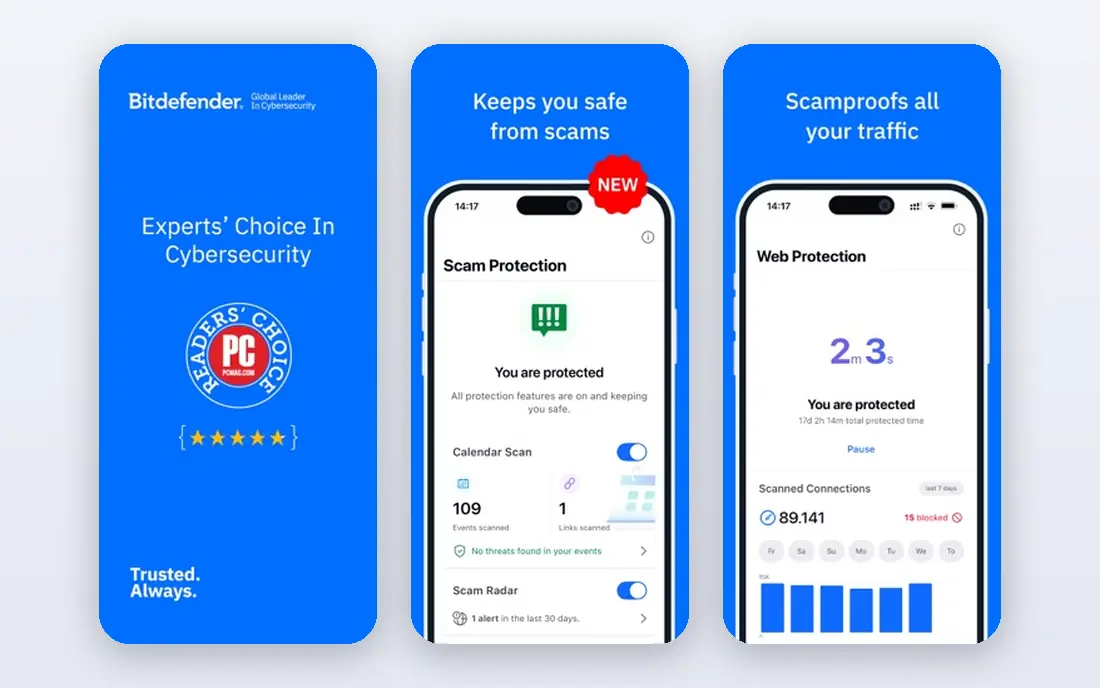
Bitdefender Total Security is the suite we point to most often for a typical household. It combines antivirus with behavioural detection, a two way firewall, webcam protection, parental controls and file encryption, while keeping system slowdown low in independent lab tests. The five device licence covers the main desktop and mobile platforms, which suits a small family or a person with several devices. The VPN cap is the clear limit. At 200 MB per day on the base plan, it suits occasional public Wi-Fi use, but not daily streaming or large downloads. An upgrade to a premium VPN removes the cap, but that adds cost. If you already pay for a separate VPN, the cap matters less, and Bitdefender remains strong on core protection alone.
- Strong lab results in independent tests
- Low system impact
- Covers five devices with VPN, firewall and parental controls
- Bundled VPN is capped at 200 MB per day unless upgraded
- Interface can feel busy
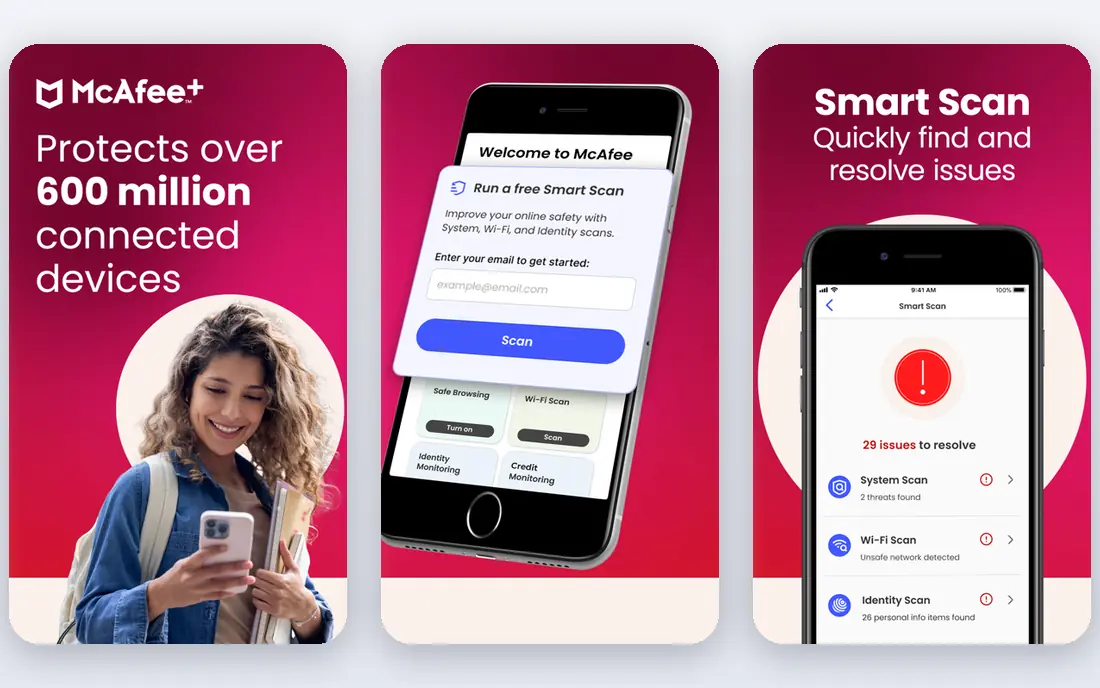
McAfee+ solves a specific problem: counting devices. Where most suites cap cover at five or ten devices, McAfee main plans cover unlimited devices, which suits large families, shared houses and people with phones, tablets, laptops and smart devices. The suite adds a VPN, identity monitoring, password management and parental controls, depending on the tier. Pricing still needs attention, since first year prices are promotional and renewal prices are higher. Check which identity features apply in your country, since credit monitoring and identity theft cover vary by region. For a household that has lost count of its devices, McAfee is the simplest way to cover everything under one plan.
- Unlimited device cover on main plans
- Strong mobile apps
- Identity monitoring included
- Renewal price rises sharply
- Some features vary by country and plan
Avast One is the strongest free starting point on this list. The free version gives real time antivirus protection with the same core engine as the paid version, plus basic privacy tools, which is more than a trial that expires after a few weeks. That makes it a practical choice for a single PC user who wants protection now and may upgrade later. Paid Avast One plans add a VPN, a driver updater, disk cleanup and stronger privacy controls. The app is modular, so you can turn on only the extras you want, which helps avoid clutter. The trade off is promotion: free users will see upgrade prompts, and the full VPN is a paid feature. For a zero budget user, Avast One still beats relying on no third party protection at all.
- Free tier uses the same core engine as paid plans
- Modular app lets you switch extras on or off
- Paid plans add VPN and cleanup tools
- Free tier lacks the full VPN and some premium extras
- Upsell prompts appear in the free version
ESET Home Security Premium appeals to users who notice every slowdown. The suite is known for a small footprint, which matters on older laptops, gaming PCs and work machines where background scans should not interrupt other tasks. Premium adds a password manager, secure data encryption and webcam protection on top of antivirus and firewall features. The interface is more technical than the friendliest suites, with settings that assume some confidence. That is a benefit for users who want control, and a drawback for people who want a set and forget app. If your PC is older and you value speed, ESET is worth testing during the trial period before you commit.
- Low system impact
- Granular controls for technical users
- Password manager and encryption tools included
- Interface is less guided than Norton or Bitdefender
- Fewer lifestyle extras than larger suites
Malwarebytes Premium takes a narrower approach than the big suites, and that focus is its strength. It is built around malware detection and cleanup, with real time protection, web protection and scam blocking, without trying to bundle every possible extra. Users who find full suites overwhelming often prefer this simpler model. The free version is a manual scanner rather than full real time protection, so it suits on demand checks rather than always on cover. Paid Premium adds real time layers, but a VPN and identity tools are separate where offered. Malwarebytes works well as a primary tool for a careful user, or as a cleanup tool when another antivirus misses something.
- Simple interface focused on malware removal
- Good second layer alongside built in protection
- Scam and phishing protection
- Fewer bundle extras than Norton or Bitdefender
- VPN is a separate product in many regions
Trend Micro Maximum Security
Best for: Simple family protection with folder shielding
Trend Micro Maximum Security is a good fit for families that want protection without a complex setup. The interface is plain, the main controls are easy to find, and folder shield protection helps guard documents and photos against ransomware encryption. Parental controls, a password manager and a VPN element are included, depending on the plan. Technical users may find fewer granular settings than ESET or Bitdefender offer. Device counts also vary, so check the plan that matches your household size before buying. For a family that wants a calm, guided suite and does not want to tune settings, Trend Micro is a solid shortlist choice.
- Clear interface for beginners
- Ransomware folder protection
- Parental controls and password manager included
- Fewer advanced controls for technical users
- Device limits vary by plan
Kaspersky Premium bundles antivirus, firewall, VPN, password management and identity protection in a clear tier structure, from a basic plan to a premium plan. The core protection scores well in independent lab tests, and the app is straightforward to use across Windows, Mac, Android and iOS. The main consideration is not technical. Some governments and organisations restrict or advise against Kaspersky products, and availability varies by country. Buyers should check current local guidance and vendor availability for their region before choosing this suite. Where it is available and acceptable to the buyer, it is a capable all in one option.
- Strong antivirus core
- VPN and password manager included
- Clear plan tiers
- Availability and trust questions vary by region and buyer
- Check local guidance before purchase
TotalAV is often the cheapest paid entry point among the suites on this list, with a low first year price for several devices. The paid plans bundle antivirus, a VPN, a password vault, ad blocking and system tune up tools, which gives budget buyers a broad feature set for a low initial cost. The renewal price is the catch, and it can be several times the first year price, so treat the first year as an introductory rate and check the renewal terms at checkout. The free version offers a basic scan rather than full protection. For a buyer who will set a renewal reminder and compare prices each year, TotalAV can be good value.
- Low first year price
- Covers several devices
- Includes VPN, password vault and system tune up tools
- Renewal price is much higher than the first year offer
- Free version is limited
How we picked these
We compared official feature pages, pricing pages, app store listings, privacy policies and public reviews for suites still sold in October 2026. We required at least antivirus plus two bundled extras, such as a VPN, password manager, firewall, backup or identity monitoring, to qualify as all in one. We also checked device limits, free tiers and trial lengths, since those details change the real cost for a household. We did not claim hands on testing that did not happen. Our ranking reflects documented features, published pricing, independent lab patterns reported in public reviews, and the practical fit for different household sizes. Prices are promotional in many cases, so confirm the renewal price on the vendor page before purchase.
Choosing the right suite for your household
Count devices first, then features
Start by listing every phone, tablet, laptop and desktop that needs cover. A five device plan suits most small families, while a larger household should shortlist McAfee for unlimited cover or check the ten device tiers from other vendors. Buying a second licence later is usually more expensive than choosing the right device count at the start.
Compare renewal prices, not just first year prices
Most suites discount the first year heavily. Write down the renewal price, the device count and the included extras for each shortlisted suite, and compare those figures side by side. A suite that looks cheapest in year one can become the most expensive in year two, especially when a VPN or identity add on is involved.
Decide which extras you will actually use
A VPN matters if you use public Wi-Fi often, a password manager matters if you reuse passwords, and parental controls matter if children use shared devices. If you already pay for a standalone VPN or password manager, a simpler antivirus plan may cost less overall than a large bundle with tools you will not open.
FAQ
What is the best computer software security suite for a family?
Norton 360 Deluxe and Bitdefender Total Security are the strongest family picks in this list. Norton packs more extras, including an unlimited VPN and backup, while Bitdefender offers strong protection with lower system impact and often lower pricing.
Is free antivirus enough?
For a single careful user on Windows, built in protection plus a free tool such as Avast One can be enough. A paid suite adds value when you need cover across several devices, a VPN, parental controls, backup or identity monitoring in one plan.
What is the best virus and internet security software for many devices?
McAfee+ is the clearest pick for many devices, since its main plans cover unlimited devices. Check the renewal price and which identity features apply in your country before buying.
Do I need a separate VPN if my suite includes one?
It depends on the cap and speed. Norton includes an unlimited VPN, while Bitdefender caps the base VPN at 200 MB per day. If you stream or download daily over a VPN, a standalone VPN or a premium VPN upgrade may still be needed.
How do I avoid renewal price surprises?
Check the renewal price at checkout, set a calendar reminder a week before renewal, and compare rival first year offers at that point. Some vendors offer a discount when you ask, but do not rely on that outcome.
Does a suite slow down my PC?
Modern suites are lighter than older versions, and Bitdefender and ESET are known for low impact. On an older PC, use the free trial first and run your normal tasks during the trial to judge speed on your own machine.