5 Best Secure File Transfer Software for Law Firms for 2026, Vetted and Compared
Best secure file transfer software for law firms: 5 contenders ranked by fit, with entry costs and free tiers. Caveats come with every verdict. No filler.
- Editor's choice
 Box
Content management and workflows
Starts atSee websiteVisit box.comFull review - Great alternative
 Egnyte
Governed content and large files
Starts at$22 per user per monthVisit egnyte.comFull review - Also considerMOVEit
Automatic managed file transfers
Starts atSee websiteVisit progress.comFull review
Direct answer
This list puts Box first for content management and workflows. Listed starting prices: Egnyte from $22 per user per month, Virtru from $119 a month and ShareFile from $16.50 per user per month. Egnyte fits governed content and large files; MOVEit fits automatic managed file transfers. Details, prices and limits for the rest of the 5 tools are below.
TL;DR:
- The list opens with Box, aimed at content management and workflows.
- One limit worth knowing about Egnyte: wide system may need configuration.
- The lowest published monthly entry price here is $16.50 per user per month, from ShareFile.
- Neither Box nor ShareFile, nor any of the other 3 tools, has a permanent free plan; trials and quotes are the norm.
- ShareFile fits client document workflows.
Last checked November 2026. Prices and plan details were read from the vendors' own pages in November 2026; vendors change plans often, so confirm the current price on the vendor site before you buy.
Quick comparison
| Tool | Best for | Starts at | Free plan? | |
|---|---|---|---|---|
| Box | Content management and workflows | See website | Not stated | Visit |
| Egnyte | Governed content and large files | $22 per user per month | Free trial | Visit |
| MOVEit | Automatic managed file transfers | See website | Not stated | Visit |
 Virtru | Encrypted email and file sharing | $119 a month | No | Visit |
 ShareFile | Client document workflows | $16.50 per user per month | Free trial | Visit |
The full secure file transfer software for law firms list
If you are comparing secure file transfer software for law firms, this page covers 5 tools in one place: what each is best for, what it costs to start, whether it has a free plan, and the main limit to know about.
In short, Box is for content management and workflows. Law businesses handling numerous matters can use it as a central content layer with permissions and workflow automation around client documents.
Businesses wanting a light sending tool may prefer something narrower, whereas those consolidating content management will find more to use here. Box shows no starting price here, so confirm the cost on the vendor site. Free options: Not stated.
Trade-offs to know: Workflow design takes planning.
- Internal and external collaboration
- Automatic workflows
- Wide system may exceed straightforward needs

Egnyte is designed for governed content and large files. Law businesses with sizeable document sets, including discovery material and matter files, can benefit from combining sharing with content governance in a single environment.
Downsides: Wide system may need configuration.
What you pay to start with Egnyte: $22 per user per month. As for free access: Free trial.
- Collaboration on large files
- Single secure product
- Feature depth can need onboarding
MOVEit
Best for: Automatic managed file transfers
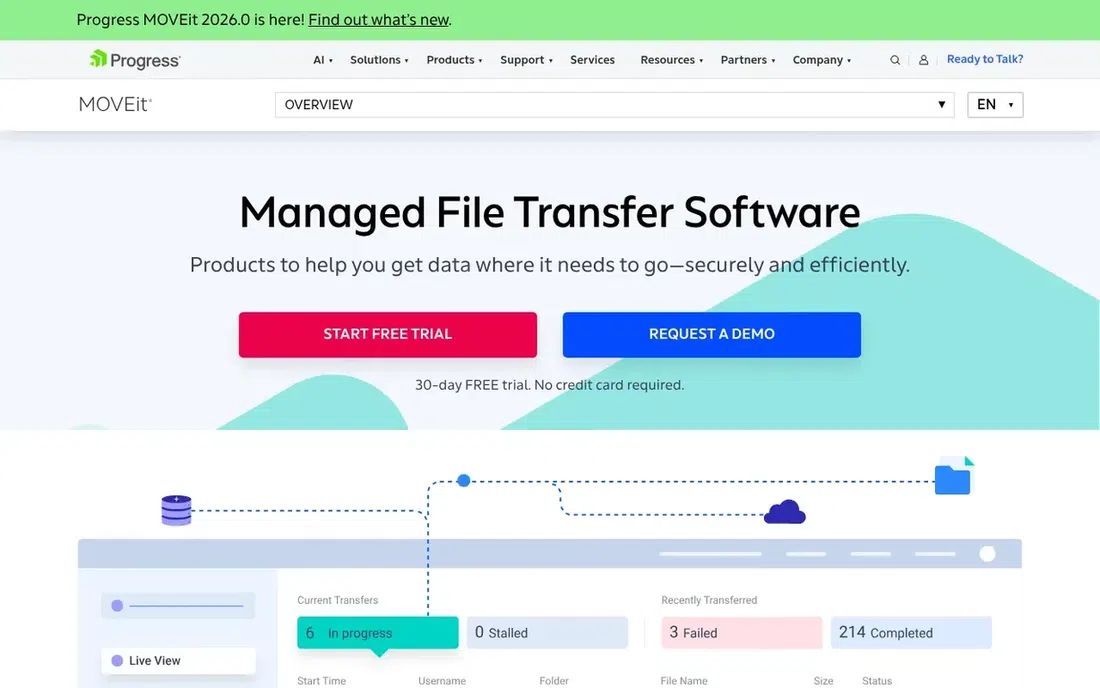
For automated managed file transfers, MOVEit is a natural candidate. MOVEit is managed file transfer software from Progress designed for automated and secure movement of sensitive data.
Since it centres on managed transfer instead of everyday document collaboration, businesses wanting a shared workspace for editing and client portals may pair it with another tool. No starting price is listed for MOVEit here; confirm pricing on the vendor site. On free options: Not stated.
Honest limits: May need administrative setup.
- Supports advanced workflow automation
- Aimed at sensitive data handling
- Oriented toward managed transfer, not general collaboration

Virtru is a good fit for encrypted email and file sharing. Virtru provides a data protection platform delivering end-to-end encryption and access control for email, files and apps. For law businesses, that makes it a good fit for privileged correspondence and attachments sent outside the firm, since protection travels with the content rather than depending only on the destination system.
Points against: Needs adoption across senders and recipients.
Its strength is encryption and access control instead of wide content management, so businesses needing large repositories or matter-centric organization may want a product with more solid document governance. Consider alternatives if you chiefly need storage and collaboration instead of protected messaging. What you pay to start with Virtru: $119 per month. Virtru has no permanent free option.
- Access control across apps
- End-to-end encryption for email and files
- Encryption-centric, restricted storage focus
Choose ShareFile for client document workflows. That orientation suits law businesses that send documents to clients and outside counsel and want structured, permission-based sharing instead of open links.
If your priority is automatic system-to-system transfers, a managed file transfer product may be the better primary choice. ShareFile pricing: $16.50 per user per month. Free access: Free trial.
Trade-offs to know: Less suited to pure automation pipelines.
- Made for confidence in sharing
- Document workflow focus
- Workflow features may need setup
How the list was put together
LinkVetted looked at what each vendor publishes: pricing, plan limits, feature coverage for secure file transfer software for law firms and stated drawbacks. No hands-on testing is claimed. Plan names, prices and limits change often. Treat the figures here as a starting point and verify them with the vendor. The sequence is a judgement call: typical use case first, then pricing transparency, then free access. Use the profiles to check fit.
A buyer's checklist
- Get a written quote from Box and MOVEit; the list shows no starting price for them.
- Run a trial of Egnyte and ShareFile with real work before paying for a year; your own workflow is the best test.
- Read the limits listed for Box first: wide system may exceed straightforward needs.
- Ask Egnyte how an export works before you move any records in; an easy exit lowers the risk.
- Let daily users try ShareFile on real work; their feedback beats any feature checklist.
FAQ
How are the tools for secure file transfer software for law firms ordered?
The order follows typical fit for secure file transfer software for law firms, with Box first and ShareFile last, then price clarity and free access. It is editorial judgement, not a score, so another team could rank the tools differently.
Is Box the right pick for everyone comparing secure file transfer software for law firms?
No single tool suits every team. Box comes first because it fits content management and workflows, while Egnyte suits governed content and large files and MOVEit suits automated managed file transfers. Match the tool to your own size, budget and workflow before deciding.
What is the cheapest option for secure file transfer software for law firms in this list?
On published monthly entry prices, ShareFile is the lowest here at $16.50 per user per month. Entry price is only part of the cost, because seats, add-ons and billing terms can change the total. Prices, free plan details and limits for all 5 tools in this secure file transfer software for law firms roundup sit on the individual cards above.
Can I try these tools before paying?
Often, yes. Egnyte and ShareFile offer a free trial. Use your own data and a real task during the test, and check what the free tier or trial limits before you rely on it. Each of the 5 options in this secure file transfer software for law firms guide has its own card above with the price, free plan and limits.
What should law businesses prioritize in file transfer software?
Then consider how well the tool suits existing document management and email systems, and whether external sharing can be tightly restricted and revoked.
Sources
- https://www.box.com
- https://www.egnyte.com
- https://www.progress.com/moveit
- https://www.virtru.com
- https://www.sharefile.com