5 Best Real Estate Photography Software for Listing Teams for 2026, Vetted and Compared
Best real estate photography software for listing teams: 5 tools compared on price, free plans and fit. Verdicts stay brief and factual. Checked this month.
- Editor's choiceZillow 3D Home
Free 3D tours for Zillow listings
Starts atSee websiteVisit zillow.comFull review - Great alternativeHomeJab
Premier photography and video services
Starts at$179Visit homejab.comFull review - Also consideriGUIDE
In-depth floor plans and 3D tours
Starts at$34.50 per projectVisit goiguide.comFull review
Direct answer
If you need free 3D tours for Zillow listings, Zillow 3D Home is the first tool to look at here. Listed starting prices: HomeJab from $179, iGUIDE from $34.50 per project and BoxBrownie from $1.60 per image. Alternatives: HomeJab for Premier photography and video services, and iGUIDE for in-depth floor plans and 3D tours. The remaining 2 options are covered below with prices and limits.
TL;DR:
- The list opens with Zillow 3D Home, aimed at free 3D tours for Zillow listings.
- iGUIDE comes with a trade-off: needs specialized capture equipment.
- Zillow 3D Home, BoxBrownie and the 3 others all need a premium plan or a trial, since no free plan is listed.
- For quick photo editing and virtual staging, BoxBrownie is worth a look.
- Pricing for Zillow 3D Home and CubiCasa is quote-based, which adds a sales step before you can compare cost.
Last checked November 2026. Prices and plan details were read from the vendors' own pages in November 2026; vendors change plans often, so confirm the current price on the vendor site before you buy.
Quick comparison
| Tool | Best for | Starts at | Free plan? | |
|---|---|---|---|---|
| Zillow 3D Home | Free 3D tours for Zillow listings | See website | Not stated | Visit |
| HomeJab | Premier photography and video services | $179 | No | Visit |
| iGUIDE | In-depth floor plans and 3D tours | $34.50 per project | No | Visit |
| CubiCasa | Smartphone-based floor plan creation | See website | Free trial | Visit |
 BoxBrownie | Quick photo editing and virtual staging | $1.60 per image | Not stated | Visit |
Our 5 real estate photography software for listing teams
Choosing real estate photography software for listing teams usually comes down to price, fit and limits. This LinkVetted guide sets 5 tools side by side on those three points, with the facts kept short and checkable.
Zillow 3D Home
Best for: Free 3D tours for Zillow listings
Zillow 3D Home works best for free 3D tours for Zillow listings. It is aimed at fast capture using a smartphone, making it accessible for agents who want to stand out to sellers.
What to check first: Entry-level editing and floor plan features.
Choose it for straightforward, free 3D tours within Zillow. Pricing for Zillow 3D Home is not stated here, so ask the vendor for current figures. Free plan details: Not stated.
- Links up with Zillow listings
- Free app for 3D tours
- Restricted to Zillow ecosystem
HomeJab
Best for: Premier photography and video services
For Premier photography and video services, HomeJab is a natural candidate. HomeJab provides premier real estate photography and video services, built for listing teams that want professional media without managing vendors. Choose HomeJab when professional photography and video are the central requirements.
Drawbacks to consider: Service availability may vary by region.
Teams needing instant edits or direct control might prefer software tools. For everyday use, the service is suited for agents who prefer an outsourced, end-to-end option. What you pay to start with HomeJab: $179. HomeJab has no free plan.
- Simplified booking for agents
- Professional photography and video
- Less control over editing process
iGUIDE
Best for: In-depth floor plans and 3D tours
Pick iGUIDE if this describes you: in-depth floor plans and 3D tours. The no-subscription model appeals to teams that prefer one-time capture.
Downsides: May be overkill for straightforward listings.
For everyday use, pick iGUIDE when precise measurements and full 3D tours are essential. In practice, iGUIDE records in-depth floor plans, 3D tours, and broad measurements in minutes, helping professionals share precise property data confidently. Price to start with iGUIDE: $34.50 per project. No free plan comes with iGUIDE.
- No subscriptions required
- Captures thousands of measurements
- Needs specialized capture equipment
CubiCasa
Best for: Smartphone-based floor plan creation
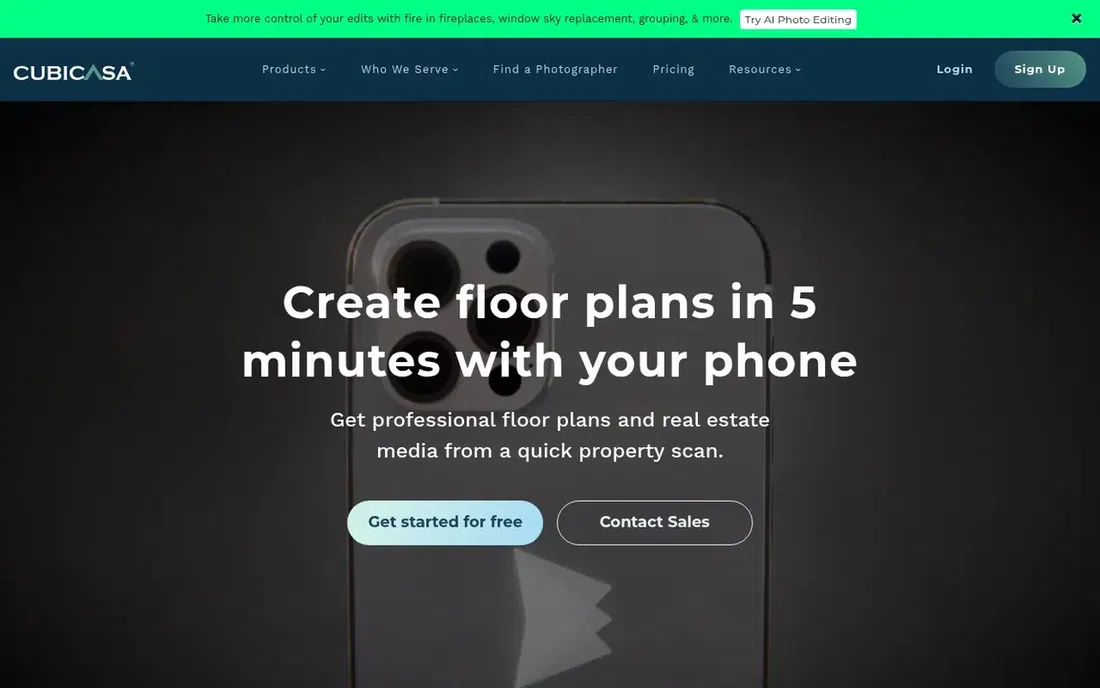
CubiCasa is aimed squarely at Smartphone-based floor plan creation. Accuracy can rely on scan conditions and device quality. Beyond that, CubiCasa is a floor plan creator app for iPhone and Android that turns a straightforward five-minute smartphone scan into accurate 2D and 3D floor plans.
Honest limits: Centres on floor plans, not photo editing.
On top of that, choose CubiCasa when floor plans are the primary need and you want a quick mobile workflow. The app is straightforward for agents and photographers to use on site. CubiCasa shows no starting price here, so confirm the cost on the vendor site. On free options: Free trial.
- Accurate 2D and 3D floor plans
- IOS and Android app support
- Needs a smartphone with a decent camera
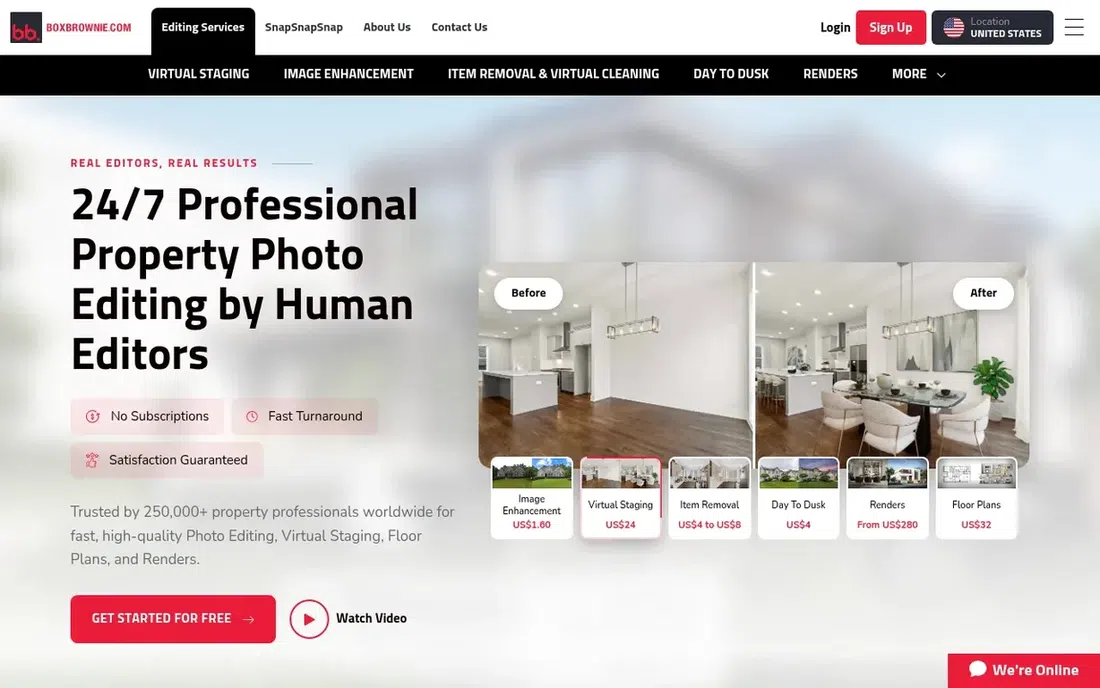
In short, BoxBrownie is for quick photo editing and virtual staging. BoxBrownie is a real estate photo editing service that also provides virtual staging, floor plans, clipping, and CGI renders.
Where it falls short: Pricing varies by service.
As for the details, since edits are done by people, turnaround relies on queue volume and may not suit last-minute needs. What you pay to start with BoxBrownie: $1.60 per image. As for free access: Not stated.
- Fast 24-hour editing turnaround
- Custom edits for listing photos
- Depends on human editors, not instant automation
What went into this list
Things to verify first
- Ask Zillow 3D Home and CubiCasa for a written quote, since no starting price is shown.
- Run a trial of CubiCasa with real work before paying for a year; your own workflow is the best test.
- Before choosing Zillow 3D Home, weigh its main limit: limited to Zillow ecosystem.
- Add up seats, add-ons and usage charges for iGUIDE before comparing it with cheaper entries.
- Check the support hours and onboarding help CubiCasa offers; smaller vendors vary a lot here.
FAQ
Can I try these tools before paying?
Often, yes. CubiCasa offers a free trial. Use your own data and a real task during the test, and check what the free tier or trial limits before you rely on it.
What is the best real estate photography software for listing teams?
This list starts with Zillow 3D Home, which fits free 3D tours for Zillow listings. For other needs, HomeJab is aimed at Premier photography and video services, and iGUIDE at in-depth floor plans and 3D tours. Check each tool's price and main limit first.
How are the tools for real estate photography software for listing teams ordered?
Zillow 3D Home sits first and BoxBrownie last because the order follows typical fit for real estate photography software for listing teams, then price clarity and free access. It is a judgement call, so read each profile for fit and limits.
Is Zillow 3D Home the right pick for everyone comparing real estate photography software for listing teams?
No single tool suits every team. Zillow 3D Home comes first because it fits free 3D tours for Zillow listings, while HomeJab suits Premier photography and video services and iGUIDE suits detailed floor plans and 3D tours. Match the tool to your own size, budget and workflow before deciding.
Do these tools publish their prices?
Not all of them. Zillow 3D Home and CubiCasa publish no starting price, so expect a quote request for those. The rest, HomeJab included, show a starting price, though seats and billing terms still change the final cost.
Sources
- https://www.zillow.com/3d-home
- https://www.homejab.com
- https://goiguide.com
- https://www.cubi.casa
- https://www.boxbrownie.com