Best Photo Collage Software for Real Estate Listings for 2026: Our 6 Vetted Picks
Best photo collage software for real estate listings: 6 tools compared on price, free plans and fit. Concise write-ups of every option. Jump to the table.
- Editor's choice
 Fotor
Everyday photo enhancement and editing
Starts atSee websiteVisit fotor.comFull review - Great alternative
 Adobe Photoshop
Precise compositing and advanced photo edits
Starts atSee websiteVisit adobe.comFull review - Also considerFotoJet
Browser collage making without downloads
Starts at$3.33 per monthVisit fotojet.comFull review
Direct answer
Start with Fotor if you need everyday photo enhancement and editing. Listed starting prices: FotoJet from $3.33 per month. Look at Adobe Photoshop for precise compositing and advanced photo edits, and at FotoJet for browser collage making without downloads. The other 3 tools in the list cover narrower or pricier cases.
TL;DR:
- Number one here is Fotor, a fit for everyday photo enhancement and editing.
- PicMonkey is the one to check for simple photo editing plus collage design.
- FotoJet is the lowest-priced starter here at $3.33 per month.
- Only Fotor offers a free plan among these 6 tools.
- What to know about Fotor first: collage depth varies by layout.
Last checked November 2026. Prices and plan details were read from the vendors' own pages in November 2026; vendors change plans often, so confirm the current price on the vendor site before you buy.
Quick comparison
| Tool | Best for | Starts at | Free plan? | |
|---|---|---|---|---|
| Fotor | Everyday photo enhancement and editing | See website | Yes | Visit |
| Adobe Photoshop | Precise compositing and advanced photo edits | See website | Not stated | Visit |
| FotoJet | Browser collage making without downloads | $3.33 per month | Free trial | Visit |
 Canva | Template-driven listing collages and graphics | See website | Not stated | Visit |
 Animoto | Turning listing photos into short videos | See website | Not stated | Visit |
 PicMonkey | Simple photo editing plus collage design | See website | Free trial | Visit |
Photo Collage Software for Real Estate Listings, one by one
LinkVetted put together this guide to photo collage software for real estate listings for readers who want a clear shortlist without reading every vendor page. It compares 6 tools on starting price, free plans, who each one suits and where each one falls short.
In short, Fotor is for everyday photo enhancement and editing. Fotor is an online photo editor for enhancing and editing images, with cropping, text, effects and retouching tools. Choose Fotor when fast image cleanup and overlays are the central task.
Real estate agents can use it to brighten listing photos and add straightforward text overlays before assembling them into a collage elsewhere or within its editor. Also, Fotor is oriented toward general photo editing instead of dedicated collage production, so complicated multi-photo layouts may be simpler in Canva or FotoJet. This comparison lists no price for Fotor; ask the vendor. Fotor has a free plan.
Trade-offs to know: Collage depth varies by layout.
- Retouching features for fast fixes
- Browser-based access
- Advanced compositing is restricted
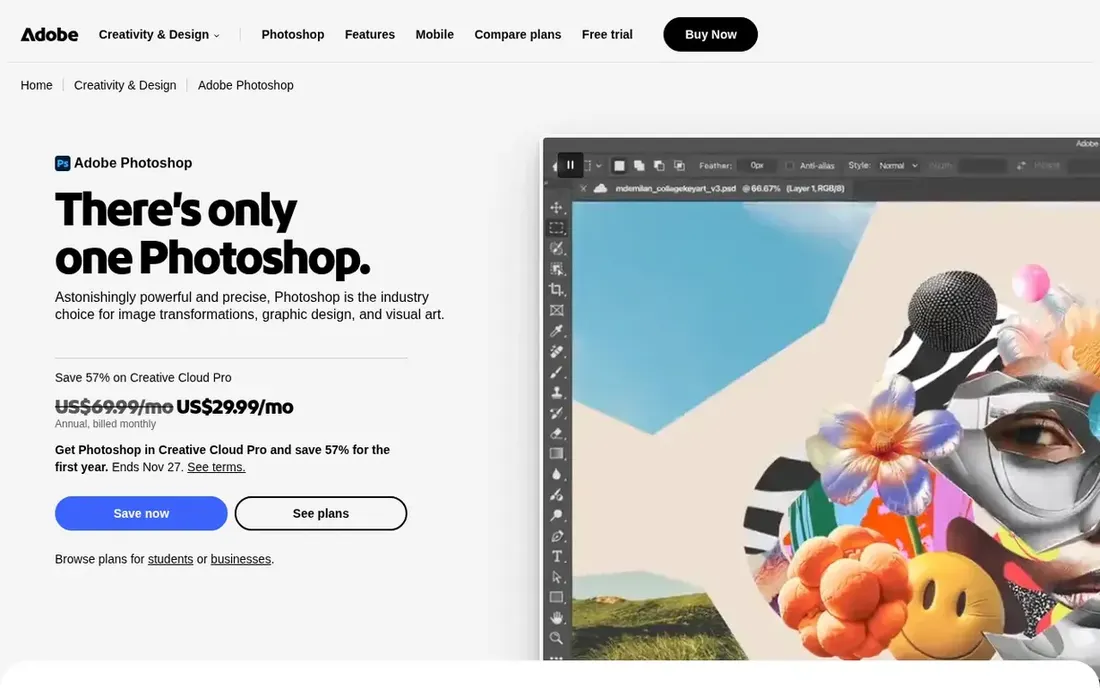
Adobe Photoshop targets precise compositing and advanced photo edits. It rewards users who invest time in learning its tools.
Where it is weaker: Overkill for straightforward grid collages.
Agents who primarily need fast listing collages may prefer Canva or FotoJet. Pricing for Adobe Photoshop is not stated here, so ask the vendor for current figures. Trial and free access: Not stated.
- Merges several images with control
- Deep image editing and blending
- Steeper ramp-up time
FotoJet
Best for: Browser collage making without downloads
FotoJet is a good fit for browser collage making without downloads. FotoJet is an online app for graphic design, photo collage and photo editing that runs without a download or registration. That makes it a practical choice for agents who require a listing collage assembled rapidly on any computer.
Where it is weaker: Fewer pro-level editing controls.
FotoJet's editing tools are less advanced than Photoshop's, and its design ecosystem is narrower than Canva's. Pick FotoJet for quick, straightforward collages in the browser. Starting cost for FotoJet: $3.33 per month. Free options: Free trial.
Highlights: No download or registration to try.
- Collage
- Design and editing in one app
- Design depth is narrower than suites

Canva makes the most sense for template-driven listing collages and graphics. Canva is an online visual suite for design work, including social media posts, presentations, posters and more. As for the details, for real estate, that breadth helps: an agent can build a photo grid for a listing and reuse the same style for a flyer or a social announcement.
Honest limits: Precise photo compositing is restricted.
Agents who require precise compositing or advanced color correction should look to Photoshop instead. Choose Canva when speed and consistent branding matter more than pixel-level control. Check the vendor site for Canva pricing; none is listed in this comparison. Trial and free access: Not stated.
- Browser-based with a visual editor
- Large template and layout library
- Busy interfaces can slow new users
Where Animoto fits: turning listing photos into short videos. It suits marketing workflows where short property videos are shared on social channels or listing pages.
Highlights: Merges photos.
No starting price is listed for Animoto here; confirm pricing on the vendor site. On free options: Not stated.
Downsides: Restricted fine photo editing.
- Straightforward creation workflow
- Video output for listings and social
- Not a static collage tool

PicMonkey is aimed squarely at simple photo editing plus collage design. Agents needing very large asset libraries may find its catalog narrower.
As for the details, choose it when a friendly editor and design templates handle most listing marketing needs. Check the vendor site for PicMonkey pricing; none is listed in this comparison. Free plan details: Free trial.
Honest limits: Fewer advanced compositing tools.
- Templates
- A decent match for social media graphics
- Asset library is narrower than some suites
Selection criteria
LinkVetted looked at what each vendor publishes: pricing, plan limits, feature coverage for photo collage software for real estate listings and stated drawbacks. No hands-on testing is claimed. Seat minimums, billing terms and add-ons can move the real cost, so the starting prices here are a guide and not a quote. We ordered the tools by general fit, then by how clearly pricing is shown, then by free access. A buyer with unusual needs may reorder them.
Questions to settle before buying
- Confirm the entry price on the vendor page. For Fotor, Adobe Photoshop, Canva and others that means a quote rather than a fixed price.
- Test the free plan from Fotor against your real workload before relying on it.
- Use real work to test the free trial from FotoJet and PicMonkey, rather than a demo project.
- Before choosing Fotor, weigh its main limit: collage depth varies by layout.
- See whether Fotor offers onboarding or training, and whether it is included in the price.
- Before you load data into Animoto, check what an export looks like and who can run it.
FAQ
Which tool is a good match for a simple listing photo collage?
Fotor is the pick this page puts first, mainly for everyday photo enhancement and editing. If your situation differs, Adobe Photoshop suits precise compositing and advanced photo edits, and FotoJet suits browser collage making without downloads. Compare price and limits before you decide.
Which options for photo collage software for real estate listings have a free plan?
Fotor is the only tool in this list with a free plan. Free plans usually cap users, projects or features, so check the limits on the vendor page. Several others offer a trial instead.
What is the cheapest option for photo collage software for real estate listings in this list?
On published monthly entry prices, FotoJet is the lowest here at $3.33 per month. Entry price is only part of the cost, because seats, add-ons and billing terms can change the total.
Can I try these tools before paying?
Often, yes. Fotor has a free plan and FotoJet and PicMonkey offer a free trial. Use your own data and a real task during the test, and check what the free tier or trial limits before you rely on it.
Is Fotor the right pick for everyone comparing photo collage software for real estate listings?
No single tool suits every team. Fotor comes first because it fits everyday photo enhancement and editing, while Adobe Photoshop suits precise compositing and advanced photo edits and FotoJet suits browser collage making without downloads. Match the tool to your own size, budget and workflow before deciding.
Sources
- https://www.fotor.com
- https://www.adobe.com/products/photoshop.html
- https://www.fotojet.com
- https://www.canva.com
- https://animoto.com
- https://www.picmonkey.com