Best Photo Collage Apps in 2026: 8 Apps Compared
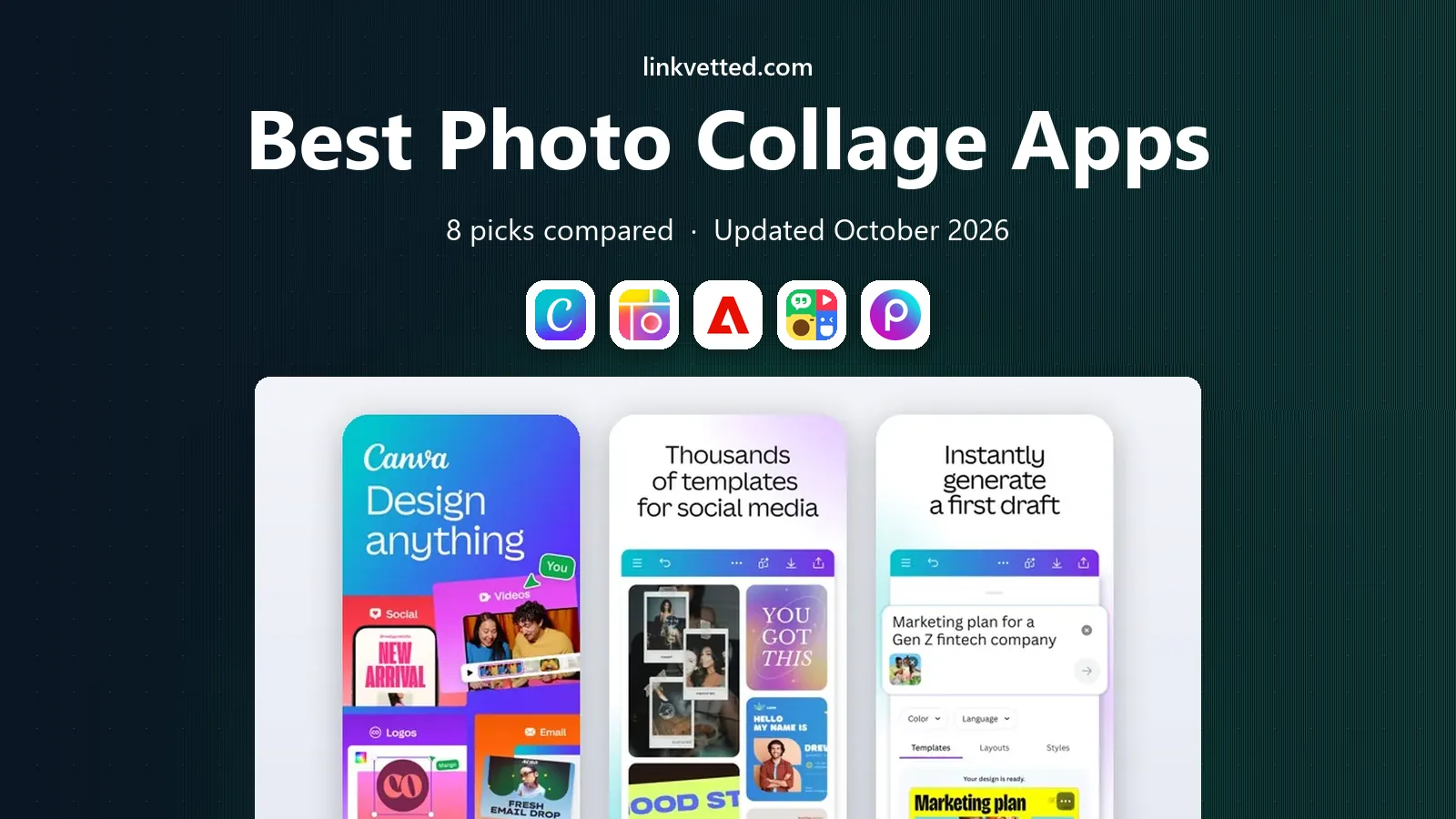
We compared the 8 best photo collage apps for 2026 on price, free plans, layouts and watermarks, from Canva to PicCollage, so you can pick the right one.
- Editor's choice
 Canva
Collages that become cards, posters or social posts
Starts atFreeVisit canva.comFull review - Great alternative
 PicCollage
Quick collages and greeting cards on a phone
Starts atFreeVisit piccollage.comFull review - Also consider
 Adobe Express
Free templates with a 30-day Premium trial
Starts atFreeVisit adobe.comFull review
TL;DR:
- Canva and Adobe Express are the strongest all-rounders with genuine free plans: both are free to start and both let you try their paid tiers before you pay.
- PicCollage and PhotoGrid are the most phone-friendly picks, but their free versions come with limits: PhotoGrid's free exports carry a watermark, and PicCollage sells a VIP subscription that removes watermarks and ads.
- Picsart lists a Pro plan at $10.50 per month billed yearly ($15 month to month), and Pixlr says its paid plans start at $1.99 per month, which is the lowest published entry price we found.
- Prices on several of these sites change by region (Canva and Adobe Express show different figures in different countries), so check the price you are actually offered before subscribing.
- For a quick grid of photos from your camera roll, any of the eight will do the job in a few minutes; the real differences are watermarks, ads, templates and what you pay to remove limits.
Quick comparison
| Tool | Best for | Starts at | Free plan? | |
|---|---|---|---|---|
| Canva | Collages that become cards, posters or social posts | Free | Yes | Visit |
| PicCollage | Quick collages and greeting cards on a phone | Free | Yes | Visit |
| Adobe Express | Free templates with a 30-day Premium trial | Free | Yes | Visit |
 PhotoGrid | Layout-heavy collages with 2 to 10 or more photos | Free | Yes | Visit |
 Picsart | Creative edits plus collages | Free | Yes | Visit |
 Fotor | One tool for editing, design and collages | Free | Yes | Visit |
 BeFunky | Browser-based grids and one-click layouts | Free | Yes | Visit |
 Pixlr | A cheap paid upgrade and ad-free editing | Free | Yes | Visit |
The best photo collage apps
Almost every photo editor now has a collage tool, so this list favors apps where the collage maker is easy to find and works well on a phone or in a browser. We say clearly where a feature is free and where it needs a subscription, because that is where most readers get frustrated. Star ratings below are US Apple App Store figures checked on 24 October 2026.
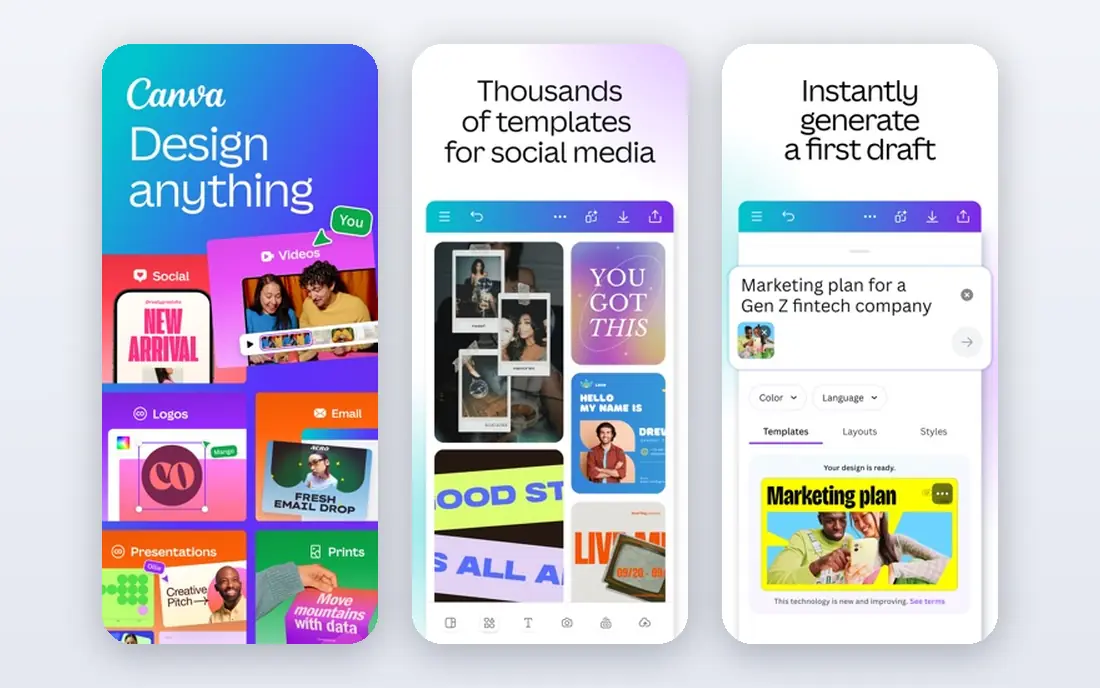
Canva is our pick for most people, because a collage is rarely the end of the job. Its free collage maker uses designer-made templates and a drag-and-drop editor, and Canva's page says you can add as many images as you like and move every element around instead of being locked into a grid. The same collage can turn into an Instagram post, a thank-you card or a print.
The free plan includes 5 GB of storage and access to a large template library. Pro adds premium content, more storage (100 GB), brand kits, scheduling and more AI usage, and Canva's own collage page marks tools such as Magic Edit, Magic Expand and the background remover as Pro features. Canva shows a free trial of Pro, though its pricing page does not state the length.
The catch is that Canva is a general design tool, so a pure "pick a layout, drop in six photos" job can feel like more app than you need. Pro prices also change by country, so look at the figure Canva shows you. The iOS app is rated 4.87 from about 3.6 million ratings in the US App Store.
- Free plan with 1.6 million or more templates
- Add as many photos as you like without a fixed grid
- Real-time collaboration with friends or coworkers
- Some AI editing tools and the background remover need Pro
- Paid prices vary by region
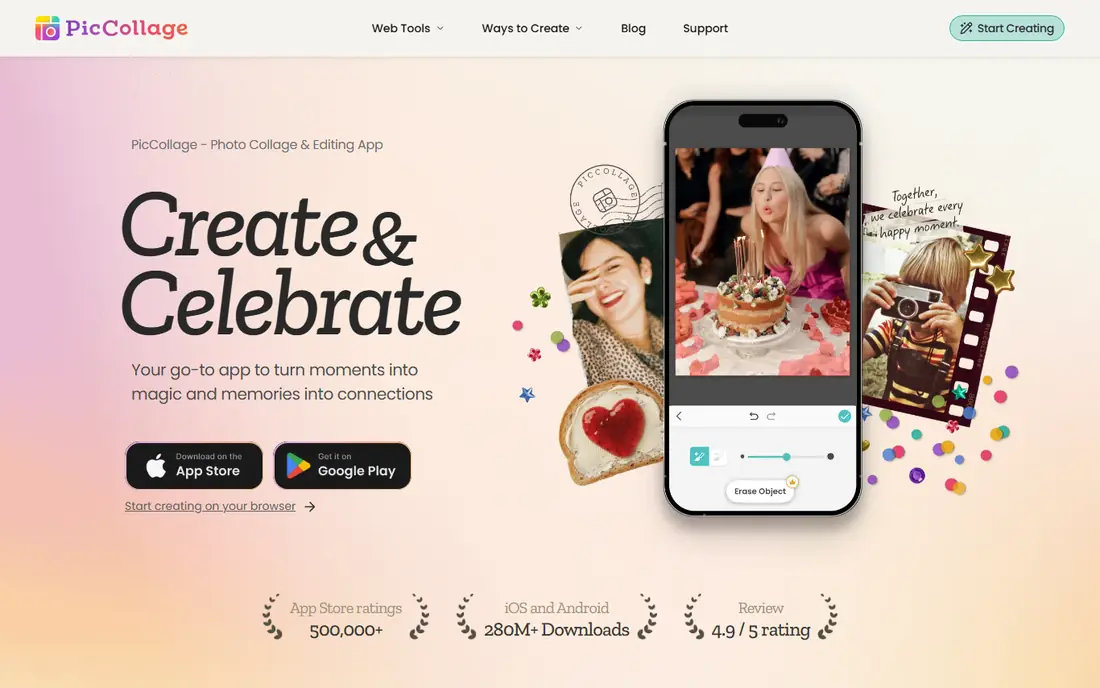
PicCollage has been around long enough to be the default answer for many phone users. Its site describes collage grids with adjustable layout, spacing and borders, plus greeting cards, scrapbooks, video collages, stickers, backgrounds and fonts, and AI tools for removing backgrounds and extending images. The grid layout is flexible enough for two photos or for twelve, according to its own page.
The free version is fully usable for casual collages. According to the App Store listing, PicCollage VIP is a subscription that removes watermarks and ads and adds advanced features, and the US listing mentions a 7-day trial. The exact subscription prices differ by country and by plan (monthly, annual and a collage-maker annual option), so check the price inside the app before you subscribe.
In the US App Store the app is rated 4.79 from roughly 1.8 million ratings. The honest drawback is the paywall around watermarks, so test a finished collage before you share it.
- Grids with adjustable spacing, borders and layout
- Greeting cards, scrapbooks and video collages in one app
- Works on iOS, Android and in a browser
- Watermark and ads are removed only by a paid subscription
- Subscription prices differ by country

Adobe Express is the closest rival to Canva, and it is a good fit if you already use other Adobe apps or want Adobe Fonts and Adobe Stock assets. The free plan lists more than 100,000 templates, over 4,000 fonts and 5 GB of storage. Premium adds 250 generative credits a month, access to more than 200 million Adobe Stock assets, over 30,000 fonts, 100 GB of storage, brand kits and one-click resize.
Adobe says billing starts when the Premium trial ends and that you will not be charged if you cancel before then. The page we read showed the 30-day trial for Premium and a separate 7-day trial for Firefly Pro, a higher tier. The price we saw was in another currency, so we are not quoting a US dollar figure here; check Adobe's pricing page for yours.
Adobe Express is rated 4.83 from about 369,000 ratings on the US App Store. We could not load Adobe's dedicated collage page, so open the app and check how its collage templates work before you commit; a collage-first app like PhotoGrid or PicCollage may be more direct for a simple grid.
- Free plan with 100,000 or more templates and 5 GB of storage
- Premium includes 100 GB storage and brand kits
- 30-day trial of Premium
- US price for Premium not confirmed on the page we read
- Generative AI credits are limited by plan
PhotoGrid is a collage maker that has also grown into an AI creative workspace. Its site advertises thousands of layouts for combining two to ten or more photos, with controls for spacing and grids, plus text, stickers and backgrounds. It runs on the web, Android and iOS.
The free plan gives you basic editing and collage tools, a selection of free templates, 100 MB of cloud storage and watermarked exports. The paid tiers, VIP, Pro and Ultra, remove the watermark, add monthly AI credits, batch editing and commercial usage rights. Dollar prices are not listed on the homepage we read, so see the website.
On the US App Store, PhotoGrid: Video Collage Maker is rated 4.87 from around 118,000 ratings. If you only want a clean grid for a family photo, watch the watermark on the free tier. If you plan to post or sell your collages, read the commercial rights listed for each plan.
- Thousands of ready-made layouts
- Web, iOS and Android versions
- Spacing, text, stickers and background controls
- Free exports are watermarked
- Dollar prices for VIP, Pro and Ultra are not shown on its homepage
Picsart is more of a creative studio than a pure collage app. Its collage maker is advertised as free, with expert-designed templates and an editor that lets you customize layouts, and the surrounding app covers background removal, stickers, text styles and video editing.
The pricing page lists Pro at $15 per month, or $10.50 per month billed yearly, and Ultra at $75 per month or $60 per month billed yearly per seat. Pro includes access to all photo and video editing features, advanced background and object removal, millions of stock photos, premium templates, batch editing of up to 50 images and 100 GB of storage. Prices were shown in US dollars when we checked.
Picsart is rated 4.66 from about 1.2 million ratings in the US App Store. The drawback is focus: its recent plans are described mainly around AI generation credits, so if you only make collages you may pay for more than you need. The free tier is the sensible place to start.
- Free collage maker with expert-designed templates
- Large editing toolset beyond collages
- Pro includes 100 GB of cloud storage
- Paid plans are built around AI credits
- Pro costs more than some rivals
Fotor presents itself as a photo editor, graphic design tool and collage maker, and its site lists a Collage Maker under its tools and templates. It is a good option if you want to enhance or retouch photos before dropping them into a layout, and it also offers an AI background remover and object remover.
The plans are Free, Pro and Pro+. Free is described as free forever with 512 MB of cloud storage and standard JPG, PNG and PDF export. Pro and Pro+ add more AI generations, more storage (2 GB and 100 GB), brand kits, batch background removal and HD or transparent exports. On the pricing page we loaded, the dollar amounts did not display, so we cannot quote them; see the website.
Fotor's pricing page does not say whether collage access differs by plan, so create a collage and try your export before paying. The iOS app is rated 4.66 from about 42,000 ratings on the US App Store.
- Photo editing, design and collage in one site
- Free plan available
- Apps for iOS and Android
- Paid prices are not clear on its pricing page
- Free plan has just 512 MB of storage
BeFunky is a browser-first tool, and its collage maker is easy to get started with. The page describes hundreds of grid-style layouts in six types (Grid, Big Photo Wrap, Wide, Tall, Square and Shapes), adjustable aspect ratios and the option to add or remove cells. The Collage Wizard is a one-click option: upload images, and the tool arranges them for you.
You can also use the built-in photo editor from inside the collage maker, pull from a stock image library, and use social media templates for Instagram, Facebook and Pinterest. Collages can be saved as JPG, PDF or PNG. BeFunky says you need a free account to save your work and open it on any device.
BeFunky has Free, Plus and Pro plans. Plus includes premium editing and design tools and 1,000 AI credits a month, and Pro adds batch AI tools and 5,000 credits. Monthly credits do not roll over. Pricing is not on the page we read, so see the website. The iOS app is rated 4.68 from nearly 11,000 ratings.
- Hundreds of grid layouts in six types
- Collage Wizard arranges photos automatically
- Saves as JPG, PNG or PDF
- Free account needed to save work
- Plus and Pro prices not shown on the page we read
Pixlr is a set of online editors with a Photo Collage Maker that arranges photos in grid layouts. It is the simplest tool here to try: the collage maker runs in a browser, and Pixlr also lists mobile and desktop apps.
The site says paid plans start at $1.99 per month and list Plus, Premium and Enterprise tiers. Paid perks include ad-free editing, AI credits, private mode and extra fonts, templates and elements, which implies the free version shows ads (the page does not describe them). Pixlr says it is free for education. Its FAQ is inconsistent on whether you need an account, so expect to sign up.
On the US App Store, Pixlr's app is rated 4.34 from about 5,200 ratings, the lowest score on this list, though it is also the smallest rating pool. It is a fair choice if you want a low-cost upgrade and mostly edit in a browser.
- Paid plans start at $1.99 per month, according to its site
- Works in browsers, iOS and Android
- Free for education
- Free version appears to include ads
- App Store rating is lower than most rivals
How we picked these
We compared each app using its own site, pricing page, collage or feature page, and its US Apple App Store listing for ratings. We did not test the apps by making our own collages, so we avoid claims about speed or output quality. Where a price depends on your country or is not shown to us, we say "See website" or describe it without a number.
We favored apps where the collage maker is easy to find and where the free plan is genuinely usable, then mixed well-known names (Canva, Adobe Express, Picsart) with collage-first apps (PicCollage, PhotoGrid) and browser tools (BeFunky, Fotor, Pixlr).
How to choose a photo collage app
Decide first where you will make collages, because that narrows the list quickly.
Phone or browser?
PicCollage, PhotoGrid and Picsart are built around phone use, though PicCollage and PhotoGrid also have web versions. BeFunky, Canva, Adobe Express, Fotor and Pixlr work well in a browser. If you do most of your editing on a laptop, a browser tool is quicker for large batches.
Check watermarks and ads
A free plan is only useful if the finished picture is clean. Make a test collage and look at the export before you design something you want to share or print. PhotoGrid says free exports are watermarked, and PicCollage sells a subscription that removes watermarks and ads.
Think about what comes after the collage
If the collage will become a card or social post, Canva or Adobe Express save time. If you just want a grid for your camera roll, PicCollage or PhotoGrid is more direct.
Look at the subscription terms
Many of these apps renew automatically. Check the trial length, the billing period and how to cancel before you start a trial. App store subscriptions can be canceled in your Apple or Google account settings.
FAQ
What is the best app for photo collages?
For most people we would start with Canva, because the free plan is large and the collage can become other designs. For a phone-first collage, PicCollage and PhotoGrid are the most direct. Try two before committing, since all eight have a free way in.
What is the best free photo collage app?
Canva, Adobe Express, PicCollage, BeFunky and Picsart all let you make a collage for free. The free tiers differ in watermarks, ads and storage, so test a finished export. PhotoGrid says free exports are watermarked.
Which collage app has no watermark?
Watermark rules depend on the plan. PhotoGrid lists watermark-free downloads on its paid tiers, and PicCollage VIP removes the watermark and ads according to its App Store listing. Check the export of a test collage on any app before you rely on it.
What is the best app to make collages on a phone?
PicCollage, PhotoGrid, Picsart, Canva and Adobe Express all have iPhone and Android apps. PicCollage and PhotoGrid are built around collages, while the others are broader design tools.
Can I make a collage on a computer without installing anything?
Yes. Canva, Adobe Express, BeFunky, Fotor, Pixlr, PhotoGrid and PicCollage all offer a browser-based editor. You may need a free account to save your work, as BeFunky states.
Sources
- https://www.canva.com/pricing/
- https://www.canva.com/create/photo-collages/
- https://piccollage.com/
- https://apps.apple.com/us/app/piccollage-magic-photo-editor/id448639966
- https://www.adobe.com/express/pricing
- https://www.photogrid.app/
- https://picsart.com/pricing/
- https://picsart.com/collage-maker/
- https://www.fotor.com/pricing/
- https://www.befunky.com/create/collage-maker/
- https://www.befunky.com/pricing/
- https://pixlr.com/
- https://itunes.apple.com/search?term=photo+collage&country=us&entity=software