Choosing Proctoring Tool for Coding Bootcamps in 2026: 6 Options Compared
Best proctoring tool for coding bootcamps: 6 contenders ranked by fit, with entry costs and free tiers. Plain-spoken summaries throughout. Checked this month.
- Editor's choiceProctorio
Automatic identity verification and exam security
Starts atPricing on requestVisit proctorio.comFull review - Great alternativeRespondus LockDown Browser
Securing the browser during online tests
Starts atPricing on requestVisit respondus.comFull review - Also considerTalview
AI proctoring with deepfake and impersonation detection
Starts atPricing on requestVisit talview.comFull review
Direct answer
For automatic identity verification and exam security, Proctorio is where this list starts. Respondus LockDown Browser is the stronger choice for Securing the browser during online tests, while Talview suits AI proctoring with deepfake and impersonation detection. Free plan facts and limits for all 6 tools follow. None of these vendors publish plan prices, so pricing is on request for every option.
TL;DR:
- This list starts with Proctorio, which is built for automatic identity verification and exam security.
- Pricing across the list, from Proctorio to PSI Secure Browser, is by quote only.
- Proctorio, PSI Secure Browser and the 4 others all need a premium plan or a trial, since no free plan is listed.
- For Secure test delivery with psychometric rigor, PSI Secure Browser is worth a look.
- What to know about Proctorio first: depends on automatic monitoring, which may raise privacy concerns.
Last checked November 2026. Pricing on request: vendors did not publish plan prices when this guide was last checked (November 2026), so ask each vendor for a written quote.
Quick comparison
| Tool | Best for | Starts at | Free plan? | |
|---|---|---|---|---|
| Proctorio | Automatic identity verification and exam security | Pricing on request | Not stated | Visit |
| Respondus LockDown Browser | Securing the browser during online tests | Pricing on request | Not stated | Visit |
| Talview | AI proctoring with deepfake and impersonation detection | Pricing on request | Free trial | Visit |
| ProctorU | Live human proctoring for high-stakes exams | Pricing on request | Not stated | Visit |
| Honorlock | Combining live monitoring with AI detection | Pricing on request | Not stated | Visit |
| PSI Secure Browser | Secure test delivery with psychometric rigor | Pricing on request | Not stated | Visit |
Proctoring Tool for Coding Bootcamps compared in detail
If you are comparing proctoring tool for coding bootcamps, this page covers 6 tools in one place: what each is best for, what it costs to start, whether it has a free plan, and the main limit to know about.
Proctorio
Best for: Automatic identity verification and exam security
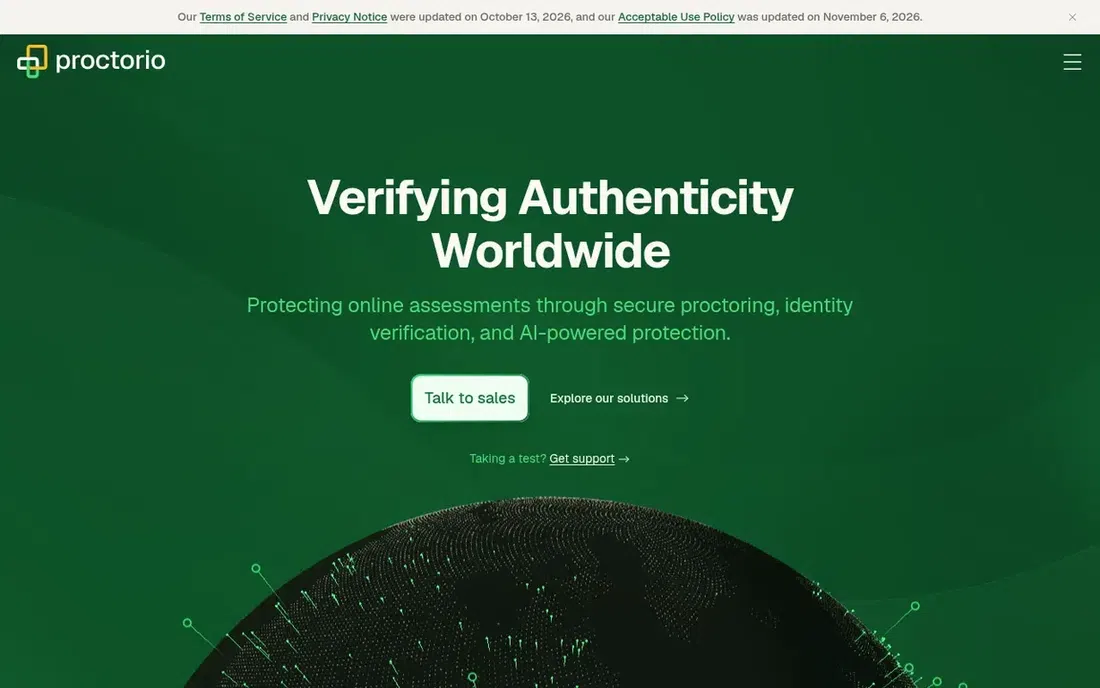
Proctorio makes the most sense for automatic identity verification and exam security. Consider alternatives if you need broad human oversight or configurable proctoring levels. From a buyer's view, Proctorio is a learning integrity system that verifies identity, guards exam content, and confirms original work at any scale.
Honest limits: Needs compatible browser and settings.
On top of that, since Proctorio is highly automatic, some students and instructors may have concerns about privacy and flagging accuracy. It may not be the best fit for bootcamps that prefer live human proctoring or have strict data handling requirements. Proctorio shows no starting price here, so confirm the cost on the vendor site. Free plan details: Not stated.
- Learning integrity product approach
- Verifies identity and guards exam content
- Depends on automatic monitoring, which may raise privacy concerns
Respondus LockDown Browser
Best for: Securing the browser during online tests
Think of Respondus LockDown Browser for Securing the browser during online tests. For coding bootcamps, it can prevent students from accessing unauthorized resources during quizzes or exams. For everyday use, the tool plugs into numerous learning systems and is part of a broader suite that includes Respondus Monitor.
It also needs students to install the browser, which can be a hurdle for some. It is widely used in higher education and K-12 to support academic integrity. Pricing for Respondus LockDown Browser is not stated here, so ask the vendor for current figures. Free access: Not stated.
Points against: Primarily a browser lockdown tool, not full proctoring.
- Plugs into learning management systems
- Locks down the browser to prevent access to other resources
- Needs installation on student devices
Talview
Best for: AI proctoring with deepfake and impersonation detection
Choose Talview for AI proctoring with deepfake and impersonation detection. It spots deepfakes, impersonation, AI assistance, and more. The product aims to ensure trust in every assessment through advanced AI detection.
Drawbacks to consider: AI-centric approach may lack human element.
Talview's capable AI focus means less human involvement, which may not suit bootcamps that prefer live proctors. From a buyer's view, the advanced detection features may need a stable technical environment and could be sensitive to false positives. No starting price is listed for Talview here; confirm pricing on the vendor site. Free plan details: Free trial.
- Supports both assessments and interviews
- Spots deepfakes and impersonation
- Needs solid technical setup
ProctorU
Best for: Live human proctoring for high-stakes exams

ProctorU is designed for live human proctoring for high-stakes exams. It is built for institutions and programs that require live oversight for high-stakes assessments. For everyday use, coding bootcamps with certification exams or final projects may find the human element handy for maintaining integrity.
On top of that, the product provides fast access to accounts and technical support. ProctorU may be less a good match for bootcamps seeking completely automatic, on-demand proctoring without live scheduling. No starting price is listed for ProctorU here; confirm pricing on the vendor site. Free plan details: Not stated.
Watch-outs: Content migrated to Meazure Learning site.
- Human validation combined with exam technology
- Quick access to system account and support
- May need scheduling for live sessions
Honorlock
Best for: Combining live monitoring with AI detection
Think of Honorlock for combining live monitoring with AI detection. The tool aims to offer a secure testing environment without excessive disruption. For coding bootcamps, this blend can be effective for preventing unauthorized help whereas maintaining a human touch.
Watch-outs: May need scheduling for live sessions.
Honorlock offers online proctoring that merges live monitoring with AI to detect cell phones, block AI, and lock the browser. It is built to boost assessments and secure online exams. Pricing for Honorlock is not stated here, so ask the vendor for current figures. Trial and free access: Not stated.
- Live monitoring plus AI to detect cell phones
- Blocks AI assistance during exams
- AI detection may produce false positives
PSI Secure Browser
Best for: Secure test delivery with psychometric rigor
PSI Secure Browser targets Secure test delivery with psychometric rigor. PSI Secure Browser is part of PSI's test development and delivery services, which emphasize trusted science and test taker experience. It is used for world-leading tests with expert design and rigorous psychometrics.
Where it is weaker: Focus on certification and licensure exams.
From a buyer's view, the tool supports multi-modal delivery and security. Beyond that, the secure browser might be less adaptable for custom coding environments or frequent low-stakes quizzes. PSI Secure Browser does not show a starting price in this comparison, so check the vendor site for current pricing. Trial and free access: Not stated.
- Multi-modal delivery choices
- Rigorous psychometrics and security
- May be overkill for low-stakes quizzes
How the list was put together
The comparison looks at four things: starting price, free access, how well the feature set matches proctoring tool for coding bootcamps, and the main limit of each tool. Figures are shown as the vendors publish them. Billing terms, seat minimums and add-ons can change the real cost. Position on the page reflects fit for a typical buyer first, with price clarity and free access breaking ties. Treat it as a guide, not a ruling.
Questions to settle before buying
- Ask each vendor, from Proctorio to PSI Secure Browser, for a written quote; none of them publishes a starting price.
- Take the trial from Talview and push a live task through it before you pay.
- Read the limits listed for Proctorio first: depends on automatic monitoring, which may raise privacy concerns.
- Price ProctorU for your actual team size; headline prices rarely include add-ons or overage.
- Check whether Honorlock bills monthly or annually, and what cancelling early costs.
FAQ
Does any tool for proctoring tool for coding bootcamps here have a free plan?
A permanent free plan is not offered by Proctorio, PSI Secure Browser or the other tools here. Talview offer a trial. Plan a short evaluation period instead.
How do live and automatic proctoring differ for coding bootcamps?
Automatic proctoring uses AI to flag suspicious behavior, providing scalability and adaptability. The choice relies on exam stakes, budget, and student experience preferences.
Is Proctorio the right pick for everyone comparing proctoring tool for coding bootcamps?
No single tool suits every team. Proctorio comes first because it fits automated identity verification and exam security, while Respondus LockDown Browser suits Securing the browser during online tests and Talview suits AI proctoring with deepfake and impersonation detection. Match the tool to your own size, budget and workflow before deciding.
What should coding bootcamps look for in a proctoring tool?
Coding bootcamps should prioritize tools that secure the testing environment, verify identity, and prevent unauthorized assistance. Beyond that, features like browser lockdown, AI detection, and live monitoring can be important based on exam stakes.
Do these tools publish their prices?
No. None of the tools, from Proctorio to PSI Secure Browser, shows a fixed starting price here, so budget time for quotes.
How are the proctoring tool for coding bootcamps ordered?
The order follows typical fit for proctoring tool for coding bootcamps, with Proctorio first and PSI Secure Browser last, then price clarity and free access. It is editorial judgement, not a score, so another team could rank the tools differently.
Sources
- https://proctorio.com
- https://www.respondus.com
- https://www.talview.com
- https://www.proctoru.com
- https://www.honorlock.com
- https://www.psiexams.com