5 Best Browser for Coding for 2026, Vetted and Compared
Need the best browser for coding? We compare 5 tools on cost, free access and who each suits. Every profile names its biggest catch. Jump to the table.
- Editor's choice
 Opera
Built-in productivity features
Starts atPricing on requestVisit opera.comFull review - Great alternativeSafari
Apple hardware users
Starts atPricing on requestVisit apple.comFull review - Also consider
 Arc
Users planning a transition
Starts atPricing on requestVisit arc.netFull review
Direct answer
Opera comes first here, mainly for built-in productivity features. If your case is different, Safari suits Apple hardware users and Arc suits users planning a transition. All 5 tools are compared below on fit, free plan and limits. None of these vendors publish plan prices, so pricing is on request for every option.
TL;DR:
- Number one here is Opera, a fit for built-in productivity features.
- None of the 5 tools, from Opera to Google Chrome, has a free plan, so budget for a subscription or use a trial.
- For developer tools and extensions, Google Chrome is worth a look.
- One limit worth knowing about Safari: limited to Apple products.
- Opera, Google Chrome and the 3 others all sell by quote; expect sales conversations before you see a price.
Last checked November 2026. Pricing on request: vendors did not publish plan prices when this guide was last checked (November 2026), so ask each vendor for a written quote.
Quick comparison
| Tool | Best for | Starts at | Free plan? | |
|---|---|---|---|---|
| Opera | Built-in productivity features | Pricing on request | Not stated | Visit |
| Safari | Apple hardware users | Pricing on request | Not stated | Visit |
| Arc | Users planning a transition | Pricing on request | Not stated | Visit |
 Vivaldi | Deep customization and adaptability | Pricing on request | Not stated | Visit |
| Google Chrome | Developer tools and extensions | Pricing on request | Not stated | Visit |
Every option for browser for coding explained
This LinkVetted guide covers 5 options for browser for coding. Each profile lists a starting price, free plan details, strengths and drawbacks, so you can drop poor fits quickly.
In short, Opera is for built-in productivity features. Opera markets itself as quicker, safer and smarter than default browsers, with privacy and security features built in.
It is completely featured without additional setup, which can appeal to developers who like side panels and built-in tools alongside their coding work. From a buyer's view, the bundled extras may also distract users who prefer a minimal browser. Pricing for Opera is not stated here, so ask the vendor for current figures. Free options: Not stated.
Points against: Chromium-based, so less engine variety.
- Feature-rich from day one
- Desktop and mobile versions
- Additional features can feel like clutter
Safari
Best for: Apple hardware users
Choose Safari for Apple hardware users. Safari is tied to Apple systems, so it cannot serve as a universal cross-platform choice.
Limits to weigh: Restricted to Apple systems.
Its extension catalog is also smaller than Chrome's. In daily use, choose it for Apple-only workflows and battery efficiency, and keep another browser for cross-platform testing. No starting price is listed for Safari here; confirm pricing on the vendor site. Free plan details: Not stated.
- Support for external extensions
- Solid battery life on Apple devices
- Fewer extensions than Chrome
Arc is designed for users planning a transition. Arc is a browser known for a workspace-style interface that organizes tabs and spaces differently from conventional browsers. It has appealed to users who want a more visual, app-like browsing experience.
Main advantages: Distinctive.
Trade-offs to know: Sunsetting, so long-term use is uncertain.
That said, its own site announces that Arc is sunsetting and points users toward a transition. So it is best treated as a browser to migrate away from instead of adopt for serious coding work. Since the product is winding down, building a development workflow around it carries risk, and long-term support is unclear. In practice, developers who require stable tooling should choose Chrome, Firefox or another actively maintained choice. Pricing for Arc is not stated here, so ask the vendor for current figures. On free options: Not stated.
- Clear transition guidance published
- Available for desktop use
- Not a safe default for new setups
Where Vivaldi fits: deep customization and adaptability. Vivaldi describes itself as a capable, personal and private browser with clever features built in and no tracking. It is available for desktop and mobile, and it appeals to tinkerers who want the browser to adapt to them.
That configurability includes a ramp-up time, and the settings can feel dense at first. It shares the Chromium engine, so it is not a substitute for cross-engine testing. In daily use, pick Vivaldi when customization matters most; pick Firefox if you need a different engine. This comparison lists no price for Vivaldi; ask the vendor. Free access: Not stated.
Points against: Chromium-based engine.
- States it does not track users
- Highly customizable interface
- Settings can overwhelm new users
Google Chrome
Best for: Developer tools and extensions
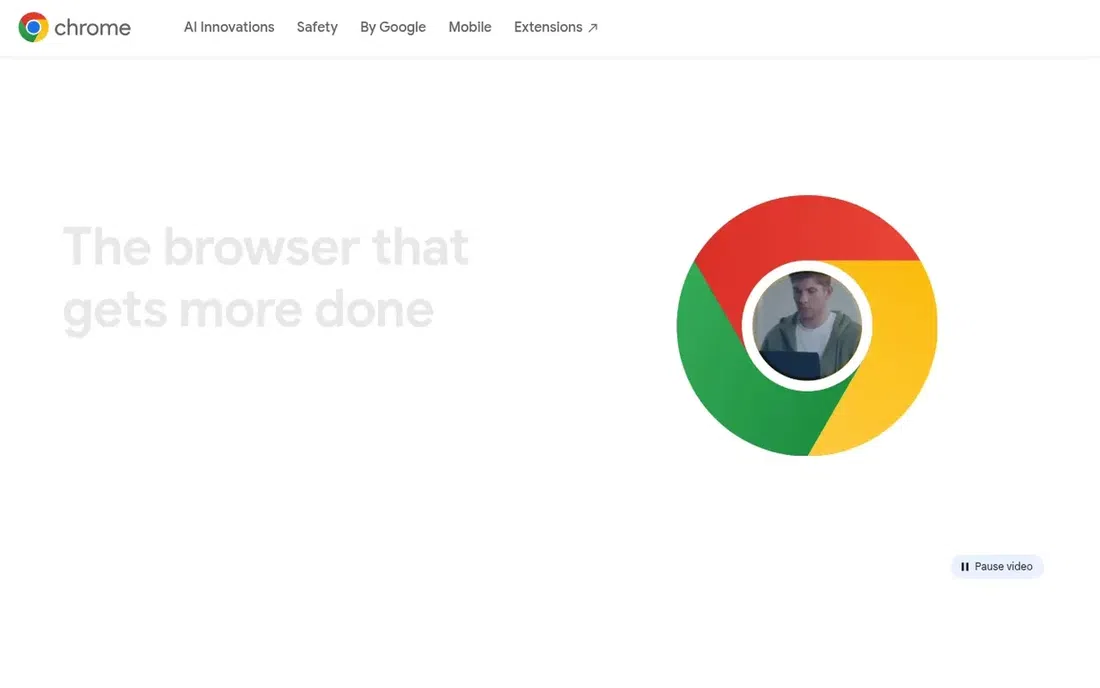
Where Google Chrome fits: developer tools and extensions. Chrome is Google's official browser, described as quick, secure and configurable. Also, the tradeoff is resource use: numerous open tabs and extensions can slow older machines.
Honest limits: Heavier memory use with numerous tabs.
On top of that, default privacy settings are also less aggressive than privacy-focused browsers. For coding, it is a typical default since its developer tools handle debugging, network inspection and performance profiling, and most browser extensions target it first. Pricing for Google Chrome is not stated here, so ask the vendor for current figures. Free access: Not stated.
- Frequent updates and sync across devices
- Very broad extension ecosystem
- Privacy controls are less strict by default
How the list was put together
For each of the 5 tools we noted price, free plan or trial, fit for browser for coding and the main limit, using vendor pages and documentation. Seat minimums, billing terms and add-ons can move the real cost, so the starting prices here are a guide and not a quote. Tools are placed by general fit for browser for coding, with price clarity and free access as tie-breakers. A different team can reasonably rank them differently.
What to check before you buy
- Request quotes from Opera, Google Chrome and the others; the list shows no fixed prices.
- Read the limits listed for Opera first: Chromium-based, so less engine variety.
- Look at which plan of Google Chrome unlocks the features you need; entry tiers are often cut down.
- Ask Arc which support channels and response times come with the plan you would buy.
- Confirm you can export your data from Opera, so leaving later does not mean losing records.
FAQ
How are the tools for browser for coding ordered?
Opera sits first and Google Chrome last because the order follows typical fit for browser for coding, then price clarity and free access. It is a judgement call, so read each profile for fit and limits.
Does any tool for browser for coding here have a free plan?
No tool in this list, Opera and Google Chrome included, has a permanent free plan. Trials and quotes are the usual route, so plan a short evaluation period.
Is Opera the right pick for everyone comparing browser for coding?
No single tool suits every team. Opera comes first because it fits built-in productivity features, while Safari suits Apple hardware users and Arc suits users planning a transition. Match the tool to your own size, budget and workflow before deciding.
Do these tools publish their prices?
No. None of the tools, from Opera to Google Chrome, shows a fixed starting price here, so budget time for quotes.
Do I need more than one browser for coding?
It helps. Testing in a second engine, like Firefox or Safari, catches rendering and behavior differences that a single Chromium browser can hide. A two-browser setup handles most everyday development needs.
Sources
- https://www.opera.com
- https://www.apple.com/safari
- https://arc.net
- https://vivaldi.com
- https://www.google.com/chrome