Top 6 Operational Reporting Software for Logistics for 2026 (Prices and Free Plans)
6 best operational reporting software for logistics, with entry costs, free tiers and the buyer each one serves. Real limits included. Clear verdicts.
- Editor's choiceSAP Analytics Cloud
Integrated BI, planning, and predictive
Starts atSee websiteVisit sap.comFull review - Great alternative
 Domo
End-to-end data journey with AI
Starts atSee websiteVisit domo.comFull review - Also consider
 Sisense
Embedded analytics with adaptability
Starts atSee websiteVisit sisense.comFull review
Direct answer
For integrated BI, planning, and predictive, SAP Analytics Cloud is where this list starts. Listed starting prices: Tableau from $15 per user a month. If your case is different, Domo suits end-to-end data journey with AI and Sisense suits embedded analytics with adaptability. The other 3 tools in the list cover narrower or pricier cases.
TL;DR:
- This list starts with SAP Analytics Cloud, which is built for integrated BI, planning, and predictive.
- Tableau fits visual analytics and dashboards.
- The main caution on Looker: needs setup of LookML models.
- Tableau is the only tool of the 6 with a free plan.
- For the cheapest start, look at Tableau: $15 per user per month.
Last checked November 2026. Prices and plan details were read from the vendors' own pages in November 2026; vendors change plans often, so confirm the current price on the vendor site before you buy.
Quick comparison
| Tool | Best for | Starts at | Free plan? | |
|---|---|---|---|---|
| SAP Analytics Cloud | Integrated BI, planning, and predictive | See website | Not stated | Visit |
| Domo | End-to-end data journey with AI | See website | Free trial | Visit |
| Sisense | Embedded analytics with adaptability | See website | Free trial | Visit |
 Looker | Embedded analytics and semantic modeling | See website | Not stated | Visit |
| TIBCO Spotfire | Complicated industry-specific analytics | See website | Not stated | Visit |
 Tableau | Visual analytics and dashboards | $15 per user a month | Yes | Visit |
Our 6 operational reporting software for logistics
If you are comparing operational reporting software for logistics, this page covers 6 tools in one place: what each is best for, what it costs to start, whether it has a free plan, and the main limit to know about.
SAP Analytics Cloud
Best for: Integrated BI, planning, and predictive
Where SAP Analytics Cloud fits: integrated BI, planning, and predictive. SAP Analytics Cloud is a cloud analytics option that makes it possible for data visualization and improved business intelligence, with integrated planning and predictive analysis tools.
In daily use, consider other tools if you need a light, standalone reporting option. For logistics, it supports operational reporting and forward-looking planning, for example demand forecasting and inventory optimization. Pricing for SAP Analytics Cloud is not stated here, so ask the vendor for current figures. Free plan details: Not stated.
What to check first: Most useful for SAP environments.
- Cloud-based analytics
- Improved business intelligence
- May be complicated to implement
Think of Domo for end-to-end data journey with AI. Domo supplies AI and data products that strengthen the whole data journey, from connecting and moving data to preparing it for exploration and accelerating insights. Worth adding: Domo's wide feature set can be overwhelming for teams seeking a straightforward reporting tool, and initial configuration may need significant effort.
Points against: Can be complicated to configure initially.
It may not be the most economical choice for very small operations. In logistics, this can simplify reporting by integrating data from several operational systems and providing a unified view. From a buyer's view, consider more straightforward alternatives if you primarily need entry-level dashboards without deep data integration. Check the vendor site for Domo pricing; none is listed in this comparison. Trial and free access: Free trial.
- Prepares and expands data access
- Accelerates business-critical insights
- May need training for full utilization
In short, Sisense is for embedded analytics with adaptability. If you need a traditional BI product for internal analysts, other choices may be more straightforward.
Upsides: Made for embedding.
For logistics, it makes it possible for embedding analytics into operational tools or customer-facing products, allowing users to access reports within their workflow. Check the vendor site for Sisense pricing; none is listed in this comparison. As for free access: Free trial.
Trade-offs to know: Focus on embedding may not suit all.
- No-code choices
- Pro-code, low-code
- Can need developer resources
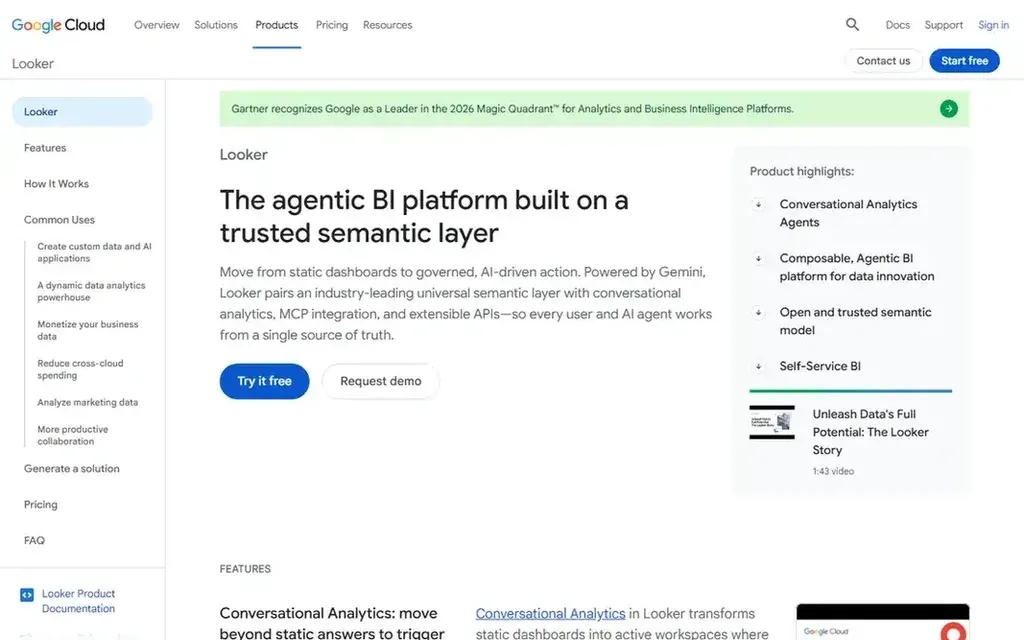
Looker works best for embedded analytics and semantic modeling. Looker, part of Google Cloud, is an agentic business intelligence and embedded analytics system that brings together metrics with a trusted semantic layer. For logistics, it makes it possible for consistent reporting across departments by defining metrics once and reusing them.
More specifically, if you prefer a more self-service, visual-first approach without deep modeling, other tools might be more straightforward to adopt. In daily use, Looker usually needs modeling with LookML, which can demand technical resources and time to implement. It may be overkill for small logistics teams without dedicated data engineers. Check the vendor site for Looker pricing; none is listed in this comparison. On free options: Not stated.
Limits to weigh: Needs setup of LookML models.
- Trusted semantic layer
- Embedded analytics capabilities
- May be complicated for small teams
TIBCO Spotfire
Best for: Complicated industry-specific analytics
TIBCO Spotfire serves complicated industry-specific analytics. In logistics, it can be used for deep analysis of routes, demand patterns, or risk factors. In practice, Spotfire's advanced capabilities come with a steeper ramp-up time, and it may require specialized skills to completely use.
Honest limits: May need specialized skills.
It might be more than needed for routine operational reporting. Worth adding: TIBCO Spotfire is a visual data science product that merges interactive visualizations and advanced analytics to solve complicated, industry-specific business problems. TIBCO Spotfire does not show a starting price in this comparison, so check the vendor site for current pricing. As for free access: Not stated.
- Advanced analytics capabilities
- Interactive visualizations
- Steeper ramp-up time
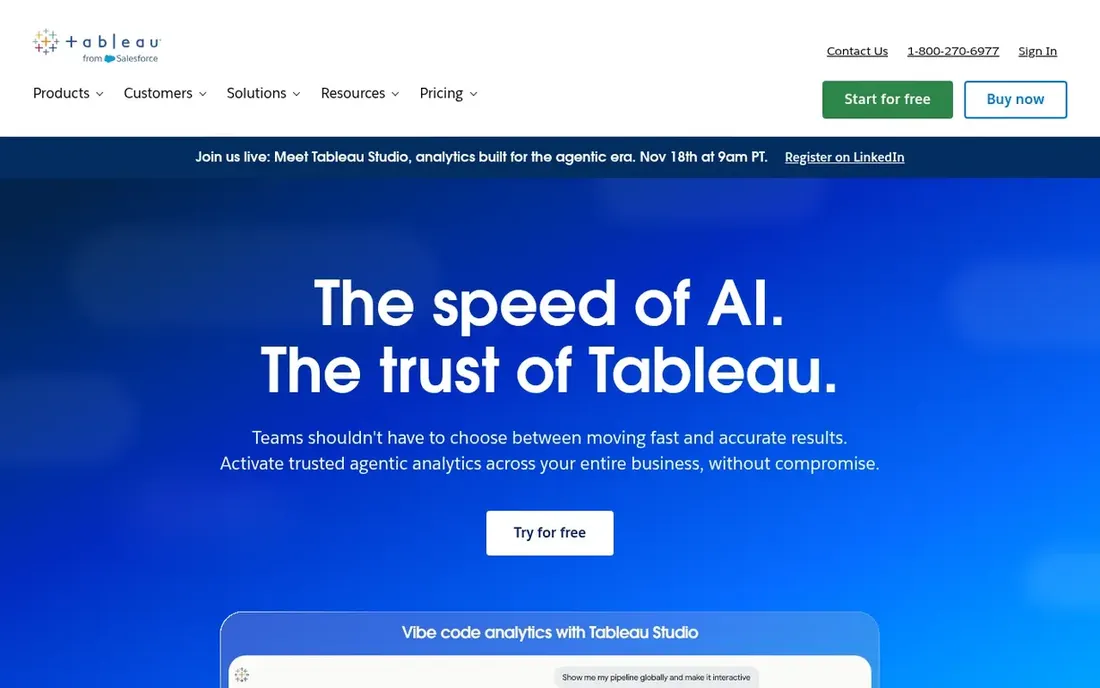
In short, Tableau is for visual analytics and dashboards. Tableau is a business intelligence and analytics system that lets users link to almost any database, drag-and-drop to produce visualizations, and share insights with a click.
As for the details, for logistics, it supports building interactive dashboards that track key metrics like delivery times and inventory levels. From a buyer's view, consider alternatives if your priority is a governed semantic layer or AI-driven insights from day one. Tableau starts at: $15 per user per month. Tableau offers a free plan.
Downsides: Can need training for advanced use.
- Drag-and-drop visualization
- Links to plenty of databases
- May need data prep tools
How we built this list
Pre-purchase checklist
- Ask SAP Analytics Cloud, Domo, Sisense and others for a written quote, since no starting price is shown.
- Test the free plan from Tableau against your real workload before relying on it.
- Take the trial from Domo and Sisense and push a live task through it before you pay.
- Read the limits listed for SAP Analytics Cloud first: may be complicated to implement.
- Check whether Tableau bills monthly or annually, and what cancelling early costs.
- Test how quickly TIBCO Spotfire answers a pre-sales question; it hints at how support will feel later.
FAQ
Is SAP Analytics Cloud the right pick for everyone comparing operational reporting software for logistics?
No single tool suits every team. SAP Analytics Cloud comes first because it fits integrated BI, planning, and predictive, while Domo suits end-to-end data journey with AI and Sisense suits embedded analytics with flexibility. Match the tool to your own size, budget and workflow before deciding.
What about cost and licensing?
Pricing and licensing models differ widely among these tools, commonly based on users, data volume, or deployment type. We recommend contacting vendors straight for quotes and evaluating total cost of ownership, including implementation and training.
Can I try these tools before paying?
Often, yes. Tableau has a free plan and Domo and Sisense offer a free trial. Use your own data and a real task during the test, and check what the free tier or trial limits before you rely on it. Each of the 6 options in this operational reporting software for logistics guide has its own card above with the price, free plan and limits.
What is operational reporting software for logistics?
Operational reporting software for logistics helps teams track and analyze daily activities like shipments, inventory, and delivery performance. It generally bundles dashboards, data visualization, and connectivity to logistics to supply live insights.
How do I choose the right tool for my logistics team?
Consider your team's technical skills, the need for embedded analytics, and integration with existing systems. Evaluate based on your specific reporting requirements and data environment.
How are the tools for operational reporting software for logistics ordered?
SAP Analytics Cloud sits first and Tableau last because the order follows typical fit for operational reporting software for logistics, then price clarity and free access. It is a judgement call, so read each profile for fit and limits.
Sources
- https://www.sap.com/products/technology-platform/cloud-analytics.html
- https://www.domo.com
- https://www.sisense.com
- https://looker.com
- https://www.tibco.com/products/tibco-spotfire
- https://www.tableau.com