Top 5 No-Code Platforms for Technical Freelancers for 2026 (Prices and Free Plans)
Weighing the best No-Code platforms for technical freelancers? We lined up 5 products by cost, free access and fit. Each profile ends with a plain caveat.
- Editor's choice
 Make
Visual automation of AI workflows
Starts atSee websiteVisit make.comFull review - Great alternative
 Webflow
Client websites with CMS and hosting
Starts at$15 per monthVisit webflow.comFull review - Also consider
 Glide
Business apps from spreadsheets
Starts at$25 a monthVisit glideapps.comFull review
Direct answer
This list puts Make first for visual automation of AI workflows. Listed starting prices: Webflow from $15 per month, Glide from $25 a month and Retool from $10 per builder per month. If your case is different, Webflow suits client websites with CMS and hosting and Glide suits business apps from spreadsheets. Details, prices and limits for the rest of the 5 tools are below.
TL;DR:
- Top of the list is Make, which targets visual automation of AI workflows.
- Free plans exist at 4 of 5 tools (Make, Webflow, Glide, Retool).
- What to know about Retool first: geared toward internal use.
- Bubble is the one to check for full-stack web and mobile apps.
- Retool is the lowest-priced starter here at $10 per builder per month.
Last checked November 2026. Prices and plan details were read from the vendors' own pages in November 2026; vendors change plans often, so confirm the current price on the vendor site before you buy.
Quick comparison
| Tool | Best for | Starts at | Free plan? | |
|---|---|---|---|---|
| Make | Visual automation of AI workflows | See website | Yes | Visit |
| Webflow | Client websites with CMS and hosting | $15 per month | Yes | Visit |
| Glide | Business apps from spreadsheets | $25 a month | Yes | Visit |
 Retool | Internal tools and admin panels | $10 per builder per month | Yes | Visit |
 Bubble | Full-stack web and mobile apps | See website | Not stated | Visit |
Tool-by-tool breakdown
If you are comparing No-Code platforms for technical freelancers, this page covers 5 tools in one place: what each is best for, what it costs to start, whether it has a free plan, and the main limit to know about.
Make is a good fit for visual automation of AI workflows. Choose Make when automation is the primary need.
More specifically, Make centres on automation instead of application building, so it lacks native UI design or database features. In practice, technical freelancers who require to automate repetitive tasks or integrate client systems will find it valuable. Pricing for Make is not stated here, so ask the vendor for current figures. You can start on Make without paying.
What to check first: Restricted app-building features.
- User-friendly integration tool
- Visual workflow builder
- Complicated automations need planning
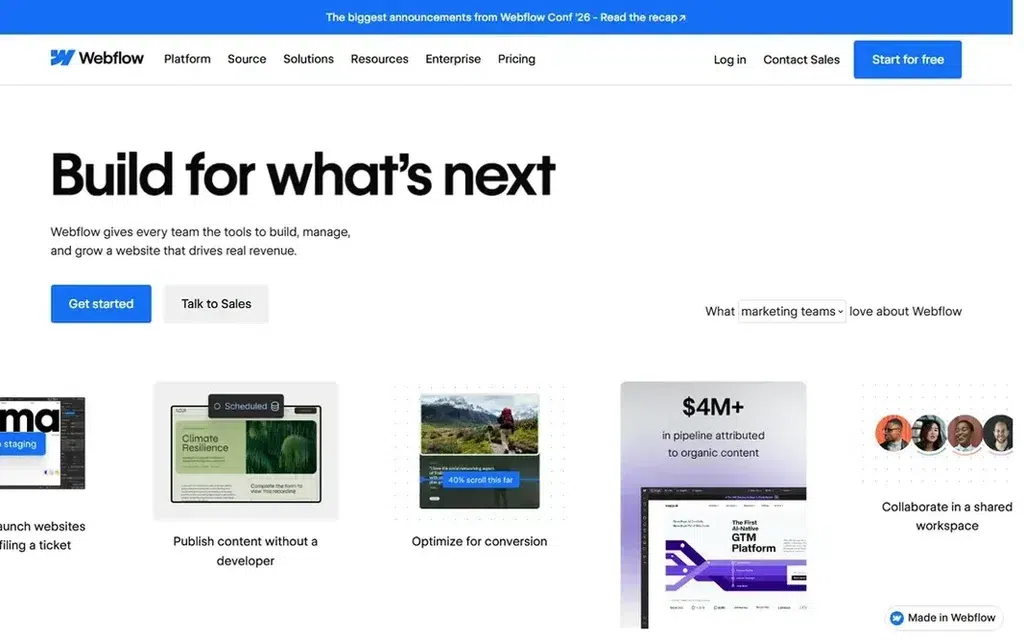
Choose Webflow for client websites with CMS and hosting. Webflow is an agentic web system for modern firms, focusing on design, build, optimization, and AI search ranking.
In daily use, Webflow is not a full application builder; it lacks native database and complicated logic features. On cost, Webflow starts like this: $15 per month. A free plan is available with Webflow.
Where it is weaker: Steeper ramp-up time for advanced features.
- Built-in hosting and AEO
- Enterprise-grade security
- Restricted backend logic
Glide is aimed squarely at business apps from spreadsheets. Glide is an AI app builder for internal business apps, allowing you to build custom apps and agents from a spreadsheet or a prompt. It emphasizes speed, with apps ready in minutes.
Drawbacks to consider: Primarily for internal business apps.
Beyond that, Glide is tailored for internal business apps. So it may not support the complex logic or design adaptability required for consumer-facing applications. Beyond that, for more advanced customization, systems like Bubble or Webflow are better. Glide starts at: $25 per month. Free access exists with Glide.
- AI-powered app creation
- Fast setup
- Restricted customization for complicated apps
Retool is designed for internal tools and admin panels. Consider Retool when you have to rapidly build internal tools that plug into existing systems. Retool is built to build, deploy, and run internal tools with a unified engine.
It links to any database, API, or LLM and uses AI throughout. Beyond that, freelancers building admin panels or internal dashboards for clients will appreciate its focus on data connectivity and speed. It also assumes some familiarity with data sources and APIs. Starting cost for Retool: $10 per builder per month. You can start on Retool without paying.
Downsides: Needs some technical understanding.
- Unified engine for building and managing
- AI integration throughout
- Geared toward internal use
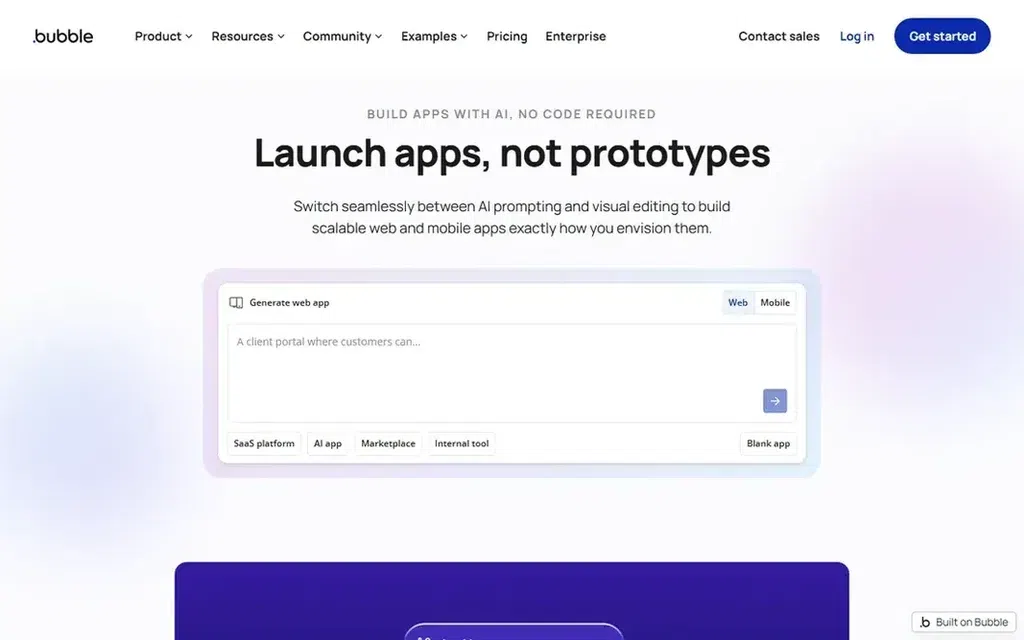
Think of Bubble for full-stack web and mobile apps. Bubble positions itself as a no-code AI app builder for web and mobile. It lets you design, set up a database, define logic, and run privacy rules visually.
Watch-outs: Ramp-up time for complicated logic.
Freelancers who want to build and launch full applications without writing code will find it suits projects that need custom workflows and data handling. For more straightforward internal tools or automations, lighter systems might be more efficient. No starting price is listed for Bubble here; confirm pricing on the vendor site. Free plan details: Not stated.
- Visual editing for precision
- Built-in database and privacy rules
- Restricted native mobile capabilities
How we compared the tools
For each of the 5 tools we noted price, free plan or trial, fit for No-Code platforms for technical freelancers and the main limit, using vendor pages and documentation. Seat minimums, billing terms and add-ons can move the real cost, so the starting prices here are a guide and not a quote. Order on the page follows fit for the typical buyer first, then price transparency and free access. Your own requirements should decide the final pick.
What to confirm before you sign up
- Get a written quote from Make and Bubble; the list shows no starting price for them.
- Check what the free option really includes: Make, Webflow, Glide and Retool offer a free plan, and usage caps differ.
- Before choosing Make, weigh its main limit: limited app-building features.
- Involve the people who will use Glide daily; a short pilot beats a long feature checklist.
- Total up the real monthly cost of Bubble, including add-ons, extra users and usage-based fees.
FAQ
Is Make the right pick for everyone comparing No-Code platforms for technical freelancers?
No single tool suits every team. Make comes first because it fits visual automation of AI workflows, while Webflow suits client websites with CMS and hosting and Glide suits business apps from spreadsheets. Match the tool to your own size, budget and workflow before deciding.
Do these tools publish their prices?
Not all of them. Make and Bubble publish no starting price, so expect a quote request for those. The rest, Webflow included, show a starting price, though seats and billing terms still change the final cost. For the full picture, the cards above cover all 5 entries of this No-Code platforms for technical freelancers list, including price, free plan and limits.
Can I try these tools before paying?
Often, yes. Make, Webflow, Glide and Retool have a free plan. Use your own data and a real task during the test, and check what the free tier or trial limits before you rely on it.
What is the cheapest option for No-Code platforms for technical freelancers in this list?
On published monthly entry prices, Retool is the lowest here at $10 per builder per month. Entry price is only part of the cost, because seats, add-ons and billing terms can change the total. Prices, free plan details and limits for all 5 tools in this No-Code platforms for technical freelancers roundup sit on the individual cards above.
Do I need coding skills to use these tools?
No, these products are made for no-code development, though some, like Retool, may benefit from entry-level technical understanding. They enable you to build applications visually, but complicated logic may need learning platform-specific concepts.
Sources
- https://www.make.com
- https://webflow.com
- https://www.glideapps.com
- https://retool.com
- https://bubble.io