6 Legal Workflow Automation Software for Remote Teams Worth Shortlisting in 2026
6 best legal workflow automation software for remote teams, compared on pricing, free plans and best-fit use. Each pick lists its main limit. Facts only.

- Editor's choiceLitify
Legal operations with native AI workflows
Starts atSee websiteVisit litify.comFull review - Great alternative
 DocuSign
E-signature and agreement management
Starts at$45 per user per monthVisit docusign.comFull review - Also consider
 Smokeball
Small businesses automating time and documents
Starts atSee websiteVisit smokeball.comFull review
Direct answer
Our first pick is Litify, best for legal operations with native AI workflows. Listed starting prices: DocuSign from $45 per user per month, MyCase from $50 per user per month and PracticePanther from $49 per user a month. Look at DocuSign for E-signature and agreement management, and at Smokeball for small businesses automating time and documents. Prices, free plans and limits for all 6 tools follow.
TL;DR:
- This list starts with Litify, which is built for legal operations with native AI workflows.
- DocuSign has the lowest monthly starting price in this list: $45 per user per month.
- One limit worth knowing about Litify: may be complicated for small teams.
- None of the 6 tools, from Litify to PracticePanther, has a free plan, so budget for a subscription or use a trial.
- PracticePanther is the one to check for automating billing and time tracking.
Last checked November 2026. Prices and plan details were read from the vendors' own pages in November 2026; vendors change plans often, so confirm the current price on the vendor site before you buy.
Quick comparison
| Tool | Best for | Starts at | Free plan? | |
|---|---|---|---|---|
| Litify | Legal operations with native AI workflows | See website | Not stated | Visit |
| DocuSign | E-signature and agreement management | $45 per user per month | Not stated | Visit |
| Smokeball | Small businesses automating time and documents | See website | Not stated | Visit |
 MyCase | All-in-one case, billing, and payments | $50 per user per month | Free trial | Visit |
 Filevine | AI-driven case and document workflows | See website | Free trial | Visit |
 PracticePanther | Automating billing and time tracking | $49 per user a month | Free trial | Visit |
The best legal workflow automation software for remote teams
Short on time? The summary and table above give the quick view of 6 legal workflow automation software for remote teams, and the profiles that follow give the detail behind each entry.
Litify
Best for: Legal operations with native AI workflows
Choose Litify for legal operations with native AI workflows. Litify may be more complicated than a small firm needs, and implementation can need planning and resources.
Downsides: Setup can need planning.
Pricing for Litify is not stated here, so ask the vendor for current figures. On free options: Not stated.
- Scalable for businesses and legal departments
- All-in-one legal software
- May be complicated for small teams
For E-signature and agreement management, DocuSign is a natural candidate. It complements practice management tools by handling the signing and agreement lifecycle.
Limits to weigh: Centred on agreements instead of cases.
DocuSign is not a legal practice management system, so it will not cover case management, billing, or time tracking. DocuSign pricing: $45 per user per month. As for free access: Not stated.
- Widely used for remote signing
- Intelligent agreement management
- Not a full practice management system

Where Smokeball fits: small businesses automating time and documents. Smokeball may be more than a solo practitioner needs, and businesses seeking advanced AI-driven case analysis should look elsewhere.
This comparison lists no price for Smokeball; ask the vendor. Free access: Not stated.
What to check first: May be heavy for solo practitioners.
- Trust and billing tools
- Document automation features
- Restricted advanced AI workflows
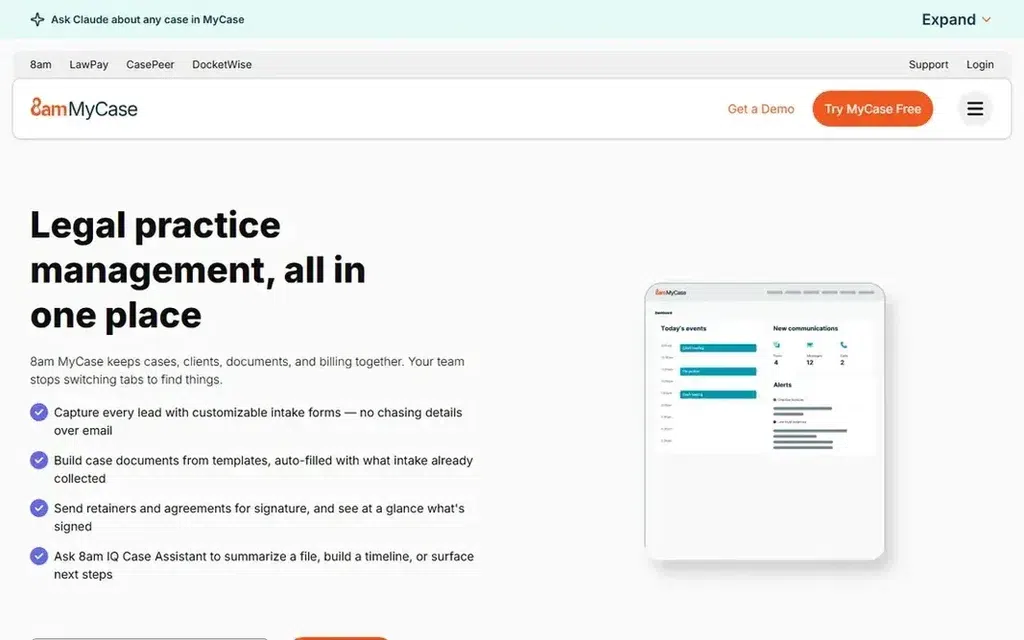
Think of MyCase for all-in-one case, billing, and payments. It brings cases, clients, billing, and payments together in one place.
More specifically, MyCase emphasizes core practice management instead of deep workflow automation or AI-driven analysis. The starting price for MyCase: $50 per user per month. Free plan details: Free trial.
Where it falls short: Advanced automation may be restricted.
- Cases, clients, billing
- Designed for firm profitability
- Not centred on litigation analytics

Choose Filevine for AI-driven case and document workflows. Filevine presents itself as a legal AI product for law businesses and legal teams, with LOIS as its AI offering.
Trade-offs to know: AI features can add complexity.
Main advantages: Workflow automation capabilities. On top of that, remote teams can use it to automate repetitive tasks and keep matter information organized in a shared system. The AI-centric approach may be more than some small businesses need, and teams without clear processes may find setup demanding. No starting price is listed for Filevine here; confirm pricing on the vendor site. Free plan details: Free trial.
- AI system with LOIS
- Case management focus
- May need setup for smaller teams
PracticePanther targets automating billing and time tracking. Teams with complicated document automation needs or enterprise legal operations requirements should compare alternatives before deciding.
Points against: Integration depth varies.
In daily use, PracticePanther is law practice management software that automates firm processes, billing, and time tracking. PracticePanther may not offer the advanced AI or litigation analytics found in some other tools. Starting cost for PracticePanther: $49 per user per month. On free options: Free trial.
- Billing and time tracking tools
- Process automation features
- May lack advanced AI workflows
How we chose
We compared the tools on published pricing, free plan or trial availability, feature coverage for legal workflow automation software for remote teams, and the limits each vendor documents. Where a vendor does not publish a price, the entry says quote. Where a price depends on seats or billing term, the entry says so. Tools are placed by general fit for legal workflow automation software for remote teams, with price clarity and free access as tie-breakers. A different team can reasonably rank them differently.
A buyer's checklist
- Confirm the entry price on the vendor page. For Litify, Smokeball and Filevine that means a quote rather than a fixed price.
- Use real work to test the free trial from MyCase, Filevine and PracticePanther, rather than a demo project.
- Read the limits listed for Litify first: may be complicated for small teams.
- Let daily users try DocuSign on real work; their feedback beats any feature checklist.
- Test the integrations you rely on with MyCase before committing; some connectors sit on upper tiers.
FAQ
What should remote legal teams look for in workflow automation software?
Remote teams should prioritize cloud access, secure collaboration, and automation of routine tasks for example time tracking, document assembly, and billing. Integration with e-signature and communication tools also helps keep distributed work coordinated.
What is the cheapest option for legal workflow automation software for remote teams in this list?
On published monthly entry prices, DocuSign is the lowest here at $45 per user per month. Entry price is only part of the cost, because seats, add-ons and billing terms can change the total. Prices, free plan details and limits for all 6 tools in this legal workflow automation software for remote teams roundup sit on the individual cards above.
Can these tools replace several systems for a small law firm?
Others, like DocuSign, specialize in agreements and are best paired with a practice management system.
Does any tool for legal workflow automation software for remote teams here have a free plan?
No tool in this list, Litify and PracticePanther included, has a permanent free plan. MyCase, Filevine, PracticePanther offer a trial. Trials and quotes are the usual route, so plan a short evaluation period.
Is e-signature software necessary for remote legal teams?
E-signature tools like DocuSign help remote teams execute agreements securely without in-person meetings. They complement practice management systems by handling the signing and agreement lifecycle.
Do these tools publish their prices?
Not all of them. Litify, Smokeball and Filevine publish no starting price, so expect a quote request for those. The rest, DocuSign included, show a starting price, though seats and billing terms still change the final cost.
Sources
- https://www.litify.com
- https://www.docusign.com
- https://www.smokeball.com
- https://www.mycase.com
- https://www.filevine.com
- https://www.practicepanther.com