Best Legal Tech Workflow Automation Tools in 2026: 6 Tools Compared
6 best legal tech workflow automation tools, compared on pricing, free plans and best-fit use. Every pick includes one clear drawback. Updated November 2026.

- Editor's choiceLitera
Document drafting and legal workflow productivity
Starts atSee websiteVisit litera.comFull review - Great alternative
 NetDocuments
Document and email management automation
Starts atSee websiteVisit netdocuments.comFull review - Also considerRelativity
AI-driven legal data review
Starts atSee websiteVisit relativity.comFull review
Direct answer
Start with Litera if you need document drafting and legal workflow productivity. Listed starting prices: MyCase from $50 per user per month. NetDocuments is better for document and email management automation, and Relativity is better for AI-driven legal data review. All 6 tools are compared below on price, free plan and limits.
TL;DR:
- Litera takes the first slot, best suited to document drafting and legal workflow productivity.
- Litera, MyCase and the 4 others all need a premium plan or a trial, since no free plan is listed.
- MyCase is the lowest-priced starter here at $50 per user per month.
- MyCase suits running cases, billing, and payments together.
Last checked November 2026. Prices and plan details were read from the vendors' own pages in November 2026; vendors change plans often, so confirm the current price on the vendor site before you buy.
Quick comparison
| Tool | Best for | Starts at | Free plan? | |
|---|---|---|---|---|
| Litera | Document drafting and legal workflow productivity | See website | Not stated | Visit |
| NetDocuments | Document and email management automation | See website | Not stated | Visit |
| Relativity | AI-driven legal data review | See website | Not stated | Visit |
| iManage | Knowledge and document management automation | See website | Not stated | Visit |
 Filevine | Matter and document workflow automation | See website | Free trial | Visit |
 MyCase | Running cases, billing, and payments together | $50 per user per month | Free trial | Visit |
Legal Tech Workflow Automation Tools compared in detail
This LinkVetted guide covers 6 legal tech workflow automation tools. Each profile lists a starting price, free plan details, strengths and drawbacks, so you can drop poor fits quickly.
Litera
Best for: Document drafting and legal workflow productivity
For document drafting and legal workflow productivity, Litera is a natural candidate. The breadth of the offering can make it hard to know which modules you need, so map your workflows first.
Watch-outs: Suite breadth can complicate selection.
It fits businesses and legal departments that want productivity tooling layered onto existing document and matter processes instead of a full practice management replacement. No starting price is listed for Litera here; confirm pricing on the vendor site. On free options: Not stated.
- Widely used by legal professionals
- Legal technology options across workflows
- Overlap between modules needs mapping
NetDocuments works best for document and email management automation. NetDocuments offers document and email management for legal businesses and departments, with automation aimed at saving time and reducing frustration on a secure, compliant product accessible from anywhere.
It does not handle billing, time capture, or case management, so pair it with a practice management system. More specifically, businesses without clear filing conventions should set those rules before turning on automation. NetDocuments shows no starting price here, so confirm the cost on the vendor site. Trial and free access: Not stated.
Drawbacks to consider: Narrower than full practice management.
- Automates document and email management
- Secure, compliant
- Email automation needs policy decisions
Relativity
Best for: AI-driven legal data review
Relativity is designed for AI-driven legal data review. Relativity is a legal data intelligence company whose AI product, Relativity aiR, transforms complicated data into insights and actions.
Where it falls short: Needs specialist handling.
It is not a general practice management system, so businesses looking for billing, intake, and matter tracking should look elsewhere or combine tools. Expect a specialist ramp-up time for teams new to data review products. Relativity shows no starting price here, so confirm the cost on the vendor site. Trial and free access: Not stated.
- Turns data into insights and actions
- AI product for complex legal data
- Not general practice management
iManage
Best for: Knowledge and document management automation
iManage is built with knowledge and document management automation in mind. iManage describes itself as an AI knowledge work product that handles and activates knowledge, powering smarter decisions whereas securely connecting people and AI.
Trade-offs to know: Needs governance and setup.
It suits legal and professional services organizations that want automatic document and knowledge handling across teams. Pricing for iManage is not stated here, so ask the vendor for current figures. Free options: Not stated.
- Handles and activates firm knowledge
- AI knowledge work system for legal
- Not a billing or matter management system

Filevine makes the most sense for matter and document workflow automation. If your priority is automatic time capture or straightforward billing and payments, a more focused practice management tool may suit you better. More specifically, the breadth of the system means setup and configuration effort, and smaller practices may find more than they need.
Teams seeking a connected workspace for intake, matters, and documents should shortlist it. In daily use, Filevine is a legal product for law businesses and legal teams, positioned around legal AI and matter management. Filevine does not show a starting price in this comparison, so check the vendor site for current pricing. On free options: Free trial.
Downsides: Wide product may need configuration.
- Automation built around case and matter workflows
- Merges legal AI with document handling
- Fit relies on firm size and process
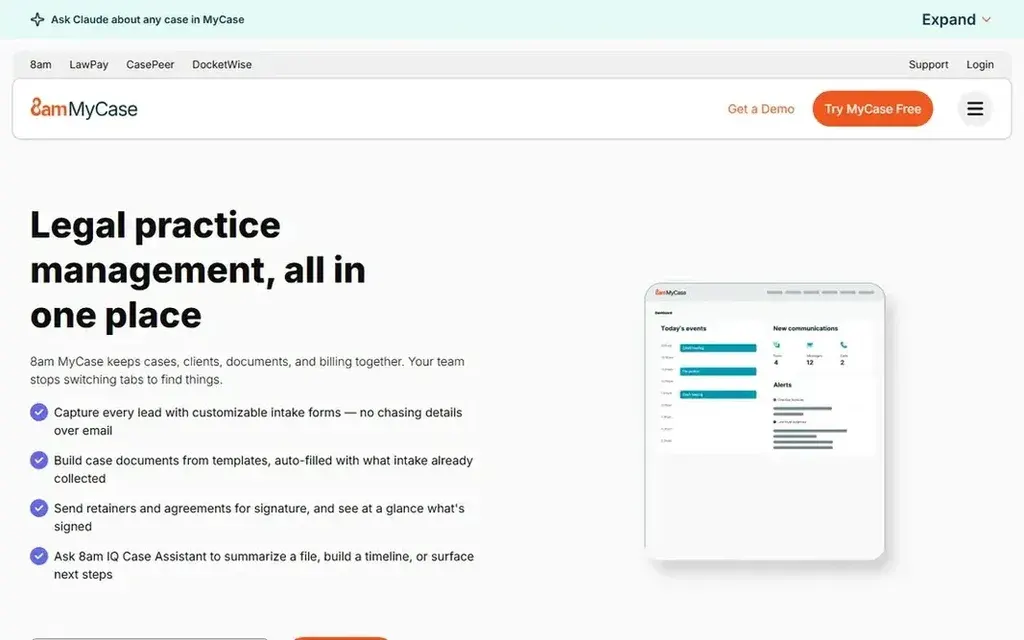
MyCase is aimed squarely at running cases, billing, and payments together. For businesses with complicated, high-volume document or data review needs, MyCase may not go deep enough on its own.
Drawbacks to consider: May be entry-level for large litigation teams.
Price to start with MyCase: $50 per user per month. Free access: Free trial.
- Cases, clients, billing
- Payments in one place
- Automation depth varies by workflow
How we built this list
LinkVetted used vendor pricing pages and product documentation as the base, then compared plans, free access and documented limits for 6 tools. Prices and plan limits come from vendor pages and can change, so confirm them on the vendor site before you buy. Tools are placed by general fit for legal tech workflow automation tools, with price clarity and free access as tie-breakers. A different team can reasonably rank them differently.
A buyer's checklist
- Get a written quote from Litera, NetDocuments, Relativity and others; the list shows no starting price for them.
- Run a trial of Filevine and MyCase with real work before paying for a year; your own workflow is the best test.
- Before choosing Litera, weigh its main limit: suite breadth can complicate selection.
- Verify that exporting from Filevine is possible on your plan and covers all your records.
- Ask Litera about contract length, onboarding fees and user minimums before you sign.
FAQ
Do these tools publish their prices?
Not all of them. Litera, NetDocuments, Relativity and others publish no starting price, so expect a quote request for those. The rest, MyCase included, show a starting price, though seats and billing terms still change the final cost.
What is the cheapest option for legal tech workflow automation tools in this list?
On published monthly entry prices, MyCase is the lowest here at $50 per user per month. Entry price is only part of the cost, because seats, add-ons and billing terms can change the total. Each of the 6 options in this legal tech workflow automation tools guide has its own card above with the price, free plan and limits.
Is Litera the right pick for everyone comparing legal tech workflow automation tools?
No single tool suits every team. Litera comes first because it fits document drafting and legal workflow productivity, while NetDocuments suits document and email management automation and Relativity suits AI-driven legal data review. Match the tool to your own size, budget and workflow before deciding.
Can I try these options before paying?
Often, yes. Filevine and MyCase offer a free trial. Use your own data and a real task during the test, and check what the free tier or trial limits before you rely on it.
Where does AI fit into legal workflow automation?
Filevine positions its system around legal AI, Relativity applies AI to complicated legal data review, and iManage describes an AI knowledge work product.
Sources
- https://www.litera.com
- https://www.netdocuments.com
- https://www.relativity.com
- https://imanage.com
- https://www.filevine.com
- https://www.mycase.com