Best Legal Spend Management Software in 2026: 9 Tools Compared
We compared the best legal spend management software for in-house teams, covering eBilling, invoice review, budgets, and pricing to compare for your team.

- Editor's choice
 Brightflag
AI invoice review with published pricing
Starts at$12,000 per yearVisit brightflag.comFull review - Great alternative
 SimpleLegal
Mid-market teams modernizing
Starts atSee websiteVisit simplelegal.comFull review - Also consider
 Thomson Reuters Legal Tracker
Large enterprises
Starts atSee websiteVisit legal.thomsonreuters.comFull review
TL;DR:
- Brightflag is the only vendor here with published pricing, starting at $12,000 per year, and it leads on AI-driven invoice review.
- Thomson Reuters Legal Tracker remains the safe enterprise default, with the largest installed base among big corporate legal departments.
- SimpleLegal and Mitratech Acuity ELM Essentials fit mid-market teams that find full enterprise suites too heavy and slow to deploy.
- Apperio and Lawcadia suit teams that want modern software without a long implementation project.
- Our pick for most mid-market teams is SimpleLegal, while Brightflag is our pick for teams that want published pricing and strong invoice review.
Quick comparison
| Tool | Best for | Starts at | Free plan? | |
|---|---|---|---|---|
| Brightflag | AI invoice review with published pricing | $12,000 per year | No | Visit |
| SimpleLegal | Mid-market teams modernizing | See website | No | Visit |
| Thomson Reuters Legal Tracker | Large enterprises | See website | No | Visit |
 Mitratech | Enterprise depth or small-business simplicity | See website | No | Visit |
 Wolters Kluwer ELM Solutions | Benchmarking and enterprise spend | See website | No | Visit |
 Onit | Deep workflow configurability | See website | No | Visit |
 Apperio | Real-time spend visibility | See website | No | Visit |
 Lawcadia | Matter and spend in one system | See website | No | Visit |
 Xakia | Smaller in-house teams | $70 per user per month | No | Visit |
The best legal spend management software
Legal spend management software helps in-house teams control outside counsel costs through eBilling, invoice review, budgets, and reporting. The tools below cover enterprise suites, mid-market platforms, and simpler options for smaller legal teams.

Brightflag stands out in this market for a simple reason: it publishes a starting price. Standard starts at $12,000 per year, with usage-based fees on top, which gives buyers a real starting point for budgeting. Its AI invoice review checks invoices against billing guidelines, which helps legal operations teams catch errors without reviewing every line by hand.
The catch is total cost. Usage fees mean the final bill depends on volume, so buyers should ask for a total estimate based on their invoice count and matter count. For teams that want modern invoice review without a long, opaque sales process, Brightflag is a strong first call.
- Published starting price
- AI-driven invoice review
- Clear dashboards for spend and matters
- Usage-based fees apply on top of the base price
- Enterprise features may exceed small team needs
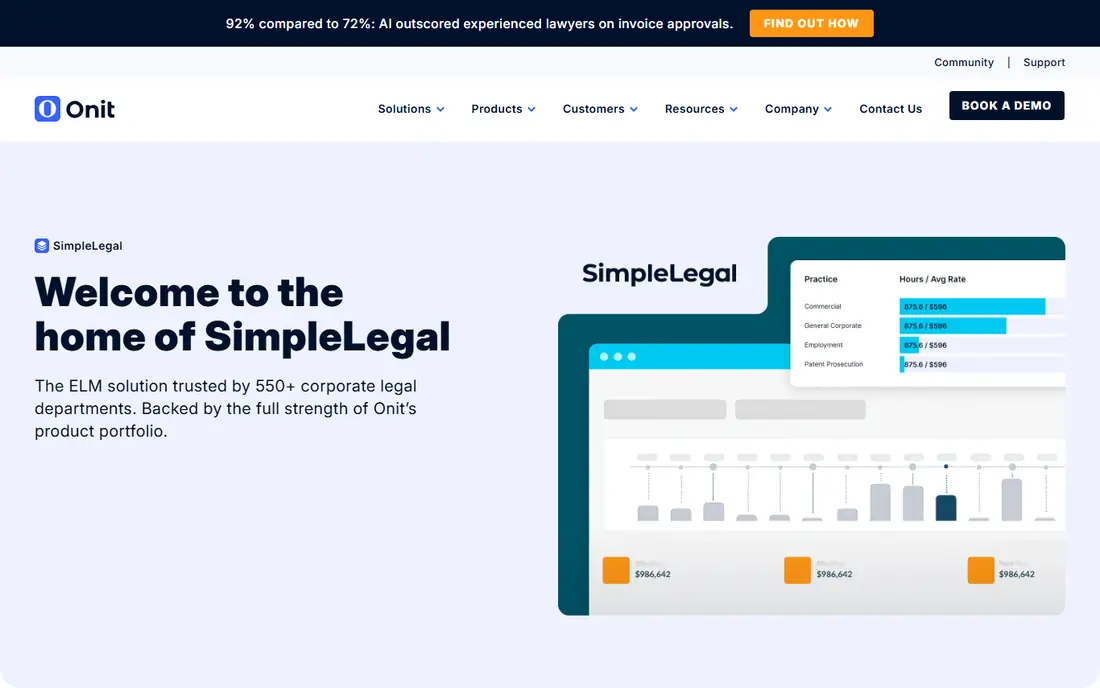
SimpleLegal is an enterprise legal management platform built for corporate legal departments that want to move past spreadsheets and email. It centralizes spend tracking, matter management, and vendor relationships, and its eBilling tools automate invoice review and enforce billing rules. Reporting gives real-time insight into budgets, vendor activity, and legal performance.
Mid-market teams like SimpleLegal because deployment is lighter than a full enterprise suite, though pricing still requires a quote. Teams with very complex global requirements may need a larger suite, but for a department modernizing its spend control, SimpleLegal is a balanced pick.
- Modern interface for mid-market teams
- EBilling with billing guideline enforcement
- Matter management and reporting included
- Pricing is quote-based
- Less depth than the largest enterprise suites
Legal Tracker, formerly Serengeti Tracker, is the incumbent in this category. Large corporate legal departments use it for eBilling, matter management, budgets, and spend analytics, and outside counsel firms already know how to submit invoices through it. That familiarity reduces friction when a department rolls out new billing rules.
The trade is weight. Implementation can take time, and the interface feels less modern than Brightflag or SimpleLegal. For a large enterprise that values proven scale and a deep vendor ecosystem, Legal Tracker remains the safe default.
- Largest installed base among large legal departments
- Mature eBilling and matter tools
- Strong reporting and analytics
- Implementation can be long
- Interface feels dated to some users
Mitratech offers a range of legal products, including enterprise legal management and the simpler Acuity ELM Essentials for smaller teams. That range helps buyers pick depth or simplicity without switching vendors as they grow. Spend tools cover invoice processing, eBilling, rate management, and budget collaboration, with dashboards for stakeholders.
Buyers should clarify which Mitratech product they are being quoted, since the range covers several platforms with different strengths. A clear scope that names the product, modules, and implementation plan will prevent confusion later.
- Choice between enterprise and essentials editions
- Strong matter and spend tools
- Salesforce-based options for some products
- Product range can be confusing
- Pricing is quote-based
Wolters Kluwer ELM Solutions, including Passport and TyMetrix, serves large legal departments that want benchmarking data alongside spend control. That data helps teams compare rates, matter costs, and vendor performance against broader market patterns, which strengthens negotiations with outside counsel. eBilling, matter management, and analytics are mature and deep.
Smaller teams will likely find the platform heavy and the pricing enterprise-scale. For a large department that makes spend decisions with data, rather than on invoice totals alone, the benchmarking strength is a real differentiator.
- Strong benchmarking data behind spend decisions
- Mature enterprise eBilling
- Passport and TyMetrix heritage
- Enterprise pricing and implementation
- Can feel heavy for smaller teams
Onit suits legal operations teams that need workflows shaped to their exact processes. Its platform can be configured for spend management, matter management, contract work, and approvals, with rules that reflect how a specific department actually works. That flexibility helps teams with unusual approval chains or reporting needs.
Flexibility has a cost in time. Configuration needs skilled staff or vendor services, and a poorly scoped project can drag. Teams with a clear process map and the resources to build it will get the most from Onit.
- Highly configurable workflows
- Strong for legal operations teams
- Covers spend, matters, and contracts
- Configuration takes time and skill
- Pricing is quote-based
Apperio focuses on giving legal teams a live view of spend, rather than a picture that arrives weeks after invoices are paid. Teams can see work in progress, accruals, and budget position during a matter, which helps them intervene early instead of learning about overruns at invoice time. The interface is modern and easy to follow.
The trade is breadth. Apperio does not match the largest suites on every enterprise module, so teams that need deep matter, contract, and compliance tools in one system should check scope carefully. For spend visibility as the main goal, it is a strong option.
- Real-time view of spend as it happens
- Modern interface
- Good for firms and in-house teams tracking live matters
- Less enterprise breadth than Legal Tracker
- Pricing is quote-based
Lawcadia brings matter management and legal spend control into one system for in-house teams. Matters, tasks, budgets, and invoices sit together, so a legal team can track work and cost without switching tools. That combination suits departments that want one system for daily legal work, not just a billing tool.
The footprint is smaller than Thomson Reuters or Wolters Kluwer, which may matter for global teams with complex local requirements. For a mid-size in-house team, Lawcadia offers a modern, practical balance of matter and spend features.
- Matter management and spend control together
- Good for in-house teams
- Modern, straightforward interface
- Smaller global footprint than the largest vendors
- Pricing is quote-based
Xakia is built for in-house legal teams of many sizes, but it shines for smaller teams that want a simple, affordable system. It brings matters, tasks, deadlines, contracts, documents, and budgets into one interface, with dashboards that show workload and spend at a glance. Published pricing at $70 per user per month makes budgeting straightforward.
Large enterprises with complex global spend programs may need more depth than Xakia offers. For a small legal team moving off spreadsheets, Xakia gives a clear, usable system without an enterprise project.
- Simple setup for small teams
- Matters, tasks, budgets, and documents together
- Published per-user pricing
- Less depth for very large enterprises
- Fewer enterprise integrations than the largest suites
How we picked these
We compared official product pages, pricing information, and public user reviews for legal spend and enterprise legal management tools in October 2026. We required real eBilling or spend tracking functions, a current vendor presence, and a fit for in-house legal teams, rather than law firm billing tools alone. Brightflag and Xakia publish starting prices, which we used, while other vendors are quote-based and are listed as See website. We did not claim hands-on testing; our comparison rests on published features, pricing, and aggregated buyer feedback.
What to check before you buy
Start with your invoice volume and billing rules. Count monthly invoices, matters, and outside counsel firms, and list the billing guidelines you actually enforce, such as rate caps, blocked charges, and approval limits. A tool that cannot enforce those rules automatically will leave your team reviewing invoices by hand.
Next, check law firm adoption. Ask how firms submit invoices, whether they already use the platform, and what happens when a firm resists a new system. A technically strong tool that firms struggle to use will create delays and disputes.
Finally, ask for total cost and timeline in writing. Include license, implementation, data migration, training, and any usage fees, and ask for a realistic go-live date. Legal spend tools pay back through invoice savings and budget control, but only if the team actually uses them after launch.
FAQ
What is legal spend management software?
It is software that helps in-house legal teams track, review, and control spending on outside counsel and legal vendors. Core features include eBilling, invoice review against billing guidelines, budgets, matter tracking, and spend reporting.
How much does legal spend management software cost?
Prices vary widely. Brightflag publishes a Standard plan from $12,000 per year plus usage fees, and Xakia lists $70 per user per month. Most enterprise vendors are quote-based, with costs driven by invoice volume, users, modules, and implementation.
What is the difference between eBilling and legal spend management?
eBilling is the electronic submission and review of law firm invoices, while legal spend management is the wider job of budgeting, forecasting, analyzing, and controlling legal costs. Most tools in this guide do both, with eBilling as the foundation for spend control.
Do law firms need to use the same software?
Law firms usually submit invoices through a vendor portal or eBilling system, rather than buying the same platform. Check that firms can submit easily, that invoice formats are supported, and that the vendor offers firm onboarding help.
How long does implementation take?
Implementation ranges from weeks for simpler platforms like Xakia or Apperio to months for enterprise suites like Legal Tracker or Wolters Kluwer ELM Solutions. Timeline depends on data migration, billing rules, integrations, and the number of firms to onboard.
Can small legal teams use legal spend management software?
Yes. Xakia, SimpleLegal, and Apperio all suit smaller teams, with simpler setup than enterprise suites. Small teams should start with spend visibility and invoice review, then add matter and analytics features as the department grows.