Best AI Legal Assistant Software in 2026: 8 Tools Compared
Compare the best ai legal assistant software for research, drafting and contract review, with pricing notes, risks and honest trade-offs for firms in 2026.

- Editor's choice
 Harvey
Large firms and in-house teams
Starts atSee websiteVisit harvey.aiFull review - Great alternative
 CoCounsel Legal
Research, drafting and review
Starts atSee websiteVisit thomsonreuters.comFull review - Also consider
 Lexis+ AI
Lexis-based research
Starts atSee websiteVisit lexisnexis.comFull review
TL;DR:
- CoCounsel and Lexis+ AI are our picks for research-heavy firms that need citations tied to trusted legal sources.
- Spellbook is the easiest fit for transactional lawyers who work mainly in Microsoft Word.
- Harvey suits large firms and in-house teams with complex matters and enterprise budgets.
- Every AI output needs human verification, since AI tools can produce plausible but wrong citations.
Quick comparison
| Tool | Best for | Starts at | Free plan? | |
|---|---|---|---|---|
| Harvey | Large firms and in-house teams | See website | No | Visit |
| CoCounsel Legal | Research, drafting and review | See website | No | Visit |
| Lexis+ AI | Lexis-based research | See website | No | Visit |
 Spellbook | Contract work in Word | See website | Free trial | Visit |
 Clio Duo | Small firms on Clio | See website | No | Visit |
 Diligen | Due diligence and M&A review | See website | No | Visit |
 Robin AI | Contract review for in-house teams | See website | No | Visit |
 vLex Vincent AI | Research across many sources | See website | Free trial | Visit |
The best ai legal assistant software
This article is general information, not legal advice, and these tools do not replace a lawyer. AI legal assistants can speed up research, drafting and document review, but a qualified lawyer must still check the work, verify citations and take responsibility for any filing or advice. We compared official vendor pages, feature descriptions and public reviews to build this list.

Harvey is an AI platform built for large law firms and in-house legal teams, covering research, drafting, document analysis and workflow automation. Its strength is handling complex, high-stakes work inside a system designed for legal teams, with governance and confidentiality controls that consumer chat tools do not offer. For a firm with many matters and many lawyers, that structure matters.
The catch is cost and fit. Harvey is enterprise-priced and sales-led, so solo lawyers and small firms will find it hard to justify. It also needs training and governance to use well. Choose Harvey when your firm handles complex matters at volume and needs an AI platform that fits enterprise legal workflows, not a general chat tool.
- Built for legal workflows at scale
- Research, drafting and document work in one system
- Enterprise security controls
- Pricing is quote only and high
- Best value comes with large matter volumes
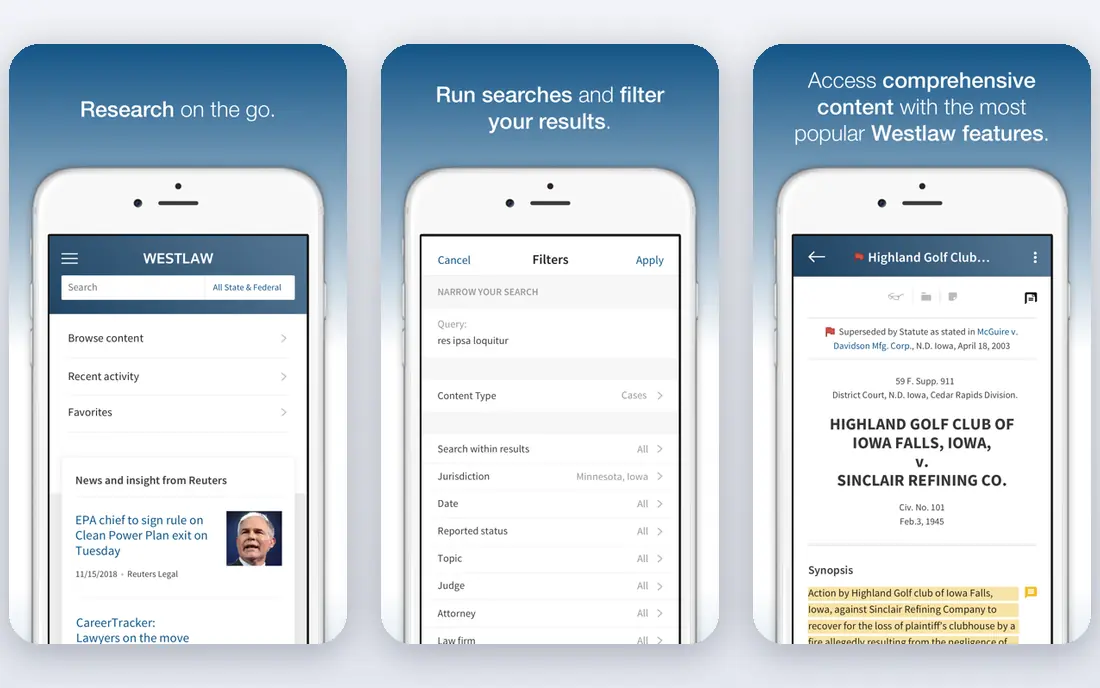
CoCounsel Legal, from Thomson Reuters, combines agentic legal workflows with Westlaw primary law and Practical Law guidance. That grounding is its main advantage: research answers come with linked citations a lawyer can check, rather than uncited text from the open web. One workflow can move from research through document analysis to a review-ready draft.
The drawback is price. CoCounsel is an enterprise product, and its full value depends on how much of the Thomson Reuters content stack your firm already uses. Solo and small firms may find the cost hard to justify for occasional research. Pick CoCounsel when citation-backed research is your main need and your firm already values Westlaw content.
- Research grounded in Westlaw and Practical Law
- Linked citations for verification
- Research, drafting and analysis in one workflow
- Pricing is quote only and high for small firms
- Value depends on the Thomson Reuters content stack
Lexis+ AI brings AI-assisted research and drafting to the LexisNexis platform, with answers tied to Lexis sources and citation checking features such as Shepard's validation. For firms that already subscribe to Lexis, that link to trusted sources is a clear benefit, since it reduces the risk of relying on an unchecked AI claim. Research, summarization and drafting sit inside a familiar legal research workflow.
The catch is ecosystem and cost. Lexis+ AI is priced as part of a Lexis subscription, so the total cost depends on your existing plan, and pricing is not published as a simple starting figure. Firms without a Lexis subscription should compare total cost with CoCounsel. Choose Lexis+ AI when your firm already relies on Lexis and wants AI research grounded in that content.
- Answers grounded in LexisNexis sources
- Citation validation features
- Strong fit for Lexis subscribers
- Pricing is quote only
- Best value comes with a Lexis subscription
Spellbook is built for transactional lawyers who spend most of their time in Microsoft Word. It drafts clauses, reviews contracts against benchmarks and playbooks, and helps with redlining without forcing lawyers to move documents into a separate platform. That Word-first design is why many contract lawyers prefer it to a general AI tool.
The trade-off is scope. Spellbook is a contract tool, not a full research platform, so litigation teams will still need a research product alongside it. Pricing is also not published as a single clear figure, so confirm the per-seat cost before budgeting. Pick Spellbook when contract drafting and review are your main AI use case and Word is where your team already works.
- Works inside Microsoft Word
- Contract drafting, review and redlining
- Benchmarked clause review
- Pricing is not published clearly
- Focused on contracts rather than full legal research
Clio Duo adds AI assistance to Clio, the practice management system many solo and small firms already use. It can summarize matters, extract deadlines, draft communications and help with routine legal work inside the system where client and matter data already live. That integration is its main advantage for small firms that do not want another standalone tool.
The limit is depth. Clio Duo is a practical assistant, not a replacement for Westlaw or Lexis research, and it requires a Clio plan. Pricing varies with the Clio plan and add-on, so check the total cost. Choose Clio Duo when your firm already runs on Clio and you want AI help woven into daily matter work.
- AI built into Clio practice management
- Matter-aware summaries and drafting help
- Good fit for solo and small firms
- Requires a Clio subscription
- Less depth than dedicated research platforms
Diligen is a contract review and due diligence tool that extracts clauses and key terms across large sets of documents. That makes it a strong fit for M&A and financing work, where a team must review hundreds of contracts and find the same provisions in each one. Structured output helps reviewers compare terms without reading every page by hand.
The catch is focus. Diligen is a review tool, not a general research or drafting assistant, so most firms will pair it with another product. Pricing is quote only. Pick Diligen when your work involves large document sets and clause-level review, especially in due diligence or transaction work.
- Strong clause extraction across large document sets
- Good for due diligence and M&A
- Structured review output
- Pricing is quote only
- Narrower focus than a general legal assistant
Robin AI is a contract platform for in-house legal teams that combines AI review with playbooks, drafting help and contract reporting. It suits companies that review many vendor, sales and employment contracts and need consistent terms across them. Reporting on contract terms also helps legal teams answer business questions without opening each file.
The trade-off is audience. Robin AI is aimed mainly at in-house teams, so a law firm serving many clients may prefer a different tool. Pricing is quote only, and implementation includes playbook setup. Choose Robin AI when you run an in-house legal function and contract consistency is a daily problem.
- Contract review and drafting for in-house legal teams
- Playbook-based review
- Reporting on contract terms
- Pricing is quote only
- Best fit is in-house teams rather than law firms
vLex Vincent AI offers AI-assisted legal research, document analysis and drafting help across the vLex database, which covers many jurisdictions and sources. That breadth suits firms with cross-border work or researchers who need more than one national database. A free trial lets you test research quality on your own practice questions before paying.
The drawback is fit by jurisdiction. Database depth varies, so a firm focused on one US state should test Vincent AI against its own research tasks rather than assuming coverage. Pricing is not published as a simple starting figure. Pick vLex Vincent AI when broad, multi-jurisdiction research is valuable and you want to trial it on real matters first.
- AI research across a large legal database
- Document analysis and drafting help
- Free trial for testing
- Pricing is not published clearly
- Database fit varies by jurisdiction
How we picked these
We compared official vendor pages and public reviews, and we kept only tools built for legal work rather than general chat tools. We favored products with legal source grounding, contract review depth or practice management integration, and we wrote See website where pricing was not published. We also stressed verification, because citation errors are the main risk in this category.
What to check before you buy
Start with your main use case, since no single tool does everything well. Research-heavy firms should prioritize citation grounding and source coverage, while transactional teams should prioritize Word integration and playbook review. Small firms should prioritize cost and integration with tools they already use. A tool that is strong in one area may be weak in another, so match the product to your daily work.
Next, test output quality on real matters. Ask each tool the same research question, review the same contract and draft the same clause, then check every citation and clause against a trusted source. Also confirm data handling: how client data is stored, whether it is used for training, and what confidentiality terms apply. Never paste privileged material into a consumer tool without checking those terms first.
Finally, set a firm policy before rollout. Decide who may use AI, what tasks require a second check, and how AI work is disclosed to clients where required. Train lawyers on verification, not just on prompting. The best AI legal assistant is the one your team uses with clear checks, not the one with the longest feature list.
FAQ
What is the best ai legal assistant software?
The best ai legal assistant software depends on your practice. CoCounsel and Lexis+ AI lead for citation-backed research, Spellbook leads for contract work in Word, and Clio Duo leads for small firms already on Clio. Harvey leads for large firms with enterprise needs and budgets.
Can AI legal assistants replace a lawyer?
No. AI legal assistants can speed up research, drafting and review, but they do not replace a lawyer. A qualified lawyer must verify citations, check conclusions, apply judgment to the facts and take responsibility for the work. This article is general information, not legal advice.
How much does AI legal assistant software cost?
Most legal AI tools are quote only, especially enterprise products such as Harvey, CoCounsel and Lexis+ AI. Smaller tools may offer published per-seat pricing or trials, but totals vary by plan and content stack. Ask each vendor for a full quote that includes users, content access and onboarding.
Are AI legal tools safe for confidential client data?
They can be, if you choose a business or enterprise tier with clear no-training guarantees and strong storage terms. Avoid pasting sensitive client data into consumer tools that may use inputs for training. Confirm each vendor's confidentiality, retention and security terms before use, and follow your firm's data policy.
Can AI legal assistants hallucinate case law?
Yes. General AI tools can produce realistic but false citations, and courts have sanctioned lawyers who filed them. Tools grounded in Westlaw or Lexis reduce that risk, but they do not remove it. Verify every citation against a trusted source before filing or advising a client.