Best Hosting for Membership Sites for 2026: Our 5 Vetted Picks
Shortlisting the best hosting for membership sites? 5 products compared on cost, free access and ideal buyer. Every entry states what it lacks. Prices checked.

- Editor's choice
 Kinsta
Enterprise-grade WordPress performance
Starts at$17.50 per monthVisit kinsta.comFull review - Great alternative
 Hostinger
Budget-friendly hosting for small membership sites
Starts at$1.99 a monthVisit hostinger.comFull review - Also consider
 WP Engine
Managed WordPress membership sites
Starts at$28.00 per monthVisit wpengine.comFull review
Direct answer
Our first pick is Kinsta, best for enterprise-grade WordPress performance. Listed starting prices: Kinsta from $17.50 per month, Hostinger from $1.99 a month and WP Engine from $28.00 per month. Hostinger is the stronger choice for low-cost hosting for small membership sites, while WP Engine suits managed WordPress membership sites. The remaining 2 options are covered below with prices and limits.
TL;DR:
- Kinsta sits first on this list: enterprise-grade WordPress performance.
- DreamHost is the one to check for dependable shared and managed WordPress hosting.
- The cheapest monthly starting price in the list is $1.49 per mailbox per month, offered by DreamHost.
- Kinsta, DreamHost and the 3 others all need a premium plan or a trial, since no free plan is listed.
Last checked November 2026. Prices and plan details were read from the vendors' own pages in November 2026; vendors change plans often, so confirm the current price on the vendor site before you buy.
Quick comparison
| Tool | Best for | Starts at | Free plan? | |
|---|---|---|---|---|
| Kinsta | Enterprise-grade WordPress performance | $17.50 per month | Free trial | Visit |
| Hostinger | Budget-friendly hosting for small membership sites | $1.99 a month | Not stated | Visit |
| WP Engine | Managed WordPress membership sites | $28.00 per month | Not stated | Visit |
 Cloudways | Adaptable managed cloud hosting | $20 a month | Free trial | Visit |
 DreamHost | Dependable shared and managed WordPress hosting | $1.49 per mailbox a month | Not stated | Visit |
Our 5 hosting for membership sites
LinkVetted put together this guide to hosting for membership sites for readers who want a clear shortlist without reading every vendor page. It compares 5 tools on starting price, free plans, who each one suits and where each one falls short.

Kinsta is a good fit for enterprise-grade WordPress performance. Kinsta is a managed WordPress hosting provider that emphasizes speed, security, and support.
Points against: WordPress-only.
It uses Google Cloud infrastructure and supplies features like automatic scaling and hack fixes. Look elsewhere if you need multi-platform support or lower costs. The starting price for Kinsta: $17.50 per month. Free options: Free trial.
- Enterprise-grade speed
- Expert support
- Premium pricing
Hostinger is a good fit for budget-friendly hosting for small membership sites. Hostinger supplies shared hosting, VPS, and cloud plans along with domains and a website builder.
It is recognised for budget-friendly pricing and simplicity, making it a suitable choice for small membership sites or those just starting out. More specifically, some features are available only as upsells, and performance may not match premium managed hosts. On cost, Hostinger starts like this: $1.99 per month. On free options: Not stated.
Limits to weigh: Upsells for features.
- Simple website builder
- Low starting prices
- Restricted resources on entry-level plans
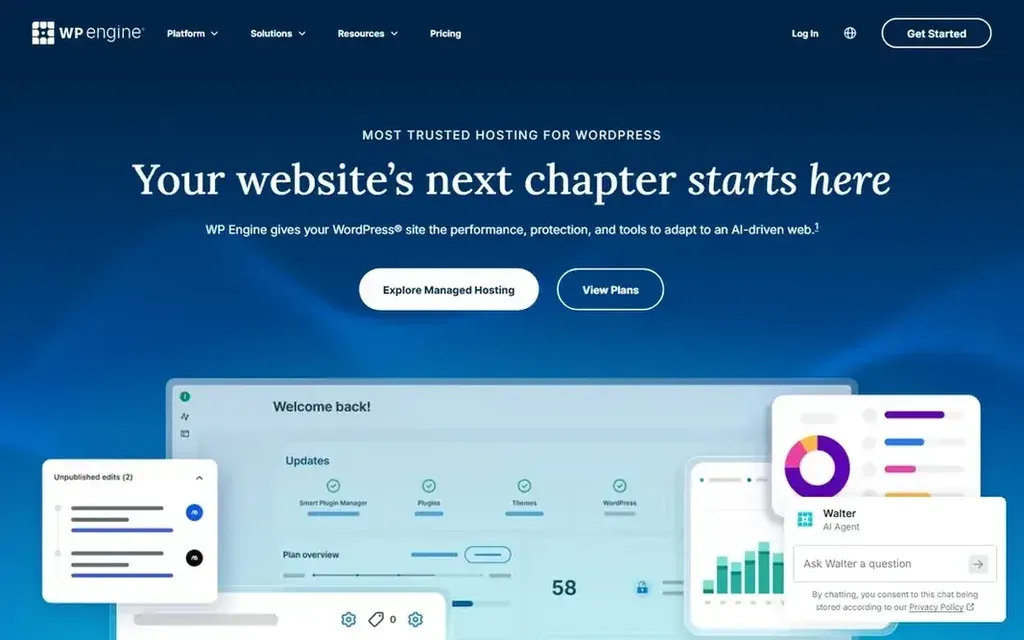
WP Engine makes the most sense for managed WordPress membership sites. WP Engine is a managed WordPress hosting system aimed at performance and security. It comes with automatic updates, daily backups, and a built-in CDN.
From a buyer's view, WP Engine focuses exclusively on WordPress, so it is not a good match for other products. Its pricing is higher than shared hosting, which may be a barrier for small budgets. From a buyer's view, consider alternative hosts if you need non-WordPress support or lower-cost choices. The system is well suited to membership sites that depend on WordPress and need dependable uptime and expert support without managing server details. WP Engine starts at: $28.00 per month. Free plan details: Not stated.
Where WP Engine stands out: 24/7 support.
Points against: Restricted to WordPress.
- Managed WordPress product
- Security options
- Higher cost than shared hosts
Cloudways was built for adaptable managed cloud hosting. It supplies adaptability and scalability, making it a good match for membership sites that expect growth or need custom configurations.
Points against: Needs some technical knowledge.
Those seeking a completely managed WordPress experience might prefer a specialized host. On cost, Cloudways starts like this: $20 per month. On free options: Free trial.
- Choice of cloud providers
- Scalable resources
- No built-in email hosting
DreamHost is aimed squarely at steady shared and managed WordPress hosting. Evaluate your need for phone support and advanced features.
It gives you an uptime guarantee and 24/7 support via chat and email. As for the details, whereas its managed WordPress plans are solid, they may not contain all the advanced features of specialized WordPress hosts. Starting cost for DreamHost: $1.49 per mailbox per month. On free options: Not stated.
Trade-offs to know: Restricted phone support.
- Managed WordPress choice
- Uptime guarantee
- No phone support
What went into this list
Before you commit
- Confirm the entry price on the vendor page: DreamHost starts at $1.49 per mailbox per month, but seat counts and billing terms change the total.
- Run a trial of Kinsta and Cloudways with real work before paying for a year; your own workflow is the best test.
- Read the limits listed for Kinsta first: WordPress-only.
- Ask Hostinger which support channels and response times come with the plan you would buy.
- Test the integrations you rely on with DreamHost before committing; some connectors sit on upper tiers.
FAQ
What type of hosting is best for a membership site?
The first pick on this list is Kinsta, because it suits enterprise-grade WordPress performance. Hostinger is better for low-cost hosting for small membership sites, and WP Engine for managed WordPress membership sites. Check price and limits against your own needs before choosing.
Does any tool for hosting for membership sites here have a free plan?
A permanent free plan is not offered by Kinsta, DreamHost or the other tools here. Kinsta, Cloudways offer a trial. Plan a short evaluation period instead.
Do I need special security features for a membership site?
Yes, membership sites deal with user data and payments, so security features like SSL, firewalls, and regular backups are essential. Choose a host that gives you solid security measures and updates.
Is Kinsta the right pick for everyone comparing hosting for membership sites?
No single tool suits every team. Kinsta comes first because it fits enterprise-grade WordPress performance, while Hostinger suits affordable hosting for small membership sites and WP Engine suits managed WordPress membership sites. Match the tool to your own size, budget and workflow before deciding.
Can I run a membership site on shared hosting?
Shared hosting can work for small membership sites with low traffic, but resource limits may cause performance issues as you grow. Upgrading to VPS, cloud, or managed hosting is recommended for scalability.
Can I try these tools before paying?
Often, yes. Kinsta and Cloudways offer a free trial. Use your own data and a real task during the test, and check what the free tier or trial limits before you rely on it. All 5 picks in this hosting for membership sites comparison list a starting price, free plan details and the main limits on their cards above.
Sources
- https://kinsta.com
- https://www.hostinger.com
- https://wpengine.com
- https://www.cloudways.com
- https://www.dreamhost.com