Best Cloud Hosting Companies in 2026: 8 Companies Compared
We compared the best cloud hosting companies on pricing, regions, managed services and support, so you can pick a cloud host that fits your app well today.
- Editor's choice
 Amazon Web Services
Largest service range
Starts atSee websiteVisit aws.amazon.comFull review - Great alternative
 Microsoft Azure
Microsoft shops and enterprise
Starts atSee websiteVisit azure.microsoft.comFull review - Also consider
 Google Cloud
Data, AI, and Kubernetes
Starts atSee websiteVisit cloud.google.comFull review
TL;DR:
- Amazon Web Services, Microsoft Azure, and Google Cloud suit large or regulated workloads, while DigitalOcean and Vultr suit smaller teams that want clear pricing.
- Basic DigitalOcean Droplets start at $4 per month, which makes it an easy low-cost starting point for a small app or test project.
- Pay-as-you-go billing can rise fast with data transfer, databases, and backups, so model a full month before you commit.
- Managed hosting through Cloudways suits teams that want cloud servers without managing the server itself.
Quick comparison
| Tool | Best for | Starts at | Free plan? | |
|---|---|---|---|---|
| Amazon Web Services | Largest service range | See website | Free trial | Visit |
| Microsoft Azure | Microsoft shops and enterprise | See website | Free trial | Visit |
| Google Cloud | Data, AI, and Kubernetes | See website | Free trial | Visit |
 DigitalOcean | Simple developer hosting | $4 per month | Free trial | Visit |
 Linode | Predictable virtual servers | See website | Free trial | Visit |
 Vultr | Low-cost global servers | See website | Free trial | Visit |
 Hetzner | Value hosting in Europe and US | See website | No | Visit |
 Cloudways | Managed cloud hosting | See website | Free trial | Visit |
The best cloud hosting companies
These companies run the servers, storage, and networks behind websites and apps. We compared their public pricing pages, service ranges, regions, and support options to help you choose between a large hyperscaler and a simpler developer cloud.
Amazon Web Services, known as AWS, is the default choice when you need almost any cloud service in one place, from virtual servers and storage to databases, AI tools, and content delivery. Its region coverage helps global apps stay close to users, and its compliance programs help regulated teams. Large companies also benefit from its partner network and training resources.
The catch is complexity. With hundreds of services, it is easy to pick an expensive option when a simple one would do, and data transfer charges can add up. Start with a small setup, set billing alerts on day one, and use the pricing calculator for a full month. For a large or fast-growing app, AWS is our pick for most teams that need breadth.
- Huge service catalog
- Many regions
- Strong compliance and enterprise support
- Pricing is complex
- Bills can surprise new users
- Support costs extra on higher tiers
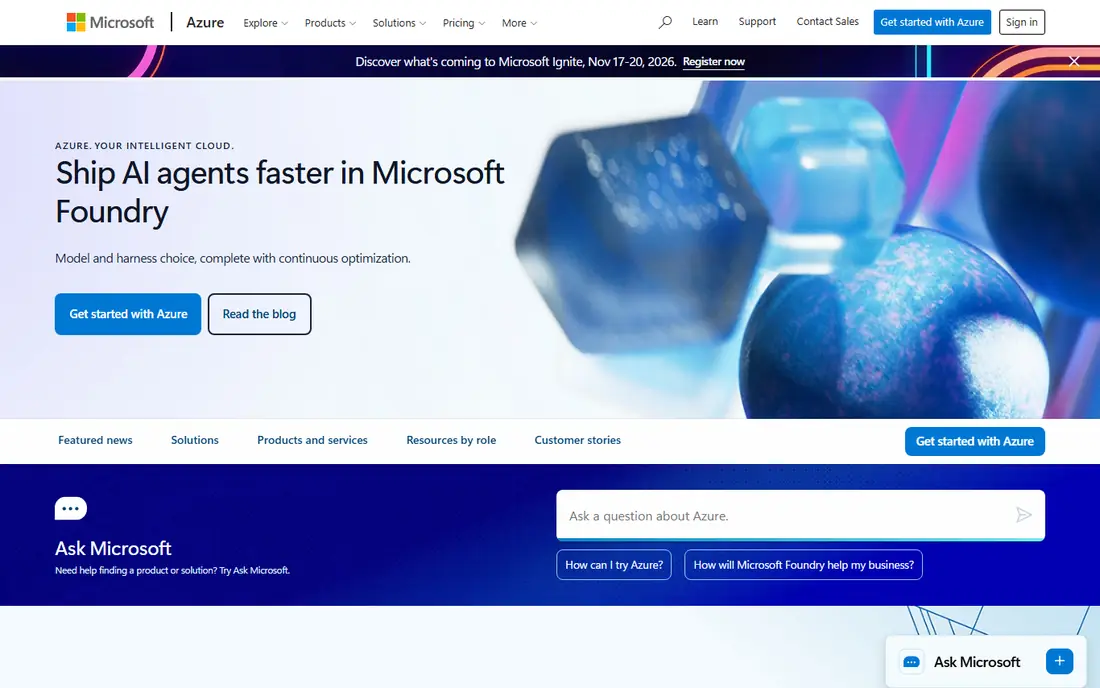
Microsoft Azure fits companies that already use Microsoft 365, Windows Server, Active Directory, or SQL Server. Identity, security, and hybrid tools are central to its pitch, which helps IT teams that must manage staff access and on-premises systems alongside cloud servers. It also offers a wide region list and strong enterprise agreements.
The honest downside is the same as AWS: choice and billing complexity. A small team can feel lost in the portal, and costs need active monitoring. If your stack is already Microsoft-based, Azure often saves integration time and training. If it is not, compare it carefully with Google Cloud and DigitalOcean before you commit.
- Strong Microsoft 365 and Windows integration
- Enterprise identity tools
- Hybrid cloud options
- Pricing is complex
- Portal can feel crowded
- Some services vary by region

Google Cloud is a strong choice for teams building data pipelines, machine learning features, or container-based apps. Google Kubernetes Engine is widely respected, and BigQuery suits teams that need to query large data sets without managing a database cluster. Its global network also helps apps with users in many countries.
The catch is fit. If your team needs a niche enterprise service or a long-standing vendor agreement, AWS or Azure may have a deeper catalog in that area. For a modern, container-first team, Google Cloud is often easier to reason about and a good long-term home.
- Strong Kubernetes and data tools
- Global network
- Clear per-second billing for many services
- Smaller enterprise sales footprint than AWS
- Some services are newer
- Pricing still needs care
DigitalOcean is our pick for most small teams and solo developers. A Basic Droplet starts at $4 per month, and the dashboard, API, and docs are built for people who want a server running quickly. Managed databases, object storage, load balancers, and Kubernetes cover most common app needs without a large platform to learn.
The limit is breadth. You will not find the same huge service catalog as AWS, and compliance or region needs may push a larger company elsewhere. For a blog, SaaS prototype, API, or small production app, DigitalOcean gives you predictable costs and a calm setup. Set up backups and monitoring from the start, since a cheap server still needs care.
- Clear Droplet pricing from $4 per month
- Good docs
- Managed databases and Kubernetes
- Fewer regions and services than hyperscalers
- Less suited to strict enterprise needs
Linode, now part of Akamai, offers virtual servers, storage, databases, and Kubernetes with pricing that is easier to follow than a hyperscaler bill. It suits developers and small businesses that want a Linux server, a known monthly cost, and solid documentation. Its global data centers cover the main regions most apps need.
The honest catch is that Linode is not trying to be everything. If you need dozens of managed AI or enterprise services, a larger cloud may fit better. For a straightforward app, API, or website on a virtual server, Linode is a steady, good-value choice.
- Clear virtual machine plans
- Global data centers
- Strong Linux and developer docs
- Now part of Akamai, so branding can confuse
- Managed services are narrower than AWS
Vultr suits teams that want a server in a specific city at a low price and are happy to manage it themselves. It offers cloud compute, bare metal, storage, and GPU instances across many locations, with hourly billing for short tests. That flexibility helps developers who run workloads in several regions or need a GPU for a limited job.
The trade-off is responsibility. Vultr gives you the server, not a managed app platform, so patching, backups, and security are on you unless you add tools. If your team has DevOps skills, Vultr is good value. If not, Cloudways or a managed service may save more time than the lower server price saves money.
- Many locations
- Hourly and monthly billing
- Bare metal and GPU options
- Support is less hands-on than managed hosts
- You manage the server yourself
Hetzner is a favorite for value-conscious teams, especially in Europe. Its cloud servers and dedicated servers often cost less than similar specs elsewhere, and its data centers in Germany, Finland, and the US cover many common needs. It suits personal projects, agencies hosting many client sites, and startups watching cash closely.
The limit is geography and hand-holding. If most of your users are in Asia, Australia, or South America, check latency and region options first. Support is also more self-serve than a managed host. For a European-focused app or a cost-sensitive project, Hetzner is hard to beat on price for the spec.
- Very competitive prices
- Dedicated servers and cloud
- Data centers in Europe and the US
- Fewer regions outside Europe and the US
- Support is more self-serve
Cloudways is different from the rest of this list, because it manages servers that run on clouds such as DigitalOcean, AWS, and Google Cloud. You get a simple dashboard, backups, staging, caching, and support, without logging into a raw server to patch and tune it. That suits agencies and small businesses running WordPress, WooCommerce, Laravel, or similar PHP apps.
The catch is cost and control. You pay Cloudways on top of the underlying cloud cost, and you give up some low-level server control. For a team that wants to focus on the site, not the server, that trade is often worth it. For a team that wants full root control, a direct cloud account is better.
- Managed servers on major clouds
- Simple dashboard
- Support for WordPress and PHP apps
- Adds a fee on top of cloud costs
- Less control than a raw server
- Not for every app type
How we picked these
We compared official pricing pages, service catalogs, region lists, and support options for each provider, plus public docs for managed services. We favored providers that are active in October 2026, publish clear starting prices or pay-as-you-go terms, and offer a path from a small test to production. We did not claim hands-on testing, and we used See website where a single starting price would mislead, since hyperscaler costs depend on usage.
How to choose a cloud host without overspending
Start by listing what your app actually needs: a website, an API, a database, file storage, or all four. A simple site on a single virtual server costs far less than a multi-region setup with managed databases and a content delivery network. Do not buy the larger setup until traffic or compliance rules require it.
Model a full month, not just the server
Add backups, snapshots, load balancers, database instances, storage, and outbound data transfer to your estimate. Set a billing alert at 50 percent and 80 percent of your budget, and review the bill in the first month. Many teams find one service, often data transfer or a forgotten test server, driving most of the cost.
Decide who manages the server
If your team can patch, back up, and monitor a server, a direct cloud account gives you control and lower costs. If not, a managed host like Cloudways or a managed database service saves time and reduces risk. The right answer depends on skills, not just price, since an unmanaged server that is not patched is a security risk.
FAQ
What is the best cloud hosting company?
It depends on your app size and team. AWS, Azure, and Google Cloud suit large or complex workloads. DigitalOcean and Linode suit smaller teams that want clear pricing. Cloudways suits teams that want managed hosting without server work.
Is cloud hosting better than shared hosting?
Cloud hosting usually gives you dedicated resources, easier scaling, and more control than shared hosting. Shared hosting can be cheaper for a small site, but a traffic spike or a noisy neighbor can slow it down. Choose cloud hosting when you need scaling, isolation, or specific server settings.
How much does cloud hosting cost per month?
It ranges from $4 per month for a small DigitalOcean Droplet to hundreds or thousands per month for a large multi-service setup. Hyperscaler costs depend on compute, storage, databases, and data transfer. Model a full month and set billing alerts before you scale.
Do I need a managed cloud host?
Not if your team has DevOps skills and time for patching, backups, and monitoring. A managed host helps when you want to focus on the app or site and let someone else handle server care. Compare the managed fee against the staff time it saves.
Which cloud host is best for WordPress?
Cloudways is a strong managed option for WordPress, since it handles server setup, caching, staging, and backups. DigitalOcean and Vultr also work well for WordPress if you are happy to manage the server or use a control panel. Check backup, caching, and support options before you move a live site.