6 WordPress Hosting for Membership Sites Worth Shortlisting in 2026
Weighing the best WordPress hosting for membership sites? We lined up 6 products by cost, free access and fit. With pricing notes and limits. Updated for 2026.

- Editor's choice
 Flywheel
Designers and creative agencies
Starts at$25 per monthVisit getflywheel.comFull review - Great alternative
 SiteGround
Smaller membership communities
Starts atSee websiteVisit siteground.comFull review - Also consider
 WP Engine
Managed WordPress with capable support
Starts at$28.00 per monthVisit wpengine.comFull review
Direct answer
Flywheel leads the list, best for designers and creative agencies. Listed starting prices: Flywheel from $25 per month, WP Engine from $28.00 per month and Cloudways from $20 a month. SiteGround fits smaller membership communities; WP Engine fits managed WordPress with capable support. The remaining 3 options are covered below with prices and limits.
TL;DR:
- The list opens with Flywheel, aimed at designers and creative agencies.
- Before buying Cloudways, weigh this: needs some technical comfort.
- Starting prices begin at $17.50 per month with Kinsta.
- For enterprise grade managed performance, Kinsta is worth a look.
- Flywheel, Kinsta and the 4 others all need a premium plan or a trial, since no free plan is listed.
Last checked November 2026. Prices and plan details were read from the vendors' own pages in November 2026; vendors change plans often, so confirm the current price on the vendor site before you buy.
Quick comparison
| Tool | Best for | Starts at | Free plan? | |
|---|---|---|---|---|
| Flywheel | Designers and creative agencies | $25 per month | Not stated | Visit |
| SiteGround | Smaller membership communities | See website | Not stated | Visit |
| WP Engine | Managed WordPress with capable support | $28.00 per month | Not stated | Visit |
 Cloudways | Managed cloud hosting adaptability | $20 a month | Free trial | Visit |
 Rocket.net | Quick, secure all in one hosting | $25 per month | No | Visit |
 Kinsta | Enterprise grade managed performance | $17.50 per month | Free trial | Visit |
Our 6 WordPress hosting for membership sites
If you are comparing WordPress hosting for membership sites, this page covers 6 tools in one place: what each is best for, what it costs to start, whether it has a free plan, and the main limit to know about.
Flywheel was built for designers and creative agencies. Choose Flywheel when you run client sites and want a workflow designed around that.
Limits to weigh: Agency oriented positioning.
As for the details, non WordPress projects are also outside its scope. Beyond that, the agency focus is the central limitation: companies hosting a single membership site may find a general managed WordPress host more direct. Price to start with Flywheel: $25 per month. Free plan details: Not stated.
- Manage plenty of WordPress sites
- Made for agencies
- WordPress only
In short, SiteGround is for smaller membership communities. SiteGround is a web hosting company that emphasizes speed, security and support for the domains it serves.
SiteGround does not show a starting price in this comparison, so check the vendor site for current pricing. Free options: Not stated.
Points against: General purpose hosting.
- Widely used web hosting
- Speed and security emphasis
- Less WordPress specific depth
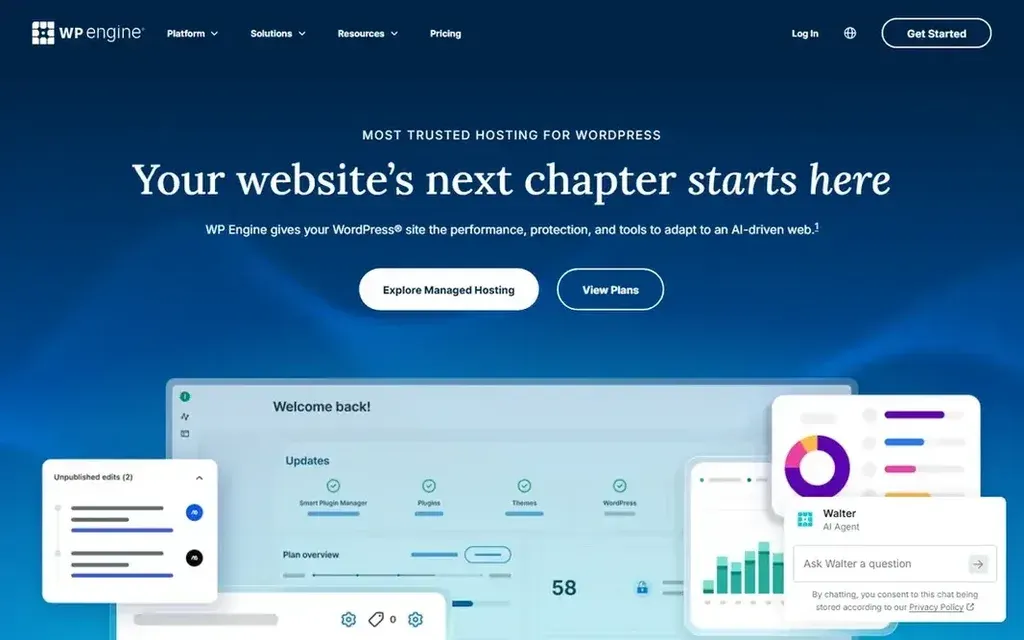
WP Engine is a good fit for managed WordPress with capable support. If you need custom server configurations or non WordPress workloads alongside your community, a more general host may suit you better.
Limits to weigh: Less control over server stack.
For everyday use, otherwise it is a sensible default for membership projects. As for the details, the trade off is adaptability: a WordPress focused system hands you fewer levers than raw cloud infrastructure. Starting cost for WP Engine: $28.00 per month. Trial and free access: Not stated.
- Security tooling included
- Managed WordPress system
- WordPress only
Cloudways is aimed squarely at managed cloud hosting adaptability. Cloudways gives you a managed cloud hosting product, positioning itself around simplified cloud infrastructure for websites and applications.
Honest limits: Not WordPress only.
For membership sites, the appeal is flexibility: you get managed cloud resources and can tune the environment as traffic from logged in members grows. From a buyer's view, pick Cloudways when adaptability and cloud resources are priorities. What you pay to start with Cloudways: $20 per month. Free access: Free trial.
- Scales with workloads
- Several infrastructure choices
- Needs some technical comfort
Where Rocket.net fits: quick, secure all in one hosting. Membership sites benefit when hosting is tuned for WordPress from day one, since optimized environments cut the tuning work needed for logged in traffic.
Trade-offs to know: Smaller feature footprint.
Rocket.net describes all in one WordPress hosting for agencies and creatives, emphasizing quick, secure and completely optimized websites. What you pay to start with Rocket.net: $25 per month. Rocket.net has no free plan.
- All in one WordPress hosting
- Pitched at agencies and creatives
- WordPress focused

Kinsta is aimed squarely at enterprise grade managed performance. Kinsta markets itself as just better hosting for WordPress, stressing enterprise grade speed, security and support. That pitch lines up with membership sites, where page load times and uptime straight affect the member experience.
Watch-outs: WordPress centric.
It tends to suit teams that want a managed stack without building or maintaining infrastructure, and who value a support team familiar with WordPress issues. For everyday use, as with any managed WordPress product, you trade some control for convenience, and non WordPress applications are not the focus. If your membership stack contains custom services that require bespoke server tuning, compare against a cloud oriented host. Starting cost for Kinsta: $17.50 per month. As for free access: Free trial.
- Support included
- Managed WordPress hosting
- Less server level control
How we chose
We compared the tools on published pricing, free plan or trial availability, feature coverage for WordPress hosting for membership sites, and the limits each vendor documents. Where a vendor does not publish a price, the entry says quote. Where a price depends on seats or billing term, the entry says so. The ranking is editorial: typical fit first, then clear pricing, then free access. If your needs are unusual, read the profiles rather than relying on position.
A buyer's checklist
- Get a written quote from SiteGround; the list shows no starting price for them.
- Use real work to test the free trial from Cloudways and Kinsta, rather than a demo project.
- Before choosing Flywheel, weigh its main limit: agency oriented positioning.
- Add up seats, add-ons and usage charges for Kinsta before comparing it with cheaper entries.
- Look at which plan of WP Engine unlocks the features you need; entry tiers are often cut down.
FAQ
Does any tool for WordPress hosting for membership sites here have a free plan?
No tool in this list, Flywheel and Kinsta included, has a permanent free plan. Cloudways, Kinsta offer a trial. Trials and quotes are the usual route, so plan a short evaluation period.
Can I try these tools before paying?
Often, yes. Cloudways and Kinsta offer a free trial. Use your own data and a real task during the test, and check what the free tier or trial limits before you rely on it. All 6 picks in this WordPress hosting for membership sites comparison list a starting price, free plan details and the main limits on their cards above.
How do agencies run several membership sites?
Agencies frequently prefer hosts built around managing plenty of WordPress sites from one place, like Flywheel, which targets designers and creative agencies. Confirm the workflow for site creation, backups and client handoff before standardizing on a product.
Can I move a membership site between hosts later?
Migration is typically possible with WordPress since content and member data live in the database and files. Plan for staging and testing after any move, and confirm what migration help each host supplies so member access is not disrupted.
How are the tools for WordPress hosting for membership sites ordered?
Flywheel sits first and Kinsta last because the order follows typical fit for WordPress hosting for membership sites, then price clarity and free access. It is a judgement call, so read each profile for fit and limits.
Do these tools publish their prices?
Not all of them. SiteGround publishes no starting price, so expect a quote request for it. The rest, Flywheel included, show a starting price, though seats and billing terms still change the final cost.
Sources
- https://getflywheel.com
- https://www.siteground.com
- https://wpengine.com
- https://www.cloudways.com
- https://rocket.net
- https://kinsta.com