Google Workspace Creative Tools in 2026: The 6 Best Options Side by Side
Weighing the best Google workspace creative tools? We lined up 6 products by cost, free access and fit. Verdicts stay brief and factual. Pick by budget.
- Editor's choice
 Figma
Collaborative UI and product design
Starts at$3 a monthVisit figma.comFull review - Great alternative
 Canva
Fast graphic design and presentations
Starts atSee websiteVisit canva.comFull review - Also consider
 Miro
Visual brainstorming and product development
Starts at$8 per member a monthVisit miro.comFull review
Direct answer
Start with Figma if you need collaborative UI and product design. Listed starting prices: Figma from $3 a month, Miro from $8 per member a month and Notion from $10 per member per month. Alternatives: Canva for fast graphic design and presentations, and Miro for visual brainstorming and product development. Details, prices and limits for the rest of the 6 tools are below.
TL;DR:
- Top of the list is Figma, which targets collaborative UI and product design.
- Lucidchart suits intelligent diagramming and process mapping.
- The cheapest monthly starting price in the list is $3 per month, offered by Figma.
- One limit worth knowing about Miro: ramp-up time for advanced features.
Last checked November 2026. Prices and plan details were read from the vendors' own pages in November 2026; vendors change plans often, so confirm the current price on the vendor site before you buy.
Quick comparison
| Tool | Best for | Starts at | Free plan? | |
|---|---|---|---|---|
| Figma | Collaborative UI and product design | $3 a month | Not stated | Visit |
| Canva | Fast graphic design and presentations | See website | Not stated | Visit |
| Miro | Visual brainstorming and product development | $8 per member a month | Yes | Visit |
 Notion | All-in-one workspace and automation | $10 per member per month | Yes | Visit |
 Google Workspace | Native collaboration and productivity | See website | Not stated | Visit |
 Lucidchart | Intelligent diagramming and process mapping | See website | Not stated | Visit |
Google Workspace Creative Tools profiles
Short on time? The summary and table above give the quick view of 6 Google workspace creative tools, and the profiles that follow give the detail behind each entry.
Figma is aimed squarely at collaborative UI and product design. Figma has a steeper ramp-up time than more straightforward design tools and may be overkill for entry-level graphic design. It needs an internet connection for full collaborative features.
Beyond that, pick Figma when your team concentrates on digital product design and needs a capable, collaborative product that links up with development workflows, instead of a tool for fast marketing materials. In practice, Figma is a collaborative canvas for design, code, and AI, bringing together the whole product team from first idea to shipped product. It makes it possible for designers and developers to work in one place, simplifying the handoff from concept to production. Figma pricing: $3 per month. Free plan details: Not stated.
What to check first: Steeper ramp-up time.
- AI-powered features
- Design and code integration
- Needs internet for full collaboration
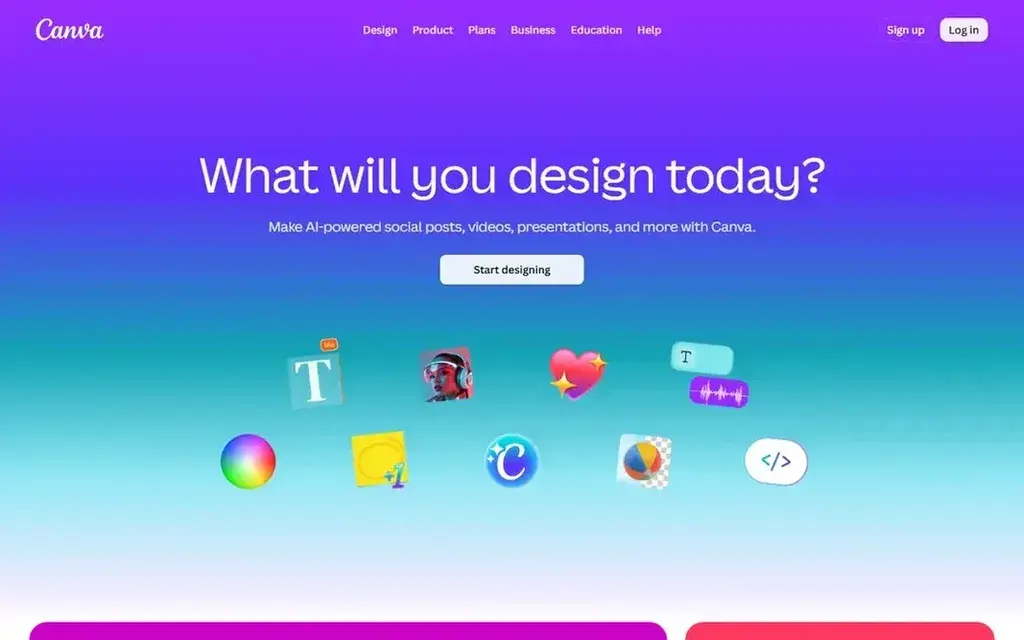
Think of Canva for fast graphic design and presentations. Its visual suite is made for everyone, making it accessible to non-designers who require to produce refined visuals rapidly.
It is not intended for complicated vector editing or print-ready layouts. Choose Canva when speed and simplicity matter, and you need an approachable tool for everyday design tasks that can be shared via Google Drive. Pricing for Canva is not stated here, so ask the vendor for current figures. Free plan details: Not stated.
Trade-offs to know: Restricted advanced design controls.
- Simple drag-and-drop editor
- Free-to-use online tool
- Some assets need premium upgrade

Think of Miro for visual brainstorming and product development. Miro is an AI innovation workspace that accelerates product development from ideation to launch. It supplies a visual system where teams can align, break down tool silos, and ship what customers need.
Watch-outs: Ramp-up time for advanced features.
From a buyer's view, Miro can become complicated for straightforward tasks, and its full feature set may need a premium subscription. It is not a replacement for document editing or design production. Pick Miro when visual collaboration and ideation are central to your process, and you need a dedicated whiteboarding tool that complements Google Workspace. Miro pricing: $8 per member per month. Miro has a free plan.
- Aligns teams from ideation to launch
- AI-powered visual product
- May need premium plan for full features
Notion is built with all-in-one workspace and automation in mind. It merges notes, databases, and project management in one adaptable product.
For everyday use, Notion suits teams that want to centralize information and simplify workflows, and it can be used alongside Google Workspace for a unified productivity setup. What you pay to start with Notion: $10 per member per month. Notion offers a free plan.
The main drawbacks: Restricted native design features.
- AI workspace for teams
- Custom agents and automation
- Can be overwhelming to set up

Choose Google Workspace for native collaboration and productivity. It bundles familiar apps like Docs, Sheets, Slides, and Drive, which support live co-editing and commenting.
Honest limits: Needs internet connection.
Whereas Google Workspace spans core productivity, it lacks specialized creative features like advanced design or diagramming. Choose Google Workspace when you want a steady foundation for collaboration and file sharing, and pair it with dedicated creative apps for specialized tasks. Google Workspace shows no starting price here, so confirm the cost on the vendor site. Free plan details: Not stated.
- Real-time collaboration
- Integrated suite of online tools
- Restricted advanced creative features
Lucidchart serves intelligent diagramming and process mapping. Lucidchart is well-suited for firms that require to visualize workflows, org charts, and technical architectures, and it connects with Google Workspace for smooth sharing and collaboration.
For everyday use, Lucidchart is a diagramming tool powered by intelligence, enabling users to create next-generation diagrams with AI, data, and automation. Lucidchart does not show a starting price in this comparison, so check the vendor site for current pricing. Trial and free access: Not stated.
Limits to weigh: Restricted free version.
- Data and automation integration
- Optimizes systems and processes
- Centred on diagrams only
How we compared the tools
For each of the 6 tools we noted price, free plan or trial, fit for Google workspace creative tools and the main limit, using vendor pages and documentation. Where a vendor does not publish a price, the entry says quote. Where a price depends on seats or billing term, the entry says so. The sequence is a judgement call: typical use case first, then pricing transparency, then free access. Use the profiles to check fit.
What to confirm before you sign up
- Ask Canva, Google Workspace and Lucidchart for a written quote, since no starting price is shown.
- Read the fine print on the free plans from Miro and Notion; seat, project and feature caps differ.
- Read the limits listed for Figma first: steeper ramp-up time.
- Check the integration list for Miro against the tools you run today, and note which ones need a higher plan.
- Check whether the features you need in Canva sit on the entry plan or only on higher tiers.
FAQ
Can I try these options before paying?
Often, yes. Miro and Notion have a free plan. Use your own data and a real task during the test, and check what the free tier or trial limits before you rely on it.
Which creative tool performs best with Google Workspace?
This list starts with Figma, which fits collaborative UI and product design. For other needs, Canva is aimed at fast graphic design and presentations, and Miro at visual brainstorming and product development. Check each tool's price and main limit first.
Do these tools publish their prices?
Not all of them. Canva, Google Workspace and Lucidchart publish no starting price, so expect a quote request for those. The rest, Figma included, show a starting price, though seats and billing terms still change the final cost.
How are the tools for Google workspace creative tools ordered?
The order follows typical fit for Google workspace creative tools, with Figma first and Lucidchart last, then price clarity and free access. It is editorial judgement, not a score, so another team could rank the tools differently.
Is Figma the right pick for everyone comparing Google workspace creative tools?
No single tool suits every team. Figma comes first because it fits collaborative UI and product design, while Canva suits quick graphic design and presentations and Miro suits visual brainstorming and product development. Match the tool to your own size, budget and workflow before deciding.
Sources
- https://www.figma.com
- https://www.canva.com
- https://miro.com
- https://www.notion.com
- https://workspace.google.com
- https://www.lucidchart.com