Alternatives to Google Docs in 2026: 9 Tools Compared
Compare the best alternatives to Google Docs in 2026, from Microsoft Word and Notion to Zoho Writer, Coda, and ONLYOFFICE, with free plans compared here.

- Editor's choice
 Microsoft Word Online
Word documents online
Starts atFreeVisit microsoft.comFull review - Great alternative
 Notion
Docs plus databases
Starts atFreeVisit notion.soFull review - Also consider
 Zoho Writer
Docs-style writing
Starts atFreeVisit zoho.comFull review
TL;DR:
- Microsoft Word Online suits teams already on Microsoft 365, while Zoho Writer and ONLYOFFICE suit teams that want Docs-style editing outside Google.
- Notion and Coda suit docs that mix notes, tables, and project work, while Dropbox Paper suits simple shared writing.
- The best Google Docs alternatives differ on offline use, privacy, file format support, and real-time collaboration.
- Check export to Word and PDF, comment and suggestion tools, and storage limits before you move a team library.
Quick comparison
| Tool | Best for | Starts at | Free plan? | |
|---|---|---|---|---|
| Microsoft Word Online | Word documents online | Free | Yes | Visit |
| Notion | Docs plus databases | Free | Yes | Visit |
| Zoho Writer | Docs-style writing | Free | Yes | Visit |
 Coda | Docs plus apps and tables | Free | Yes | Visit |
 Dropbox Paper | Simple shared docs | Free | Yes | Visit |
 ONLYOFFICE Docs | Self-hosted document editing | Free | Yes | Visit |
 LibreOffice Writer | Free desktop writing | Free | Yes | Visit |
 Quip | Team docs and chat | See website | Free trial | Visit |
 Craft | Beautiful Apple-focused docs | Free | Yes | Visit |
The best alternatives to Google Docs
Google Docs works well for many people, but some teams want stronger Word compatibility, offline desktop editing, more privacy control, or docs that also act as a wiki and project tool. The alternatives below cover those needs, from direct Docs replacements to broader workspace tools.
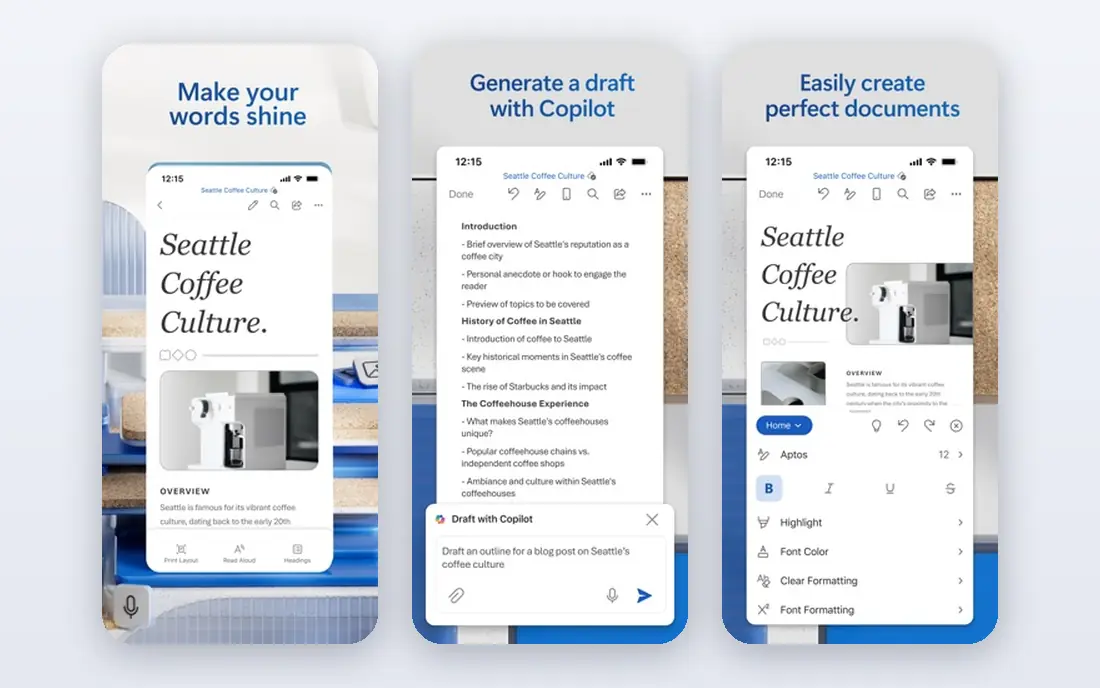
Microsoft Word Online is the closest alternative for teams that share Word files daily. Documents open in a browser, several people can edit at once, and comments and tracked changes work in the format most offices expect. A free web version covers basic writing, while Microsoft 365 adds desktop Word and more storage.
The web editor lacks some desktop features, such as advanced mail merge and certain layout tools, so heavy Word users may still need the desktop app. For teams that already use Microsoft 365 or must return clean Word files, Word Online is the most practical Google Docs alternative.
- Best Word format compatibility
- Real-time co-authoring
- Included with Microsoft 365 and free web use
- Web version has fewer features than desktop Word
- Storage ties to OneDrive

Notion suits teams that want documents to do more than hold text. A page can hold notes, tables, checklists, embedded files, and linked databases, so a project doc can also track tasks and owners. Templates for meeting notes, wikis, and roadmaps help new teams start fast, and real-time collaboration covers comments and mentions.
Notion is not a direct Word replacement. Offline access is limited, and exporting a complex page to Word or PDF can lose some layout. For wikis, team hubs, and docs tied to project work, Notion is one of the strongest Google Docs alternatives.
- Docs, wikis, tables, and tasks in one workspace
- Strong templates
- Good sharing and comments
- Offline use is limited
- Export to Word is less clean than a word processor
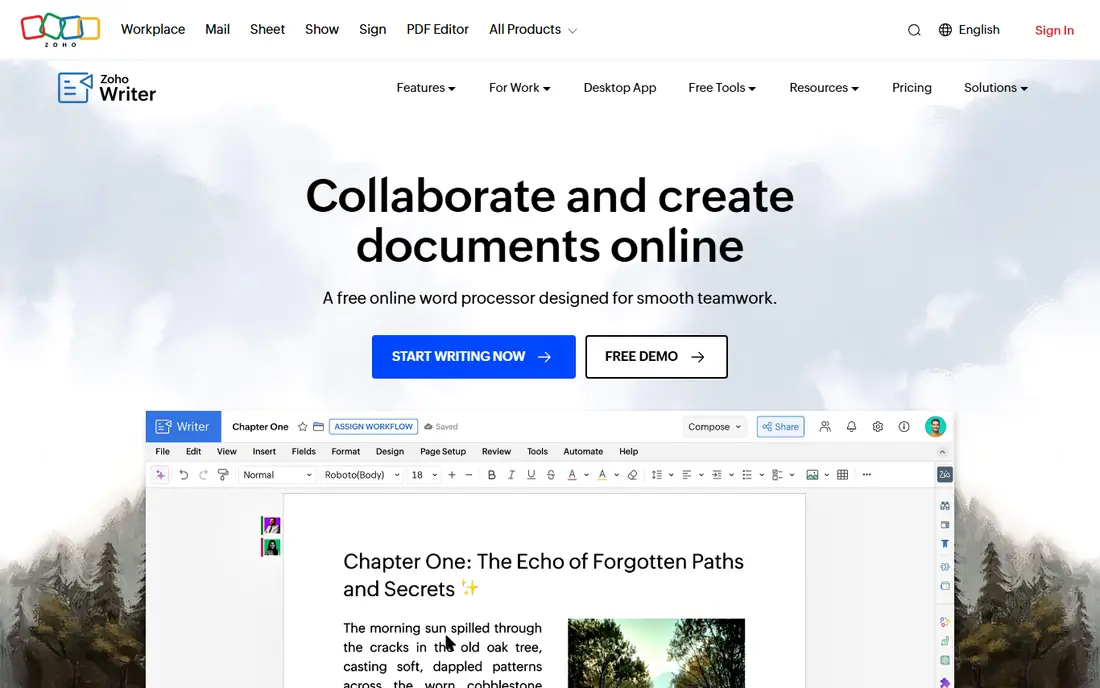
Zoho Writer is the closest free Docs-style editor for many users. It offers real-time collaboration, comments, tracked changes, and clean Word and PDF export, in an interface that feels familiar at once. A free plan covers personal use, while Zoho Workplace adds email, sheets, and team admin for businesses.
Zoho has a smaller third-party ecosystem than Google or Microsoft, so teams that rely on many Google add-ons may miss some options. For writing-focused teams that want a free, Docs-like tool outside Google, Zoho Writer is an excellent pick.
- Docs-like editing with real-time collaboration
- Word and PDF support
- Clean interface
- Smaller ecosystem than Google or Microsoft
- Some features need a Zoho Workplace plan
Coda turns documents into flexible workspaces. A doc can hold text, tables, buttons, automations, and integrations, so a team can build a tracker, approval flow, or project hub inside a document. Templates cover product launches, meeting notes, and team wikis, and sharing supports comments and editing controls.
That power brings a learning curve, especially for formulas and automation. Simple letters and essays may feel overbuilt in Coda. For teams that want docs plus lightweight apps, Coda goes further than Google Docs while still feeling like a document at its core.
- Docs that become apps with tables, buttons, and automations
- Strong templates
- Real-time collaboration
- Learning curve for formulas and packs
- Less suited to simple letter writing
Dropbox Paper suits teams that want a simple shared document without a large feature set. You can write, add images and media, assign tasks, and comment in real time, with files stored in Dropbox. The clean layout helps brainstorming docs, meeting notes, and short project pages.
Paper lacks the deep formatting, tracked changes, and template library of Word or Zoho Writer, so long formal documents may fit better elsewhere. For Dropbox users who need quick, shared writing, Paper is a light and easy Google Docs alternative.
- Simple, clean shared docs
- Good media embeds
- Ties to Dropbox storage
- Fewer word processing features than Word or Zoho
- Future development is less clear than larger tools
ONLYOFFICE Docs offers online document editing with strong compatibility for Word, Excel, and PowerPoint formats. Teams can use a hosted plan or self-host the suite for privacy and control, which suits companies that must keep documents on their own servers. Real-time collaboration, comments, and tracked changes cover everyday office work.
Self-hosting needs technical setup and upkeep, so small teams may prefer the hosted version. The interface is more office-suite than minimal writing app, which some users like and others find busy. For privacy-focused teams that need Word compatibility, ONLYOFFICE is a strong choice.
- Strong Word compatibility
- Self-hosting option
- Docs, sheets, and slides in one suite
- Self-hosting needs server setup
- Interface can feel heavier than Docs
LibreOffice Writer is a free desktop word processor for Windows, Mac, and Linux. It handles long documents, styles, tables, and Word files well, with full offline use and no account needed. That makes it ideal for writers, students, and offices that want a free, private desktop tool rather than a browser app.
Writer does not offer Google Docs-style real-time collaboration on its own, though files can be shared through cloud storage or a hosted suite. For solo writing, offline work, and Word-compatible documents at no cost, LibreOffice Writer remains a trusted standard.
- Free and open source desktop word processor
- Strong Word format support
- Full offline use
- No built-in real-time co-editing like Docs
- Interface looks dated to some users
Quip, part of Salesforce, combines documents, spreadsheets, and chat in one workspace. Teams can write a doc, discuss it in the same thread, and track tasks without switching apps. That blend suits sales and service teams already using Salesforce, since records and docs can sit close together.
Quip pricing and access often tie to Salesforce plans, so standalone teams should check current options before choosing it. For Salesforce teams that want docs plus chat in one place, Quip offers a focused and mobile-friendly alternative.
- Docs with built-in chat and spreadsheets
- Salesforce integration
- Clean mobile experience
- Pricing is tied to Salesforce plans for many teams
- Smaller user community than Docs
Craft is a polished docs and notes app that suits writers and teams who value design and speed. Pages support text, images, tables, and linked documents, with a clean look that makes long notes easy to read. Apple device support is strong, with iPhone, iPad, and Mac apps that sync well.
Windows and web users get a less complete experience than Apple users, and collaboration is narrower than Google Docs for large teams. For Apple-focused users who want beautiful docs and personal wikis, Craft is a refined and enjoyable alternative.
- Polished design and fast editing
- Good Apple device support
- Docs, notes, and wikis in one app
- Best experience is on Apple devices
- Real-time collaboration is less broad than Docs
How we picked these
We compared official feature and pricing pages for document tools that support writing, sharing, and collaboration today. We favored tools with a free or low-cost start, Word or PDF export, and active maintenance. We left out pure note apps without document sharing and pure PDF editors, since this list is about writing and collaborating on documents like Google Docs.
How to choose a Google Docs alternative
Start with the file format you must return. If clients expect clean Word files, Word Online, Zoho Writer, ONLYOFFICE, or LibreOffice will serve you better than a wiki-style tool. If your docs are internal wikis and project hubs, Notion or Coda may fit better. Also check whether your team needs offline work, since browser tools vary on that point.
Check collaboration and privacy
Confirm real-time editing, comments, suggestion mode, version history, and permission controls for your team size. Also check where data is stored and whether you can self-host or export your full library. A tool that locks docs inside a paid workspace can cost more later than a slightly plainer tool with clean export.
Test with a real document
Move one real project doc, not a blank page, and test comments, tables, images, and export to Word and PDF. Ask teammates to edit at the same time and check for conflicts or lost formatting. A one-week test with real work reveals more than a feature list.
FAQ
What are the best Google Docs alternatives?
Microsoft Word Online, Zoho Writer, and ONLYOFFICE are the best direct alternatives for Word-style writing, while Notion and Coda suit docs plus project work. The best alternative depends on whether you need Word compatibility, offline use, or a team wiki. Test your most common document type before you move a full library.
What is the best free alternative to Google Docs?
Zoho Writer and LibreOffice Writer are strong free options, with Zoho covering online collaboration and LibreOffice covering offline desktop writing. Notion and Coda also offer useful free plans for team docs and wikis. For free online editing that feels like Docs, Zoho Writer is our pick.
Can I use Microsoft Word as a Google Docs alternative?
Yes. Word Online offers free browser editing with real-time collaboration, and Microsoft 365 adds desktop Word and OneDrive storage. Word Online suits teams that share Word files or already pay for Microsoft 365. Check the web version's feature limits if you use advanced Word tools daily.
Is Notion a good replacement for Google Docs?
Notion is a good replacement if your docs are wikis, project hubs, or team knowledge bases, since it adds tables, tasks, and linked pages. It is less suited to formal Word documents or heavy offline writing. Use Notion for internal team docs and a word processor for client-facing files that need exact Word formatting.
What is a good Google Docs alternative for privacy?
ONLYOFFICE and LibreOffice suit privacy-focused users, since ONLYOFFICE can be self-hosted and LibreOffice works fully offline on your computer. Zoho Writer also offers a clear privacy stance outside the Google ecosystem. Check data storage, sharing defaults, and export options before you move sensitive documents.