Best Google Workspace Alternatives in 2026: 8 Suites Compared
Compare the best Google Workspace alternatives in 2026, from Microsoft 365 and Zoho Workplace to free and privacy focused suites for teams of all sizes.

- Editor's choice
 Microsoft 365
Office file compatibility
Starts at$7 per monthVisit microsoft.comFull review - Great alternative
 Zoho Workplace
Low cost all in one suite
Starts at$3 per monthVisit zoho.comFull review - Also consider
 Nextcloud Hub
Self hosted control
Starts atFreeVisit nextcloud.comFull review
TL;DR:
- Microsoft 365 is the closest match for teams that live in Word, Excel, and PowerPoint files and need desktop apps.
- Zoho Workplace gives small teams mail, documents, chat, and storage at a lower starting price than the big suites.
- Nextcloud Hub and CryptPad suit teams that want more control over where data lives and who can read it.
- LibreOffice and Apple iWork are strong free options, but they work best when live collaboration is not the main need.
- Before you switch, test file sharing, calendar invites, and migration with a small group, not the whole company at once.
Quick comparison
| Tool | Best for | Starts at | Free plan? | |
|---|---|---|---|---|
| Microsoft 365 | Office file compatibility | $7 per month | Free trial | Visit |
| Zoho Workplace | Low cost all in one suite | $3 per month | Free trial | Visit |
| Nextcloud Hub | Self hosted control | Free | Yes | Visit |
 ONLYOFFICE Workspace | Private document collaboration | Free | Yes | Visit |
 Proton | Privacy focused mail and storage | Free | Yes | Visit |
 LibreOffice | Free desktop office suite | Free | Yes | Visit |
 Apple iWork | Apple device owners | Free | Yes | Visit |
 CryptPad | Encrypted collaboration | Free | Yes | Visit |
The best Google Workspace alternatives
We compared suites that cover mail, documents, spreadsheets, presentations, storage, and meetings in different combinations. Some replace the whole bundle, while others replace only part of it and pair well with a separate mail or chat tool.

Microsoft 365 fits teams that already exchange Office files with clients and partners every day. The web and mobile versions cover everyday editing, while desktop apps on higher plans handle heavier documents and offline work. Outlook, Teams, and OneDrive sit in the same account, so mail, meetings, and files stay linked.
The catch is price and complexity. Business Basic starts at $7 per user per month when paid yearly, based on the vendor page we checked, and the full desktop bundle costs more. Admins get plenty of controls, but small teams may need time to set permissions and sharing rules in a sensible way. If your main need is simple documents and mail, a lighter suite may serve you better.
- Familiar Word, Excel, and PowerPoint apps
- Strong Teams, Outlook, and OneDrive bundle
- Wide admin and security controls
- Costs rise with higher tiers and add ons
- Some plans feel large for very small teams
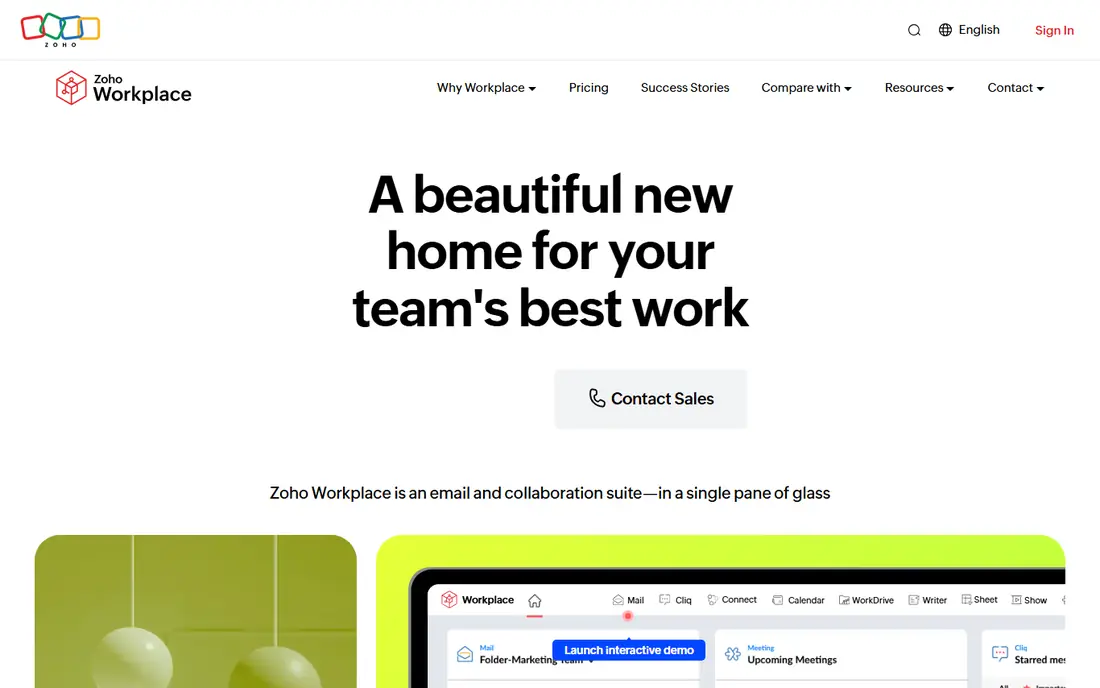
Zoho Workplace is a practical pick for small and mid sized teams that want one bill for most daily work. Zoho Mail, Writer, Sheet, Show, Cliq, Meeting, and WorkDrive cover the core tasks, and the vendor page lists a starting price of $3 per user per month. Migration tools for mail, contacts, calendars, and notes help during a move.
The trade off is depth in places where specialist tools still lead. Video meetings and team chat work well for everyday use, but very large or highly regulated teams should test admin controls and meeting limits before committing. For a team that wants a tidy, lower cost replacement, Zoho Workplace is hard to ignore.
- Mail, documents, chat, and storage in one bundle
- Built in migration from Google Workspace and Microsoft 365
- Office file compatibility
- Some advanced features sit on higher plans
- The range of apps can take time to learn

Nextcloud Hub suits organisations that want to decide where their files live. It combines Files, Talk, Groupware, Office, and workflow tools, and the vendor describes it as a content collaboration platform for private clouds. A team can run it on its own servers or use a hosted provider, which gives more choice than a single vendor cloud.
That control comes with work. Someone must handle installation, backups, updates, and security patches, or pay for managed hosting and support. For schools, public bodies, and privacy minded companies, that effort can be worth it. For a team with no IT help, a hosted suite will feel simpler.
- Files, Talk, Groupware, and Office in one platform
- Self hosting keeps data on your own servers
- Open source base with many apps
- Self hosting needs technical care
- Setup and updates are your responsibility
ONLYOFFICE Workspace centres on document work, with editors that handle common Office formats and shared rooms for team files. It also offers forms, file management, and connectors for other platforms, so it can sit inside an existing system rather than replacing everything. Desktop and mobile apps help people work away from a browser.
It is not a one to one copy of Google Workspace. Teams that need a full mail and calendar service should check which parts come with their chosen setup, whether self hosted or cloud based. For document heavy teams that want private collaboration, ONLYOFFICE is a solid shortlist option.
- Strong document, spreadsheet, and presentation editors
- Rooms and file tools for team work
- Desktop and mobile apps
- Mail and calendar depth varies by setup
- Paid plans needed for larger business use
Proton fits people and teams that put privacy first. Proton Mail, Calendar, Drive, Docs, Sheets, and Meet cover mail, storage, and basic document work under one account, with end to end encryption described on the vendor homepage. A free tier lets you test mail and storage before paying.
The document side is still growing, so teams that need complex spreadsheets, mail merge, or deep admin reporting may find gaps. Proton works best as a privacy led replacement for mail and storage, with documents for everyday notes and drafts. Check the business plans if you need shared drives and admin controls for a larger team.
- End to end encrypted Mail, Drive, Docs, and Sheets
- Swiss based privacy approach
- Free tier for core services
- Document tools are simpler than Office suites
- Some business features need paid plans
LibreOffice is the clearest free desktop choice. Writer, Calc, Impress, Draw, Base, and Math cover writing, spreadsheets, presentations, and simple databases, and the suite runs offline without an account. For a single user or a small team that mostly edits files on their own machines, it removes a monthly bill entirely.
It is not a cloud suite on its own. You still need a place for mail, shared storage, video calls, and joint editing, whether that is Nextcloud, a file host, or another service. Used that way, LibreOffice pairs well with a separate collaboration layer and keeps document work free.
- No subscription for Writer, Calc, and Impress
- Works offline on Windows, Mac, and Linux
- Handles many Office file formats
- No built in mail, chat, or cloud storage
- Live collaboration needs another tool
Apple iWork suits households, students, and small teams that already use Mac, iPhone, or iPad. Pages, Numbers, and Keynote are polished, easy to learn, and free on Apple hardware, with iCloud for storage and sharing. People can also open shared files in a browser, which helps when a colleague uses another system.
The limits show up in mixed device teams. Editing feels best on Apple devices, and complex Office files should be tested before you rely on round trip editing. If most of your team uses Apple products and your documents are not highly formatted, iWork is a low friction, no cost option.
- Pages, Numbers, and Keynote included on Apple devices
- Clean templates and iCloud sharing
- Works in a browser for sharing
- Best experience stays inside Apple devices
- Office compatibility needs checking for complex files
CryptPad is a collaborative office suite built around end to end encryption and open source code. It offers rich text, spreadsheets, presentations, forms, whiteboards, and kanban boards in a browser, with a drive for files. For sensitive notes, community groups, and small teams, the privacy model is a real point of difference.
It does not try to match every feature in Google Workspace. There is no full business mail replacement in the same bundle, and large organisations may want stronger admin reporting. For privacy led collaboration on documents and boards, CryptPad is a credible, low cost place to start.
- End to end encrypted documents, sheets, and boards
- Open source and self hostable
- No account needed for some shared docs
- Smaller feature set than large suites
- No built in business mail service
How we picked these
We compared official feature pages, pricing pages, app store listings, privacy policies, and public reviews for suites that cover at least part of the Google Workspace bundle. We favoured products that exist in October 2026, have a clear homepage, and serve a distinct need, from full Office compatibility to self hosting and privacy. We did not claim hands on testing, and prices reflect vendor pages at the time of checking, so readers should confirm current plans before buying.
We also weighed fit over feature count. A suite with every tool is not helpful if the team will not use half of it, and a free desktop suite can beat a paid cloud suite for a team that works offline. That is why the list mixes large vendors, open source projects, and smaller privacy focused services.
What to check before you switch suites
Moving suites touches mail, files, calendars, and habits, so a short trial saves later pain. Start with the tasks your team does daily, then test the edge cases that tend to break during migration.
Test your real files and meetings
Open your most complex documents, spreadsheets, and presentations in the new suite and check formatting, formulas, and comments. Send calendar invites to people outside your team and confirm they arrive with the right time zone and meeting link. If clients send Office files often, compatibility matters more than a long feature list.
Plan mail, storage, and permissions
Map who owns shared drives, who can edit key folders, and how external sharing should work. Move a small team first, keep the old suite running in parallel for a short period, and check that search, sharing links, and mobile access work. A clear owner for the migration avoids lost files and duplicate copies.
Compare the full cost, not just the headline price
Add storage upgrades, meeting add ons, admin tools, and migration help to the per user price. A low entry plan can rise quickly if your team needs desktop apps, larger storage, or advanced security. Ask for a written quote for your team size and check renewal terms before you sign.
FAQ
What is the best free alternative to Google Workspace?
LibreOffice is the best free desktop option, while Nextcloud Hub and CryptPad add shared files and collaboration. Proton also offers a free tier for mail and storage. The right free pick depends on whether you need joint editing, mail, or only document apps.
Are Google Workspace alternatives good for small business?
Yes, in many cases. Zoho Workplace and Microsoft 365 cover mail, documents, and meetings in one bundle, while Proton and Nextcloud Hub suit privacy minded teams. Small teams should start with a trial and test mail migration before moving everyone.
Can I use Microsoft 365 instead of Google Workspace?
Yes. Microsoft 365 covers mail, documents, spreadsheets, presentations, storage, and meetings, and it handles Office files with high fidelity. The main differences are price tiers, the Teams experience, and admin setup, so compare plans for your team size.
Is there a free alternative to Google Workspace?
Yes. LibreOffice is free for desktop documents, CryptPad offers free encrypted collaboration, and Proton has a free tier. These options may need a separate mail or storage service to match the full Google bundle.
What is the best privacy focused Google Workspace alternative?
Proton and CryptPad lead on privacy, with end to end encryption for mail, files, and documents. Nextcloud Hub also helps because you can host data on your own servers. Check each privacy policy for data location, encryption scope, and account recovery rules.
Do Google Workspace alternatives support Office files?
Most do, with different levels of fidelity. Microsoft 365 is the most faithful for Office files, while Zoho Workplace, ONLYOFFICE, and LibreOffice handle common Word, Excel, and PowerPoint formats. Test your most complex files before you commit.