Best Font Management Software for Startups (2026): 5 Picks Checked on Vendor Pages
Best font management software for startups: 5 contenders ranked by fit, with entry costs and free tiers. Plus the drawbacks of each tool. Skim the table first.
- Editor's choiceAdobe Fonts
Teams inside Adobe apps
Starts atSee websiteVisit fonts.adobe.comFull review - Great alternativeRightFont
Mac teams syncing fonts via cloud
Starts at$59.00 one-timeVisit rightfontapp.comFull review - Also considerFontBase
Quick cross-platform font management
Starts at$3 a monthVisit fontba.seFull review
Direct answer
For teams inside Adobe apps, Adobe Fonts is where this list starts. Listed starting prices: RightFont from $59.00 one-time and FontBase from $3 a month. RightFont is the stronger choice for Mac teams syncing fonts via cloud, while FontBase suits quick cross-platform font management. Prices, free plans and limits for all 5 tools follow.
TL;DR:
- Adobe Fonts takes the first slot, best suited to teams inside Adobe apps.
- FontBase stands alone as the one tool in this list with a free plan.
- One limit worth knowing about Adobe Fonts: tied to the Adobe ecosystem.
- Universal Type Server suits centralized font control.
- The lowest published monthly entry price here is $3 per month, from FontBase.
Last checked November 2026. Prices and plan details were read from the vendors' own pages in November 2026; vendors change plans often, so confirm the current price on the vendor site before you buy.
Quick comparison
| Tool | Best for | Starts at | Free plan? | |
|---|---|---|---|---|
| Adobe Fonts | Teams inside Adobe apps | See website | Not stated | Visit |
| RightFont | Mac teams syncing fonts via cloud | $59.00 one-time | No | Visit |
| FontBase | Quick cross-platform font management | $3 a month | Yes | Visit |
| Typeface | Minimal Mac font browsing | See website | Free trial | Visit |
| Universal Type Server | Centralized font control | See website | Not stated | Visit |
Font Management Software for Startups, one by one
LinkVetted compared 5 font management software for startups. The goal is a practical shortlist: published prices, free plan facts, best-fit use cases and honest limits for every entry.
Adobe Fonts
Best for: Teams inside Adobe apps
Adobe Fonts was built for teams inside Adobe apps. Adobe Fonts partners with leading type foundries to bring thousands of fonts to designers, with licensing handled so fonts can be used across Adobe applications. It keeps type consistent across a design team.
Startups with large local collections, or teams outside Adobe apps, will still want a dedicated font manager alongside it. On top of that, Adobe Fonts is a font library and licensing service instead of a general organizer for every font file on a machine. Check the vendor site for Adobe Fonts pricing; none is listed in this comparison. On free options: Not stated.
Points against: Not a standalone organizer for local files.
- Thousands of fonts from numerous foundries
- Fonts usable across Adobe tools
- Tied to the Adobe ecosystem
RightFont
Best for: Mac teams syncing fonts via cloud
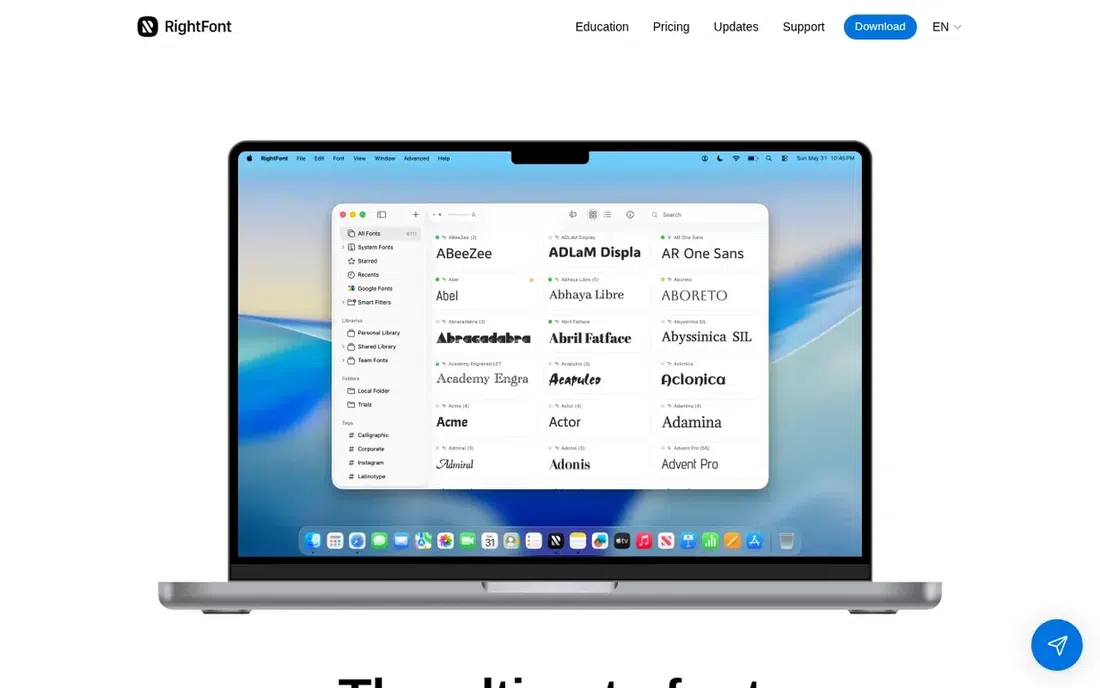
Where RightFont fits: Mac teams syncing fonts via cloud. It fits startups standardized on Apple hardware that want fonts shared through storage services they already use.
Honest limits: Cloud syncing relies on your storage setup.
It is presented as an all-in-one font manager for business, which suits small teams that require a bit more structure than a personal tool. RightFont cost at the entry level: $59.00 one-time. RightFont has no free tier.
- Preview, sync
- Syncs over iCloud and Dropbox
- Mac only
FontBase
Best for: Quick cross-platform font management
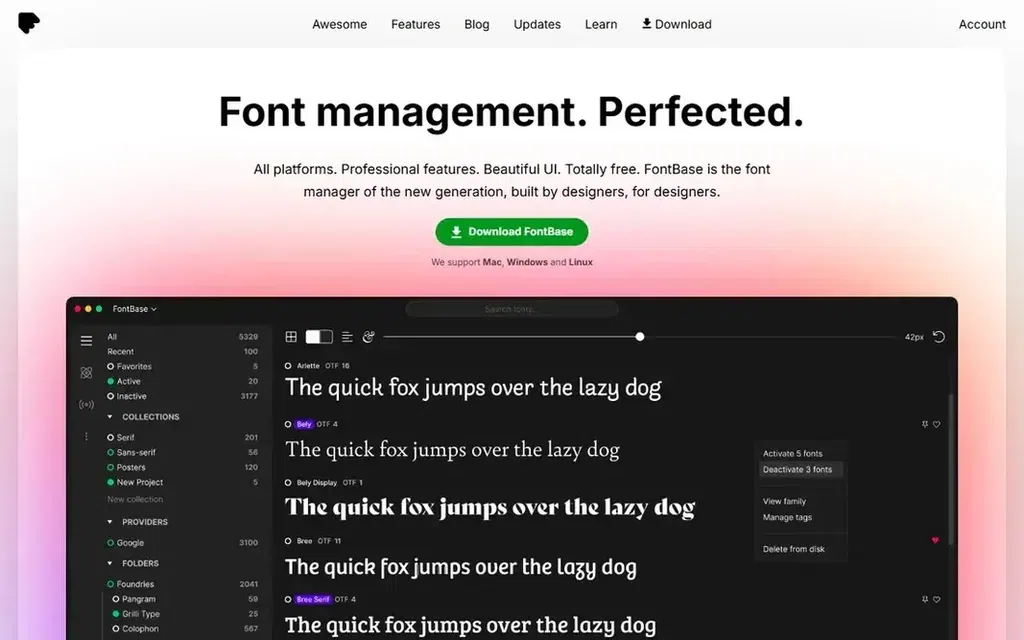
FontBase serves quick cross-platform font management. FontBase is a font manager made by designers for designers, positioned as lightning quick with a beautiful interface and support for both Mac and Windows.
Drawbacks to consider: Fewer enterprise controls.
Worth adding: since it is geared toward individual designers, FontBase is less suited to teams that require centralized server-based font control or in-depth user permissions. Entry price for FontBase: $3 per month. A free plan is available with FontBase.
- Works on Mac and Windows
- Built by designers for designers
- Restricted team administration features
Typeface
Best for: Minimal Mac font browsing
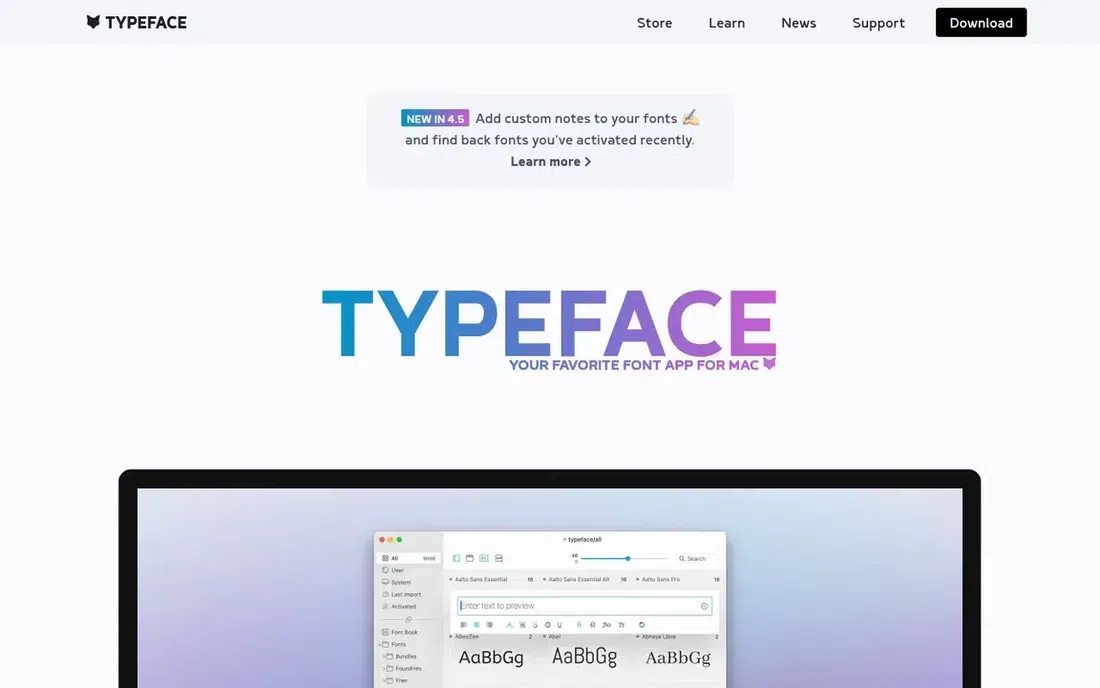
Choose Typeface for minimal Mac font browsing. Startups that require shared control across Mac and Windows machines, or server-based deployment, should consider a broader management product.
Typeface is a font manager for macOS that helps designers pick the right type for their work, with a minimal interface and total focus on fonts so browsing a collection feels delightful. The minimal approach means Typeface is not pitched at centralized team administration or cross-platform fleets. This comparison lists no price for Typeface; ask the vendor. Free access: Free trial.
What Typeface does well: Pleasant browsing of large collections. Where it falls short: Light on team administration.
- Minimal interface centred on fonts
- Made for macOS
- Mac only
Universal Type Server
Best for: Centralized font control
For centralized font control, Universal Type Server is a natural candidate. Teams that just need individual designers to organize fonts locally will find a light desktop manager simpler to adopt.
For everyday use, a server-based product brings setup and maintenance overhead that a very small startup may not want. Universal Type Server is Extensis software for centralized font management, letting an organization control fonts from a server instead of on each machine. This comparison lists no price for Universal Type Server; ask the vendor. Free access: Not stated.
Points against: Needs server administration.
- Server-based font management
- Suited to organizational control
- Heavier than a startup normally needs
How we built this list
Before you commit
- Get a written quote from Adobe Fonts, Typeface and Universal Type Server; the list shows no starting price for them.
- Look at the free plan from FontBase closely: its caps decide whether it is usable for real work.
- Run a trial of Typeface with real work before paying for a year; your own workflow is the best test.
- Read the limits listed for Adobe Fonts first: tied to the Adobe ecosystem.
- Let daily users try FontBase on real work; their feedback beats any feature checklist.
- Read the plan comparison for Typeface carefully; key features often start on a higher tier.
FAQ
What is the cheapest option for font management software for startups in this list?
On published monthly entry prices, FontBase is the lowest here at $3 per month. Entry price is only part of the cost, because seats, add-ons and billing terms can change the total. Each of the 5 options in this Font management software for startups guide has its own card above with the price, free plan and limits.
Do these tools publish their prices?
Not all of them. Adobe Fonts, Typeface and Universal Type Server publish no starting price, so expect a quote request for those. The rest, RightFont included, show a starting price, though seats and billing terms still change the final cost.
What should a startup look for in font management software?
Start with system support, since mixed Mac and Windows teams need a cross-platform tool. Then consider how fonts are shared, how licensing is handled, and whether you need straightforward local organization or centralized server control.
Is a dedicated font manager necessary if we use Adobe Fonts?
Adobe Fonts spans licensed fonts inside Adobe applications, but it does not organize every font file on your machines. Numerous teams pair it with a desktop font manager to browse and activate local collections.
Can I try these tools before paying?
Often, yes. FontBase has a free plan and Typeface offers a free trial. Use your own data and a real task during the test, and check what the free tier or trial limits before you rely on it. All 5 picks in this Font management software for startups comparison list a starting price, free plan details and the main limits on their cards above.
How are the tools for font management software for startups ordered?
Adobe Fonts sits first and Universal Type Server last because the order follows typical fit for font management software for startups, then price clarity and free access. It is a judgement call, so read each profile for fit and limits.
Sources
- https://fonts.adobe.com
- https://rightfontapp.com
- https://fontba.se
- https://typefaceapp.com
- https://www.extensis.com/universal-type-server