Best Flyer Maker App in 2026: 9 Apps Compared
Best flyer maker app compared for 2026, covering free templates, print exports, brand kits and easy editing for events and small businesses today. See picks.
- Editor's choice
 Canva
Most users
Starts atFreeVisit canva.comFull review - Great alternative
 Adobe Express
Polished brand flyers
Starts atFreeVisit adobe.comFull review - Also consider
 PosterMyWall
Local events and sales
Starts atFreeVisit postermywall.comFull review
TL;DR:
- Canva is our pick for most users, because it pairs a huge template library with a free plan and simple print exports.
- Adobe Express suits users who want polished, brand ready flyers and already use Adobe fonts and stock assets.
- PosterMyWall and DesignWiz suit fast local flyers, with templates built for events, sales and community notices.
- Check print export quality before you pay, including PDF options, bleed settings and image resolution.
- A free plan is often enough for one flyer, but brand kits, background removal and premium templates usually need a paid plan.
Quick comparison
| Tool | Best for | Starts at | Free plan? | |
|---|---|---|---|---|
| Canva | Most users | Free | Yes | Visit |
| Adobe Express | Polished brand flyers | Free | Yes | Visit |
| PosterMyWall | Local events and sales | Free | Yes | Visit |
 VistaCreate | Fast template flyers | Free | Yes | Visit |
 Desygner | No watermark free exports | Free | Yes | Visit |
 Visme | Flyers plus brand content | Free | Yes | Visit |
 DesignWiz | Dedicated flyer templates | Free | Yes | Visit |
 Marq | Brand controlled teams | Free | Yes | Visit |
 Microsoft Designer | Quick AI assisted flyers | Free | Yes | Visit |
The best flyer maker apps
We compared official pricing pages, template libraries, export options and mobile apps for flyer tools live in October 2026, focusing on real flyer sizes, print quality and ease of editing.
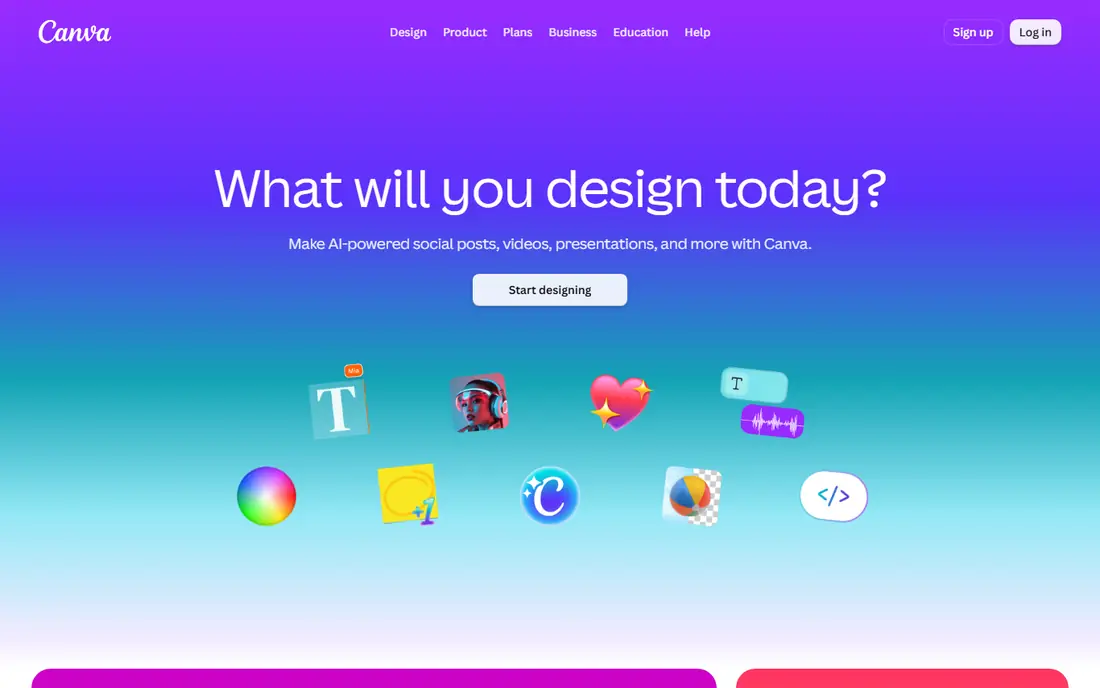
Canva is our pick for most flyer makers, because it removes the usual friction: search for flyer, pick a size, swap text and photos, and export for print or social sharing. The free plan includes many templates, fonts and stock images, and Pro adds brand kits, background removal and premium assets. Teams can share designs, lock brand colours and resize a flyer for social posts without starting again.
The catch is that the best work often sits behind Pro, and beginners can spend too long browsing templates instead of writing clear copy. Keep your flyer to one message, one date and one call to action, and use Canva print ordering or a PDF export for local printing. For schools, clubs, small businesses and events, Canva is the safest default on this list.
- Huge template library
- Free plan covers many flyers
- Easy print and PDF exports
- Best templates and brand kits need Pro
- Some free exports carry limits
- Search can overwhelm beginners
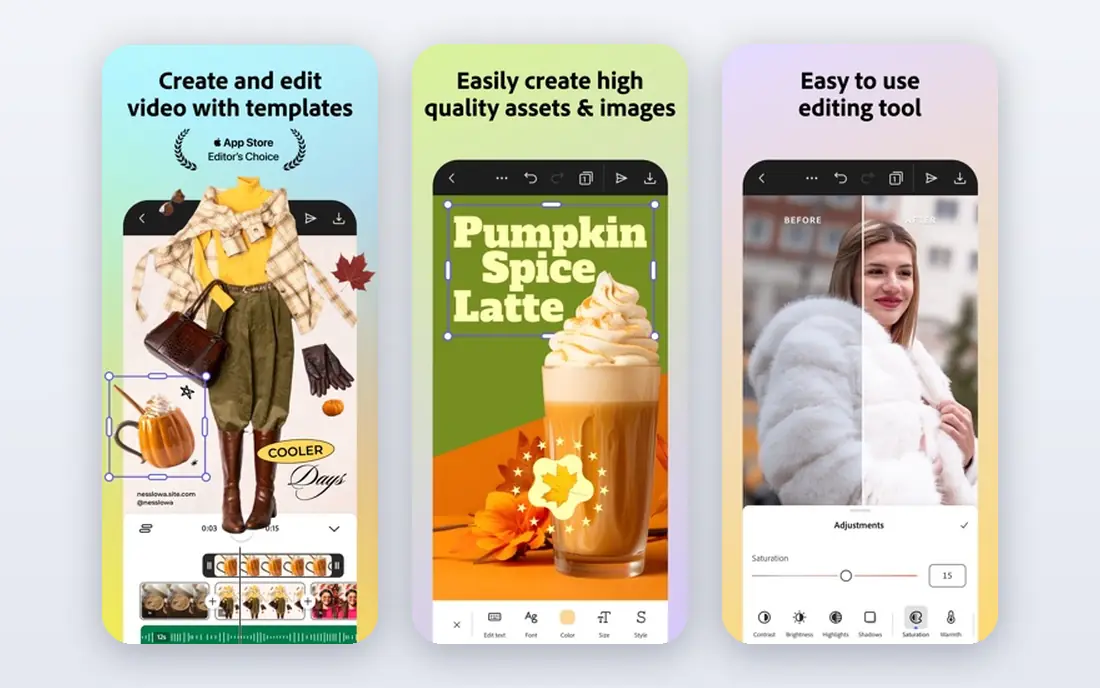
Adobe Express is the template first design app from Adobe, built for social posts, flyers, videos and short documents in a browser or on a phone. Its free plan covers many templates and assets, while Premium at 9.99 dollars per month adds premium templates, brand kits, more generative credits and 100GB of storage. Users who already know Adobe fonts and stock will feel at home quickly.
Express is broader than a flyer only tool, so flyer purists may prefer a dedicated library such as DesignWiz. It also gates its best assets behind Premium, so a free flyer may look plainer than a Canva free flyer. If polished type and Adobe asset quality matter more than sheer template count, Adobe Express is a strong second pick.
- Strong Adobe fonts and stock assets
- Polished templates
- Good brand kit tools on Premium
- Premium needed for full asset access
- Smaller flyer only focus than Canva
- Some features need an Adobe account

PosterMyWall is built for the classic local flyer: a sale, a concert, a fundraiser, a class or a restaurant special. Its templates are organised by event and business type, so you can find a usable starting point in minutes rather than designing from blank. Editing is simple, with text, images, colours and sizes that suit both print and social sharing.
Free use is useful for drafting, but high quality, watermark free downloads usually need a paid plan, with Premium reported from around 13 dollars per month. That cost is fair if you make flyers every week, but occasional users may prefer Canva free exports. For frequent local promotion, PosterMyWall speed is its main selling point.
- Templates built for events and local business
- Easy customisation
- Social and print sizes
- Premium starts around 13 dollars per month
- Free downloads may carry watermarks
- Brand tools need paid plans
VistaCreate, formerly Crello, offers a large template library for flyers, social posts and ads, with a free plan and a Pro plan reported at 10 dollars per month. Its editor is quick, with drag and drop text, images and shapes, and it suits users who want a finished flyer in under half an hour. Background removal and brand tools on Pro help small businesses keep a consistent look.
The library is broad rather than deeply curated, so some templates feel generic and need stronger copy and photos to stand out. Check export resolution and PDF settings before printing, especially for large posters. If Canva feels too busy and you want a simpler, cheaper template tool, VistaCreate is a good alternative.
- Large template library
- Fast editing
- Affordable Pro plan
- Smaller brand toolset than Canva
- Some templates feel generic
- Print options need care
Desygner stands out for users who want a usable free flyer without a watermark, a common frustration on free design tools. It offers millions of assets, template editing, PDF editing and mobile apps, with paid plans reported from 9.95 dollars per month for deeper features. Small businesses that need to edit a PDF flyer sent by a printer will like that extra tool.
The interface packs many options into each screen, so first time users should allow extra time to learn it. Paid tiers also vary, so check which plan includes the brand kit, background removal and stock assets you need. For free first flyers with clean exports, Desygner is worth trying before you pay elsewhere.
- Free plan with no watermark claims in comparisons
- PDF editing
- Large asset library
- Paid plans vary by tier
- Interface can feel busy
- Some premium assets need payment
Visme is a visual content platform that covers flyers, presentations, infographics, documents and social graphics in one account. That breadth suits small teams that need a flyer this week and a presentation next week, with shared brand colours, fonts and logos. Its chart and data tools also help for flyers that need prices, schedules or simple stats.
The trade off is focus. Pure flyer makers may find Visme broader and pricier than Canva or PosterMyWall, with Starter reported from 12.25 dollars per month. Free use is fine for testing, but brand kits and high quality exports sit on paid plans. If you want one visual tool for many formats, Visme breadth justifies a look.
- Flyers beside presentations and infographics
- Brand kit tools
- Good data and chart visuals
- Flyer only users may find it broad
- Starter reported from 12.25 dollars per month
- Learning curve for advanced features
DesignWiz is a flyer focused tool, with tens of thousands of templates, an AI flyer generator, QR code tools, background removal and animated flyer options. That focus helps users who make flyers often and want templates organised by purpose, not buried inside a general design library. Its Pro plan is reported at 49 dollars per year, which is competitive for frequent users.
The limit is range. DesignWiz will not replace Canva or Visme for presentations, videos or full brand suites. It is best as a dedicated flyer maker, especially for events, sales and local notices. If flyers are your main output, its focus and price make it a strong specialist pick.
- Flyer focused template library
- AI generator and QR codes
- Background removal
- Smaller general design range
- Pro reported at 49 dollars per year
- Print ordering varies
Marq, formerly Lucidpress, suits teams that need many people to make flyers without breaking brand rules. Admins can lock logos, colours, fonts and layouts, while local staff edit only dates, prices and photos. That control matters for franchises, schools, nonprofits and multi site businesses where a rogue flyer can damage trust.
For a single user making one flyer, Marq can feel structured and less freeform than Canva. Paid plans start around 10 dollars per month per user in published comparisons, so price your team size before you commit. If brand consistency across many makers is your main problem, Marq solves it better than any general tool here.
- Locked templates for brand control
- Team collaboration
- Good for franchises and chains
- Paid plans from 10 dollars per month
- Less freeform than Canva
- Overkill for one off flyers
Microsoft Designer suits users who want to type an idea and get flyer designs quickly, then edit the best option. Its AI assisted workflow is useful when you are short on time or design confidence, and it integrates with a Microsoft account and other Microsoft tools. The editor is clean, with simple text, image and layout controls.
AI suggestions vary in quality, so you should still check spelling, dates, prices and image rights before printing. Its template library is smaller than Canva, and brand kit depth is limited compared with Canva Pro or Marq. For a fast first draft that you then polish, Microsoft Designer is a useful free starting point.
- AI generated design suggestions
- Simple editing
- Microsoft account integration
- Smaller template library than Canva
- AI results vary
- Advanced brand tools limited
How we picked these
We compared official pricing pages, template libraries, export options and mobile availability for flyer tools live in October 2026. We favoured tools with real flyer sizes, usable free plans or clear paid pricing, and print friendly exports. We excluded pure photo editors without flyer templates and pure print shops without design tools, because this list covers making a flyer, not just printing one.
How to make a flyer that works
Start with one message. A flyer that tries to sell five things will sell none of them, while a flyer with one headline, one date, one price and one call to action gets read. Use a large headline, a short supporting line, and a clear next step such as a website, phone number or QR code.
Design and print checks
Use two fonts at most and two or three colours, and leave white space around the headline and call to action. Check spelling, dates and prices twice, because a printed error is costly to fix. Export as a high resolution PDF for print, confirm bleed and margins with your printer, and print one test copy before a full run.
Free versus paid plans
A free plan is enough for a single event flyer, especially on Canva, Adobe Express or Desygner. Pay when you need brand kits, background removal, premium templates or watermark free high resolution exports every week. For teams, pay for locked templates and shared brand assets, because consistency saves more time than any single template.
FAQ
What is the best free flyer maker app?
Canva free is the best default, with a large template library and usable exports. Adobe Express free and Desygner free are strong alternatives, especially if you want Adobe assets or a no watermark free export. For a single flyer, try the free plan first and pay only if you need brand or premium features.
What is the best app for making flyers on a phone?
Canva, Adobe Express, PosterMyWall and DesignWiz all offer mobile apps for flyer creation, with templates sized for print and social sharing. Canva mobile is the most complete, while PosterMyWall mobile suits fast event flyers. Check export quality on mobile, because small screens can hide low resolution images.
Can I print flyers made in Canva?
Yes, Canva offers PDF exports for local printing and a print ordering service in many regions. Use a PDF print export, check size and bleed settings, and print a test copy first. For large runs, a local printer can often match Canva print prices and offer paper choices Canva does not.
What size should a flyer be?
Common US flyer sizes include letter at 8.5 by 11 inches, half page at 5.5 by 8.5 inches, and postcard sizes for handouts. Choose the size your printer and distribution method support, and design at that size from the start rather than resizing a finished design. Most tools on this list offer preset sizes for print and social use.
Is Adobe Express free?
Yes, Adobe Express offers a free plan with templates and assets, while Premium costs 9.99 dollars per month and adds premium templates, brand kits, more generative credits and extra storage. Free users can make usable flyers, but premium assets and brand tools need the paid plan.
Which flyer maker is best for small businesses?
Canva Pro suits most small businesses, because brand kits, background removal and team sharing save time across flyers, social posts and menus. PosterMyWall suits businesses that make event flyers weekly, and Marq suits businesses with many staff making flyers under brand rules. Start free, then pay for the brand features you actually use.