Best Fast Rendering Software in 2026: 5 Tools Compared
Shortlisting the best fast rendering software? 5 products compared on cost, free access and ideal buyer. Limits and pricing notes included. Numbers first.
- Editor's choiceArnold
Predictable Monte Carlo ray tracing
Starts atSee websiteVisit autodesk.comFull review - Great alternative
 KeyShot
Live product visualization and collaboration
Starts at$7.92 a monthVisit keyshot.comFull review - Also consider
 OctaneRender
GPU-accelerated unbiased rendering
Starts atSee websiteVisit home.otoy.comFull review
Direct answer
This list puts Arnold first for predictable Monte Carlo ray tracing. Listed starting prices: KeyShot from $7.92 a month. Alternatives: KeyShot for live product visualization and collaboration, and OctaneRender for GPU-accelerated unbiased rendering. Details, prices and limits for the rest of the 5 tools are below.
TL;DR:
- Arnold takes the first slot, best suited to predictable Monte Carlo ray tracing.
- V-Ray suits Photorealistic rendering inside design systems.
- KeyShot has the lowest monthly starting price in this list: $7.92 per month.
- Check the limits for Cinema 4D before you commit: some renderers need separate licenses.
Last checked November 2026. Prices and plan details were read from the vendors' own pages in November 2026; vendors change plans often, so confirm the current price on the vendor site before you buy.
Quick comparison
| Tool | Best for | Starts at | Free plan? | |
|---|---|---|---|---|
| Arnold | Predictable Monte Carlo ray tracing | See website | Not stated | Visit |
| KeyShot | Live product visualization and collaboration | $7.92 a month | Free trial | Visit |
| OctaneRender | GPU-accelerated unbiased rendering | See website | Not stated | Visit |
 Cinema 4D | Motion designers wanting speed and simplicity | See website | Not stated | Visit |
 V-Ray | Photorealistic rendering inside design systems | See website | Not stated | Visit |
Tool-by-tool breakdown
LinkVetted put together this guide to fast rendering software for readers who want a clear shortlist without reading every vendor page. It compares 5 tools on starting price, free plans, who each one suits and where each one falls short.
Arnold
Best for: Predictable Monte Carlo ray tracing
Where Arnold fits: predictable Monte Carlo ray tracing. Autodesk Arnold is an advanced Monte Carlo ray tracing renderer designed for predictable results. It is widely used in animation and VFX pipelines where consistent, physically based output matters more than raw interactive speed.
Trade-offs to know: Technical setup for complicated scenes.
Choose a GPU-focused renderer if interactive speed is your top priority. Ray tracing of this kind can take longer than GPU-first engines, particularly on heavy scenes, and fine-tuning settings can be technical. It is also generally used within a host application rather than as a standalone modeling tool. Arnold does not show a starting price in this comparison, so check the vendor site for current pricing. Free options: Not stated.
Best features of Arnold: consistent results.
- Predictable
- Advanced Monte Carlo ray tracing
- Can be slower than GPU-first engines
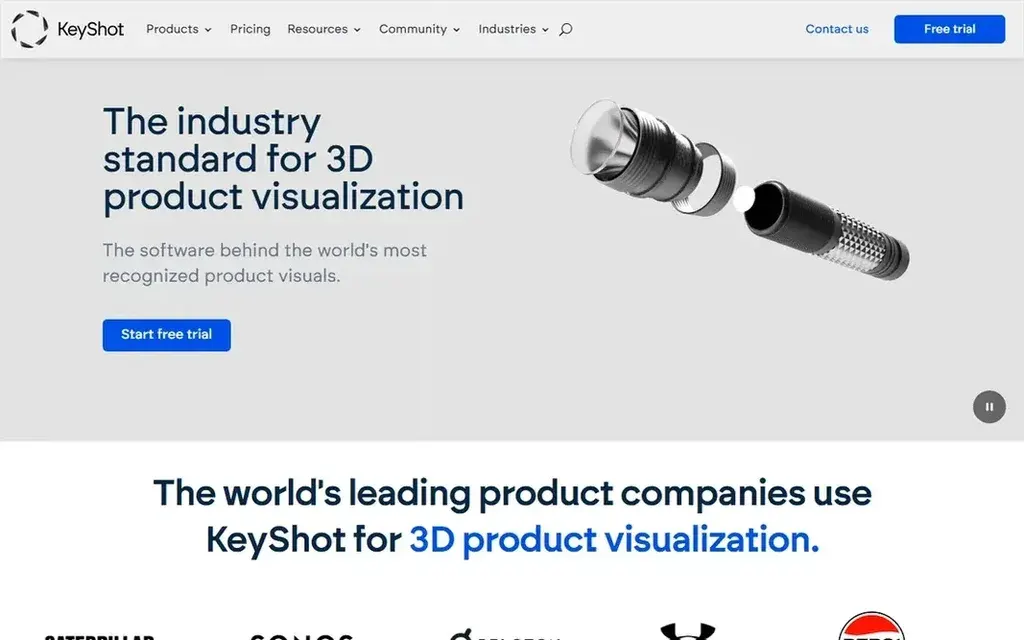
Pick KeyShot if this describes you: real-time product visualization and collaboration. Choose a broader engine if your work spans film, simulation or large environment rendering. KeyShot is 3D rendering and AI visualization software built around live rendering technology for product design firms.
Points against: Focused feature set for product visuals.
Its homepage emphasizes collaboration from concept to product launch, which suits industrial designers and marketing teams who require quick, attractive product visuals and fast iterations. From a buyer's view, the workflow is oriented toward materials, lighting and presentation instead of general-purpose animation. KeyShot is tuned for product visualization, so studios doing heavy character animation or complicated VFX may find it limiting compared to a full production renderer. KeyShot starts at: $7.92 per month. Free options: Free trial.
- Concentrated on product design workflows
- Live rendering technology
- Less suited to complicated animation pipelines
OctaneRender makes the most sense for GPU-accelerated unbiased rendering. OctaneRender from OTOY is described as a GPU-accelerated, unbiased, physically correct renderer. It is known for quick interactive feedback and is widely used with artists who want photorealistic results rapidly on GPU hardware.
Where it falls short: GPU memory limits large scenes.
Best features of OctaneRender: physically correct output. Since OctaneRender depends on GPUs, performance and scene capacity depend heavily on the graphics hardware available, and large scenes can exceed GPU memory. It is also usually used alongside a host application instead of as a standalone modeling suite. No starting price is listed for OctaneRender here; confirm pricing on the vendor site. Free access: Not stated.
- Quick interactive feedback
- Unbiased
- Demands capable GPU hardware

Choose Cinema 4D for motion designers wanting speed and simplicity. Cinema 4D is Maxon's modeling, animation and rendering application, widely used by motion designers and broadcast artists. Its built-in renderer manages plenty of everyday jobs well, but demanding photorealistic work frequently leads users to add an external engine.
Where it falls short: Heavy scenes still demand capable hardware.
Complicated simulations and very large scenes can also strain modest hardware. Worth adding: pick something else if your pipeline is built entirely around another host application or you need specialized production rendering from the start. No starting price is listed for Cinema 4D here; confirm pricing on the vendor site. Free options: Not stated. What Cinema 4D does well: Solid motion graphics toolset.
- Quick
- Approachable modeling and animation
- Some renderers need separate licenses

For Photorealistic rendering inside design products, V-Ray is a natural candidate. That breadth makes it a practical choice for archviz and product studios that work across multiple tools but want consistent, photorealistic results. Since V-Ray is a plugin, installation and feature availability vary by host application, so users should check the specifics for their product.
Honest limits: Plugin setup differs by host.
On top of that, consider a native renderer or a GPU-focused engine if your priority is raw interactive speed over physical accuracy. On top of that, chasing maximum photorealism can also extend render times compared to more straightforward engines. No starting price is listed for V-Ray here; confirm pricing on the vendor site. On free options: Not stated.
- Photorealistic lighting and materials
- Wide host application support
- Photoreal quality can mean longer renders
Our selection method
A buyer's checklist
- Confirm the entry price on the vendor page. For Arnold, OctaneRender, Cinema 4D and V-Ray that means a quote rather than a fixed price.
- Take the trial from KeyShot and push a live task through it before you pay.
- Before choosing Arnold, weigh its main limit: can be slower than GPU-first engines.
- Map your must-have features to a specific V-Ray plan before you compare prices.
- Check the integration list for KeyShot against the tools you run today, and note which ones need a higher plan.
FAQ
Does any tool for fast rendering software here have a free plan?
No tool in this list, Arnold and V-Ray included, has a permanent free plan. KeyShot offer a trial. Trials and quotes are the usual route, so plan a short evaluation period.
How are the tools for fast rendering software ordered?
Arnold sits first and V-Ray last because the order follows typical fit for fast rendering software, then price clarity and free access. It is a judgement call, so read each profile for fit and limits.
Which quick rendering software is a good match for beginners?
Arnold comes first here and is built for predictable Monte Carlo ray tracing. Buyers with other needs may prefer KeyShot (for live product visualization and collaboration) or OctaneRender (for GPU-accelerated unbiased rendering). Compare costs and limits first.
Is Arnold the right pick for everyone comparing fast rendering software?
No single tool suits every team. Arnold comes first because it fits predictable Monte Carlo ray tracing, while KeyShot suits real-time product visualization and collaboration and OctaneRender suits GPU-accelerated unbiased rendering. Match the tool to your own size, budget and workflow before deciding.
What is the cheapest option for fast rendering software in this list?
On published monthly entry prices, KeyShot is the lowest here at $7.92 per month. Entry price is only part of the cost, because seats, add-ons and billing terms can change the total. All 5 picks in this fast Rendering software comparison list a starting price, free plan details and the main limits on their cards above.
Sources
- https://www.autodesk.com/products/arnold
- https://www.keyshot.com
- https://home.otoy.com/render/octane-render
- https://www.maxon.net/en/cinema-4d
- https://www.chaos.com/vray