Best Fashion Design Software in 2026: 9 Tools Compared
We compared the best fashion design software for sketching, 3D fitting and production patterns, with current pricing and picks for studios and solo designers.
- Editor's choice
 CLO 3D
3D fitting and virtual samples
Starts at$50 per monthVisit clo3d.comFull review - Great alternative
 Browzwear VStitcher
Pattern-led brand production
Starts at$75 per monthVisit browzwear.comFull review - Also consider
 Marvelous Designer
Digital garments for games and film
Starts at$39 per monthVisit marvelousdesigner.comFull review
TL;DR:
- CLO 3D is our pick for most fashion brands that need true 3D fitting, while Browzwear VStitcher suits teams that need pattern-led production workflows.
- Adobe Illustrator remains the standard for flats and tech pack art, but it is not a pattern tool on its own.
- Solo designers and small studios can start far cheaper with Tailornova or Valentina, though both trade depth for price.
- Check the full cost before you commit, since several tools price by seat, by year, or by quote, and training time is a real cost too.
Quick comparison
| Tool | Best for | Starts at | Free plan? | |
|---|---|---|---|---|
| CLO 3D | 3D fitting and virtual samples | $50 per month | Free trial | Visit |
| Browzwear VStitcher | Pattern-led brand production | $75 per month | No | Visit |
| Marvelous Designer | Digital garments for games and film | $39 per month | Free trial | Visit |
 Adobe Illustrator | Flats, sketches and tech packs | $22.99 per month | Free trial | Visit |
 Optitex | Production pattern making | See website | No | Visit |
 TUKAcad | Small business pattern CAD | $19 per month | No | Visit |
 Tailornova | Made-to-measure patterns for beginners | $29 per month | Yes | Visit |
 Style3D Studio | All-in-one 3D design and rendering | See website | Yes | Visit |
 Valentina | Free open source pattern drafting | Free | Yes | Visit |
The best fashion design software
Fashion work splits into two jobs: drawing the idea, and proving the garment fits before cloth is cut. The tools below cover both jobs, and we compared official feature pages, pricing pages, app listings, and public reviews to sort them by who they suit best.
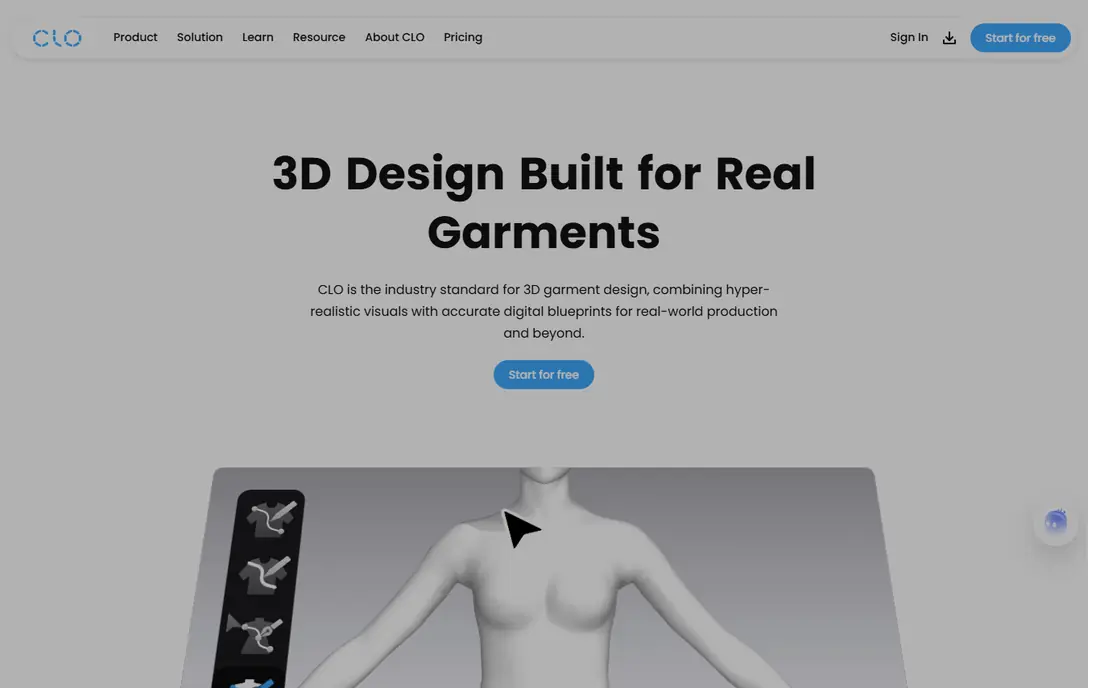
CLO 3D lets a designer draft a 2D pattern, place it on a digital avatar, and watch how the fabric drapes, folds, and pulls. That single loop is the reason so many brands use it to cut sample rounds. When a fit problem shows up on screen, it can be fixed in the pattern before anyone sews a physical sample, which saves time and fabric.
The trade-off is skill. New users should expect weeks of practice before their first clean virtual sample, and months before production-level work feels fast. The individual plan at $50 per month, or $450 per year, is fair for a working designer, but a small studio with several seats should budget for it as a fixed monthly cost. For most fashion brands that need real fitting, this is our first pick.
- Physics-based drape on avatars
- Strong 2D pattern tools
- Widely used by brands
- Steep learning curve
- Individual plan is a monthly cost that adds up
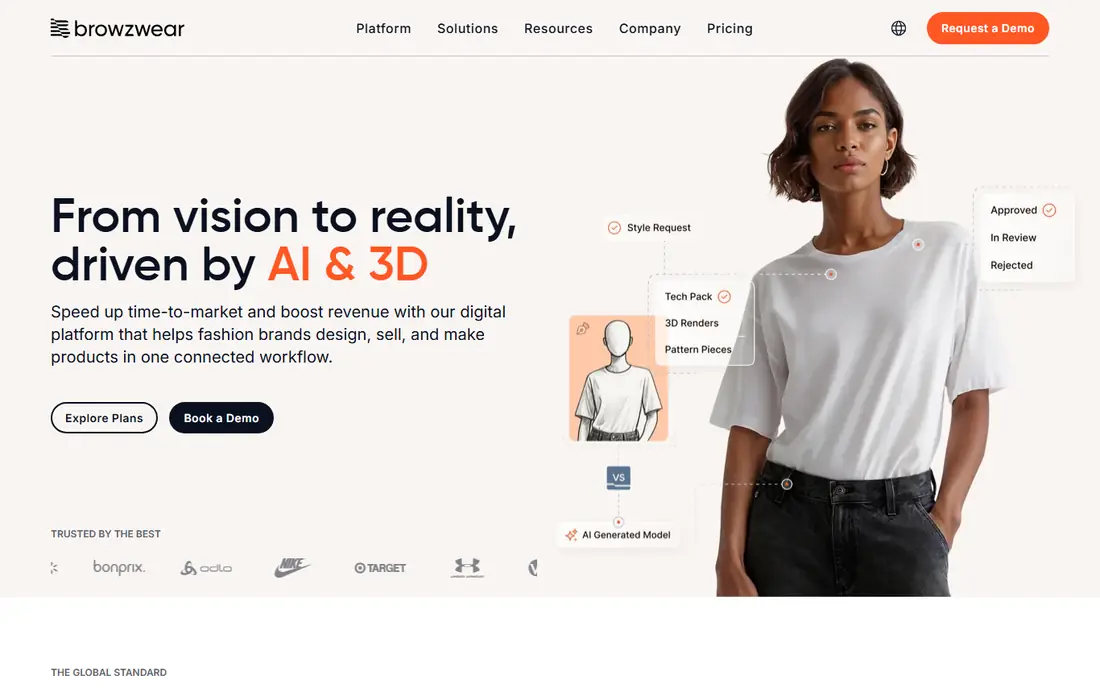
Browzwear VStitcher starts from the pattern, not from a sketch, which is exactly how production teams think. Designers build or import patterns, simulate them in 3D, and share the result through Browzwear tools that keep the whole collection in one place. That pattern-first approach helps when a style has to move from design to a factory with clear measurements and grading.
Pricing starts at $75 per month for a freelancer plan, or $750 per year, with team plans priced higher. That makes it harder to justify for a hobbyist, but reasonable for a brand that already pays for samples and freight. If your bottleneck is approvals and factory communication rather than pure creativity, Browzwear is the stronger system pick.
- True-to-life 3D from real patterns
- Collection tools for teams
- Strong factory hand-off
- Higher entry price than CLO 3D
- Freelancer plan lacks some team features
Marvelous Designer shares roots with CLO 3D, but it is aimed at a different finish line: a garment that looks right on a character, not one that ships in sizes. Costume designers, game artists, and animators use it to drape, layer, and animate cloth, then export to game and animation pipelines. The personal plan at $39 per month, or $280 per year, makes it one of the cheaper ways into high-quality cloth simulation.
Fashion brands should be careful here. Marvelous Designer can sketch an idea beautifully, but it is not the tool we would pick for graded markers or factory-ready production files. Choose it when the garment stays digital, and choose CLO 3D or Browzwear when it has to be made in bulk.
- Excellent cloth simulation
- Strong export for games and animation
- Lower personal price
- Not built for factory markers
- Grading and production tools are limited
Almost every fashion studio still starts in Adobe Illustrator, and for good reason. Flats, croquis, print repeats, colorways, and tech pack drawings all live naturally in vectors, where lines stay crisp at any size and edits stay fast. At $22.99 per month on the annual plan billed monthly, it is also one of the cheaper professional seats in this list, and it pairs with Photoshop for prints and presentations.
The honest limit is that Illustrator draws garments, it does not fit them. A flat can look perfect and still fail on a body, which is why studios pair Illustrator with a 3D or pattern tool. If you only buy one tool and your work is presentation and tech packs, buy this one. If you need fit, add a 3D tool beside it.
- Industry standard for vector art
- Precise flats and colorways
- Huge template and brush library
- No true 3D drape
- No pattern grading on its own
Optitex is a production-grade system that covers 2D pattern drafting, grading, marker making, and 3D virtual prototyping in one workflow. That breadth matters for manufacturers and larger brands, because a pattern change flows through to grading and markers without rework in a separate tool. It is built for teams that measure success in accurate markers and fewer factory corrections.
The catch is access. Pricing is quote-based, so a small studio cannot simply compare a monthly price and start today. Implementation and training also take time. Optitex earns its place for production teams that need that depth, but solo designers will usually get faster value from CLO 3D or Tailornova.
- Full 2D and 3D pattern workflow
- Grading and marker tools
- Used in production settings
- Quote-based pricing
- Heavier setup for a solo designer
TUKAcad from Tukatech is a straightforward pattern CAD tool aimed at small and mid-size apparel businesses. It handles pattern drafting, grading, and marker making without asking a small team to pay enterprise prices, with plans listed from $19 per month. For a maker who already knows pattern work and needs clean digital patterns fast, that focus is a strength, not a weakness.
It is not the prettiest tool in this list, and its 3D side, sold as TUKA3D, is a separate step up. Buyers who want photorealistic virtual samples should look at CLO 3D first. Buyers who want reliable patterns at a modest price, and who sell through cut-and-sew partners, will find TUKAcad a practical fit.
- Focused pattern and grading tools
- Lower entry price
- Practical for small makers
- Less 3D polish than CLO 3D
- Interface feels dated to some users
Tailornova takes a different route: start with a 3D FitModel built from real measurements, pick a design from templates, and get a made-to-measure pattern in minutes. At $29 per month, it is priced for tailors, boutique owners, and custom clothing startups who need accurate patterns for individual clients without learning full CAD. The 3D preview helps clients see fit before cutting, which cuts remakes.
Template limits are the honest catch. A designer who wants to draft a wholly original silhouette from scratch will hit the edges of the template system sooner than in CLO 3D or Optitex. For custom and made-to-measure work, though, speed matters more than total freedom, and Tailornova wins on speed.
- Fast made-to-measure patterns
- 3D FitModel preview
- No CAD skill needed to start
- Template-based, so less free-form than full CAD
- Best for custom orders, not mass lines
Style3D Studio aims to keep the whole digital garment workflow in one product: design, simulate, render, and share. That all-in-one pitch appeals to brands that do not want to stitch together separate tools for pattern, 3D, and presentation images. A free plan lets new users try the core workflow before talking to sales about a paid plan.
The risk is depth in any one area. CLO 3D still leads on pure simulation depth, and Illustrator still leads on vector flats, so Style3D is best judged on the full workflow, not on a single feature. Teams that value one login and one pipeline, and that render a lot of product images, should trial it against CLO 3D before deciding.
- Design, simulation, and rendering in one place
- Web and desktop access
- Free plan to try
- Pricing varies by plan
- Smaller community than CLO 3D
Valentina is free, open source pattern software built around parametric drafting: change a measurement, and the pattern updates. That single idea makes it genuinely useful for home sewists, students, and small makers who cannot justify a monthly CAD subscription. There is no fee, no trial clock, and patterns can be shared and reused.
What it lacks is the polish and 3D fitting of paid tools. There is no built-in drape simulation, and support comes from community docs and forums rather than a vendor help desk. Still, as a free starting point for learning pattern drafting, or as a second tool beside Illustrator, Valentina is hard to beat on value.
- Free and open source
- Parametric patterns that resize from measurements
- No subscription
- No built-in 3D simulation
- Rougher interface and less support
How we picked these
We compared official feature pages, pricing pages, app store listings, privacy and support pages, and public reviews for each tool, and we kept only tools that exist and work today and that truly fit fashion design. A tool had to do real fashion work, such as flats, pattern drafting, grading, or 3D fitting, not just general drawing or generic 3D modeling. We favored tools with clear pricing where possible, and we marked quote-based tools as See website rather than guessing a price.
We also weighed who each tool serves. A production system that needs a sales call is not a failure, but it is a different buy from a $29 per month tool a tailor can start this week. That is why this list mixes enterprise pattern CAD with beginner-friendly and free options, and why the notes call out learning curve and hand-off to factories, not just features.
What to check before you pay
Start from the garment, not the feature list. If you sell custom pieces for individual clients, a made-to-measure tool like Tailornova may cover most of your work. If you sell a sized range through factories, you need grading and marker output, which points to Optitex, TUKAcad, CLO 3D, or Browzwear. If your main output is lookbooks, flats, and tech packs, Illustrator may be enough on its own.
Next, test the hand-off. Ask how a pattern leaves the tool: as a DXF file, a PDF, a 3D file, or a factory-ready marker. A tool that looks great on screen but exports poorly will cost you in factory revisions. Trial the exact file your factory or printer needs, with a real style, before you pay for a year.
Finally, budget for learning. 3D fitting tools repay practice, but they punish rushed adoption. A two-week trial is enough to judge the interface, not enough to judge production speed. Plan training time, watch vendor tutorials, and run one full style from sketch to sample before you roll a tool out to a whole team.
FAQ
What is the best fashion design software for beginners?
Tailornova is the easiest start for made-to-measure work, and Valentina is the best free start for learning pattern drafting. Adobe Illustrator is the best beginner pick for flats and tech packs, since those skills transfer to almost any fashion job. Beginners who want 3D fitting should start with a CLO 3D trial and allow several weeks to learn it.
What are the best fashion design apps for small brands?
Small brands usually need one drawing tool and one fitting or pattern tool. A common pairing is Adobe Illustrator for flats plus CLO 3D for virtual samples, or Tailornova for custom orders. TUKAcad is a strong low-cost pattern option when the brand already works with a factory. Keep the stack to two tools until the workflow is stable.
Do I need 3D software to design clothes?
No, many designers still work in 2D from sketch to pattern to sample. 3D software earns its cost when samples are expensive, when fit is hard to judge on paper, or when a team needs faster approvals. If you sew samples cheaply and locally, 2D tools may serve you well for longer.
Is CLO 3D or Browzwear better?
CLO 3D is usually better for individual designers and small studios, thanks to its lower entry price and deep simulation. Browzwear VStitcher is often better for brands and teams that need pattern-led production and collection management. Trial both with the same style and compare the factory files, not just the renders.
Can free fashion design software handle real work?
Yes, within limits. Valentina handles parametric pattern drafting for real garments, and Style3D offers a free plan to try 3D work. Free tools lack the 3D polish, grading depth, and support of paid tools, so they suit learning, small runs, and custom orders better than large production lines.