Best Font for Modern Website for 2026: Our 6 Vetted Picks
6 products for the best font for modern website, ranked by fit, with starting costs and free tiers. Fit, price and catches for every tool. Compare quickly.
- Editor's choiceTypekit
Adobe-linked web font serving
Starts atSee websiteVisit typekit.comFull review - Great alternative
 Envato Elements
Fonts bundled with creative assets
Starts at$16.50 a monthVisit elements.envato.comFull review - Also considerAdobe Fonts
Wide licensed library for teams
Starts atSee websiteVisit fonts.adobe.comFull review
Direct answer
Typekit is the first pick on this list for Adobe-linked web font serving. Listed starting prices: Envato Elements from $16.50 a month. Alternatives: Envato Elements for Fonts bundled with creative assets, and Adobe Fonts for wide licensed library for teams. Details, prices and limits for the rest of the 6 tools are below.
TL;DR:
- Typekit is the opening pick, best for Adobe-linked web font serving.
- The main caution on Adobe Fonts: tied to Adobe ecosystem.
- For high-quality desktop and web fonts, Fonts.com is worth a look.
- A permanent free plan is missing from all 6 tools, Typekit and Fonts.com included; plan for a trial or a premium start.
Last checked November 2026. Prices and plan details were read from the vendors' own pages in November 2026; vendors change plans often, so confirm the current price on the vendor site before you buy.
Quick comparison
| Tool | Best for | Starts at | Free plan? | |
|---|---|---|---|---|
| Typekit | Adobe-linked web font serving | See website | Not stated | Visit |
| Envato Elements | Fonts bundled with creative assets | $16.50 a month | Not stated | Visit |
| Adobe Fonts | Wide licensed library for teams | See website | Not stated | Visit |
| MyFonts | Classic and new retail fonts | See website | Not stated | Visit |
| IBM Plex Sans | Versatile global brand typeface | See website | Not stated | Visit |
| Fonts.com | High-quality desktop and web fonts | See website | Not stated | Visit |
6 options for font for modern website in detail
LinkVetted compared 6 tools for font for modern website. The goal is a practical shortlist: published prices, free plan facts, best-fit use cases and honest limits for every entry.
Typekit
Best for: Adobe-linked web font serving
Typekit is aimed squarely at Adobe-linked web font serving. It suits teams already using Adobe products who want to serve licensed web fonts on a site without managing separate foundry agreements.
It overlaps closely with Adobe Fonts, so new users should confirm which service and account they are actually using. No starting price is listed for Typekit here; confirm pricing on the vendor site. Free access: Not stated.
Points against: Overlaps with Adobe Fonts.
- Fonts from plenty of foundries
- Licensing included
- Needs Adobe account
Envato Elements works best for Fonts bundled with creative assets. It fits teams that want one place for type and surrounding assets, like landing page templates or brand kits, instead of a dedicated type foundry.
For a carefully chosen typeface family, a dedicated font marketplace or free font site is more focused. Starting cost for Envato Elements: $16.50 per month. As for free access: Not stated.
Watch-outs: Quality varies by item.
- Fonts plus templates and assets
- AI tools for content
- Wide focus, not font-first
Adobe Fonts
Best for: Wide licensed library for teams
Adobe Fonts works best for wide licensed library for teams. The library is tied to the Adobe ecosystem, so teams outside it may prefer a standalone marketplace.
Adobe Fonts shows no starting price here, so confirm the cost on the vendor site. Free options: Not stated.
Trade-offs to know: Large library needs curation.
- Fonts from numerous foundries
- Licensing handled in one place
- Tied to Adobe ecosystem
MyFonts
Best for: Classic and new retail fonts
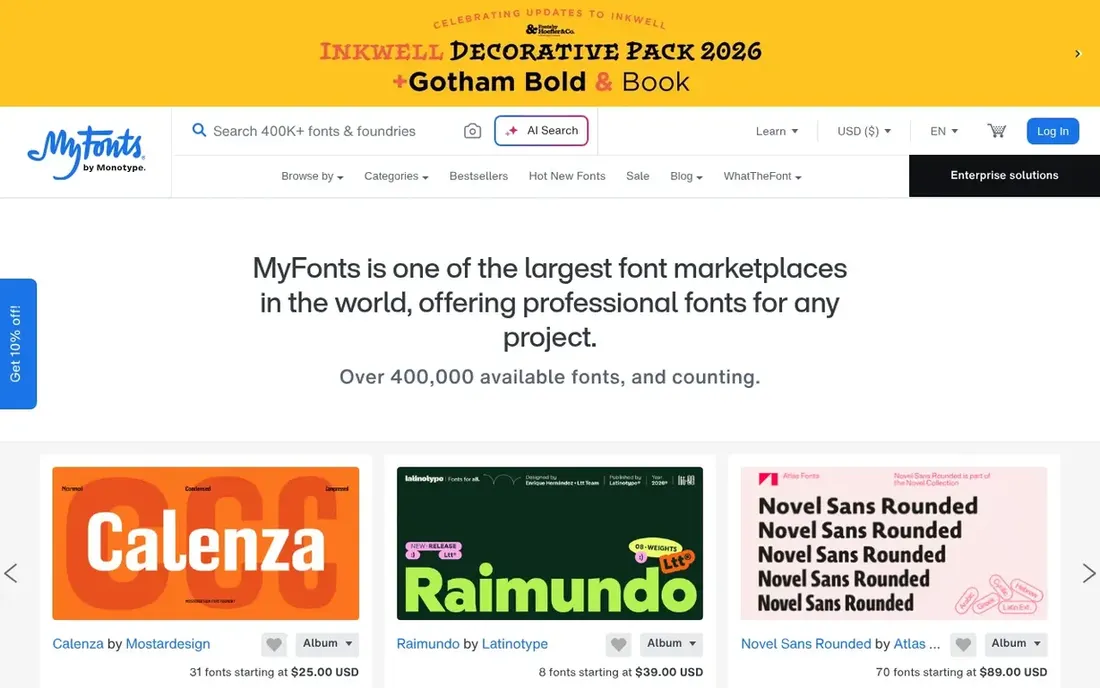
For classic and new retail fonts, MyFonts is a natural candidate. MyFonts is a marketplace for buying and downloading webfonts and desktop fonts, mixing classics like Baskerville, Futura and Garamond with newer releases.
What to check first: Quality varies by foundry.
MyFonts shows no starting price here, so confirm the cost on the vendor site. Free options: Not stated.
- Webfont and desktop formats
- Classics and new releases
- Per-font purchasing brings up
IBM Plex Sans
Best for: Versatile global brand typeface
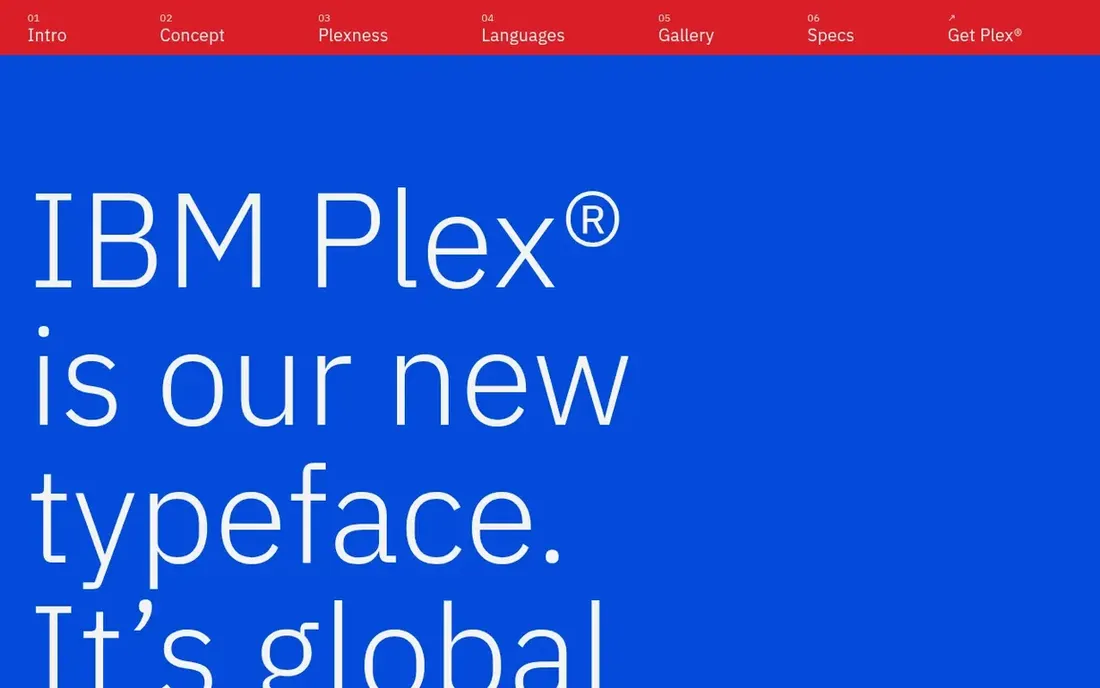
IBM Plex Sans is designed for versatile global brand typeface. IBM Plex Sans is a typeface family presented by IBM as global, versatile and distinctly its own. It performs well for designers who want a coherent sans serif across headings and body text, and who value a typeface with a clear personality instead of a neutral default.
Where it is weaker: Tied to one brand style.
More specifically, since it carries a recognizable brand character, it may feel less neutral for sites with a different identity. If you need a large licensed library or numerous display styles, look to a broader font marketplace instead. Pricing for IBM Plex Sans is not stated here, so ask the vendor for current figures. On free options: Not stated.
- Global
- Versatile family
- Fewer display variants
Fonts.com
Best for: High-quality desktop and web fonts
Choose Fonts.com for high-quality desktop and web fonts. Fonts.com provides a selection of high-quality desktop and web fonts, with classics, new releases and best sellers available to try, buy and download.
No starting price is listed for Fonts.com here; confirm pricing on the vendor site. As for free access: Not stated.
Points against: Catalog needs browsing time.
- Try before buying
- Curated selection
- Licensing steps per font
How these tools were picked
The comparison looks at four things: starting price, free access, how well the feature set matches font for modern website, and the main limit of each tool. Figures are shown as the vendors publish them. Billing terms, seat minimums and add-ons can change the real cost. Position on the page reflects fit for a typical buyer first, with price clarity and free access breaking ties. Treat it as a guide, not a ruling.
Pre-purchase checklist
- Confirm the entry price on the vendor page. For Typekit, Adobe Fonts, MyFonts and others that means a quote rather than a fixed price.
- Read the limits listed for Typekit first: needs Adobe account.
- Look at the help docs and support options for IBM Plex Sans before you commit.
- Look at which plan of Fonts.com unlocks the features you need; entry tiers are often cut down.
- Before rolling out Typekit, verify the integrations your workflow depends on.
FAQ
What is the cheapest option for font for modern website in this list?
On published monthly entry prices, Envato Elements is the lowest here at $16.50 per month. Entry price is only part of the cost, because seats, add-ons and billing terms can change the total.
How do I check a font license for web use?
Read the vendor's web font terms and confirm embedding, self-hosting and traffic conditions. When unsure, contact the vendor straight before launching.
What makes a font a decent match for a modern website?
A modern site font should be readable at small sizes, support the weights and languages you need, and load efficiently. Licensing clarity matters just as much, so confirm web usage terms before committing.
Do these tools publish their prices?
Not all of them. Typekit, Adobe Fonts, MyFonts and others publish no starting price, so expect a quote request for those. The rest, Envato Elements included, show a starting price, though seats and billing terms still change the final cost.
Does any tool for font for modern website here have a free plan?
A permanent free plan is not offered by Typekit, Fonts.com or the other tools here. Plan a short evaluation period instead.
Can I try these tools before paying?
Not by default. None of the tools, from Typekit to Fonts.com, lists a free plan or a free trial here, so ask each vendor for a demo before committing.
Sources
- https://typekit.com
- https://elements.envato.com
- https://fonts.adobe.com
- https://www.myfonts.com
- https://www.ibm.com/plex
- https://www.fonts.com