The 5 Best File Analysis Software in 2026, Ranked
Compare 5 picks for the best file analysis software, with prices, free plans and who each fits. Strengths and weak spots are spelled out. Quick to scan.
- Editor's choice
 Egnyte
Content governance and collaboration
Starts at$22 per user a monthVisit egnyte.comFull review - Great alternative
 Datadog Cloud SIEM
Cloud threat detection and response
Starts atSee websiteVisit datadoghq.comFull review - Also consider
 SolarWinds Access Rights Manager
Permission and access analysis
Starts atSee websiteVisit solarwinds.comFull review
Direct answer
This list puts Egnyte first for content governance and collaboration. Listed starting prices: Egnyte from $22 per user a month. If your case is different, Datadog Cloud SIEM suits Cloud threat detection and response and SolarWinds Access Rights Manager suits permission and access analysis. Prices, free plans and limits for all 5 tools follow.
TL;DR:
- Number one here is Egnyte, a fit for content governance and collaboration.
- Splunk Enterprise Security is the one to check for unified threat detection and response.
- Before buying Varonis Data Security Platform, weigh this: wide product may exceed narrow auditing needs.
- The lowest published monthly entry price here is $22 per user per month, from Egnyte.
Last checked November 2026. Prices and plan details were read from the vendors' own pages in November 2026; vendors change plans often, so confirm the current price on the vendor site before you buy.
Quick comparison
| Tool | Best for | Starts at | Free plan? | |
|---|---|---|---|---|
| Egnyte | Content governance and collaboration | $22 per user a month | Free trial | Visit |
| Datadog Cloud SIEM | Cloud threat detection and response | See website | Not stated | Visit |
| SolarWinds Access Rights Manager | Permission and access analysis | See website | Not stated | Visit |
| Varonis Data Security Platform | Wide data security and threat detection | See website | Not stated | Visit |
 Splunk Enterprise Security | Unified threat detection and response | See website | Not stated | Visit |
5 options for file analysis software in detail
Choosing file analysis software usually comes down to price, fit and limits. This LinkVetted guide sets 5 tools side by side on those three points, with the facts kept short and checkable.
Egnyte makes the most sense for content governance and collaboration. More specifically, teams dealing with large files and sensitive documents across collaboration workflows are the natural audience.
Points against: Not a dedicated SIEM.
On top of that, pick Egnyte when content governance, large-file collaboration and AI context are the priorities. The starting price for Egnyte: $22 per user per month. Trial and free access: Free trial.
- Governs sensitive content on one system
- Layers on business context for AI
- Primarily a content system
Datadog Cloud SIEM works best for Cloud threat detection and response. Choose Datadog Cloud SIEM when detection and response across cloud telemetry matter most.
More specifically, teams needing in-depth file access reporting may pair it with a dedicated auditing tool. In practice, organizations already centralizing observability data frequently find the security analytics layer a natural extension of that work. This comparison lists no price for Datadog Cloud SIEM; ask the vendor. Free options: Not stated.
Watch-outs: Needs log source planning.
- Incident response support
- Aimed at security operations teams
- SIEM focus instead of file permissions
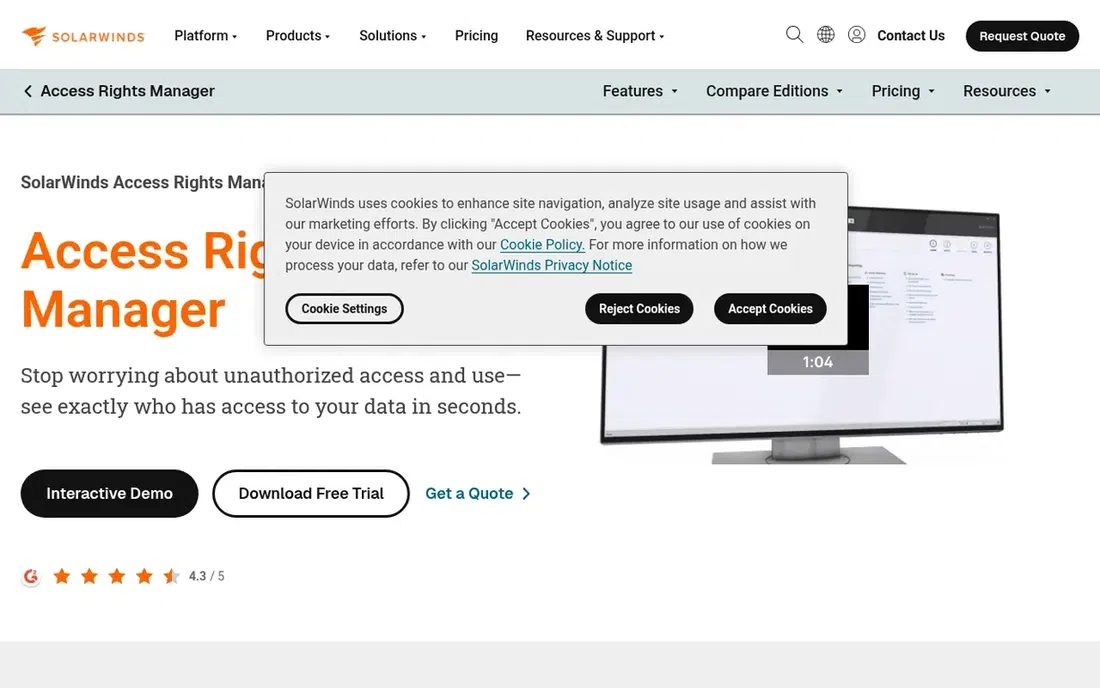
SolarWinds Access Rights Manager serves permission and access analysis. Teams preparing for audits or cleaning up accumulated permissions will find the permission analysis and reporting the core draw.
Check the vendor site for SolarWinds Access Rights Manager pricing; none is listed in this comparison. On free options: Not stated.
Drawbacks to consider: Concentrated on access rights instead of content.
- Automates user provisioning and deprovisioning
- Comes with compliance reporting
- Best value in Microsoft-centric environments
Varonis Data Security Platform
Best for: Wide data security and threat detection

Varonis Data Security Platform is a good fit for wide data security and threat detection. Consider Varonis when data security, governance and threat detection have to be handled together instead of in separate silos.
Downsides: Needs planning to deploy completely.
What Varonis Data Security Platform does well: AI and threat detection.
Varonis Data Security Platform links data, AI and threat detection into one complete security system intended to let businesses keep innovating without increasing risk. Organizations facing both compliance pressure and active threat concerns frequently prefer a system approach over separate point tools. Check the vendor site for Varonis Data Security Platform pricing; none is listed in this comparison. Trial and free access: Not stated.
- Spans sensitive data governance
- Suited to security teams
- Wide product may exceed narrow auditing needs
Splunk Enterprise Security serves unified threat detection and response. Splunk Enterprise Security is a unified threat detection, investigation and response system with integrated SIEM, SOAR, UEBA and agentic AI. In practice, organizations with significant log volume and a dedicated security function are the typical audience.
It is a security analytics system instead of a file analysis or permission auditing product, so file-level access questions normally need a complementary tool. Consider Splunk Enterprise Security when unified TDIR across the enterprise is the goal. No starting price is listed for Splunk Enterprise Security here; confirm pricing on the vendor site. Free access: Not stated.
What to check first: Product complexity for small teams.
- Integrated SIEM
- Includes agentic AI capabilities
- Not a file permission tool
Selection criteria
Before you commit
- Ask Datadog Cloud SIEM, SolarWinds Access Rights Manager, Varonis Data Security Platform and Splunk Enterprise Security for a written quote, since no starting price is shown.
- Run a trial of Egnyte with real work before paying for a year; your own workflow is the best test.
- Read the limits listed for Egnyte first: primarily a content system.
- Work out what Egnyte costs with your real seat count, add-ons and usage, not just the entry price.
- Before you load data into Varonis Data Security Platform, check what an export looks like and who can run it.
FAQ
Can I try these options before paying?
Often, yes. Egnyte offers a free trial. Use your own data and a real task during the test, and check what the free tier or trial limits before you rely on it. All 5 picks in this file analysis software comparison list a starting price, free plan details and the main limits on their cards above.
Is Egnyte the right pick for everyone comparing file analysis software?
No single tool suits every team. Egnyte comes first because it fits content governance and collaboration, while Datadog Cloud SIEM suits Cloud threat detection and response and SolarWinds Access Rights Manager suits permission and access analysis. Match the tool to your own size, budget and workflow before deciding.
How is file analysis different from a SIEM?
File analysis tools focus on file and folder permissions, activity and content governance. A SIEM correlates logs and telemetry across plenty of sources to detect threats.
What is the cheapest option for file analysis software in this list?
On published monthly entry prices, Egnyte is the lowest here at $22 per user per month. Entry price is only part of the cost, because seats, add-ons and billing terms can change the total. For the full picture, the cards above cover all 5 entries of this file analysis software list, including price, free plan and limits.
What is file analysis software used for?
It is used to understand who can access files, what changed and where sensitive content sits. Some products extend into broader data security and threat detection.
How are the tools for file analysis software ordered?
The order follows typical fit for file analysis software, with Egnyte first and Splunk Enterprise Security last, then price clarity and free access. It is editorial judgement, not a score, so another team could rank the tools differently.
Sources
- https://www.egnyte.com
- https://www.datadoghq.com/product/cloud-siem
- https://www.solarwinds.com/access-rights-manager
- https://www.varonis.com
- https://www.splunk.com/en_us/products/enterprise-security.html