Choosing File Search Software in 2026: 6 Options Compared
6 tools for the best file search software, compared on pricing, free plans and best-fit use. Each pick comes with its main catch. Read before you buy.
- Editor's choiceCopernic Desktop Search
Files, emails, and attachments
Starts at$999 a yearVisit copernic.comFull review - Great alternativeListary
Search plus app launching
Starts atSee websiteVisit listary.comFull review - Also considerEverything
Instant filename search on Windows
Starts atSee websiteVisit voidtools.comFull review
Direct answer
Copernic Desktop Search is the first pick on this list for files, emails, and attachments. Listed starting prices: Copernic Desktop Search from $999 a year. Listary is the stronger choice for Search plus app launching, while Everything suits instant filename search on Windows. The remaining 3 options are covered below with prices and limits.
TL;DR:
- The list opens with Copernic Desktop Search, aimed at files, emails, and attachments.
- Copernic Desktop Search, Agent Ransack and the 4 others all need a premium plan or a trial, since no free plan is listed.
- One limit worth knowing about Everything: Filename-focused, not full content search.
- For straightforward content search, Agent Ransack is worth a look.
- For Listary, Everything, X1 Search and others, you have to request a quote because no starting price is shown.
Last checked November 2026. Prices and plan details were read from the vendors' own pages in November 2026; vendors change plans often, so confirm the current price on the vendor site before you buy.
Quick comparison
| Tool | Best for | Starts at | Free plan? | |
|---|---|---|---|---|
| Copernic Desktop Search | Files, emails, and attachments | $999 a year | Not stated | Visit |
| Listary | Search plus app launching | See website | Not stated | Visit |
| Everything | Instant filename search on Windows | See website | Not stated | Visit |
| X1 Search | Enterprise data discovery and compliance | See website | Not stated | Visit |
| FileLocator Pro | Advanced content and regex search | See website | Not stated | Visit |
| Agent Ransack | Straightforward content search | See website | Not stated | Visit |
File Search Software, one by one
This LinkVetted guide covers 6 options for file search software. Each profile lists a starting price, free plan details, strengths and drawbacks, so you can drop poor fits quickly.
Copernic Desktop Search
Best for: Files, emails, and attachments
Copernic Desktop Search targets files, emails, and attachments. Its homepage states that it indexes hundreds of file types across desktop, network, and cloud locations. This makes it a solid fit for users who require one search box for documents and email instead of separate tools.
For everyday use, choose Copernic Desktop Search when email and document content search on Windows is a core need. Beyond that, the tool is Windows-only, and users who require only fast filename search may find it heavier than necessary. Entry price for Copernic Desktop Search: $999 per year. As for free access: Not stated.
Where it is weaker: Indexing can take time to set up.
- Cloud locations
- Indexes emails and attachments
- Windows only
Listary
Best for: Search plus app launching
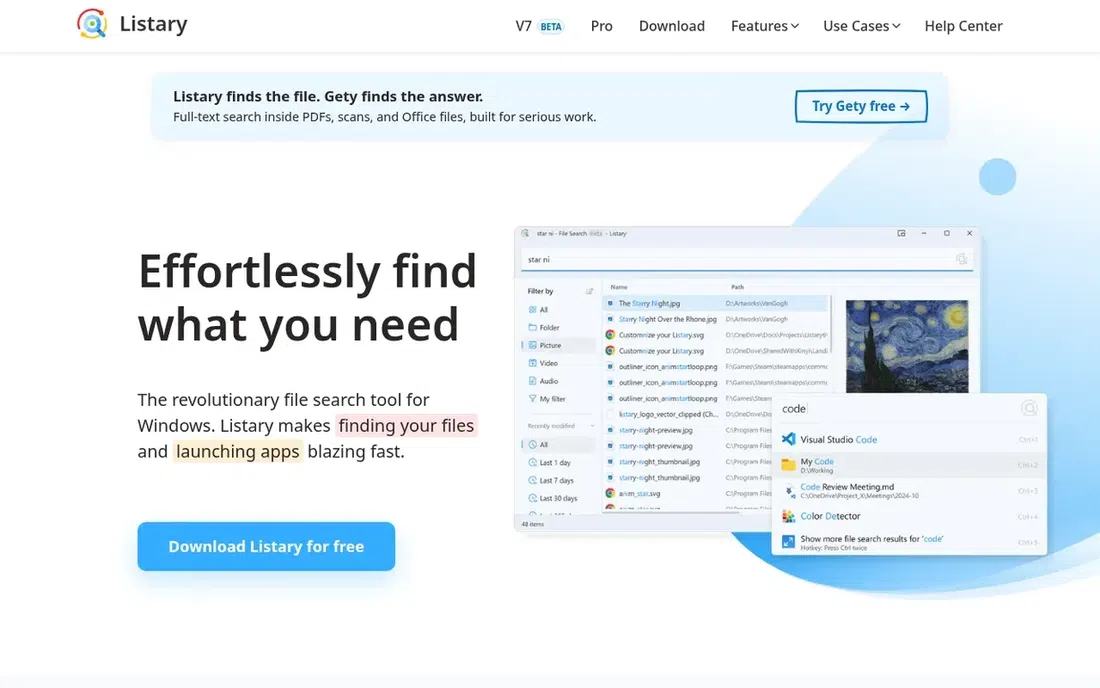
Think of Listary for Search plus app launching. If your primary need is deep content search across emails and documents, a dedicated indexing tool may be a better fit. The tool links up with typical file dialogs and supplies fast access to often used locations.
Drawbacks to consider: Some features need configuration.
Listary is a Windows search utility that merges file search with an application launcher. Choose Listary for everyday file and app access on Windows. Also, some of its conveniences depend on setup and customization, which may feel like additional work for users who only want entry-level search. Listary does not show a starting price in this comparison, so check the vendor site for current pricing. On free options: Not stated.
- Integrated app launcher
- Quick file search
- Windows only
Everything
Best for: Instant filename search on Windows
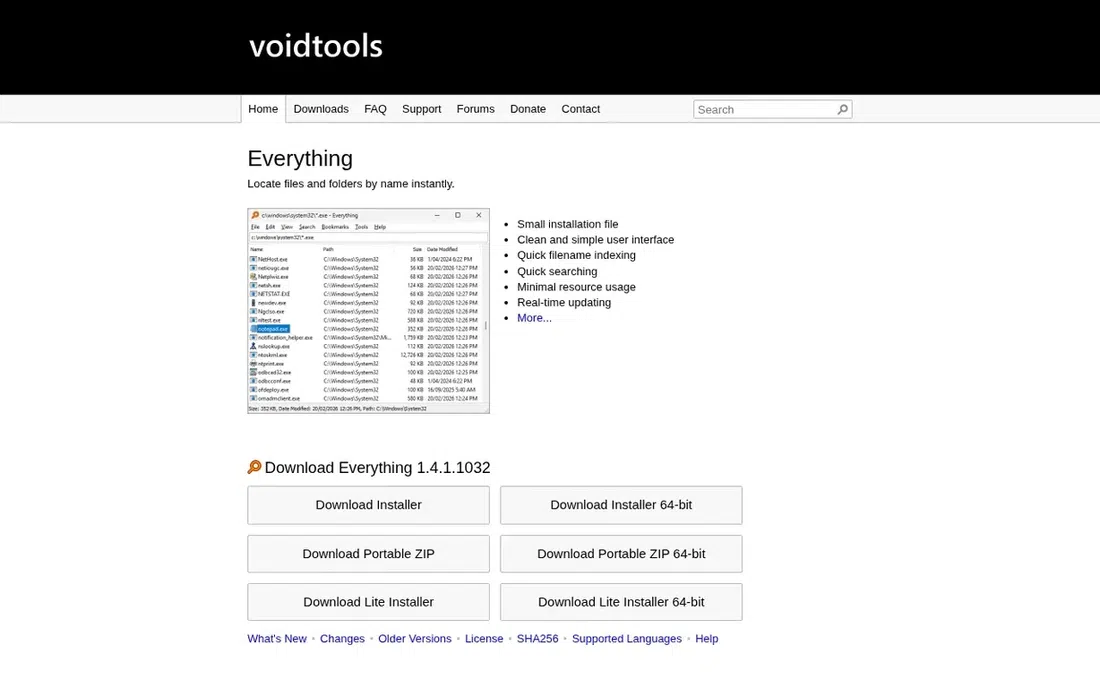
Where Everything fits: instant filename search on Windows. Everything is a Windows search utility built around quick filename indexing. It reads the file system straight, so results appear as you type, even on large drives.
In daily use, the interface is plain and utilitarian, which keeps the tool light and fast to learn. In practice, choose Everything when speed and simplicity matter most, and look elsewhere for deep content indexing. Everything does not show a starting price in this comparison, so check the vendor site for current pricing. Trial and free access: Not stated.
Where it is weaker: Windows only. Upsides: Near-instant results.
- Very low resource use
- Focused interface
- Filename-focused
X1 Search
Best for: Enterprise data discovery and compliance
X1 Search works best for enterprise data discovery and compliance. Its homepage describes index-in-place data discovery and AI insight for eDiscovery, governance, risk, and compliance.
Also, organizations should confirm deployment requirements and integration details with the vendor. In practice, choose X1 Search when data discovery, governance, and compliance are the primary goals instead of straightforward desktop search. X1 Search does not show a starting price in this comparison, so check the vendor site for current pricing. As for free access: Not stated.
Points against: Not pitched at straightforward filename search.
- Focus on governance and compliance
- AI-driven insight
- Enterprise-oriented complexity
FileLocator Pro
Best for: Advanced content and regex search
FileLocator Pro is designed for advanced content and regex search. FileLocator Pro from Mythicsoft is a Windows search tool geared toward users who require to look inside files, not just at their names. It supports content search and regular expressions, making it handy for developers, analysts, and anyone who works with large sets of text-based documents.
More specifically, the depth of FileLocator Pro can be overwhelming for casual users who just want to find a file by name. Also, choose FileLocator Pro when content search and precise query building are central to your work. In practice, if you need a straightforward, instant filename search, a lighter utility may serve you better. Check the vendor site for FileLocator Pro pricing; none is listed in this comparison. Free options: Not stated.
The main drawbacks: Windows-oriented.
- Regular expression support
- In-depth search choices
- More complicated for beginners
Agent Ransack
Best for: Straightforward content search
Agent Ransack targets straightforward content search. The tool is suited to users who require to locate documents by what they contain but do not need the full set of advanced choices. If your searches are largely by file name, a quicker dedicated indexer may be preferable.
Downsides: Less advanced than FileLocator Pro.
On top of that, Agent Ransack is not intended for the most complicated search scenarios. Users who require deep regular expression or scripting support may outgrow it. This comparison lists no price for Agent Ransack; ask the vendor. Free access: Not stated.
- Useful for text-heavy files
- Content search made accessible
- Windows only
How we chose
We compared the tools on published pricing, free plan or trial availability, feature coverage for file search software, and the limits each vendor documents. Treat prices as a snapshot: vendors change plans often, so check the vendor site for the figure that applies today. The order reflects how well each tool fits the most common buying scenario for file search software, then price clarity, then free plan access. It is a starting point, not a verdict.
What to confirm before you sign up
- Get a written quote from Listary, Everything, X1 Search and others; the list shows no starting price for them.
- Read the limits listed for Copernic Desktop Search first: indexing can take time to set up.
- Look at which plan of X1 Search unlocks the features you need; entry tiers are often cut down.
- Before you load data into Everything, check what an export looks like and who can run it.
- Ask Copernic Desktop Search about contract length, onboarding fees and user minimums before you sign.
FAQ
Do these tools publish their prices?
Not all of them. Listary, Everything, X1 Search and others publish no starting price, so expect a quote request for those. The rest, Copernic Desktop Search included, show a starting price, though seats and billing terms still change the final cost.
Does any tool for file search software here have a free plan?
No tool in this list, Copernic Desktop Search and Agent Ransack included, has a permanent free plan. Trials and quotes are the usual route, so plan a short evaluation period.
Can I try these options before paying?
Not by default. None of the tools, from Copernic Desktop Search to Agent Ransack, lists a free plan or a free trial here, so ask each vendor for a demo before committing.
What is the difference between filename search and content search?
Filename search looks only at the names of files and folders, so it is very quick but cannot find text inside documents. Some tools offer both, whereas others focus on one approach.
How are the tools for file search software ordered?
Copernic Desktop Search sits first and Agent Ransack last because the order follows typical fit for file search software, then price clarity and free access. It is a judgement call, so read each profile for fit and limits.
Sources
- https://www.copernic.com
- https://www.listary.com
- https://www.voidtools.com
- https://www.x1.com
- https://www.mythicsoft.com/filelocatorpro
- https://www.mythicsoft.com/agentransack