Choosing Event Transcription Software for Conferences in 2026: 5 Options Compared
5 best event transcription software for conferences, with entry costs, free tiers and the buyer each one serves. Where a tool struggles is spelled out. No hype.
- Editor's choice
 Verbit
Purpose-built transcripts for regulated sectors
Starts atSee websiteVisit verbit.aiFull review - Great alternative
 Trint
Collaborative media production workflows
Starts atSee websiteVisit trint.comFull review - Also consider
 Otter.ai
Live notetaking during conference sessions
Starts at$8.33 per user per monthVisit otter.aiFull review
Direct answer
Start with Verbit if you need purpose-built transcripts for regulated sectors. Listed starting prices: Otter.ai from $8.33 per user per month, Sonix from $10 per hour and Descript from $16 per person per month. Look at Trint for collaborative media production workflows, and at Otter.ai for live notetaking during conference sessions. Details, prices and limits for the rest of the 5 tools are below.
TL;DR:
- Number one here is Verbit, a fit for purpose-built transcripts for regulated sectors.
- The lowest published monthly entry price here is $8.33 per user per month, from Otter.ai.
- One limit worth knowing about Sonix: post-event focus instead of live capture.
- Descript fits editing recorded conference content by text.
Last checked November 2026. Prices and plan details were read from the vendors' own pages in November 2026; vendors change plans often, so confirm the current price on the vendor site before you buy.
Quick comparison
| Tool | Best for | Starts at | Free plan? | |
|---|---|---|---|---|
| Verbit | Purpose-built transcripts for regulated sectors | See website | Not stated | Visit |
| Trint | Collaborative media production workflows | See website | Not stated | Visit |
| Otter.ai | Live notetaking during conference sessions | $8.33 per user per month | Yes | Visit |
 Sonix | Multilingual post-event transcription | $10 per hour | Free trial | Visit |
 Descript | Editing recorded conference content by text | $16 per person per month | Yes | Visit |
The best event transcription software for conferences
LinkVetted compared 5 event transcription software for conferences. The goal is a practical shortlist: published prices, free plan facts, best-fit use cases and honest limits for every entry.
Verbit works best for purpose-built transcripts for regulated sectors. Verbit provides AI-based transcription and captioning services, with transcripts and captions purpose-built for law businesses, courts, media and entertainment, higher education, and similar sectors. Conference organizers in those fields, particularly those needing accessible captions, can match the service to their compliance expectations.
As for the details, the industry-specific positioning means smaller or informal events may find it more structured than required. More specifically, teams wanting quick self-serve session notes might prefer a meeting assistant. Verbit shows no starting price here, so confirm the cost on the vendor site. As for free access: Not stated.
The main drawbacks: Less suited to informal notetaking.
- Serves legal, courts, media, education
- Transcripts and captions for specific industries
- Enterprise-style positioning
Trint makes the most sense for collaborative media production workflows. If you only need session notes, a more straightforward notetaking tool is likely enough.
Limits to weigh: Pitched at media teams instead of general events.
Where Trint stands out: Aimed at media production.
From a buyer's view, the media production focus means casual event planners may find the workflow more elaborate than necessary. Beyond that, Trint describes an AI-connected media production workflow where users transcribe, translate, and collaborate in plenty of languages, with a following among newsrooms. This comparison lists no price for Trint; ask the vendor. Free access: Not stated.
- Used in newsroom-style workflows
- Collaborate in one place
- Collaboration features may be more than casual users need
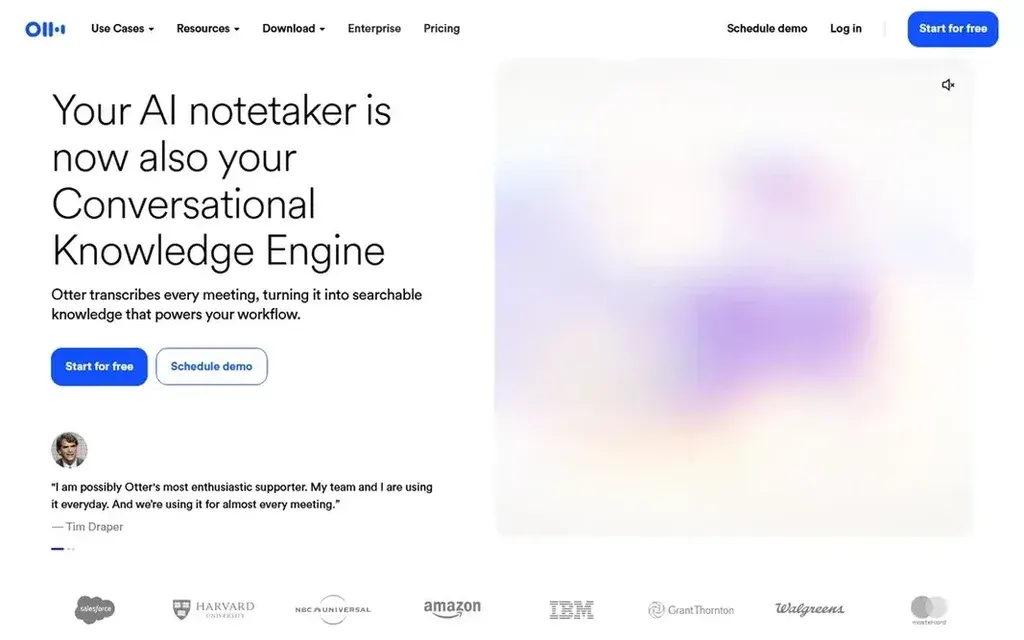
Otter.ai is aimed squarely at live notetaking during conference sessions. Since it leans toward live meeting capture, it may be less suited to heavy post-production editing of recorded conference audio.
Beyond that, otherwise, Otter.ai is a reasonable starting point for everyday conference notetaking. Otter.ai cost at the entry level: $8.33 per user per month. You can start on Otter.ai without paying.
Points against: A good match for English-first workflows.
- Live transcription
- Automatic summaries and action items
- Live accuracy relies on audio quality
Sonix was built for multilingual post-event transcription. Very noisy recordings or overlapping speakers can still need cleanup.
For everyday use, pick Sonix when multilingual coverage and speaker-labeled transcripts matter more than live output. Price to start with Sonix: $10 per hour. On free options: Free trial.
The main drawbacks: Accuracy varies with audio conditions.
- Speaker detection
- Transcription in numerous languages
- Post-event focus instead of live capture
Descript was built for editing recorded conference content by text. Teams wanting a light capture tool should consider a transcription-first choice.
Downsides: Ramp-up time for advanced editing.
Choose Descript when the transcript is a stepping stone to finished conference media. Entry price for Descript: $16 per person per month. Descript offers a free plan.
- Edit audio and video like a document
- Publish in one tool
- More editor than pure transcription service
How we chose
The comparison looks at four things: starting price, free access, how well the feature set matches event transcription software for conferences, and the main limit of each tool. Figures are shown as the vendors publish them. Billing terms, seat minimums and add-ons can change the real cost. The ranking is editorial: typical fit first, then clear pricing, then free access. If your needs are unusual, read the profiles rather than relying on position.
Questions to settle before buying
- Confirm the entry price on the vendor page. For Verbit and Trint that means a quote rather than a fixed price.
- Check what the free option really includes: Otter.ai and Descript offer a free plan, and usage caps differ.
- Run a trial of Sonix with real work before paying for a year; your own workflow is the best test.
- Before choosing Verbit, weigh its main limit: enterprise-style positioning.
- List the apps you already depend on and check that Verbit supports each one on the plan you would buy.
- Look at which plan of Trint unlocks the features you need; entry tiers are often cut down.
FAQ
What is the difference between live and post-event conference transcription?
Live transcription converts speech to text during a session, which helps attendees follow along and provides organizers notes in the moment. Some tools lean toward one approach, so match the tool to your workflow.
What is the cheapest option for event transcription software for conferences in this list?
On published monthly entry prices, Otter.ai is the lowest here at $8.33 per user per month. Entry price is only part of the cost, because seats, add-ons and billing terms can change the total.
How are the tools for event transcription software for conferences ordered?
The order follows typical fit for event transcription software for conferences, with Verbit first and Descript last, then price clarity and free access. It is editorial judgement, not a score, so another team could rank the tools differently.
How should organizers deal with multilingual conference sessions?
Look for tools that explicitly support transcription and translation across several languages, like Sonix and Trint. Confirm the specific languages of your speakers before committing.
What matters for accessibility at conferences?
Accurate captions and clean transcripts support attendees who are deaf or hard of hearing, and sector-specific providers like Verbit position themselves around captioning needs. Check that the tool can deliver captions in your required format and language. In daily use, pair this with your broader accessibility plan.
Which options for event transcription software for conferences have a free plan?
Otter.ai and Descript offer a free plan in this list. Free plans usually cap users, projects or features, so check the limits on the vendor page. One other tool offers a trial instead.