5 Employee Scheduling Software for Government Contractors Worth Shortlisting in 2026
5 best employee scheduling software for government contractors, compared on pricing, free plans and best-fit use. Every tool lists pros and cons. No hype.
- Editor's choice
 Homebase
Small hourly teams needing scheduling plus payroll
Starts at$30 per location a monthVisit joinhomebase.comFull review - Great alternative
 Deputy
Scheduling with labor forecasting features
Starts at$5 per user a monthVisit deputy.comFull review - Also considerUKG Workforce Management
Complicated workforce scheduling and compliance
Starts atSee websiteVisit ukg.comFull review
Direct answer
Start with Homebase if you need small hourly teams needing scheduling plus payroll. Listed starting prices: Homebase from $30 per location a month, Deputy from $5 per user a month and When I Work from $2.50 per user a month. Alternatives: Deputy for scheduling with labor forecasting features, and UKG Workforce Management for complicated workforce scheduling and compliance. The remaining 2 options are covered below with prices and limits.
TL;DR:
- Homebase takes the first slot, best suited to small hourly teams needing scheduling plus payroll.
- Sling is the one to check for budget-conscious shift planning and communication.
- Starting prices begin at $1.70 per user per month with Sling.
- When I Work comes with a trade-off: less depth for complicated labor rules.
- Homebase, Sling: these are the 2 tools out of 5 that offer a free plan.
Last checked November 2026. Prices and plan details were read from the vendors' own pages in November 2026; vendors change plans often, so confirm the current price on the vendor site before you buy.
Quick comparison
| Tool | Best for | Starts at | Free plan? | |
|---|---|---|---|---|
| Homebase | Small hourly teams needing scheduling plus payroll | $30 per location a month | Yes | Visit |
| Deputy | Scheduling with labor forecasting features | $5 per user a month | Free trial | Visit |
| UKG Workforce Management | Complicated workforce scheduling and compliance | See website | Not stated | Visit |
 When I Work | Straightforward shift scheduling and team messaging | $2.50 per user a month | Free trial | Visit |
 Sling | Budget-conscious shift planning and communication | $1.70 per user a month | Yes | Visit |
The full employee scheduling software for government contractors list
LinkVetted put together this guide to employee scheduling software for government contractors for readers who want a clear shortlist without reading every vendor page. It compares 5 tools on starting price, free plans, who each one suits and where each one falls short.
Homebase was built for small hourly teams needing scheduling plus payroll. Homebase is designed with smaller companies in mind, so large contractors with layered contract requirements may outgrow it.
Limits to weigh: Less suited to large contract structures.
What you pay to start with Homebase: $30 per location per month. Homebase offers a free plan. What users get: Designed for hourly teams.
- Scheduling
- Time clocks and payroll in one app
- Pitched at smaller companies
Deputy was built for scheduling with labor forecasting features. Forecasting tools are only as handy as the data feeding them, so results rely on consistent inputs. If you want the simplest possible scheduler, a lighter app could be enough.
Watch-outs: Forecasting value relies on data quality.
In daily use, smaller contractors with fixed schedules may not need that layer. Also, consider Deputy when scheduling, forecasting and payroll should work together. From a buyer's view, for contractors managing variable staffing, forecasting support can help plan coverage against expected demand. On cost, Deputy starts like this: $5 per user per month. Trial and free access: Free trial.
- AI labor forecasting features
- Payroll capabilities included
- May be more than small teams need
UKG Workforce Management
Best for: Complicated workforce scheduling and compliance
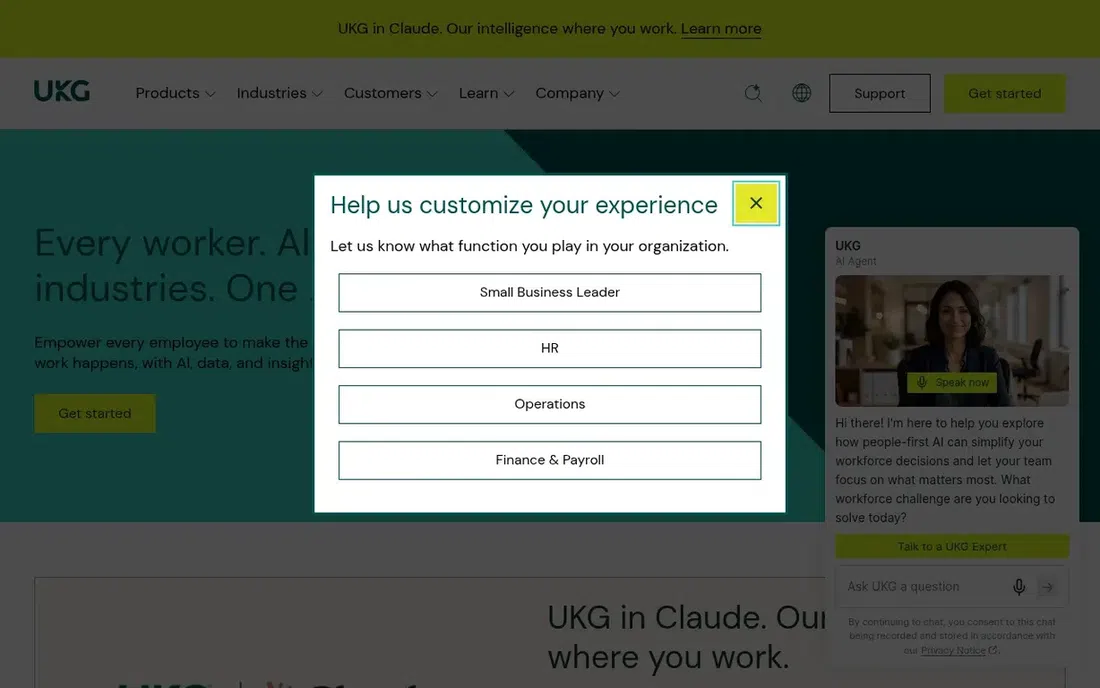
For complicated workforce scheduling and compliance, UKG Workforce Management is a natural candidate. UKG Workforce Management presents itself as a workforce intelligence system that brings HR, payroll and workforce management together. For government contractors juggling several sites, shifts and labor rules, that breadth can help keep scheduling connected to timekeeping and pay.
Honest limits: Likely more than small teams need.
Highlights: Built for modern operational complexity.
It tends to fit bigger or more layered operations where scheduling is one part of a wider workforce strategy instead of a standalone tool. Beyond that, the tradeoff is complexity. A smaller contractor with straightforward shift patterns may find the product heavier than necessary, and implementation typically calls for internal planning. No starting price is listed for UKG Workforce Management here; confirm pricing on the vendor site. As for free access: Not stated.
- Pay and workforce management
- Merges HR
- Setup can need planning effort
When I Work is aimed squarely at straightforward shift scheduling and team messaging. That clarity can suit government contractors with straightforward shift coverage who want supervisors and staff to see schedules without a heavy product. It is a practical fit for teams that value simplicity over deep workforce management configuration.
The main drawbacks: Not a full HR and payroll suite.
Contractors with intricate labor rule requirements or multi-system compliance needs may have to pair it with other tools. For everyday use, because it centers on scheduling and time tracking, it does not replace a full HR and payroll suite. The starting price for When I Work: $2.50 per user per month. Free plan details: Free trial.
- Straightforward for hourly teams
- Schedule shifts and track time in one app
- Less depth for complicated labor rules
Where Sling fits: budget-conscious shift planning and communication. Sling centers on employee shift scheduling and planning, with communication tools that help managers and staff stay aligned. Very complicated multi-site scheduling could also stretch it.
Where it is weaker: Lighter on payroll and HR depth.
On top of that, pick Sling when simple, communicative scheduling is the priority and heavier products would be overkill. The emphasis is on making shift planning simple to run day to day. Entry price for Sling: $1.70 per user per month. Free access exists with Sling.
- Approachable for small teams
- Employee communication built in
- Restricted fit for complicated contract structures
How the list was put together
Selection started from tools commonly considered for employee scheduling software for government contractors, then narrowed to 5 that have clear pricing information or a clear quote process. Prices and plan limits come from vendor pages and can change, so confirm them on the vendor site before you buy. Tools are placed by general fit for employee scheduling software for government contractors, with price clarity and free access as tie-breakers. A different team can reasonably rank them differently.
Before you commit
- Ask UKG Workforce Management for a written quote, since no starting price is shown.
- Check what the free option really includes: Homebase and Sling offer a free plan, and usage caps differ.
- Take the trial from Deputy and When I Work and push a live task through it before you pay.
- Read the limits listed for Homebase first: targeted at smaller companies.
- Test the integrations you rely on with Homebase before committing; some connectors sit on upper tiers.
- Confirm the exact When I Work plan that includes your must-have features.
FAQ
Which options for employee scheduling software for government contractors have a free plan?
Homebase and Sling offer a free plan in this list. Free plans usually cap users, projects or features, so check the limits on the vendor page. Several others offer a trial instead.
Which scheduling tool is a good match for a government contractor new to scheduling software?
Start with Homebase if you need small hourly teams needing scheduling plus payroll. Deputy is the better match for scheduling with labor forecasting features, and UKG Workforce Management for complicated workforce scheduling and compliance. The best choice depends on budget, team size and workflow.
Do these tools publish their prices?
Not all of them. UKG Workforce Management publishes no starting price, so expect a quote request for it. The rest, Homebase included, show a starting price, though seats and billing terms still change the final cost.
How should contractors evaluate scheduling software?
Start with your shift patterns, number of sites and how labor records must be documented. Then check how scheduling links to timekeeping and payroll, and whether audit-friendly records can be exported.
Can I try these tools before paying?
Often, yes. Homebase and Sling have a free plan and Deputy and When I Work offer a free trial. Use your own data and a real task during the test, and check what the free tier or trial limits before you rely on it. Prices, free plan details and limits for all 5 tools in this employee scheduling software for government contractors roundup sit on the individual cards above.
How are the tools for employee scheduling software for government contractors ordered?
The order follows typical fit for employee scheduling software for government contractors, with Homebase first and Sling last, then price clarity and free access. It is editorial judgement, not a score, so another team could rank the tools differently.
Sources
- https://www.joinhomebase.com
- https://www.deputy.com
- https://www.ukg.com
- https://wheniwork.com
- https://getsling.com