7 Best Construction Project Scheduling Software Options for 2026
Best construction project scheduling software in 2026: 7 contenders with entry costs and free tiers. Every pick gets a straight assessment. Decide faster.
- Editor's choice
 Oracle Primavera P6
Schedulers and project controls teams on heavy civil, infrastructure, and energy projects
Starts atPricing on requestVisit oracle.comFull review - Great alternative
 Buildxact
Residential builders and remodelers who estimate before they schedule
Starts at$199/month (Foundation; $169/month billed annually)Visit buildxact.comFull review - Also consider
 Fieldwire
Field crews and foremen coordinating tasks, punch lists, and drawings
Starts at$39/user/month (Pro, billed yearly)Visit fieldwire.comFull review
Direct answer
Oracle Primavera P6 is the first pick on this list for schedulers and project controls teams on heavy civil, infrastructure, and energy projects. Buildxact fits residential builders and remodelers who estimate before they schedule; Fieldwire fits field crews and foremen coordinating tasks, punch lists, and drawings. Details, prices and limits for the rest of the 7 tools are below.
TL;DR:
- Top of the list is Oracle Primavera P6, which targets schedulers and project controls teams on heavy civil, infrastructure, and energy projects.
- Fieldwire comes with a trade-off: scheduling depth is lighter than CPM tools, centred on tasks and short look-aheads instead of full program schedules.
- For Construction teams that plan in spreadsheets and want Gantt, card, and calendar views, Smartsheet is worth a look.
- Just one of the 7 tools, Fieldwire, has a free plan.
- Smartsheet has the lowest monthly starting price in this list: $9/member/month.
Quick comparison
| Tool | Best for | Starts at | Free plan? | |
|---|---|---|---|---|
| Oracle Primavera P6 | Schedulers and project controls teams on heavy civil, infrastructure, and energy projects | Pricing on request | No | Visit |
| Buildxact | Residential builders and remodelers who estimate before they schedule | $199/month (Foundation; $169/month billed annually) | Free trial (14 days) | Visit |
| Fieldwire | Field crews and foremen coordinating tasks, punch lists, and drawings | $39/user/month (Pro, billed yearly) | Yes | Visit |
 Procore | General contractors, owners, and specialty contractors on complicated commercial projects | Pricing on request (annual fee by product and construction volume) | No | Visit |
 Contractor Foreman | Small contractors wanting estimating, scheduling, and job costing in one cheap suite | $49/month (Basic, 1 user, billed yearly) | Free trial (30 days) | Visit |
 Microsoft Project | Teams that require real CPM scheduling without enterprise software budgets | $10/user/month (Planner Plan 1, billed yearly) | Free trial | Visit |
 Smartsheet | Construction teams that plan in spreadsheets and want Gantt, card, and calendar views | $9/member/month (Pro, billed yearly; $12 billed monthly) | Free trial (30 days) | Visit |
Tool-by-tool breakdown
Short on time? The summary and table above give the quick view of 7 tools for construction project scheduling software, and the profiles that follow give the detail behind each entry.
Oracle Primavera P6
Best for: Schedulers and project controls teams on heavy civil, infrastructure, and energy projects
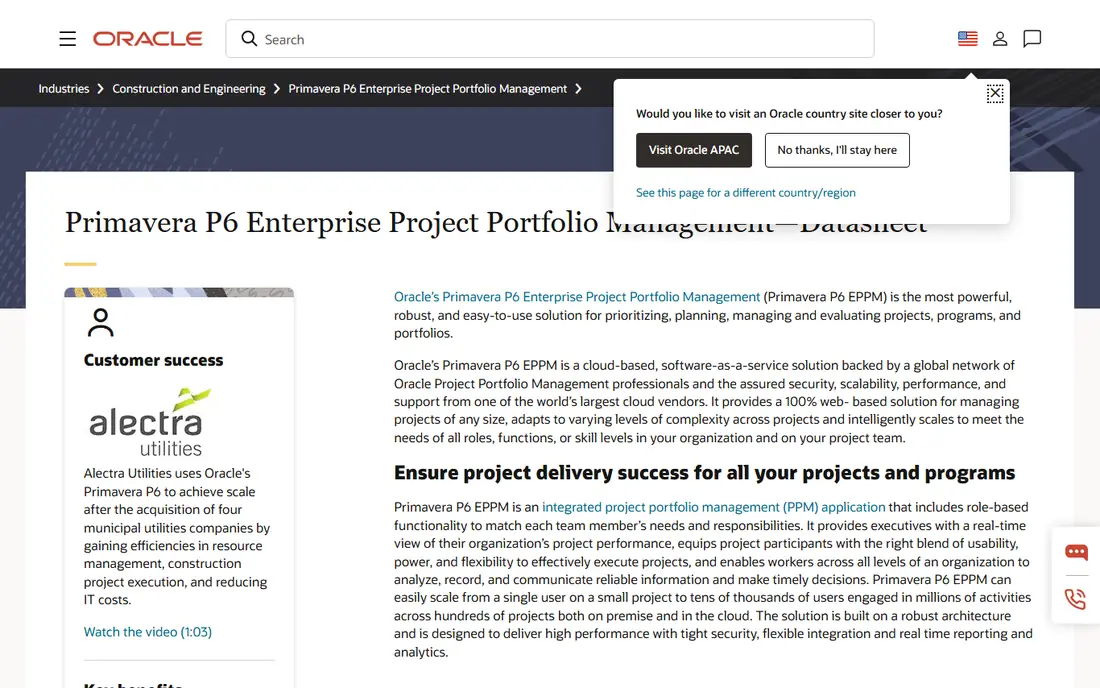
Oracle Primavera P6 makes the most sense for schedulers and project controls teams on heavy civil, infrastructure, and energy projects. It deals with true CPM scheduling with resource leveling, baselines, portfolio management.
Where it is weaker: The interface and workflow assume trained schedulers, so general contractors without a planning team will struggle.
The kind of multi-project analysis that owners and EPC businesses need on very large programs. Price to start with Oracle Primavera P6: Pricing on request. No free plan comes with Oracle Primavera P6.
Highlights: Deep integration with Oracle ERP and enterprise reporting.
- The industry standard for critical-path scheduling on large
- Complicated programs, with resource leveling and multi-project portfolios
- Enterprise pricing with no published numbers and a sales-led buying process
Buildxact
Best for: Residential builders and remodelers who estimate before they schedule

Buildxact is built with residential builders and remodelers who estimate before they schedule in mind. Buildxact starts where most scheduling tools stop: the estimate. On top of that, for residential builders who bid constantly, that estimate-to-schedule chain removes the spreadsheet handoff where plenty of scheduling errors begin.
Drawbacks to consider: not on Foundation or the free Go plan.
More specifically, pricing is flat per company with unlimited users, and annual billing saves 15 percent with a 12-month commitment. Beyond that, the scheduling itself is honest but not deep. Digital takeoffs feed quantities into the estimate, dealer integration keeps material costs current. The approved estimate converts into purchase orders and a schedule without re-entry. You get schedules and job management, but not the RFI, submittal, and multi-trade coordination workflows that commercial GCs need. Price to start with Buildxact: $199/month. Free plan details: Free trial (14 days).
- Live dealer and supplier pricing feeds into bids
- Scheduling share one dataset, so the schedule builds straight from the approved estimate
- Schedules start on the $399/month Pro plan ($339 billed yearly)
Fieldwire
Best for: Field crews and foremen coordinating tasks, punch lists, and drawings

Pick Fieldwire if this describes you: field crews and foremen coordinating tasks, punch lists, and drawings. Fieldwire is the only tool here that started on the jobsite and worked its way back to the office. Be clear about what it is not.
Where it is weaker: Estimating, budgeting; concentrated on tasks and short look-aheads instead of full program schedules.
Also, estimating and job costing are thin until the top tier. In daily use, pair it with a planning tool if your schedules need critical-path math. In daily use, premium levels add sheet compare, custom forms, a BIM viewer, and, on Business Plus, RFIs, submittals, change orders, and budgets. Everything is per user a month with no contracts, and the account owner can adjust the plan at any time. Price to start with Fieldwire: $39/user/month. Fieldwire offers a free plan.
- Offline access made for the jobsite
- Per-user pricing with no long-term contracts
- Scheduling depth is lighter than CPM tools
Procore
Best for: General contractors, owners, and specialty contractors on complicated commercial projects
Procore is a good fit for general contractors, owners, and specialty contractors on complicated commercial projects. Procore is the system GCs buy when a project has more stakeholders than the office has people to manage them.
Where it falls short: No published pricing.
In daily use, a five-person residential shop will pay enterprise money for depth it will never use. The pricing model is unusual in this market: Procore charges an upfront annual fee by product, based on your annual construction volume, and does not charge for adding users. Procore starts at: Pricing on request. Procore does not include a free plan.
- 400-plus integrations including major accounting and ERP systems
- Invoicing tools in one system
- Implementation takes real effort, with dedicated onboarding that smaller teams may find heavy
Contractor Foreman
Best for: Small contractors wanting estimating, scheduling, and job costing in one cheap suite
Contractor Foreman makes the most sense for small contractors wanting estimating, scheduling, and job costing in one cheap suite. Contractor Foreman is the value play: a wide construction management suite for the price of one project-management seat elsewhere. From a buyer's view, the $49 Basic plan, billed yearly for one user, comes with scheduling, estimates, daily logs, time cards, invoices, and document management, which is more coverage than tools costing multiple times as much.
Worth adding: user caps per level mean an expanding crew moves up the pricing ladder, so ask for the level that suits your headcount before you sign. Worth adding: higher levels add more users, crew scheduling, the client portal, and QuickBooks integrations. Entry price for Contractor Foreman: $49/month. Trial and free access: Free trial (30 days).
The main drawbacks: The Basic level spans one user, so teams step up to higher levels rapidly.
- Time cards
- Scheduling, estimates
- Reporting customization is limited
Microsoft Project
Best for: Teams that require real CPM scheduling without enterprise software budgets
Microsoft Project serves teams that require real CPM scheduling without enterprise software budgets. Planner Plan 1 at $10 per user a month, premium yearly, layers on the timeline Gantt view and task dependencies to the Planner experience inside Microsoft 365, with a one-month free trial. If your company already pays for Microsoft 365 and your scheduling needs are planning-heavy instead of field-heavy, this is the value buy of the category.
Upsides: the rest of Microsoft 365.
Downsides: Collaboration is weaker than cloud-native tools; change orders need workarounds or extras. Step up to Planner and Project Plan 3 at $30 and you get the Project desktop client, baselines, critical path, and resource management, which is still far less than any enterprise construction system. Note that Microsoft retired Project Online, the older web portfolio service, on 30 September 2026; Planner and the Project desktop client continue. As for the details, teams pair it with SharePoint, Excel, or a field tool like Fieldwire to include the jobsite. There is no native daily log, no punch list, no RFI workflow, and no field mobile app worth the name. Microsoft Project pricing: $10/user/month. Free options: Free trial.
- Deep integration with Teams, SharePoint
- Genuine critical-path scheduling, baselines
- The full desktop experience sits on the $30/month Plan 3 level
Smartsheet
Best for: Construction teams that plan in spreadsheets and want Gantt, card, and calendar views
Think of Smartsheet for Construction teams that plan in spreadsheets and want Gantt, card, and calendar views. Smartsheet is a spreadsheet that grew a Gantt chart, and construction teams that live in Excel tend to adopt it quick. From a buyer's view, the Pro plan at $9 per member per month, billed annually, includes teams of 1 to 10 members, with a 30-day free trial and no credit card.
Honest limits: Construction depth (daily logs, punch lists, takeoffs) needs templates or integrations instead of coming built in.
Worth adding: watch the level boundaries. Business costs $19 per member a month, billed annually, with a three-member minimum, and Resource Management is a premium add-on there instead of part of the base plan. As for the details, you build the schedule in a familiar grid, then flip it into Gantt, card, or calendar views for the crew and the client. On cost, Smartsheet starts like this: $9/member/month. On free options: Free trial (30 days).
- No-code automations for reminders, approvals
- Gantt, card, calendar
- Pro is capped at 10 members and lacks resource management, which is a premium add-on even on the $19 Business level
How we compared the tools
The comparison looks at four things: starting price, free access, how well the feature set matches construction project scheduling software, and the main limit of each tool. Treat prices as a snapshot: vendors change plans often, so check the vendor site for the figure that applies today. Order on the page follows fit for the typical buyer first, then price transparency and free access. Your own requirements should decide the final pick.
Pre-purchase checklist
- Prices are a starting point; Smartsheet shows $9/member/month to start, so verify what your seat count would cost.
- Look at the free plan from Fieldwire closely: its caps decide whether it is usable for real work.
- Use real work to test the free trial from Buildxact, Contractor Foreman, Microsoft Project and Smartsheet, rather than a demo project.
- Read the limits listed for Oracle Primavera P6 first: enterprise pricing with no published numbers and a sales-led buying process.
- Find out whether the entry plan of Fieldwire covers your must-haves or only a trimmed-down version.
- List the apps you already depend on and check that Smartsheet supports each one on the plan you would buy.
FAQ
How are the tools for construction project scheduling software ordered?
The order follows typical fit for construction project scheduling software, with Oracle Primavera P6 first and Smartsheet last, then price clarity and free access. It is editorial judgement, not a score, so another team could rank the tools differently.
Do these tools publish their prices?
Yes. Every tool from Oracle Primavera P6 to Smartsheet shows a starting price, though seats, add-ons and billing terms still change the final cost.
What is the best construction scheduling software for a small contractor?
The first pick on this list is Oracle Primavera P6, because it suits schedulers and project controls teams on heavy civil, infrastructure, and energy projects. Buildxact is better for residential builders and remodelers who estimate before they schedule, and Fieldwire for field crews and foremen coordinating tasks, punch lists, and drawings. Check price and limits against your own needs before choosing.
Can I try these options before paying?
Often, yes. Fieldwire has a free plan and Buildxact, Contractor Foreman, Microsoft Project and Smartsheet offer a free trial. Use your own data and a real task during the test, and check what the free tier or trial limits before you rely on it.
Which options for construction project scheduling software have a free plan?
Fieldwire is the only tool in this list with a free plan. Free plans usually cap users, projects or features, so check the limits on the vendor page. Several others offer a trial instead.
Sources
- https://www.oracle.com/construction-engineering/primavera-p6/datasheet/
- https://buildxact.com/
- https://www.fieldwire.com/
- https://www.procore.com/
- https://contractorforeman.com/
- https://www.microsoft.com/en/microsoft-365/project/microsoft-project-enterprise-plans-and-pricing
- https://www.smartsheet.com/pricing