Electrician Scheduling Software: 6 Options Side by Side (2026)
Best electrician scheduling software: 6 contenders ranked by fit, with entry costs and free tiers. The catches are listed up front. Read before you buy.
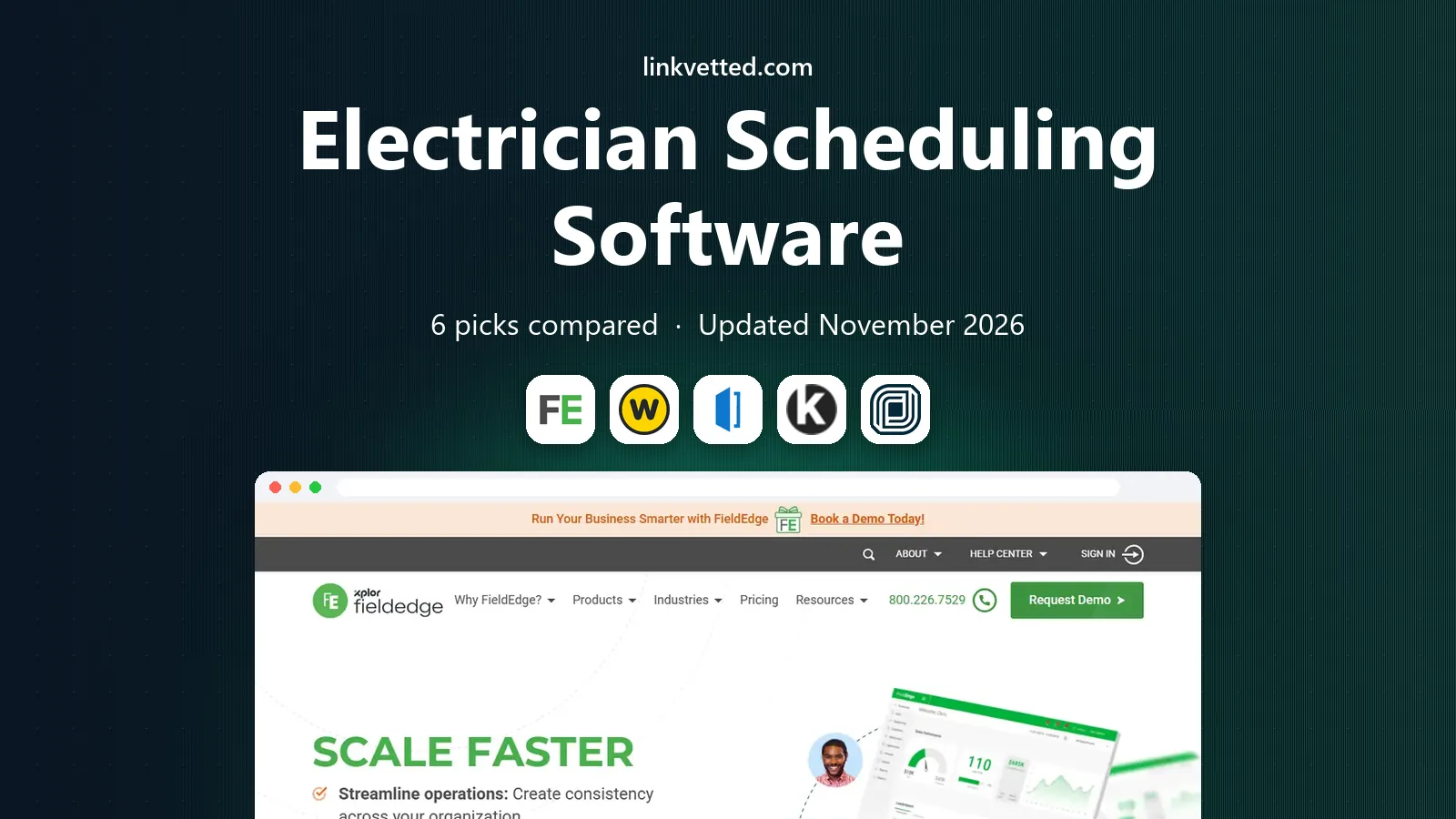
- Editor's choice
 FieldEdge
Mid-size electrical businesses that use QuickBooks
Starts atQuote, third-party reports about 100 to 125 dollars per user a monthVisit fieldedge.comFull review - Great alternative
 Workiz
Electrical businesses that want a built-in phone system
Starts atQuote, third-party reports 225 to 325 dollars per month for five usersVisit workiz.comFull review - Also consider
 Housecall Pro
Residential electrical teams that want route planning and flat-rate pricing
Starts at59 dollars a month billed annually, or 79 dollars a month billed per month, for one userVisit housecallpro.comFull review
TL;DR:
- This list starts with FieldEdge, which is built for mid-size electrical businesses that use QuickBooks.
- FieldEdge, ServiceTitan and the 4 others all need a premium plan or a trial, since no free plan is listed.
- Housecall Pro comes with a trade-off: numerous handy extras, like the AI receptionist, campaigns, and vehicle GPS, cost additional and have no published price.
- ServiceTitan is the one to check for large high-volume electrical businesses.
Direct answer
For mid-size electrical businesses that use QuickBooks, FieldEdge is where this list starts. Workiz fits electrical businesses that want a built-in phone system; Housecall Pro fits residential electrical teams that want route planning and flat-rate pricing. Details, prices and limits for the rest of the 6 tools are below.
Quick comparison
| Tool | Best for | Starts at | Free plan? | |
|---|---|---|---|---|
| FieldEdge | Mid-size electrical businesses that use QuickBooks | Quote, third-party reports about 100 to 125 dollars per user a month | No | Visit |
| Workiz | Electrical businesses that want a built-in phone system | Quote, third-party reports 225 to 325 dollars per month for five users | Free trial (7 days) | Visit |
| Housecall Pro | Residential electrical teams that want route planning and flat-rate pricing | 59 dollars a month billed annually, or 79 dollars a month billed per month, for one user | Free trial (14 days) | Visit |
 Kickserv | Small electrical teams on a budget | 60 dollars a month for five users | Free trial (30 days) | Visit |
 Jobber | Small and expanding electrical businesses | 49 dollars a month billed per month, or 29 dollars a month billed yearly, for one user | Free trial (14 days) | Visit |
 ServiceTitan | Large high-volume electrical businesses | Quote, third-party reports 245 to 500 dollars per technician per month | No | Visit |
Electrician Scheduling Software profiles
This LinkVetted guide covers 6 options for electrician scheduling software. Each profile lists a starting price, free plan details, strengths and drawbacks, so you can drop poor fits quickly.

Where FieldEdge fits: mid-size electrical businesses that use QuickBooks. FieldEdge has served HVAC, plumbing, and electrical businesses for numerous years, and its QuickBooks sync is one of its most solid features.
Downsides: no native GPS tracking or review management, so some businesses add separate tools.
In daily use, service agreements help businesses track maintenance visits and renewal dates. FieldEdge pricing: Quote, third-party reports about 100 to 125 dollars per user per month. FieldEdge has no permanent free option.
- Flat-rate price book
- Solid QuickBooks sync
- No published pricing, no free trial
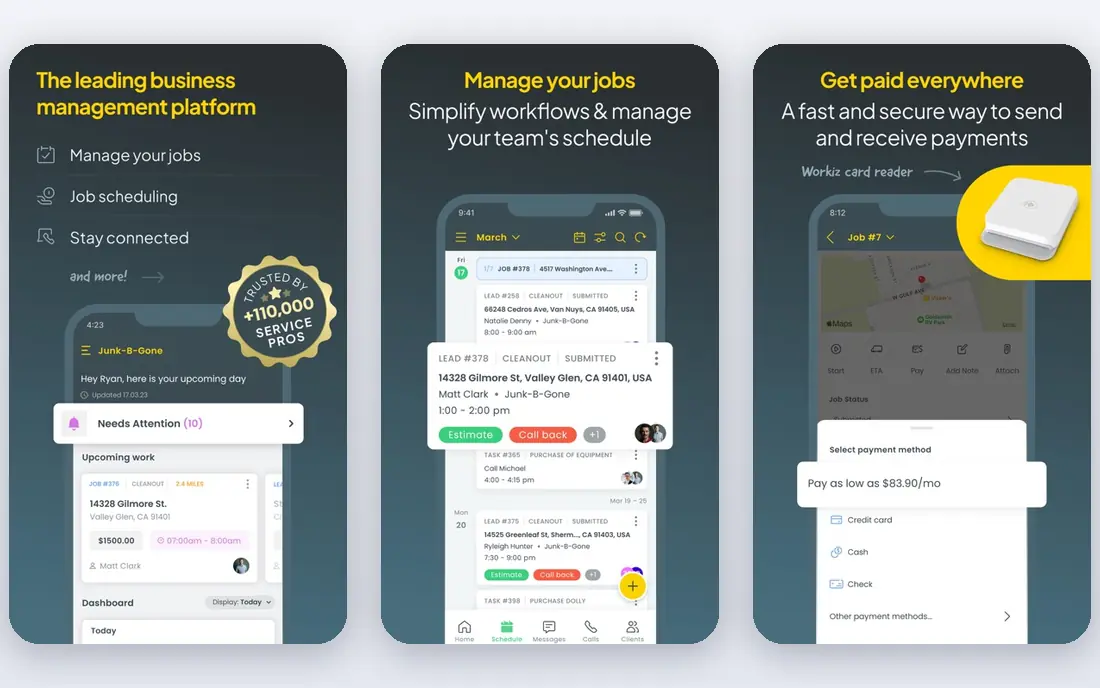
Think of Workiz for electrical businesses that want a built-in phone system. Workiz stands out for electricians who miss calls and lose jobs since the phone is busy. In practice, the built-in phone system brings call tracking and two-way texting, so the office can see which calls turned into booked jobs.
Scheduling is clear, with drag-and-drop moves, online booking, and automatic reminders. For everyday use, estimates and invoices flow from the same job record, with QuickBooks sync. Price to start with Workiz: Quote, third-party reports 225 to 325 dollars per month for five users. Trial and free access: Free trial (7 days).
Where it is weaker: additional users cost about 55 to 65 dollars a month each.
What works well: invoice automation.
- Online booking
- Drag-and-drop scheduling
- Base price is hidden behind a quote
Housecall Pro
Best for: Residential electrical teams that want route planning and flat-rate pricing

Housecall Pro targets residential electrical teams that want route planning and flat-rate pricing. The schedule presents jobs by electrician and by area, and the MAX plan brings route optimisation to cut drive time.
What users get: job costing in one flow.
Downsides: like the AI receptionist, campaigns, vehicle GPS. Also, the primary drawback is the add-on cost, since multiple tools that look central are sold separately. Housecall Pro cost at the entry level: 59 dollars per month billed annually, or 79 dollars per month billed. Trial and free access: Free trial (14 days).
- Route planning
- A flat-rate price book
- Cost additional and have no published price
Choose Kickserv for small electrical teams on a budget. The Start plan comes with scheduling, estimates, invoicing, customer records, time tracking, and QuickBooks Online sync for five users at 60 dollars per month. That flat rate makes budgeting straightforward for a small crew.
The Run plan brings dispatch mapping, GPS check-ins, and custom reports, which help when the team grows. The central limits are the missing two-way texting and the weak mobile app. The starting price for Kickserv: 60 dollars per month for five users. As for free access: Free trial (30 days).
Honest limits: No two-way texting on any plan.
- Low flat rate for five users, scheduling, estimates, invoicing, reminders
- QuickBooks Online sync
- QuickBooks Desktop sync costs an additional 50 dollars a month on the Run plan
Jobber was built for small and expanding electrical businesses. A dispatcher can drag a job to a new electrician, send a reminder, and update the customer without leaving the calendar. On top of that, Jobber performs well for electricians since the daily schedule is simple to read and simple to change.
Watch-outs: the cost rises quick as you add users and team levels.
Also, the central limits are the level gates, since handy features for example two-way texting sit on higher plans. As for the details, invoices can be sent from the field, and customers can pay by card or bank transfer. Quotes can bundle photos and markups, which helps for panel work and bigger installs. The starting price for Jobber: 49 dollars per month billed monthly, or 29 dollars per month billed. On free options: Free trial (14 days).
- Clear drag-and-drop scheduling, quoting, invoicing
- Job costing in one system
- Two-way texting is not included on the Core plan
For large high-volume electrical firms, ServiceTitan is a natural candidate. A large electrical firm can run numerous electricians and plenty of vans without losing track of who is where.
As for the details, the trade-off is cost and complexity, since implementation can cost thousands of dollars and onboarding can take months. The starting price for ServiceTitan: Quote, third-party reports 245 to 500 dollars per technician per month. ServiceTitan has no free tier.
What users get: in-depth reporting for large teams.
Downsides: a 12-month minimum contract with no month-to-month choice.
- Solid dispatch board
- Tiered price book
- High quote-based cost, steep ramp-up time, long onboarding
Worth knowing about electrician scheduling software
The scheduling and dispatch features that matter most for electricians are a live dispatch board, drag-and-drop rescheduling, route planning, and live job status updates. In practice, a live board displays every electrician, every job. Every time slot in one place, so the office can move work when an emergency call comes in.
Finally, check the calendar view on a phone, since a tool that looks clear on a desktop can feel cramped on a small screen in a van.
A closer look at electrician scheduling software
Electricians should avoid choosing scheduling software on price alone, since the cheapest plan frequently lacks the dispatch, quoting, or invoicing tools an expanding firm needs, and that results in a second purchase within a year. Another mistake is buying a large enterprise product for a two-person firm, since setup can take weeks and the per-technician cost can exceed the value of the additional features. Test it with a full week of real bookings, including an emergency call and a rescheduled job.
Electrician Scheduling Software: the basics
Electrician scheduling software helps a busy electrical firm by putting every job, electrician, van, and customer message on one shared calendar. Also, a dispatcher can see who is free, who is nearby, and which jobs are running late without calling each electrician. The schedule links to quotes and invoices, so a booked job does not have to be retyped three times.
For the owner, reporting displays booked hours, completed jobs, quote conversion, and free invoices, so it is simpler to spot gaps in the diary, balance workloads, and plan hiring.
How we compared the tools
LinkVetted used vendor pricing pages and product documentation as the base, then compared plans, free access and documented limits for 6 tools. Prices and plan limits come from vendor pages and can change, so confirm them on the vendor site before you buy. Tools are placed by general fit for electrician scheduling software, with price clarity and free access as tie-breakers. A different team can reasonably rank them differently.
What to confirm before you sign up
- Confirm the entry price on the vendor page for FieldEdge and the others: seat counts and billing terms change the total.
- Run a trial of Workiz, Housecall Pro, Kickserv and Jobber with real work before paying for a year; your own workflow is the best test.
- Read the limits listed for FieldEdge first: no published pricing, no free trial, and no native GPS tracking or review management, so some businesses add separate tools.
- Run a one or two week pilot of ServiceTitan with the people who will use it every day.
- The entry price of FieldEdge is only the starting point; model the full cost with seats and extras.
FAQ
How do I choose the best electrician scheduling software for a small firm?
FieldEdge comes first here and is built for mid-size electrical businesses that use QuickBooks. Buyers with other needs may prefer Workiz (for electrical businesses that want a built-in phone system) or Housecall Pro (for residential electrical teams that want route planning and flat-rate pricing). Compare costs and limits first.
Does any tool for electrician scheduling software here have a free plan?
No tool in this list, FieldEdge and ServiceTitan included, has a permanent free plan. Workiz, Housecall Pro, Kickserv, Jobber offer a trial. Trials and quotes are the usual route, so plan a short evaluation period.
How are the tools for electrician scheduling software ordered?
FieldEdge sits first and ServiceTitan last because the order follows typical fit for electrician scheduling software, then price clarity and free access. It is a judgement call, so read each profile for fit and limits.
Can I try these options before paying?
Often, yes. Workiz, Housecall Pro, Kickserv and Jobber offer a free trial. Use your own data and a real task during the test, and check what the free tier or trial limits before you rely on it.
Do these tools publish their prices?
Yes. Every tool from FieldEdge to ServiceTitan shows a starting price, though seats, add-ons and billing terms still change the final cost.