Best Employee Scheduling Software for Contractors in 2026: Prices, Free Plans and 6 Picks
6 best employee scheduling software for contractors, with entry costs, free tiers and the buyer each one serves. Read the caveats before you buy. No hype.
- Editor's choice
 Jobber
Small service teams quoting and scheduling
Starts atSee websiteVisit getjobber.comFull review - Great alternative
 Homebase
Hourly team scheduling and time clocks
Starts at$30 per location a monthVisit joinhomebase.comFull review - Also consider
 When I Work
Shift scheduling and team messaging
Starts at$2.50 per user per monthVisit wheniwork.comFull review
Direct answer
For small service teams quoting and scheduling, Jobber is where this list starts. Listed starting prices: Homebase from $30 per location a month, When I Work from $2.50 per user per month and Housecall Pro from $59 per month. Look at Homebase for hourly team scheduling and time clocks, and at When I Work for shift scheduling and team messaging. The other 3 tools in the list cover narrower or pricier cases.
TL;DR:
- Number one here is Jobber, a fit for small service teams quoting and scheduling.
- Only Homebase offers a free plan among these 6 tools.
- The cheapest monthly starting price in the list is $2.50 per user per month, offered by When I Work.
- Kickserv suits managing jobs, customers and payments.
- ServiceTitan comes with a trade-off: wide suite may overwhelm small crews.
Last checked November 2026. Prices and plan details were read from the vendors' own pages in November 2026; vendors change plans often, so confirm the current price on the vendor site before you buy.
Quick comparison
| Tool | Best for | Starts at | Free plan? | |
|---|---|---|---|---|
| Jobber | Small service teams quoting and scheduling | See website | Not stated | Visit |
| Homebase | Hourly team scheduling and time clocks | $30 per location a month | Yes | Visit |
| When I Work | Shift scheduling and team messaging | $2.50 per user per month | Free trial | Visit |
 ServiceTitan | Home and commercial trades dispatch | See website | Free trial | Visit |
 Housecall Pro | Home service business management | $59 per month | Free trial | Visit |
 Kickserv | Managing jobs, customers and payments | $60 a month | Free trial | Visit |
Every option for employee scheduling software for contractors explained
This LinkVetted guide covers 6 employee scheduling software for contractors. Each profile lists a starting price, free plan details, strengths and drawbacks, so you can drop poor fits quickly.
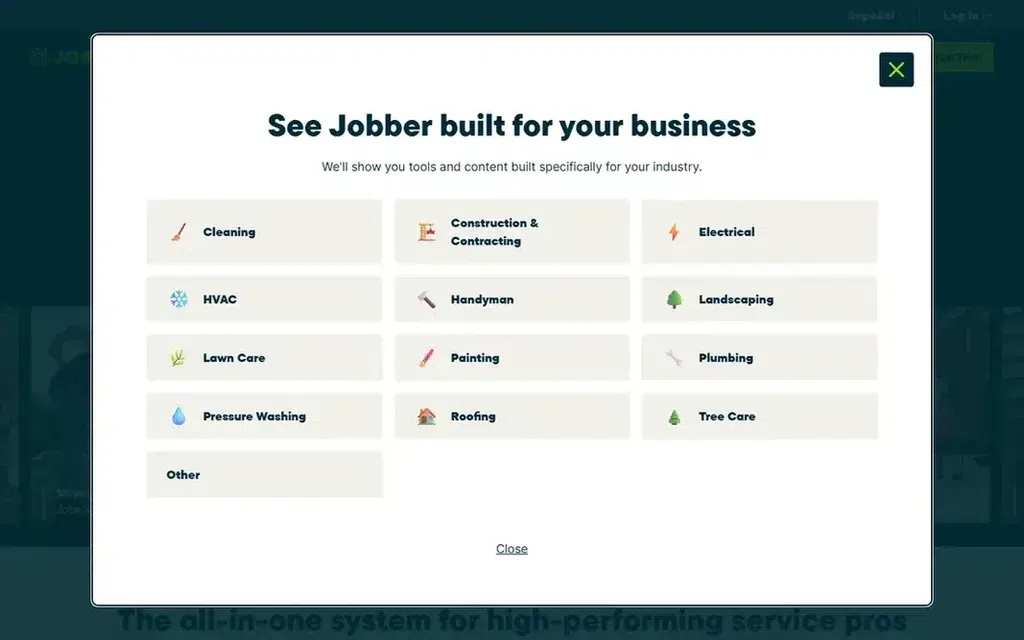
Jobber was built for small service teams quoting and scheduling. Jobber presents itself as home and commercial service software for organizing a service business, letting teams quote, schedule, invoice and get premium in one place. Its easy-to-use app is positioned to power sales, operations and customer service.
Reasons to shortlist it: schedule and invoice together.
Watch-outs: not pure shift planning.
Verify current capabilities on the vendor site. In practice, Jobber is oriented around service jobs instead of hourly staff rosters, so companies whose central need is shift scheduling for employees may prefer a dedicated workforce app. Jobber shows no starting price here, so confirm the cost on the vendor site. Free plan details: Not stated.
- Quote
- Easy-to-use app
- Feature depth varies by business size
Homebase is aimed squarely at hourly team scheduling and time clocks. Confirm which capabilities your crew needs on the vendor site before deciding.
Where it falls short: Not a field service dispatch tool.
The starting price for Homebase: $30 per location per month. A free plan is available with Homebase.
- Payroll and hiring support
- Build schedules in one app
- Geared to hourly teams
Where When I Work fits: shift scheduling and team messaging. It suits contractors who handle shift-based or site-based crews and want clear schedules plus fast communication.
As for the details, confirm the current feature set on the vendor site before choosing. When I Work starts at: $2.50 per user per month. Free plan details: Free trial.
Where it is weaker: Centred on shift-based work.
- Team messaging built in
- Time tracking included
- No field service dispatch

Choose ServiceTitan for home and commercial trades dispatch. Confirm module details on the vendor site. From a buyer's view, if you chiefly need hourly employee shifts instead of field service dispatch, a dedicated scheduling app may be a better fit.
Where ServiceTitan stands out: Manages service visits and projects.
On top of that, ServiceTitan is an all-in-one software product made for home and commercial contractors, targeted at keeping service visits and construction projects running smoothly. Worth adding: since it targets home and commercial trades broadly, smaller operations may find the scope heavier than needed for straightforward shift scheduling. Pricing for ServiceTitan is not stated here, so ask the vendor for current figures. Free options: Free trial.
Drawbacks to consider: Setup demands planning.
- Built for contractors
- All-in-one trade software
- Wide suite may overwhelm small crews

Housecall Pro works best for home service business management. Its home services orientation means companies outside that space, or those needing only employee shift scheduling, may find it mismatched.
Check the vendor site for current feature details. In practice, contractors with highly specialized dispatch needs should confirm the workflow suits before committing. Entry price for Housecall Pro: $59 per month. As for free access: Free trial.
Trade-offs to know: Home services focus only.
- Aimed at home service firms
- Widely used by field professionals
- Feature set geared to service calls
Kickserv is aimed squarely at managing jobs, customers and payments. Kickserv is field service management software that supplies management of jobs, customers, communication and payments for home service companies. More specifically, teams that send invoices and collect payments around scheduled jobs get those pieces in one place.
For everyday use, very large operations with complicated dispatch layers should confirm depth before adopting. As for the details, Kickserv centers on field service jobs, so organizations needing in-depth hourly employee scheduling and time clocks may need a separate workforce tool. In practice, review current capabilities on the vendor site. The starting price for Kickserv: $60 per month. Free access: Free trial.
Honest limits: Less emphasis on employee shifts.
- Job and customer management
- Payment handling included
- Narrower than full trade suites
How we built this list
Things to verify first
- Get a written quote from Jobber and ServiceTitan; the list shows no starting price for them.
- Look at the free plan from Homebase closely: its caps decide whether it is usable for real work.
- Run a trial of When I Work, ServiceTitan, Housecall Pro and Kickserv with real work before paying for a year; your own workflow is the best test.
- Before choosing Jobber, weigh its main limit: field service focus, not pure shift planning.
- Before rolling out Jobber, verify the integrations your workflow depends on.
- Let daily users try When I Work on real work; their feedback beats any feature checklist.
FAQ
Which options for employee scheduling software for contractors have a free plan?
Homebase is the only tool in this list with a free plan. Free plans usually cap users, projects or features, so check the limits on the vendor page. Several others offer a trial instead. All 6 picks in this employee scheduling software for contractors comparison list a starting price, free plan details and the main limits on their cards above.
Do these tools publish their prices?
Not all of them. Jobber and ServiceTitan publish no starting price, so expect a quote request for those. The rest, Homebase included, show a starting price, though seats and billing terms still change the final cost.
Is Jobber the right pick for everyone comparing employee scheduling software for contractors?
No single tool suits every team. Jobber comes first because it fits small service teams quoting and scheduling, while Homebase suits hourly team scheduling and time clocks and When I Work suits shift scheduling and team messaging. Match the tool to your own size, budget and workflow before deciding.
Can I try these tools before paying?
Often, yes. Homebase has a free plan and When I Work, ServiceTitan, Housecall Pro and Kickserv offer a free trial. Use your own data and a real task during the test, and check what the free tier or trial limits before you rely on it.
Sources
- https://www.getjobber.com
- https://www.joinhomebase.com
- https://wheniwork.com
- https://www.servicetitan.com
- https://www.housecallpro.com
- https://www.kickserv.com