Choosing Email Encryption Software for Small Business in 2026: 5 Options Compared
5 tools for the best email encryption software for small business, compared on pricing, free plans and best-fit use. Every pick gets a straight assessment.
- Editor's choice
 Barracuda Email Protection
Layered email and network security
Starts atSee websiteVisit barracuda.comFull review - Great alternative
 Virtru
Standalone end-to-end encryption
Starts at$119 per monthVisit virtru.comFull review - Also consider
 Paubox
HIPAA compliant healthcare email
Starts atSee websiteVisit paubox.comFull review
Direct answer
Start with Barracuda Email Protection if you need layered email and network security. Listed starting prices: Virtru from $119 per month. Virtru is better for standalone end-to-end encryption, and Paubox is better for HIPAA compliant healthcare email. Details, prices and limits for the rest of the 5 tools are below.
TL;DR:
- This list starts with Barracuda Email Protection, which is built for layered email and network security.
- Starting prices begin at $119 per month with Virtru.
- Proofpoint Email Protection is the one to check for threat-focused email security programs.
- Just one of the 5 tools, Paubox, has a free plan.
Last checked November 2026. Prices and plan details were read from the vendors' own pages in November 2026; vendors change plans often, so confirm the current price on the vendor site before you buy.
Quick comparison
| Tool | Best for | Starts at | Free plan? | |
|---|---|---|---|---|
| Barracuda Email Protection | Layered email and network security | See website | Free trial | Visit |
| Virtru | Standalone end-to-end encryption | $119 per month | No | Visit |
| Paubox | HIPAA compliant healthcare email | See website | Yes | Visit |
| Microsoft 365 Message Encryption | Teams already using Microsoft email | See website | Not stated | Visit |
| Proofpoint Email Protection | Threat-focused email security programs | See website | Not stated | Visit |
Email Encryption Software for Small Business compared in detail
LinkVetted compared 5 tools for email encryption software for small business. The goal is a practical shortlist: published prices, free plan facts, best-fit use cases and honest limits for every entry.
Barracuda Email Protection makes the most sense for layered email and network security. Barracuda Email Protection is part of a cybersecurity portfolio the vendor describes as handling email, application, network and data protection.
In daily use, since the portfolio spans multiple product areas, choosing the right combination takes planning, and very small teams may prefer a single more straightforward tool. This comparison lists no price for Barracuda Email Protection; ask the vendor. Trial and free access: Free trial.
What works well: Includes protection beyond encryption alone.
Trade-offs to know: Needs planning to match the right modules.
- Email, app
- Network and data protection portfolio
- Several products can complicate selection
Choose Virtru for standalone end-to-end encryption. Choose Virtru when cross-provider, end-to-end control is the priority.
Virtru offers a data protection system the vendor describes as delivering end-to-end encryption and access control for email, files and apps, used by enterprise and defense organizations. More specifically, for small firms, it gives you encryption that travels with the message regardless of the underlying email provider. Entry price for Virtru: $119 per month. Virtru has no free plan.
Main advantages: End-to-end encryption for email.
Trade-offs to know: Brings a separate layer to handle.
- Files and apps
- Works alongside typical email providers
- Recipient experience needs planning
Paubox targets HIPAA compliant healthcare email. The product is oriented toward healthcare compliance, so general companies may not need its specific focus.
On top of that, confirm that your workflow and recipient expectations match the vendor's approach. Small healthcare practices and related firms that exchange protected health information can use it to keep messages encrypted without burdening patients. Paubox shows no starting price here, so confirm the cost on the vendor site. You can start on Paubox without paying.
The main drawbacks: Narrow healthcare-oriented focus.
- No portals or passcodes for recipients
- Straightforward setup described by the vendor
- Less suited to general business use
Microsoft 365 Message Encryption
Best for: Teams already using Microsoft email
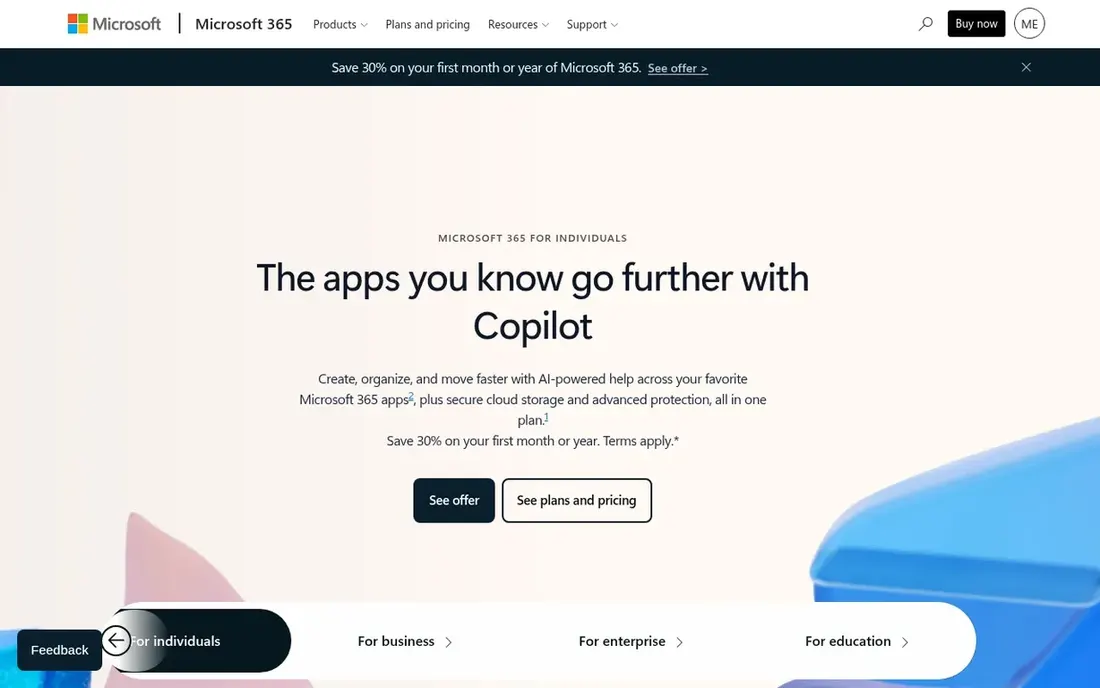
Microsoft 365 Message Encryption works best for teams already using Microsoft email. Microsoft 365 Message Encryption is part of the broader Microsoft 365 suite of productivity apps and cloud services, which the vendor describes as offering world-class security and AI capabilities. Beyond that, the central limit is ecosystem dependence: teams on Google or mixed environments may find the controls less natural, and available encryption features can vary by subscription.
More specifically, if you need a standalone encryption layer that works across providers, a dedicated tool for example Virtru may suit you better. Confirm which capabilities your specific subscription bundles before committing. No starting price is listed for Microsoft 365 Message Encryption here; confirm pricing on the vendor site. On free options: Not stated.
Points against: Configuration relies on subscription setup.
- Suits existing productivity and cloud workflows
- Security features bundled with the suite
- Best value only inside the Microsoft ecosystem
Proofpoint Email Protection
Best for: Threat-focused email security programs

For threat-focused email security programs, Proofpoint Email Protection is a natural candidate. If you primarily need straightforward message encryption for staff, a suite-native choice for example Microsoft 365 Message Encryption is more straightforward.
The system is designed for organizations with security resources, so very small teams may find the scope heavier than required. Beyond that, evaluate whether the added security breadth matches your actual risk profile. Check the vendor site for Proofpoint Email Protection pricing; none is listed in this comparison. Free options: Not stated.
Where it is weaker: Targeted at security-mature organizations.
- Data and AI security in one product
- Wide email and collaboration security coverage
- Can be more than a small team needs
How the list was put together
The comparison looks at four things: starting price, free access, how well the feature set matches email encryption software for small business, and the main limit of each tool. Treat prices as a snapshot: vendors change plans often, so check the vendor site for the figure that applies today. We ordered the tools by general fit, then by how clearly pricing is shown, then by free access. A buyer with unusual needs may reorder them.
Things to verify first
- Confirm the entry price on the vendor page. For Barracuda Email Protection, Paubox, Microsoft 365 Message Encryption and Proofpoint Email Protection that means a quote rather than a fixed price.
- Test the free plan from Paubox against your real workload before relying on it.
- Run a trial of Barracuda Email Protection with real work before paying for a year; your own workflow is the best test.
- Read the limits listed for Barracuda Email Protection first: several products can complicate selection.
- Ask Proofpoint Email Protection which support channels and response times come with the plan you would buy.
- Let daily users try Paubox on real work; their feedback beats any feature checklist.
FAQ
Is Barracuda Email Protection the right pick for everyone comparing email encryption software for small business?
No single tool suits every team. Barracuda Email Protection comes first because it fits layered email and network security, while Virtru suits standalone end-to-end encryption and Paubox suits HIPAA compliant healthcare email. Match the tool to your own size, budget and workflow before deciding.
Which options for email encryption software for small business have a free plan?
Paubox is the only tool in this list with a free plan. Free plans usually cap users, projects or features, so check the limits on the vendor page. One other tool offers a trial instead.
Can I try these tools before paying?
Often, yes. Paubox has a free plan and Barracuda Email Protection offers a free trial. Use your own data and a real task during the test, and check what the free tier or trial limits before you rely on it.
How do recipients read encrypted email?
It relies on the tool. Some deliver encrypted messages straight to the inbox, whereas others use a portal or passcode. Paubox, for instance, states that recipients need no portals or passcodes, so check the recipient experience before choosing.
What is the cheapest option for email encryption software for small business in this list?
On published monthly entry prices, Virtru is the lowest here at $119 per month. Entry price is only part of the cost, because seats, add-ons and billing terms can change the total. All 5 picks in this email encryption software for small business comparison list a starting price, free plan details and the main limits on their cards above.
Sources
- https://www.barracuda.com
- https://www.virtru.com
- https://www.paubox.com
- https://www.microsoft.com/en-us/microsoft-365
- https://www.proofpoint.com