Best Email Encryption Services in 2026: 8 Services Compared
Compare the best email encryption services in 2026, from private mailboxes to Gmail add-ons, with prices, encryption types, and compliance notes for teams.

- Editor's choice
 Proton Mail
Private everyday email
Starts at$4.99 per monthVisit proton.meFull review - Great alternative
 Tuta
Maximum mailbox encryption
Starts at3 euros per monthVisit tuta.comFull review - Also consider
 StartMail
Simple private email with IMAP
Starts at$59.88 per yearVisit startmail.comFull review
TL;DR:
- Proton Mail is our pick for most people, with a free plan, Swiss privacy law, and encrypted mail to outside users.
- Tuta suits users who want subjects and calendars encrypted too, but it has no IMAP support for outside mail apps.
- Virtru, Paubox, and PreVeil suit businesses that must keep Gmail or Outlook, while adding encryption on top.
- No email service encrypts everything: sender, recipient, and timing details usually remain visible to the provider.
Quick comparison
| Tool | Best for | Starts at | Free plan? | |
|---|---|---|---|---|
| Proton Mail | Private everyday email | $4.99 per month | Yes | Visit |
| Tuta | Maximum mailbox encryption | 3 euros per month | Yes | Visit |
| StartMail | Simple private email with IMAP | $59.88 per year | Free trial | Visit |
 Virtru | Encryption inside Gmail and Outlook | See website | No | Visit |
 Paubox | Healthcare email without portals | $29 per month | No | Visit |
 PreVeil | End-to-end encrypted business email | See website | No | Visit |
 Hushmail | Long-running encrypted email | See website | No | Visit |
 Mailfence | Private email with office tools | See website | Yes | Visit |
The best email encryption services
Email encryption comes in two forms. A private mailbox such as Proton Mail or Tuta encrypts mail stored on its servers, while an add-on such as Virtru or Paubox encrypts mail sent from your existing Gmail or Outlook account. We compared encryption type, ease of use, recipient experience, and published pricing.
Proton Mail is the easiest private mailbox to recommend. It uses OpenPGP end-to-end encryption between Proton users, and it can send password-protected encrypted mail to people on other services. The free plan gives you a real mailbox with encrypted storage, while Mail Plus adds 15 GB, custom domains, and Bridge support for desktop apps.
The honest limit is metadata. OpenPGP does not encrypt subject lines, and sender and timing details remain visible, as with most email systems. Proton Mail also charges more than some rivals for higher tiers. For everyday private email with a familiar inbox, it is still our pick for most people.
- Free plan available
- Swiss privacy law
- Bridge for desktop mail apps on paid plans
- Subject lines are not end-to-end encrypted
- Storage is limited on the free plan
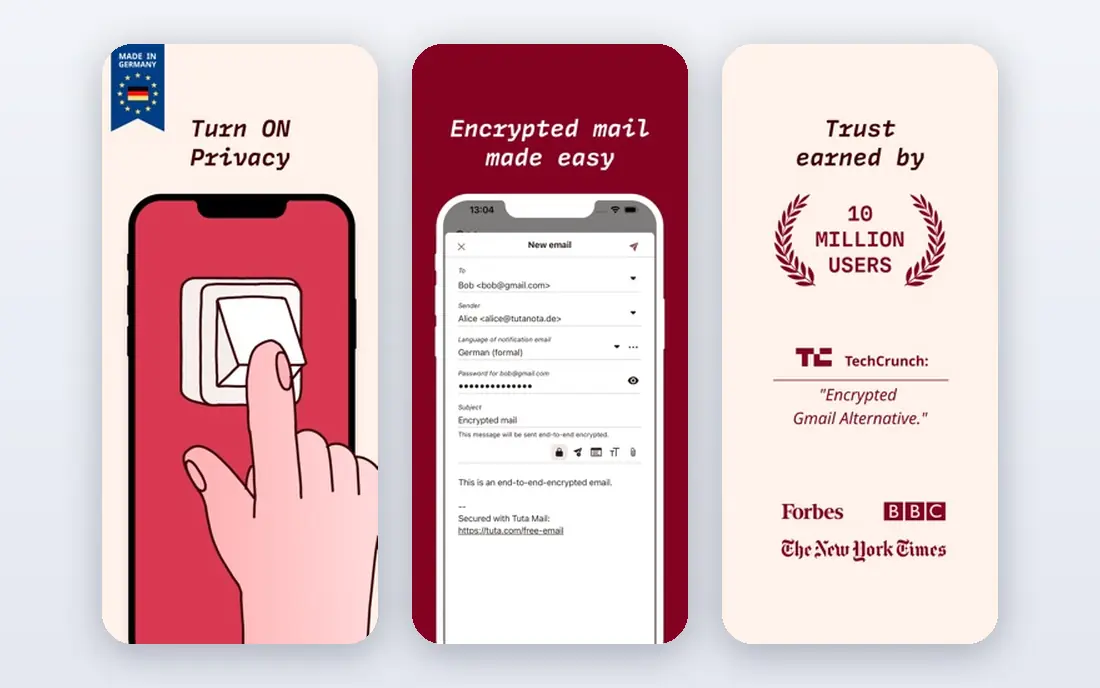
Tuta goes further than Proton Mail on what gets encrypted. Its own encryption covers message bodies, subjects, contacts, calendars, and the search index, not just the body of a message. New accounts also get post-quantum hybrid protection by default, and its apps are open source. The paid Revolutionary plan costs 3 euros per month when billed yearly, with 20 GB of storage.
The price of that design is compatibility. Tuta has no IMAP or SMTP, so you cannot use Apple Mail, Outlook, or Thunderbird with it; you must use Tuta apps or webmail. Free accounts are also deleted after six months without a login. Choose Tuta when maximum mailbox encryption matters more than using your usual mail app.
- Encrypts subjects, contacts, and calendars
- Open-source apps
- Post-quantum protection for new accounts
- No IMAP or SMTP support
- Free accounts close after six months of inactivity
StartMail is a good middle path for people who want a private mailbox but refuse to give up a desktop mail app. It uses OpenPGP encryption, supports IMAP and SMTP natively, and offers unlimited aliases on its Personal plan, which costs $59.88 per year when billed annually. Its servers are in the Netherlands, under EU privacy law.
StartMail has no free plan, only a 7-day trial, so you must pay to keep using it. Its feature set is also smaller than Proton Mail, with fewer bundled apps. For a straightforward private mailbox that works with the mail app you already like, StartMail is a clean, practical choice.
- Native IMAP and SMTP
- Netherlands jurisdiction
- Unlimited aliases on paid plans
- No free plan, only a 7-day trial
- Less well known than Proton Mail
Virtru is for teams that cannot switch mail providers. It adds encryption and access controls to Gmail and Outlook, so staff keep the inbox they know while sensitive mail gains protection, expiry, and revocation. Admins can set policies, track access, and control forwarding, which matters for regulated work.
Pricing is quote-based for business plans, with a minimum seat count in many cases, so small teams should ask for a firm quote early. The recipient experience also varies: some recipients read mail directly, while others are routed to a secure link. For a business that must stay on Google or Microsoft, Virtru is one of the most practical encryption layers available.
- Works inside existing Gmail and Outlook
- Recipient controls and expiry
- Business controls
- Quote-based business pricing
- Recipients may need a portal or app flow
Paubox solves a specific frustration in healthcare: encrypted mail that forces patients into a portal often goes unread. Paubox encrypts mail in transit and lets recipients read it in their normal inbox, with no portal or passcode step. It integrates with existing mail systems, so clinics do not need to retrain staff on a new mailbox.
The starting price of $29 per month is for a basic tier, and larger teams pay more per user. Paubox is also clearly aimed at healthcare, so a general business may get better value from Virtru or Proton Mail for Business. For a clinic or practice that emails patient information daily, the no-portal experience is a real advantage.
- No portal or passcode for recipients
- HIPAA-focused design
- Integrates with existing mail systems
- Starting price is per mailbox and rises with seats
- Best suited to healthcare use
PreVeil is built for organizations that want end-to-end encryption without giving the provider access to message keys. It offers encrypted email and file sharing, with a design that keeps data unreadable to PreVeil itself. That zero-knowledge approach suits defense, legal, and other high-sensitivity work where trust in a vendor is itself a risk.
The trade-off is friction. Recipients typically need an invite, app, or web flow to read encrypted mail, which can slow outside communication. Pricing is quote-based with minimums, so it is aimed at businesses rather than individuals. For a team that needs strong end-to-end guarantees, PreVeil is worth a closer look.
- True end-to-end encryption
- Encrypted file sharing
- No need to trust the provider with keys
- Recipients need an invite or app
- Pricing is quote-based with minimums
Hushmail has offered encrypted webmail for many years, and its appeal is simplicity. You get a webmail inbox with OpenPGP encryption, without the bundled VPN, drive, and calendar suite that larger providers now sell. For a user who wants one private mailbox and nothing else, that focus can be a plus.
Hushmail has fewer features than its newer rivals, and its pricing pages have changed over time, so confirm the current plan before paying. It also has less public detail on modern post-quantum plans than Tuta or Proton Mail. Hushmail still works as a basic encrypted mailbox, but most new users will get more from Proton Mail or Tuta.
- Long operating history
- Webmail with OpenPGP
- Simple signup
- Fewer modern features than Proton Mail or Tuta
- Pricing and plans change often
Mailfence pairs private email with calendar, contacts, and document tools, which suits users who want one private workspace rather than a mailbox alone. It is based in Belgium, under EU privacy law, and it offers a free plan for basic use. Paid plans add storage, domains, and more aliases.
Mailfence encryption is OpenPGP-based, and full end-to-end use needs some setup with keys, unlike the automatic encryption between users of the same private provider. That makes it less instant than Proton Mail or Tuta for beginners. For a user who wants private email plus office tools in one account, Mailfence is a solid, lower-profile option.
- Free plan available
- Calendar, contacts, and documents included
- Belgium jurisdiction
- End-to-end encryption needs OpenPGP setup
- Smaller user base than Proton Mail
How we picked these
We compared official pricing pages, encryption methods, recipient experience, and jurisdiction for email services that still operate in October 2026. We favored services with a clear encryption model, a published price or free tier, and a realistic path for recipients to read mail. We did not claim hands-on testing, and we treated quote-based business pricing as quote-based rather than guessing a number.
How to choose the right encryption model
Start with who you email. If most recipients are inside your own team, a private mailbox with automatic encryption works well. If most recipients are outside, an add-on that works with Gmail or Outlook, or a service that sends password-protected links, will cause less friction. Next, check whether you need IMAP, since Tuta does not offer it, while Proton Mail offers it through Bridge on paid plans and StartMail offers it natively.
A note on what encryption cannot hide
End-to-end encryption protects message content, but it does not hide the fact that you emailed someone, when you did it, or the size of the message. Subject lines are also unencrypted in OpenPGP systems. For highly sensitive work, combine encrypted email with careful subject lines, minimal personal detail in headers, and a provider whose privacy policy you have actually read.
FAQ
What is the best email encryption service?
Proton Mail is our pick for most people, thanks to its free plan, Swiss jurisdiction, and easy encrypted mail to outside users. Tuta is best when you want subjects and calendars encrypted too, while Virtru and Paubox are best for businesses that must keep Gmail or Outlook.
Is Proton Mail really private?
Proton Mail uses end-to-end encryption between Proton users and a zero-access design, so Proton cannot read your stored mail. It still sees metadata such as sender, recipient, and timing, and subject lines are not end-to-end encrypted under OpenPGP. For most personal use, that is a strong privacy gain over a standard mailbox.
What is the best email encryption software for business?
Virtru is a strong choice for businesses on Gmail or Outlook, since it adds encryption without a mailbox switch. Paubox suits healthcare teams that need no-portal delivery, and PreVeil suits teams that need strict end-to-end guarantees. Proton Mail for Business is a good option when a team can move to a new mailbox.
Does email encryption work with Gmail?
Yes, through add-ons and gateway services such as Virtru, which encrypt mail inside Gmail. Google Workspace also offers client-side encryption on Enterprise plans, but it needs an external key service and setup. For individuals, switching to Proton Mail, Tuta, or StartMail is usually simpler than adding encryption to Gmail.
Is Tuta better than Proton Mail?
Tuta encrypts more of the mailbox, including subjects, contacts, and calendars, and it offers post-quantum protection for new accounts. Proton Mail offers broader compatibility, including Bridge support for desktop apps, and a larger feature set. Choose Tuta for maximum mailbox encryption, and Proton Mail for ease of use and compatibility.
Do recipients need an account to read encrypted email?
Not always. Proton Mail and Tuta can send password-protected messages to outside users, and Paubox lets recipients read mail in a normal inbox. Some business tools route recipients to a portal, app, or secure link, so check the recipient experience before you choose a service for outside mail.