Email Tracking Software Buyer's Guide: 7 Tools for 2026
Compare 7 picks for the best email tracking software, with prices, free plans and who each fits. Fit, price and catches for every tool. Budget notes included.

- Editor's choice
 Streak
Tracking inside Gmail pipelines
Starts atFree (email tools)Visit streak.comFull review - Great alternative
 Staffbase Email
Internal comms email analytics
Starts atSee websiteVisit staffbase.comFull review - Also consider
 Right Inbox
Light Gmail tracking and reminders
Starts atFree (5 tracked emails/month)Visit rightinbox.comFull review
Direct answer
Streak is the first pick on this list for tracking inside Gmail pipelines. Staffbase Email is better for internal comms email analytics, and Right Inbox is better for light Gmail tracking and reminders. The other 4 tools in the list cover narrower or pricier cases.
TL;DR:
- Top of the list is Streak, which targets tracking inside Gmail pipelines.
- No starting price is published for Staffbase Email; expect a quote.
- HubSpot Sales Hub is the one to check for free tracking inside a free CRM.
- 6 of the 7 tools have a free plan, including Streak, Right Inbox, Yesware and Mixmax.
Quick comparison
| Tool | Best for | Starts at | Free plan? | |
|---|---|---|---|---|
| Streak | Tracking inside Gmail pipelines | Free (email tools) | Yes | Visit |
| Staffbase Email | Internal comms email analytics | See website | No | Visit |
| Right Inbox | Light Gmail tracking and reminders | Free (5 tracked emails/month) | Yes | Visit |
 Yesware | Sales teams on Gmail and Outlook | Free (Free Forever) | Yes | Visit |
 Mixmax | Sales engagement from the inbox | Free | Yes | Visit |
 Mailsuite | Straightforward Gmail open tracking | Free | Yes | Visit |
 HubSpot Sales Hub | Free tracking inside a free CRM | Free (free tools) | Yes | Visit |
The best email tracking software
LinkVetted compared 7 tools for email tracking software. The goal is a practical shortlist: published prices, free plan facts, best-fit use cases and honest limits for every entry.
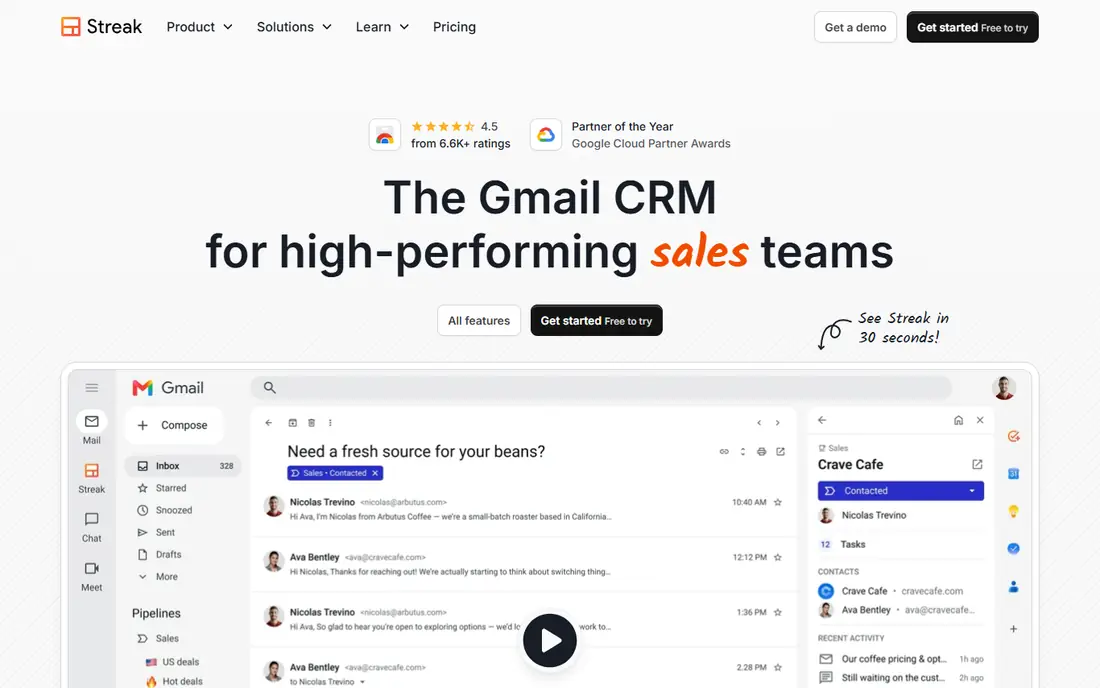
For tracking inside Gmail pipelines, Streak is a natural candidate. Premium CRM plans start at Pro at $49 a user per month billed yearly ($59 monthly), with Pro+ at $69 and Enterprise at $129, all with unlimited contacts and pipelines, plus a 14-day trial. In practice, pipelines sit beside your email, tracked opens feed straight into deal records, and mail merge sends personalized outreach without leaving Gmail.
Worth adding: for Gmail teams that want tracking plus pipelines, the free email tools are a very good start. In practice, for founders and small sales teams that live in Gmail, the workflow stays smooth. Also, the honest reality: the old free CRM level is gone, so pipeline features start at $49 a user. Streak is Gmail-only with no Outlook support; and premium plans are priced for CRM value, not just tracking. Entry price for Streak: Free. Streak has a free plan.
The main drawbacks: Gmail-only.
- 14-day Pro+ trial
- Free tracking inside Gmail
- CRM pipelines need Pro at $49

Staffbase Email is built with internal comms email analytics in mind. Staffbase Email, formerly Bananatag, is the enterprise product for internal communications teams: track opens, clicks and engagement on employee emails, break down metrics by department, location or role, run pulse surveys inside messages and manage distribution lists.
Internal comms teams at large organizations measure whether employees actually read CEO updates, policy changes and benefits announcements, with analytics that prove communications impact. Staffbase Email does not show a starting price in this comparison, so check the vendor site for current pricing. No free plan comes with Staffbase Email.
Where it falls short: Quote-based pricing.
- Made for employee communications
- Engagement analytics by audience segment
- Enterprise buying motion
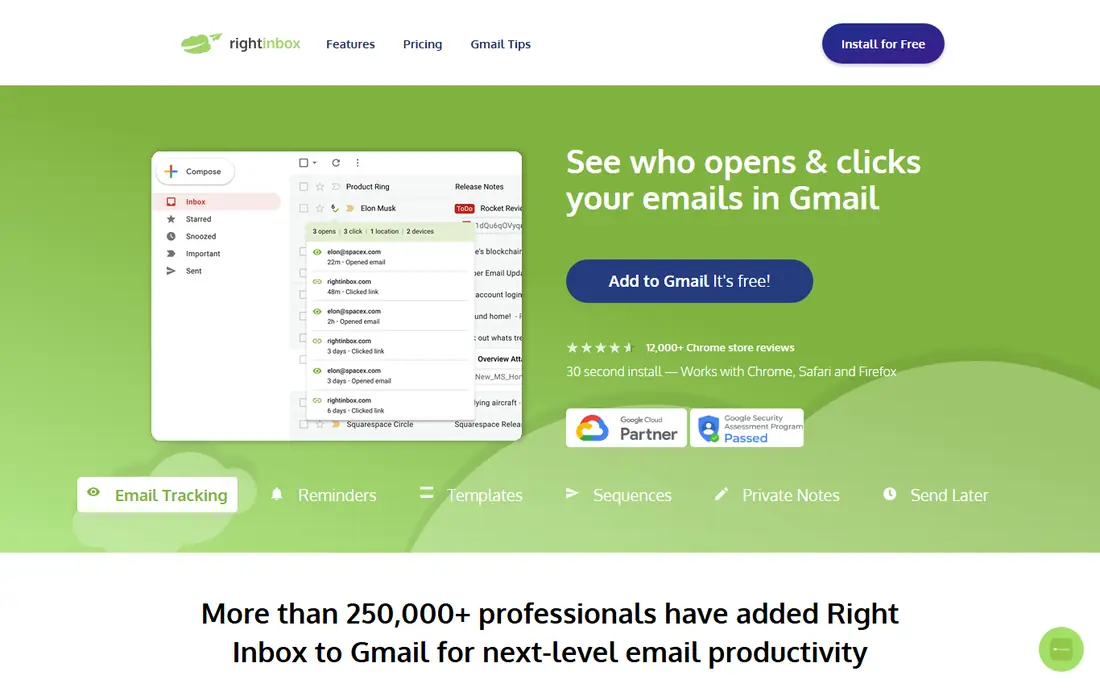
Right Inbox is designed for light Gmail tracking and reminders. Right Inbox is the minimalist Gmail extension for tracking, scheduling and reminders.
Where it falls short: Mail merge needs Professional.
More specifically, live open notifications, send-later scheduling and follow-up reminders sit straight in the Gmail compose window with almost no ramp-up time. In practice, the honest caveats: 5 tracked emails per month is a tight cap; serious outreach features need the $14.95 Professional plan; and it is Gmail-only with no CRM depth. On cost, Right Inbox starts like this: Free. Right Inbox offers a free plan.
- Cheap Personal plan at $7.95
- Dead straightforward
- Free level restricted to 5 tracked emails
Yesware was built for Sales teams on Gmail and Outlook. Yesware is the veteran sales add-in for Gmail and Outlook, with a Free Forever plan including entry-level email open tracking, attachment tracking, a meeting scheduler and 10 campaign recipients per month.
The honest limits: the free level is basic, unlimited tracking begins at $19 a seat, and team features need Premium at $45. What you pay to start with Yesware: Free. Free access exists with Yesware.
What to check first: Advanced features climb levels.
- Free level with open tracking
- Capable templates and campaigns
- No per-recipient nuance on entry-level plans
Mixmax is built with Sales engagement from the inbox in mind. Mixmax's free plan contains email tracking, scheduling, templates, polls and surveys for small teams, with premium levels at SMB $29 a user per month, Growth $49 and Growth plus CRM $69, plus a 14-day free trial. It works from inside Gmail (with Outlook support) and layers on sequences, rules-based automation, AI writing assistance and Salesforce or HubSpot integrations on higher levels.
Where it falls short: Gmail-centric.
Interactive email elements like polls, surveys and calendar embeds lift reply rates. The sequence builder with personalization and rules automates follow-up without feeling robotic. Beyond that, the honest caveats: Mixmax repriced toward per-copilot plans, so the full suite costs more than the headline SMB figure. Advanced automation and CRM sync sit on higher levels; and it is most solid in Gmail. Entry price for Mixmax: Free. You can start on Mixmax without paying.
- Capable sequences and templates
- Polls and calendar embeds
- Recent pricing restructure
Mailsuite is a good fit for straightforward Gmail open tracking. Mailsuite, formerly Mailtrack, is the simplest email tracker here: a Gmail and Outlook extension that displays double check-marks when emails are opened, with live open notifications.
On top of that, install the extension, send email normally, and see exactly when messages are read. Starting cost for Mailsuite: Free. Free access exists with Mailsuite.
The main drawbacks: Restricted sales features.
- Double check-mark read receipts
- Dead straightforward
- Link tracking needs Pro
HubSpot Sales Hub is built with free tracking inside a free CRM in mind. HubSpot's free Sales tools bundle email open and click tracking inside Gmail and Outlook, alongside a genuinely free CRM with contact management, deal pipelines and meeting scheduling. As for the details, tracking notifications arrive in a system that already holds your contacts, deals and email history.
So an opened email becomes a logged engagement automatically. More specifically, for startups, the free level handles tracking, CRM and scheduling with no card required. In practice, premium Sales Hub tiers start at $20 a seat per month, with Professional at $90-plus and Enterprise from $150. On top of that, the ecosystem argument wins here. On cost, HubSpot Sales Hub starts like this: Free. HubSpot Sales Hub includes a free tier.
The main drawbacks: premium levels jump to $20 a seat.
- Scales into full sales product
- Free email tracking plus free CRM
- HubSpot branding on free emails
How we built this list
Pricing pages, product documentation and feature lists were the main sources, and every entry carries at least one honest drawback. Where a price is missing, the vendor does not list one publicly or ties it to a quote. Always confirm before budgeting. The sequence is a judgement call: typical use case first, then pricing transparency, then free access. Use the profiles to check fit.
Things to verify first
- Confirm the entry price on the vendor page. For Staffbase Email that means a quote rather than a fixed price.
- Check what the free option really includes: Streak, Right Inbox, Yesware and others offer a free plan, and usage caps differ.
- Read the limits listed for Streak first: CRM pipelines need Pro at $49.
- Pick one real project and run it in Streak first; a small pilot shows fit faster than a checklist.
- Confirm the exact HubSpot Sales Hub plan that includes your must-have features.
FAQ
What is the best free email tracking software?
The first pick on this list is Streak, because it suits tracking inside Gmail pipelines. Staffbase Email is better for internal comms email analytics, and Right Inbox for light Gmail tracking and reminders. Check price and limits against your own needs before choosing.
What is the difference between email tracking and email analytics?
Tracking tells you what happened to individual emails: who opened, when, and what they clicked. Sales tools focus on per-email tracking; Staffbase Email centres on audience-level analytics for internal comms.
How does email tracking work?
A tiny invisible image (tracking pixel) is embedded in the email. When the recipient opens the message and images load, the pixel request registers the open with a timestamp. Link tracking rewrites links through a redirect that logs clicks.
Can I try these options before paying?
Often, yes. Streak, Right Inbox, Yesware and others have a free plan. Use your own data and a real task during the test, and check what the free tier or trial limits before you rely on it.
Which options for email tracking software have a free plan?
6 of the 7 tools have a free plan, including Streak, Right Inbox, Yesware and Mixmax. Free plans usually cap users, projects or features, so check the limits on the vendor page.
Is Streak the right pick for everyone comparing email tracking software?
No single tool suits every team. Streak comes first because it fits tracking inside Gmail pipelines, while Staffbase Email suits internal comms email analytics and Right Inbox suits lightweight Gmail tracking and reminders. Match the tool to your own size, budget and workflow before deciding.