Choosing Email for Spam Protection in 2026: 6 Options Compared
Best email for spam protection, compared. 6 tools with published prices, free plans and limits. Trade-offs are spelled out for each entry. Pick by budget.
- Editor's choiceCisco Secure Email
Enterprises already invested in Cisco networking
Starts atPricing on requestVisit cisco.comFull review - Great alternative
 Microsoft 365
Microsoft-centric organizations needing bundled protection
Starts atPricing on requestVisit microsoft.comFull review - Also consider
 Barracuda Email Protection
Buyers wanting email security within a wide portfolio
Starts atPricing on requestVisit barracuda.comFull review
Direct answer
This list puts Cisco Secure Email first for enterprises already invested in Cisco networking. Alternatives: Microsoft 365 for Microsoft-centric organizations needing bundled protection, and Barracuda Email Protection for buyers wanting email security within a wide portfolio. All 6 tools are compared below on price, free plan and limits. None of these vendors publish plan prices, so pricing is on request for every option.
TL;DR:
- This list starts with Cisco Secure Email, which is built for enterprises already invested in Cisco networking.
- A permanent free plan is missing from all 6 tools, Cisco Secure Email and Proofpoint Email Protection included; plan for a trial or a premium start.
- Check the limits for Mimecast Email Security before you commit: product scope may exceed small-team needs.
- Pricing across the list, from Cisco Secure Email to Proofpoint Email Protection, is by quote only.
Last checked November 2026. Pricing on request: vendors did not publish plan prices when this guide was last checked (November 2026), so ask each vendor for a written quote.
Quick comparison
| Tool | Best for | Starts at | Free plan? | |
|---|---|---|---|---|
| Cisco Secure Email | Enterprises already invested in Cisco networking | Pricing on request | Not stated | Visit |
| Microsoft 365 | Microsoft-centric organizations needing bundled protection | Pricing on request | Free trial | Visit |
| Barracuda Email Protection | Buyers wanting email security within a wide portfolio | Pricing on request | Free trial | Visit |
| Mimecast Email Security | Organizations wanting one system for email security | Pricing on request | Not stated | Visit |
 Google Workspace | Teams wanting spam filtering inside productivity tools | Pricing on request | Not stated | Visit |
| Proofpoint Email Protection | Dedicated email security with AI-focused protection | Pricing on request | Not stated | Visit |
Our 6 picks for email for spam protection
LinkVetted compared 6 tools for email for spam protection. The goal is a practical shortlist: published prices, free plan facts, best-fit use cases and honest limits for every entry.
Cisco Secure Email
Best for: Enterprises already invested in Cisco networking
Cisco Secure Email is a good fit for enterprises already invested in Cisco networking. It suits enterprises that already run Cisco infrastructure and want email protection from the same vendor, simplifying procurement and integration across network and security teams.
Cisco Secure Email does not show a starting price in this comparison, so check the vendor site for current pricing. Free options: Not stated.
Watch-outs: Portfolio breadth can obscure email specifics.
- Suits Cisco-centric infrastructure
- Email security within a wide technology portfolio
- Best fit for existing Cisco environments
Microsoft 365
Best for: Microsoft-centric organizations needing bundled protection

Microsoft 365 is designed for Microsoft-centric organizations needing bundled protection. If spam defense is the single priority, a dedicated email security service may offer more focused controls and reporting.
Microsoft 365 is a subscription suite of productivity tools and cloud services that the vendor describes as offering world-class security, with spam and phishing filtering applied to Exchange Online mailboxes. In daily use, the breadth of the suite means security controls live in multiple admin locations, which can slow down tuning for teams without dedicated administrators. No starting price is listed for Microsoft 365 here; confirm pricing on the vendor site. As for free access: Free trial.
What to check first: Security settings spread across admin centers.
- Familiar Outlook experience
- Productivity apps and cloud services in one subscription
- Best value chiefly for Microsoft users
Barracuda Email Protection
Best for: Buyers wanting email security within a wide portfolio
Barracuda Email Protection makes the most sense for buyers wanting email security within a wide portfolio. Barracuda Email Protection sits within a portfolio the vendor describes as spanning email protection, application protection, network security and data protection.
What users get: Handles apps.
Teams that prefer everything inside one productivity suite may find a bundled filter simpler to administer. The wide portfolio means buyers should scope carefully to the email capabilities they actually need. No starting price is listed for Barracuda Email Protection here; confirm pricing on the vendor site. Free plan details: Free trial. Trade-offs to know: Portfolio breadth can complicate selection.
- Vendor positions itself as a leader in email protection
- Network and data too
- Needs pairing with a mail system
Mimecast Email Security
Best for: Organizations wanting one system for email security
Pick Mimecast Email Security if this describes you: organizations wanting one platform for email security. The system approach can mean more configuration than a straightforward filter, and it works alongside instead of rather than a mail provider.
It suits organizations that want a single security system layered over their existing mail system, especially where awareness and data governance matter alongside spam defense. Mimecast Email Security shows no starting price here, so confirm the cost on the vendor site. Trial and free access: Not stated.
Honest limits: System scope may exceed small-team needs.
- Behavior management and AI security messaging
- Email and collaboration security in one product
- Brings another vendor to handle
Google Workspace
Best for: Teams wanting spam filtering inside productivity tools
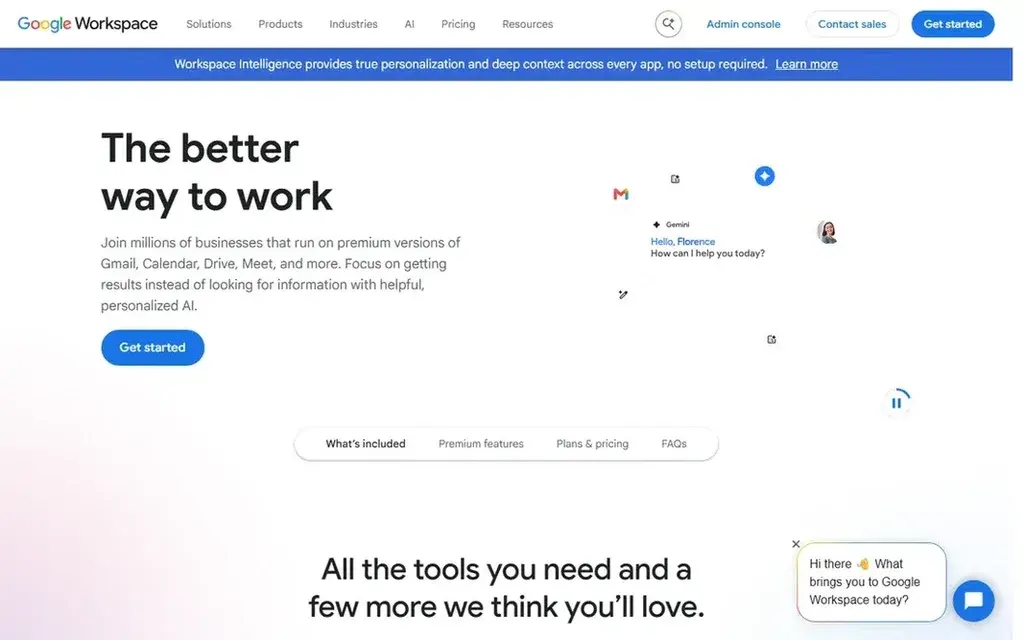
For teams wanting spam filtering inside productivity tools, Google Workspace is a natural candidate. Choose a specialized provider instead if you need advanced threat investigation, custom policy layers, or protection across non-Google mail systems.
In daily use, Google Workspace is a suite of secure online productivity and collaboration tools that bundles Gmail, which applies spam and phishing filtering by default. Pricing for Google Workspace is not stated here, so ask the vendor for current figures. As for free access: Not stated.
Trade-offs to know: Advanced controls can be hard to find.
- Familiar Gmail-based interface
- Scales from small teams to large organizations
- Less granular than dedicated security suites
Proofpoint Email Protection
Best for: Dedicated email security with AI-focused protection

Proofpoint Email Protection is a good fit for dedicated email security with AI-focused protection. Proofpoint Email Protection is part of a security portfolio that the vendor describes as agentic security for people, data and AI, with intent-based protection for every person and AI agent.
In daily use, smaller teams with straightforward needs may find a bundled filter inside their mail suite sufficient. As for the details, as a security-focused offering, it does not replace productivity email, so buyers usually pair it with an existing mail provider. Pricing for Proofpoint Email Protection is not stated here, so ask the vendor for current figures. Free access: Not stated.
Honest limits: May be more than small teams need.
- Intent-based protection messaging
- Focused on email and collaboration threats
- Security-only
Selection criteria
Pre-purchase checklist
- Request quotes from Cisco Secure Email, Proofpoint Email Protection and the others; the list shows no fixed prices.
- Run a trial of Microsoft 365 and Barracuda Email Protection with real work before paying for a year; your own workflow is the best test.
- Read the limits listed for Cisco Secure Email first: portfolio breadth can obscure email specifics.
- Make sure Cisco Secure Email lets you export your data in a format another tool can read.
- Ask Mimecast Email Security which support channels and response times come with the plan you would buy.
FAQ
Do these tools publish their prices?
No. None of the tools, from Cisco Secure Email to Proofpoint Email Protection, shows a fixed starting price here, so budget time for quotes.
What should small teams prioritize when comparing these tools?
Small teams typically benefit from filtering bundled into a suite they already use, since it cuts vendors and administration. As for the details, focus on how easily administrators can tune policies, review quarantined messages and get support when something slips through.
Can I try these tools before paying?
Often, yes. Microsoft 365 and Barracuda Email Protection offer a free trial. Use your own data and a real task during the test, and check what the free tier or trial limits before you rely on it.
How are the tools for email for spam protection ordered?
The order follows typical fit for email for spam protection, with Cisco Secure Email first and Proofpoint Email Protection last, then price clarity and free access. It is editorial judgement, not a score, so another team could rank the tools differently.
Is Cisco Secure Email the right pick for everyone comparing email for spam protection?
No single tool suits every team. Cisco Secure Email comes first because it fits enterprises already invested in Cisco networking, while Microsoft 365 suits Microsoft-centric organizations needing bundled protection and Barracuda Email Protection suits buyers wanting email security within a broad portfolio. Match the tool to your own size, budget and workflow before deciding.
Sources
- https://www.cisco.com
- https://www.microsoft.com/microsoft-365
- https://www.barracuda.com
- https://www.mimecast.com
- https://workspace.google.com
- https://www.proofpoint.com