Best E-Portfolio Software for Art Students for 2026: Our 5 Vetted Picks
Weighing the best E-Portfolio software for art students? We lined up 5 products by cost, free access and fit. Short verdicts, no fluff. Decide faster.

- Editor's choice
 Carbonmade
Straightforward no-code portfolio creation
Starts at$9.99 a monthVisit carbonmade.comFull review - Great alternative
 Format
Creative professionals building portfolios
Starts at$10 per monthVisit format.comFull review - Also consider
 Squarespace
Refined templates and simple sites
Starts at$12 per monthVisit squarespace.comFull review
Direct answer
Carbonmade is the first pick on this list for straightforward no-code portfolio creation. Listed starting prices: Carbonmade from $9.99 a month, Format from $10 per month and Squarespace from $12 per month. Format is better for creative professionals building portfolios, and Squarespace is better for refined templates and simple sites. Prices, free plans and limits for all 5 tools follow.
TL;DR:
- Number one here is Carbonmade, a fit for straightforward no-code portfolio creation.
- Starting prices begin at $9.99 per month with Carbonmade.
- Before buying Squarespace, weigh this: template-driven look can feel uniform.
- Carbonmade, Adobe Portfolio and the 3 others all need a premium plan or a trial, since no free plan is listed.
Last checked November 2026. Prices and plan details were read from the vendors' own pages in November 2026; vendors change plans often, so confirm the current price on the vendor site before you buy.
Quick comparison
| Tool | Best for | Starts at | Free plan? | |
|---|---|---|---|---|
| Carbonmade | Straightforward no-code portfolio creation | $9.99 a month | Free trial | Visit |
| Format | Creative professionals building portfolios | $10 per month | Free trial | Visit |
| Squarespace | Refined templates and simple sites | $12 per month | Free trial | Visit |
| Portfolium | Academic and career portfolio sharing | See website | Not stated | Visit |
 Adobe Portfolio | Creative work with a straightforward builder | See website | Not stated | Visit |
The 5 tools in detail
This LinkVetted guide covers 5 E-Portfolio software for art students. Each profile lists a starting price, free plan details, strengths and drawbacks, so you can drop poor fits quickly.
Carbonmade serves straightforward no-code portfolio creation. With no coding needed and configurable layouts, it lets you concentrate on the work instead of the technical setup.
Also, students who want a blog, shop or broad marketing tools in the same place may have to look elsewhere. Beyond that, the focus stays on portfolio display, so it provides fewer surrounding website features than wide builders. Entry price for Carbonmade: $9.99 per month. As for free access: Free trial.
Honest limits: Fewer surrounding site features.
- Completely configurable layouts
- Built to help work get discovered
- Focused primarily on portfolio display
Format was built for creative professionals building portfolios. Format is a website builder positioned for creative professionals who require to present their work and build an online presence. Its emphasis on visual presentation makes it a natural fit for art students preparing portfolios for applications, exhibitions or early client work.
In daily use, if you need deep store or marketing features alongside your gallery, a general system may be the better choice. From a buyer's view, since Format targets working creatives, some messaging and features lean toward professional practice instead of student needs. It also centres on portfolio presentation instead of wide business tooling. The starting price for Format: $10 per month. Trial and free access: Free trial.
Points against: Narrower than full business systems.
- Focus on presenting visual work
- Made for creative professionals
- Targeted at professionals more than students
Where Squarespace fits: refined templates and easy sites. Squarespace is a website builder known for configurable templates and straightforward site creation. From a buyer's view, the template-driven approach means numerous sites share a similar structure, which can make standing out harder for visual artists.
It is also a general system instead of an art-specific one. More specifically, art students who want a refined, professional-looking portfolio without starting from a blank page can lean on its template choices and guided building tools. The starting price for Squarespace: $12 per month. Trial and free access: Free trial.
Watch-outs: Not specifically made for artists.
- Configurable website templates
- Domain registration available
- Template-driven look can feel uniform
Portfolium
Best for: Academic and career portfolio sharing

Portfolium serves academic and career portfolio sharing. Choose Portfolium when academic integration matters more than gallery design.
Watch-outs: Less concentrated on gallery-style art display.
For everyday use, students who want full control over layout, typography and visual presentation may prefer a creative-focused builder. In daily use, since the emphasis is on education and career presentation, the design adaptability for image-heavy art may feel narrower than dedicated creative builders. Pricing for Portfolium is not stated here, so ask the vendor for current figures. Free plan details: Not stated.
- Ties into an education-focused system
- Built around showcasing learning and work
- Design control may feel restricted for visual artists
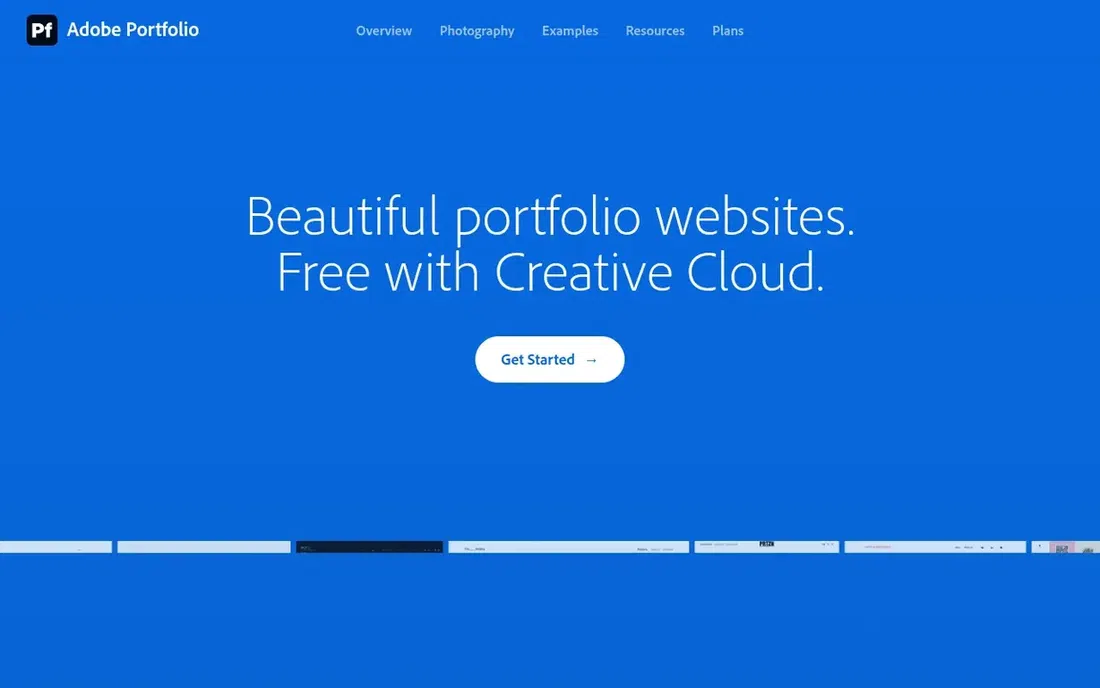
Adobe Portfolio is aimed squarely at creative work with a straightforward builder. The central limitation is its connection to a Creative Cloud subscription. So it is less appealing if you do not otherwise use Adobe tools.
Drawbacks to consider: Tied to a Creative Cloud subscription.
It also centres on portfolio presentation instead of broader website or business features. Adobe Portfolio is a website builder built to help creatives present their work rapidly and just. On top of that, for art students, the appeal is a clean, image-forward site that puts the artwork first without requiring deep web design knowledge. Pricing for Adobe Portfolio is not stated here, so ask the vendor for current figures. Free options: Not stated.
- Built to showcase creative work
- Suits a Creative Cloud workflow
- Fewer wide business tools than general builders
How we chose
Before you commit
- Get a written quote from Portfolium and Adobe Portfolio; the list shows no starting price for them.
- Take the trial from Carbonmade, Format and Squarespace and push a live task through it before you pay.
- Before choosing Carbonmade, weigh its main limit: focused chiefly on portfolio display.
- Pick one real project and run it in Adobe Portfolio first; a small pilot shows fit faster than a checklist.
- Test the integrations you rely on with Carbonmade before committing; some connectors sit on upper tiers.
FAQ
Does any tool for E-Portfolio software for art students here have a free plan?
No tool in this list, Carbonmade and Adobe Portfolio included, has a permanent free plan. Carbonmade, Format, Squarespace offer a trial. Trials and quotes are the usual route, so plan a short evaluation period.
Do these tools publish their prices?
Not all of them. Portfolium and Adobe Portfolio publish no starting price, so expect a quote request for those. The rest, Carbonmade included, show a starting price, though seats and billing terms still change the final cost.
How are the tools for E-Portfolio software for art students ordered?
The order follows typical fit for E-Portfolio software for art students, with Carbonmade first and Adobe Portfolio last, then price clarity and free access. It is editorial judgement, not a score, so another team could rank the tools differently.
Can I use an education-linked portfolio instead?
Portfolium sits within an education-focused platform, so it can be handy when your program uses it for coursework and career presentation. It is less oriented toward gallery-style design than creative builders. Consider it when academic integration matters most.
What is the cheapest option for E-Portfolio software for art students in this list?
On published monthly entry prices, Carbonmade is the lowest here at $9.99 per month. Entry price is only part of the cost, because seats, add-ons and billing terms can change the total. Each of the 5 options in this E-Portfolio software for Art students guide has its own card above with the price, free plan and limits.
Sources
- https://carbonmade.com
- https://www.format.com
- https://www.squarespace.com
- https://portfolium.com
- https://portfolio.adobe.com