Best Digital Planner for College Students for 2026: Our 5 Vetted Picks
Searching for the best digital planner for college students? Here are 5 options with prices and free plans. Real limits included. Read before you buy.

- Editor's choice
 Google Calendar
Class schedules and shared plans
Starts atSee websiteVisit calendar.google.comFull review - Great alternative
 Todoist
Straightforward assignment and deadline tracking
Starts at$5 a monthVisit todoist.comFull review - Also consider
 Notion
All-in-one semester workspace
Starts at$10 per member per monthVisit notion.soFull review
Direct answer
Our first pick is Google Calendar, best for class schedules and shared plans. Listed starting prices: Todoist from $5 a month, Notion from $10 per member per month and Trello from $5 per user a month. For a different need, Todoist covers straightforward assignment and deadline tracking and Notion covers all-in-one semester workspace. Prices, free plans and limits for all 5 tools follow.
TL;DR:
- Google Calendar sits first on this list: class schedules and shared plans.
- 4 of 5 tools offer a free plan: Todoist, Notion, Trello, ClickUp.
- What to know about Notion first: blank canvas takes setup time.
- ClickUp is the one to check for heavy planning across many courses.
Last checked November 2026. Prices and plan details were read from the vendors' own pages in November 2026; vendors change plans often, so confirm the current price on the vendor site before you buy.
Quick comparison
| Tool | Best for | Starts at | Free plan? | |
|---|---|---|---|---|
| Google Calendar | Class schedules and shared plans | See website | Not stated | Visit |
| Todoist | Straightforward assignment and deadline tracking | $5 a month | Yes | Visit |
| Notion | All-in-one semester workspace | $10 per member per month | Yes | Visit |
 Trello | Visual board planning for projects | $5 per user a month | Yes | Visit |
 ClickUp | Heavy planning across numerous courses | $9 per user a month | Yes | Visit |
Every option for digital planner for college students explained
LinkVetted put together this guide to digital planner for college students for readers who want a clear shortlist without reading every vendor page. It compares 5 tools on starting price, free plans, who each one suits and where each one falls short.
For class schedules and shared plans, Google Calendar is a natural candidate. Students can block class times, add assignment due dates, set reminders and share calendars with project partners or roommates.
Beyond that, Google Calendar is a shareable online calendar for scheduling meetings and appointments. Also, pick a task or notes tool if you need more than scheduling. Google Calendar shows no starting price here, so confirm the cost on the vendor site. Free plan details: Not stated.
Where it falls short: Restricted planning structure.
- Shareable calendars
- Clear schedule and appointment view
- Not a notes or task manager
Todoist works best for straightforward assignment and deadline tracking. Todoist is a to-do list app built to organize work and life. More specifically, Todoist does not aim to store lecture notes or long documents, so it typically pairs with a notes app.
For college, it does well as a deadline engine: add each assignment with a due date, group tasks by course with projects and labels, and check things off as you go. Choose a broader workspace if you want planning and note-taking in the same place. Todoist pricing: $5 per month. You can start on Todoist without paying.
Upsides: A decent match for recurring tasks.
Limits to weigh: Not a full document workspace.
- Clear to-do list structure
- Works across devices
- Restricted note-taking depth
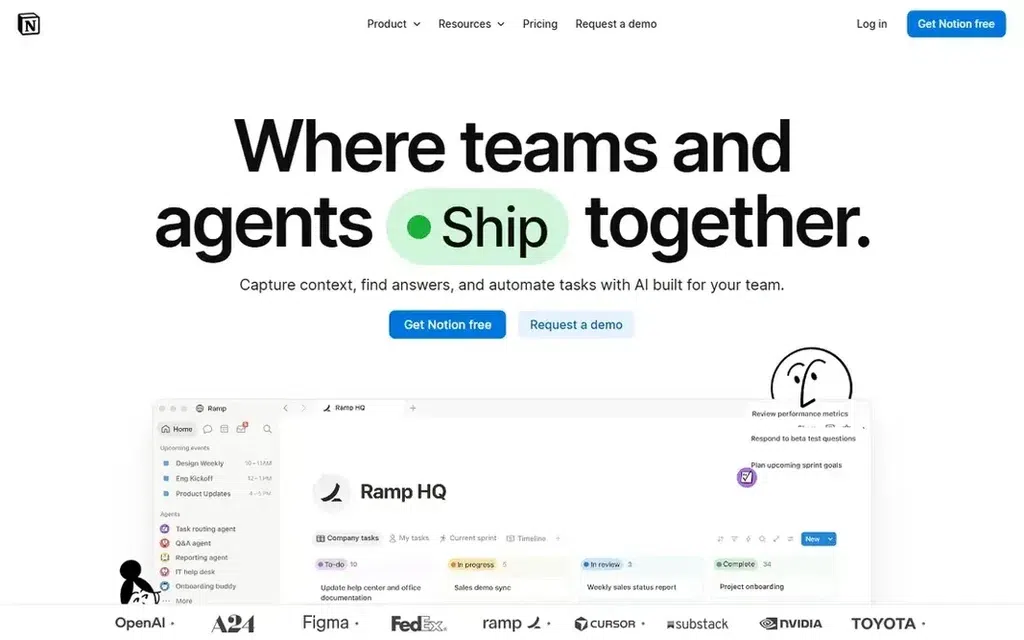
Think of Notion for all-in-one semester workspace. Students who want a ready-made structure or who primarily need reminders may prefer a more straightforward task or calendar tool. For college, that means a page per course, a reading list, an assignment tracker and lecture notes living side by side.
Notion is an AI workspace where you build pages, databases and task boards yourself. More specifically, the adaptability is also the catch: Notion starts empty, so you must design your planner before it helps you. Notion cost at the entry level: $10 per member per month. Notion offers a free plan.
What works well: Notes; Custom pages for each course.
Where it falls short: Blank canvas takes setup time.
- Databases and tasks in one place
- AI search across connected apps
- Can feel complicated at first
Trello serves visual board planning for projects. Students can create a board per course, move cards from to-do to done and share boards with teammates.
Watch-outs: Boards can pile up over a term.
For everyday use, if you need rich notes or databases, pair it with a notes tool or choose an all-in-one workspace. On top of that, Trello is weaker for storing in-depth notes or documents, and boards can grow cluttered without regular cleanup. Entry price for Trello: $5 per user per month. A free plan is available with Trello.
- Boards and cards are simple to scan
- Mobile access for on-the-go updates
- Less well suited to long-form notes
ClickUp is designed for heavy planning across plenty of courses. The breadth of features can be overwhelming, and a straightforward semester plan may not need that much machinery.
Price to start with ClickUp: $9 per user per month. A free plan is available with ClickUp.
Where it is weaker: Feature set can overwhelm beginners.
- Scales to complicated schedules
- Tasks, docs
- Setup takes real effort
What went into this list
Things to verify first
- Get a written quote from Google Calendar; the list shows no starting price for them.
- Read the fine print on the free plans from Todoist, Notion, Trello and ClickUp; seat, project and feature caps differ.
- Read the limits listed for Google Calendar first: not a notes or task manager.
- Ask Todoist whether prices are locked for the first term and what happens at renewal.
- Check the integration list for Google Calendar against the tools you run today, and note which ones need a higher plan.
FAQ
Do these tools publish their prices?
Not all of them. Google Calendar publishes no starting price, so expect a quote request for it. The rest, Todoist included, show a starting price, though seats and billing terms still change the final cost.
Should college students use one planner or several?
Plenty of students pair a notes app with a task list and a calendar, since each deals with a different job well. In practice, an all-in-one workspace for example Notion or ClickUp can replace multiple tools if you are willing to set it up.
Which planner is best for handwritten lecture notes?
Start with Google Calendar if you need class schedules and shared plans. Todoist is the better match for straightforward assignment and deadline tracking, and Notion for all-in-one semester workspace. The best choice depends on budget, team size and workflow.
Which options for digital planner for college students have a free plan?
Todoist, Notion, Trello and ClickUp offer a free plan in this list. Free plans usually cap users, projects or features, so check the limits on the vendor page.
Can I try these tools before paying?
Often, yes. Todoist, Notion, Trello and ClickUp have a free plan. Use your own data and a real task during the test, and check what the free tier or trial limits before you rely on it.
How do I track assignment deadlines across courses?
A task tool for example Todoist performs well when you group tasks by course and add due dates. Google Calendar is a decent companion for seeing the week at a glance and sharing plans with project partners.
Sources
- https://calendar.google.com
- https://todoist.com
- https://www.notion.so
- https://trello.com
- https://clickup.com