Top 5 Document Collaboration Software for Legal Teams for 2026 (Prices and Free Plans)
Best document collaboration software for legal teams: 5 tools compared on price, free plans and fit. Every profile names its biggest catch. Prices included.

- Editor's choiceiManage
Knowledge work across legal and professional services
Starts atSee websiteVisit imanage.comFull review - Great alternative
 DocuSign
Electronic signature and agreement management
Starts at$45 per user per monthVisit docusign.comFull review - Also consider
 Google Workspace
Live co-editing in a familiar suite
Starts atSee websiteVisit workspace.google.comFull review
Direct answer
iManage comes first here, mainly for knowledge work across legal and professional services. Listed starting prices: DocuSign from $45 per user per month. If your case is different, DocuSign suits electronic signature and agreement management and Google Workspace suits live co-editing in a familiar suite. Prices, free plans and limits for all 5 tools follow.
TL;DR:
- This list starts with iManage, which is built for knowledge work across legal and professional services.
- Box is the one to check for external collaboration with content controls.
- Neither iManage nor Box, nor any of the other 3 tools, has a permanent free plan; trials and quotes are the norm.
- The lowest published monthly entry price here is $45 per user per month, from DocuSign.
- DocuSign comes with a trade-off: not a full document management system.
Last checked November 2026. Prices and plan details were read from the vendors' own pages in November 2026; vendors change plans often, so confirm the current price on the vendor site before you buy.
Quick comparison
| Tool | Best for | Starts at | Free plan? | |
|---|---|---|---|---|
| iManage | Knowledge work across legal and professional services | See website | Not stated | Visit |
| DocuSign | Electronic signature and agreement management | $45 per user per month | Not stated | Visit |
| Google Workspace | Live co-editing in a familiar suite | See website | Not stated | Visit |
 NetDocuments | Law firm document and email management | See website | Not stated | Visit |
 Box | External collaboration with content controls | See website | Not stated | Visit |
Every option for document collaboration software for legal teams explained
LinkVetted put together this guide to document collaboration software for legal teams for readers who want a clear shortlist without reading every vendor page. It compares 5 tools on starting price, free plans, who each one suits and where each one falls short.
iManage
Best for: Knowledge work across legal and professional services

iManage makes the most sense for knowledge work across legal and professional services. iManage describes itself as a knowledge work product for legal and professional services, managing and activating stored knowledge to support decisions. The emphasis is on connecting people and AI to firm knowledge securely.
What to check first: Less suited to casual file sharing.
Its positioning assumes an organized, professional-services environment, so very small teams may find it heavier than necessary. Pick iManage when knowledge management and legal collaboration go together for you. iManage shows no starting price here, so confirm the cost on the vendor site. Free access: Not stated.
- Concentrated on legal and professional services
- Emphasizes knowledge activation and AI
- Enterprise-oriented setup
DocuSign serves electronic signature and agreement management. It is not a document management or co-authoring system, so it complements instead of replaces a legal system.
As for the details, teams needing matter-centric file organization should pair it with another tool. The starting price for DocuSign: $45 per user per month. On free options: Not stated.
Honest limits: Centred on agreements instead of drafting.
- Complements existing document storage
- Electronic signature as a core function
- Not a full document management system
Where Google Workspace fits: live co-editing in a familiar suite. Google Workspace is a suite of secure online productivity and collaboration tools for teams of all sizes.
Limits to weigh: Legal document management needs extras.
From a buyer's view, choose Google Workspace when everyday collaboration speed matters most. No starting price is listed for Google Workspace here; confirm pricing on the vendor site. On free options: Not stated.
- Solid on simultaneous document editing
- Suits teams of all sizes
- Governance depends on admin setup
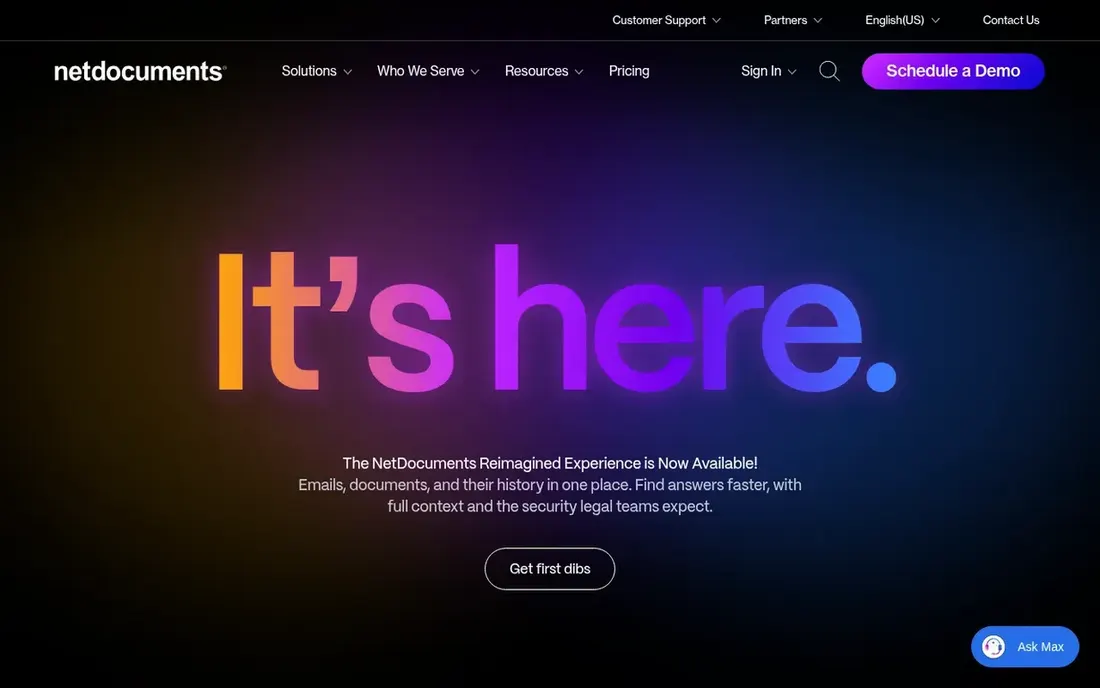
Think of NetDocuments for law firm document and email management. NetDocuments is a document and email management product aimed squarely at legal businesses and departments. Its homepage stresses secure, compliant storage with anywhere access, which suits teams that require matter-centric organization and controlled sharing of client files.
Since it is tuned to legal work, teams outside that context may find it more specialized than they need. Smaller teams with straightforward sharing needs might prefer a broader productivity suite. NetDocuments shows no starting price here, so confirm the cost on the vendor site. Trial and free access: Not stated.
Where it is weaker: Adoption needs process change. Best features of NetDocuments: Built around legal document and email management.
- Emphasizes secure
- Targeted at businesses and legal departments
- Narrower fit outside legal workflows
Think of Box for external collaboration with content controls. Box is an AI-powered content management, workflow and collaboration system. Its homepage stresses automating workflows, collaborating internally and externally, and protecting sensitive data in one place.
Points against: Legal workflows need configuration.
Teams wanting native legal features may prefer a dedicated system. Pick Box when secure external collaboration is the priority. Box does not show a starting price in this comparison, so check the vendor site for current pricing. Free options: Not stated.
- AI-powered content management and workflow
- Collaboration with internal and external parties
- General-purpose instead of legal-specific
How the list was put together
For each of the 5 tools we noted price, free plan or trial, fit for document collaboration software for legal teams and the main limit, using vendor pages and documentation. Figures are shown as the vendors publish them. Billing terms, seat minimums and add-ons can change the real cost. The sequence is a judgement call: typical use case first, then pricing transparency, then free access. Use the profiles to check fit.
A buyer's checklist
- Confirm the entry price on the vendor page. For iManage, Google Workspace, NetDocuments and Box that means a quote rather than a fixed price.
- Before choosing iManage, weigh its main limit: enterprise-oriented setup.
- Look at the renewal terms for DocuSign: auto-renewal, notice periods and price changes can matter more than the first-year price.
- List the apps you already depend on and check that Box supports each one on the plan you would buy.
- Compare total cost, not headline price: for iManage, add extra seats, add-ons and any usage-based charges.
FAQ
Where does DocuSign fit alongside document collaboration tools?
DocuSign manages the agreement stage: electronic signature and management of signed agreements. It complements a document management product instead of replacing one.
Does any tool for document collaboration software for legal teams here have a free plan?
No tool in this list, iManage and Box included, has a permanent free plan. Trials and quotes are the usual route, so plan a short evaluation period.
Is iManage the right pick for everyone comparing document collaboration software for legal teams?
No single tool suits every team. iManage comes first because it fits knowledge work across legal and professional services, while DocuSign suits electronic signature and agreement management and Google Workspace suits real-time co-editing in a familiar suite. Match the tool to your own size, budget and workflow before deciding.
Can I try these tools before paying?
Not by default. None of the tools, from iManage to Box, lists a free plan or a free trial here, so ask each vendor for a demo before committing.
How are the tools for document collaboration software for legal teams ordered?
iManage sits first and Box last because the order follows typical fit for document collaboration software for legal teams, then price clarity and free access. It is a judgement call, so read each profile for fit and limits.
Sources
- https://imanage.com
- https://www.docusign.com
- https://workspace.google.com
- https://www.netdocuments.com
- https://www.box.com