6 Construction Estimating Software for Remodeling Contractors Worth Shortlisting in 2026
6 best construction estimating software for remodeling contractors, compared on pricing, free plans and best-fit use. Real limits included. Plain facts.

- Editor's choice
 Houzz Pro
Design-led remodelers wanting one system
Starts atSee websiteVisit houzz.comFull review - Great alternativeSTACK Takeoff & Estimating
Cloud takeoff from bid to closeout
Starts at$49 per user a monthVisit stackct.comFull review - Also consider
 PlanSwift
Quick digital takeoff and accurate estimates
Starts atSee websiteVisit planswift.comFull review
Direct answer
If you need design-led remodelers wanting one product, Houzz Pro is the first tool to look at here. Listed starting prices: STACK Takeoff & Estimating from $49 per user a month. Alternatives: STACK Takeoff & Estimating for cloud takeoff from bid to closeout, and PlanSwift for quick digital takeoff and accurate estimates. The full list of 6 tools follows, with prices and free plan facts.
TL;DR:
- Top of the list is Houzz Pro, which targets design-led remodelers wanting one product.
- Neither Houzz Pro nor Contractor Foreman, nor any of the other 4 tools, has a permanent free plan; trials and quotes are the norm.
- Contractor Foreman fits small teams wanting bundled estimating and admin.
- What to know about PlanSwift first: Takeoff-centric instead of full management.
- For the cheapest start, look at STACK Takeoff & Estimating: $49 per user per month.
Last checked November 2026. Prices and plan details were read from the vendors' own pages in November 2026; vendors change plans often, so confirm the current price on the vendor site before you buy.
Quick comparison
| Tool | Best for | Starts at | Free plan? | |
|---|---|---|---|---|
| Houzz Pro | Design-led remodelers wanting one system | See website | Not stated | Visit |
| STACK Takeoff & Estimating | Cloud takeoff from bid to closeout | $49 per user a month | Free trial | Visit |
| PlanSwift | Quick digital takeoff and accurate estimates | See website | Free trial | Visit |
 Bluebeam Revu | Plan review and document collaboration | See website | Free trial | Visit |
 CoConstruct | Remodelers wanting estimating plus client management | See website | Not stated | Visit |
 Contractor Foreman | Small teams wanting bundled estimating and admin | See website | Not stated | Visit |
Construction Estimating Software for Remodeling Contractors, one by one
LinkVetted compared 6 construction estimating software for remodeling contractors. The goal is a practical shortlist: published prices, free plan facts, best-fit use cases and honest limits for every entry.

For design-led remodelers wanting one product, Houzz Pro is a natural candidate. Consider a specialized takeoff tool if detailed quantity extraction is the core need.
Limits to weigh: Breadth may overwhelm single-focus users.
Since it spans plenty of functions, the estimating side may not go as deep as dedicated takeoff software for complicated assemblies. Houzz Pro shows no starting price here, so confirm the cost on the vendor site. Trial and free access: Not stated.
- AI features geared toward speeding up daily work
- All-in-one business software for builders and designers
- Estimating depth varies by workflow
STACK Takeoff & Estimating
Best for: Cloud takeoff from bid to closeout
Think of STACK Takeoff & Estimating for cloud takeoff from bid to closeout. STACK gives you cloud-based construction software centred on takeoff and estimating, with stated goals of saving time, improving accuracy and supporting collaboration from bid decision through project closeout.
Limits to weigh: Ramp-up time for new users.
If your work is largely small repeat jobs with straightforward quantities, lighter estimating tools may be enough. In daily use, as a cloud-first platform, it relies on reliable internet access, and new users face a learning period. Price to start with STACK Takeoff & Estimating: $49 per user per month. As for free access: Free trial.
- Cloud-based takeoff and estimating
- Aims at accuracy and collaboration
- Cloud reliance may not suit every office
Think of PlanSwift for quick digital takeoff and accurate estimates. Choose it when measurement speed is the priority and other systems already include the rest.
Where it is weaker: Takeoff-centric instead of full management.
PlanSwift does not show a starting price in this comparison, so check the vendor site for current pricing. Trial and free access: Free trial.
- Takeoff software aimed at estimating
- Focus on speed and accuracy
- May need pairing with project tools
In short, Bluebeam Revu is for plan review and document collaboration. Bluebeam Revu is construction collaboration and document management software for working with plans in live across a project.
Where it is weaker: Not a dedicated estimating engine.
It is not a dedicated estimating system, so quantity and cost calculations generally happen elsewhere. Worth adding: pair it with takeoff or estimating software if you need line-item estimates instead of document collaboration alone. No starting price is listed for Bluebeam Revu here; confirm pricing on the vendor site. On free options: Free trial.
- Runs projects from design to completion
- Live collaboration on documents
- Best value with team adoption
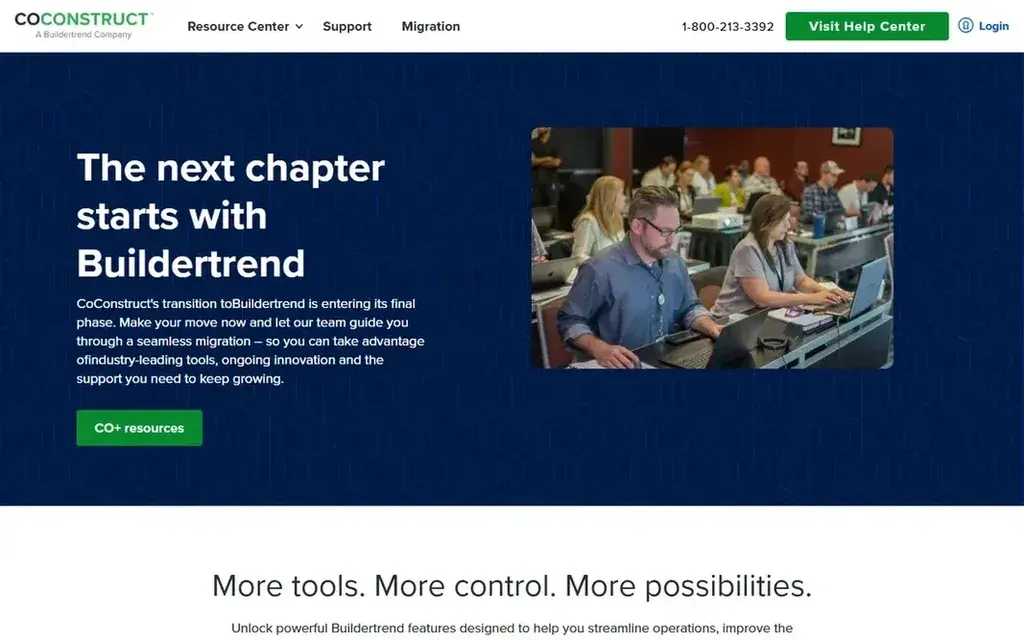
CoConstruct was built for remodelers wanting estimating plus client management. CoConstruct is construction management software built around remodelers and custom builders, and it now shares a unified brand direction with Buildertrend. Beyond that, teams handling in-depth residential jobs with plenty of client decisions tend to get the most from it.
What to check first: Setup takes planning.
On top of that, if your priority is pure takeoff speed instead of end-to-end project management, a focused takeoff tool may suit you better. The system carries a ramp-up time, and smaller operations may find the breadth of features more than they need day to day. This comparison lists no price for CoConstruct; ask the vendor. Trial and free access: Not stated.
- Client-facing communication built in
- Estimates link to selections and change orders
- Feature depth can feel heavy for small crews
Contractor Foreman
Best for: Small teams wanting bundled estimating and admin
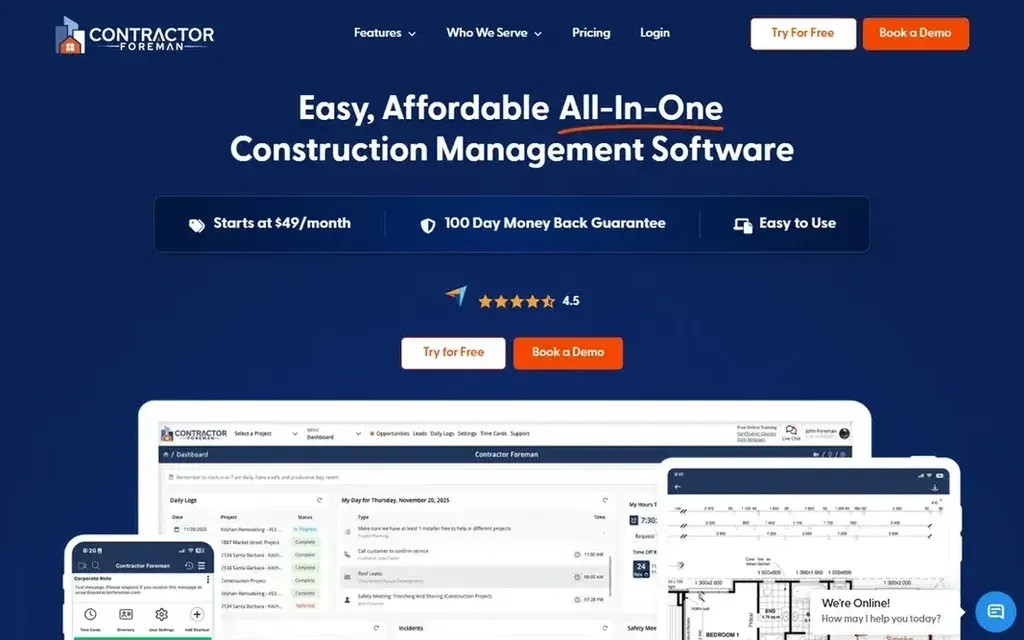
Contractor Foreman is built with small teams wanting bundled estimating and admin in mind. The estimating features are geared toward general contracting workflows, so highly in-depth takeoff may need a dedicated tool.
Limits to weigh: Advanced takeoff may need another tool.
As for the details, bigger remodelers with complicated bid processes should weigh whether the bundled approach includes their estimating depth. This comparison lists no price for Contractor Foreman; ask the vendor. Free access: Not stated.
- Straightforward all-in-one positioning
- Estimates, scheduling
- Interface depth may suit more straightforward jobs
Our selection method
We compared the tools on published pricing, free plan or trial availability, feature coverage for construction estimating software for remodeling contractors, and the limits each vendor documents. Where a price is missing, the vendor does not list one publicly or ties it to a quote. Always confirm before budgeting. Position on the page reflects fit for a typical buyer first, with price clarity and free access breaking ties. Treat it as a guide, not a ruling.
A buyer's checklist
- Confirm the entry price on the vendor page. For Houzz Pro, PlanSwift, Bluebeam Revu and others that means a quote rather than a fixed price.
- Take the trial from STACK Takeoff & Estimating, PlanSwift and Bluebeam Revu and push a live task through it before you pay.
- Read the limits listed for Houzz Pro first: breadth may overwhelm single-focus users.
- Test how quickly CoConstruct answers a pre-sales question; it hints at how support will feel later.
- Price PlanSwift for your actual team size; headline prices rarely include add-ons or overage.
FAQ
Can client-facing software help with remodeling estimates?
Tools that link estimates to selections and change orders can cut confusion when homeowners adjust scope. This matters most on in-depth residential jobs where decisions change often during the project.
Can I try these tools before paying?
Often, yes. STACK Takeoff & Estimating, PlanSwift and Bluebeam Revu offer a free trial. Use your own data and a real task during the test, and check what the free tier or trial limits before you rely on it.
Is Houzz Pro the right pick for everyone comparing construction estimating software for remodeling contractors?
No single tool suits every team. Houzz Pro comes first because it fits design-led remodelers wanting one platform, while STACK Takeoff & Estimating suits cloud takeoff from bid to closeout and PlanSwift suits fast digital takeoff and accurate estimates. Match the tool to your own size, budget and workflow before deciding.
Do these tools publish their prices?
Not all of them. Houzz Pro, PlanSwift, Bluebeam Revu and others publish no starting price, so expect a quote request for those. The rest, STACK Takeoff & Estimating included, show a starting price, though seats and billing terms still change the final cost.
How are the tools for construction estimating software for remodeling contractors ordered?
Houzz Pro sits first and Contractor Foreman last because the order follows typical fit for construction estimating software for remodeling contractors, then price clarity and free access. It is a judgement call, so read each profile for fit and limits.
Sources
- https://www.houzz.com/pro
- https://www.stackct.com
- https://www.planswift.com
- https://www.bluebeam.com
- https://www.coconstruct.com
- https://www.contractorforeman.com