Best Software for Remodeling Contractors in 2026: 8 Tools Compared
We compared the best software for remodeling contractors for 2026 on estimates, change orders, scheduling and client updates, so remodel jobs stay on budget.
- Editor's choice
 Buildertrend
Midsize remodelers needing all in one
Starts atSee websiteVisit buildertrend.comFull review - Great alternative
 JobTread
Small to midsize builders on a budget
Starts at$199 per monthVisit jobtread.comFull review - Also consider
 Contractor Foreman
Small firms wanting low cost features
Starts at$49 per monthVisit contractorforeman.comFull review
TL;DR:
- Buildertrend and JobTread are the strongest all in one picks for remodelers that need estimates, schedules and client portals in one place.
- Contractor Foreman is the budget pick for small firms that want many features at a low monthly price.
- Houzz Pro suits design build firms that also need leads, selections and marketing in the same system.
- Procore fits larger firms, while Fieldwire and JobNimbus cover field coordination and simpler job tracking at lower cost.
Quick comparison
| Tool | Best for | Starts at | Free plan? | |
|---|---|---|---|---|
| Buildertrend | Midsize remodelers needing all in one | See website | No | Visit |
| JobTread | Small to midsize builders on a budget | $199 per month | No | Visit |
| Contractor Foreman | Small firms wanting low cost features | $49 per month | No | Visit |
 Houzz Pro | Design build firms needing leads and selections | $199 per month | Yes | Visit |
 Knowify | Trade contractors billing fixed price work | $99 per month | Free trial | Visit |
 Procore | Larger firms needing deep project controls | See website | No | Visit |
 Fieldwire | Field teams coordinating drawings and tasks | $39 per user per month | Yes | Visit |
 JobNimbus | Simpler job tracking and CRM | See website | No | Visit |
The best software for remodeling contractors
Remodeling software has to handle a messy middle: estimates that change, clients who ask questions daily, subcontractors who need clear schedules, and budgets that drift if no one watches them. We compared tools that cover estimating, scheduling, change orders and client communication for residential remodel work.
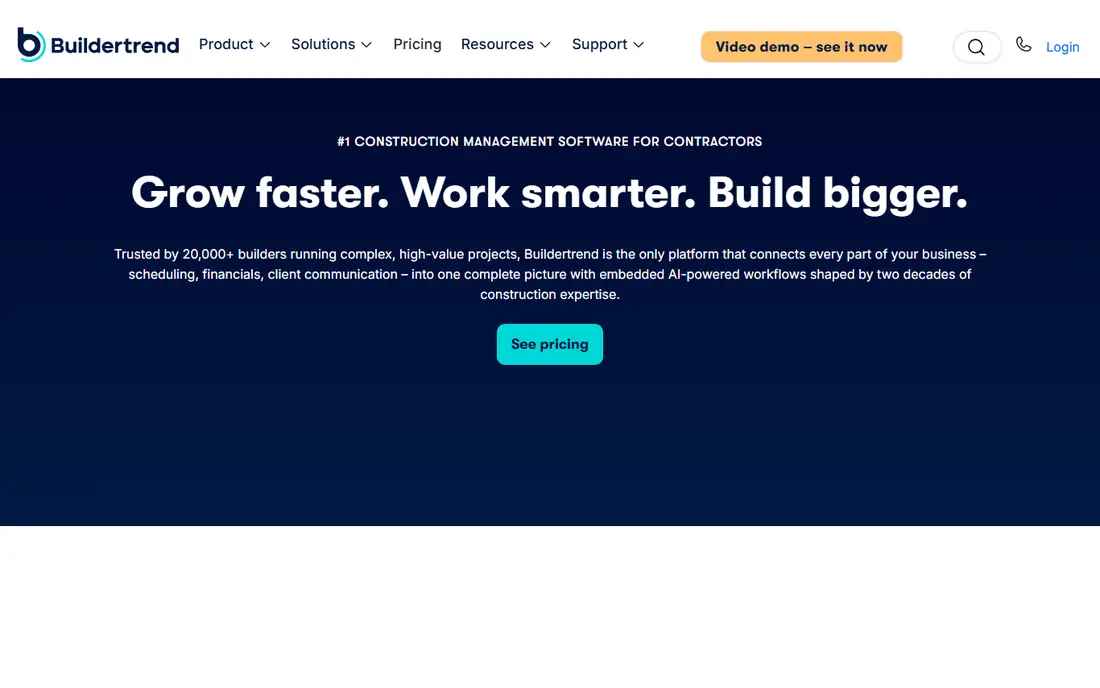
Buildertrend is the residential standard for a reason. It ties estimates, schedules, budgets, change orders and client messages together, so a remodeler does not need five separate tools to run one kitchen job. Clients can approve selections and change orders in a portal, which cuts the email chains that slow jobs down.
The main hurdle is price transparency and setup. Pricing is by quote, and third party reports put entry costs in the higher range for small firms. A demo and a written quote are essential. For midsize remodelers with steady volume, the breadth of the system usually pays back in fewer missed change orders.
- Estimates, scheduling and client portal in one
- Change order handling
- QuickBooks and Xero links
- Pricing is by quote
- Setup takes time for larger teams

JobTread appeals to remodelers who want Buildertrend style breadth without a quote only price. One plan includes estimating, project management, scheduling, invoicing and portals, and extra users cost a modest monthly fee. That clarity makes budgeting simple for a growing firm.
It is newer than some rivals, so integration depth and marketplace size are smaller. Firms that rely on a niche accounting or design tool should check the integration list first. For most residential remodelers, JobTread hits the sweet spot between price and completeness.
- Transparent pricing
- Estimates to job costing in one
- Client and vendor portals
- Fewer integrations than larger platforms
- Newer than some rivals

Contractor Foreman packs a surprising amount into a low price. Estimates, scheduling, daily logs, time tracking, invoicing and job costing are available without the premium price of larger platforms. For a small remodel firm moving off spreadsheets, that feature list at this price is hard to ignore.
The trade off is polish and reporting depth. The interface can feel busy when many modules are turned on, and reports are simpler than those in Buildertrend or Procore. Start with the modules you actually use, and add more as the team grows. For cost conscious firms, it is our budget pick.
- Low entry price
- Many modules included
- QuickBooks link
- Interface can feel busy
- Reporting is lighter than premium tools
Houzz Pro suits remodelers whose work starts with design and client inspiration. Leads, proposals, selections, budgets and client communication live near the Houzz marketplace, which helps design build firms turn inquiries into signed jobs. Clients can review selections visually, which reduces confusion on finishes and fixtures.
Full project management sits on the Pro plan, so the free tier is only a starting point. Accounting links are useful but can be one way in some setups, so check how invoices sync to your books. For design led remodelers, the combination of marketing and project tools is a real advantage.
- Lead and marketing tools
- Selections and client portal
- Design focused workflow
- Pro plan needed for full project tools
- Accounting link is one way in some setups
Knowify is built for trade and specialty contractors that bill fixed price work and need clean job costing. It handles estimates, purchase orders, time tracking and progress billing from a schedule of values, which helps firms that work under formal contracts. QuickBooks links keep accounting in sync without double entry.
Client facing tools are less developed than in Buildertrend or Houzz Pro, and design or selection workflows are limited. If your firm is trade focused and billing accuracy matters more than client marketing, Knowify is a focused, fairly priced choice. Try the trial with a real job to test billing flow.
- Job costing and schedule of values
- AIA style billing support
- QuickBooks link
- Less client portal depth than Buildertrend
- Design features are limited
Procore is the heavyweight on this list, built for firms running complex, multi project work. Documents, drawings, RFIs, budgets, commitments and change events are handled with controls that larger firms and their clients expect. Field teams get mobile tools that keep site records current.
That power is overkill for a two person remodel firm. Pricing is based on construction volume and quoted per firm, and implementation takes planning. Larger remodel firms that have outgrown residential tools, or that work on commercial projects as well, should consider Procore when control and reporting matter more than low price.
- Deep document and financial controls
- Strong field tools
- Wide integration range
- Quote based pricing
- Heavy for small remodel firms
Fieldwire is best as a field coordination layer, not a full business system. Crews can view drawings, track tasks, log issues and share photos from site, which keeps office and field on the same plan version. The free plan for up to five users makes it easy to test with one crew.
It does not replace estimating, invoicing or full job costing, so most remodelers will pair it with an accounting or project tool. Budget and change order features sit on higher plans. If site coordination is your main pain, Fieldwire solves it cleanly at a fair price.
- Free start for small teams
- Drawing and task coordination
- Mobile field use
- Not a full estimating or accounting system
- Budget tools need higher plans
JobNimbus suits remodelers who need a clear pipeline and job board more than deep construction accounting. Leads, estimates, jobs and invoices flow through boards that the whole team can read at a glance. Workflow automation moves jobs between stages without manual updates.
Estimating and job costing are lighter than in JobTread or Buildertrend, so firms with complex cost tracking may need another tool for that layer. Pricing is by quote, so ask for a full proposal. For firms that value a simple CRM plus job tracking, JobNimbus is an approachable pick.
- CRM and job tracking in one
- Boards and workflow automation
- QuickBooks link
- Pricing is by quote
- Estimating depth is lighter than specialist tools
How we picked these
We compared official pricing, feature pages and remodel specific workflows for tools that handle estimating, scheduling, change orders and client updates in October 2026. We favored tools with a live US presence, a clear remodel or residential focus, and published or widely reported pricing. We left out general project tools with no construction workflow and commercial only tools that do not fit residential remodel work.
How to choose remodeling software without overbuying
Start with your biggest pain. If change orders get lost, prioritize change order and client approval tools. If schedules slip, prioritize scheduling and field updates. If margins are unclear, prioritize job costing. Buying the largest platform first often means paying for modules no one uses.
Test with a real job, not a demo job
Run one active remodel through the trial, from estimate to invoice. Check how selections, change orders and photos move through the system, and whether your accountant can read the reports. A tool that looks good in a demo but slows down your crew on site will not last.
Count total cost, not just the monthly fee
Add user seats, onboarding, training and any accounting integration fees. Quote based tools can vary widely, so get the quote in writing and ask what happens when you add staff. A transparent $199 plan can beat a quoted plan that grows with every add on.
FAQ
What is the best software for remodeling contractors?
Buildertrend and JobTread are the strongest all in one picks for most remodelers. Buildertrend suits midsize firms with broader needs, while JobTread suits smaller firms that want transparent pricing and a full feature set in one plan.
How much does remodeling software cost?
Prices in this guide run from $49 per month for Contractor Foreman to $199 per month for JobTread and Houzz Pro, with Buildertrend, Procore and JobNimbus priced by quote. Postage, payment fees and add ons are separate, so confirm the full quote before signing.
Is Buildertrend worth it for a small remodeler?
Buildertrend is worth it if you run steady volume and need estimates, schedules, budgets and client portals in one system. Very small firms may find JobTread or Contractor Foreman cheaper and simpler, so compare total cost for your team size.
What is the best contractor remodeling software for design build firms?
Houzz Pro is a strong pick for design build firms because it pairs leads, selections and client communication with project tools. Buildertrend also covers design build work well, especially when change orders and budgets need tight control.
Do I still need QuickBooks if I buy remodeling software?
Yes, in most cases. Remodeling tools handle jobs and clients, while QuickBooks or Xero handle the full books, payroll and tax reporting. Check that your remodel tool syncs invoices and costs to your accounting system to avoid double entry.