Construction Data Platforms in 2026: The 6 Best Options Side by Side
Comparing the best construction data platforms? 6 contenders, each with entry cost, free tier and best-fit buyer. Prices and drawbacks included. Numbers first.
- Editor's choice
 OpenSpace
Visual jobsite data capture
Starts atSee websiteVisit openspace.aiFull review - Great alternative
 Procore
Site-to-office project visibility
Starts atSee websiteVisit procore.comFull review - Also considerKahua
Owner and agency capital programs
Starts atSee websiteVisit kahua.comFull review
Direct answer
This list puts OpenSpace first for visual jobsite data capture. Listed starting prices: Bentley Systems iTwin from $199 per month. For a different need, Procore covers site-to-office project visibility and Kahua covers owner and agency capital programs. The other 3 tools in the list cover narrower or pricier cases.
TL;DR:
- The list opens with OpenSpace, aimed at visual jobsite data capture.
- The lowest published monthly entry price here is $199 monthly, from Bentley Systems iTwin.
- The main caution on OpenSpace: centred on visual data, not full project management.
- Only Bentley Systems iTwin offers a free plan among these 6 tools.
- Bentley Systems iTwin suits infrastructure digital twin data integration.
Last checked November 2026. Prices and plan details were read from the vendors' own pages in November 2026; vendors change plans often, so confirm the current price on the vendor site before you buy.
Quick comparison
| Tool | Best for | Starts at | Free plan? | |
|---|---|---|---|---|
| OpenSpace | Visual jobsite data capture | See website | Not stated | Visit |
| Procore | Site-to-office project visibility | See website | Not stated | Visit |
| Kahua | Owner and agency capital programs | See website | Not stated | Visit |
 Autodesk Construction Cloud | Connected design and construction data | See website | Not stated | Visit |
| Trimble Viewpoint | Contractor job costing and ERP | See website | Not stated | Visit |
| Bentley Systems iTwin | Infrastructure digital twin data integration | $199 per month | Yes | Visit |
Construction Data Platforms profiles
LinkVetted compared 6 construction data platforms. The goal is a practical shortlist: published prices, free plan facts, best-fit use cases and honest limits for every entry.
OpenSpace serves visual jobsite data capture. OpenSpace is a visual intelligence product built for construction teams, turning jobsite imagery into live insights that drive better decisions. More specifically, instead of replacing a full project management system, it layers on a visual data layer that complements the rest of a construction data stack.
Honest limits: not full project management.
Its strength is visual documentation, so it does not handle financials, contracts, or scheduling on its own. Worth adding: results rely on regular capture routines and on how well imagery is shared with project stakeholders. OpenSpace does not show a starting price in this comparison, so check the vendor site for current pricing. Free options: Not stated.
- Straightforward visual documentation approach
- Supports quicker field decisions
- Concentrated on visual data

In short, Procore is for site-to-office project visibility. Procore is a construction management product that links the site and the office, giving teams the live visibility needed to deliver quality projects on time. Also, the system handles plenty of ground, so smaller teams may find it more than they need and should plan for onboarding.
Drawbacks to consider: Needs disciplined data entry.
Its value depends on consistent field data entry. From a buyer's view, if your priority is deep financial ERP or infrastructure digital twins, other choices may fit better. Check the vendor site for Procore pricing; none is listed in this comparison. Trial and free access: Not stated.
- Real-time project visibility
- Targeted at quality and schedule control
- Wide product may feel heavy for small teams
Kahua
Best for: Owner and agency capital programs
Kahua works best for owner and agency capital programs. Kahua is a construction project management system for owners, general contractors, and agencies to control capital programs, cut risk, and align teams.
Trade-offs to know: Less suited to very small teams.
Confirm that its program model matches how your organization governs projects. From a buyer's view, teams wanting fast field adoption with minimal configuration may prefer a more straightforward tool. Check the vendor site for Kahua pricing; none is listed in this comparison. Trial and free access: Not stated.
- Capital program control
- Aimed at owners, GCs, agencies
- Configuration effort likely
Autodesk Construction Cloud
Best for: Connected design and construction data
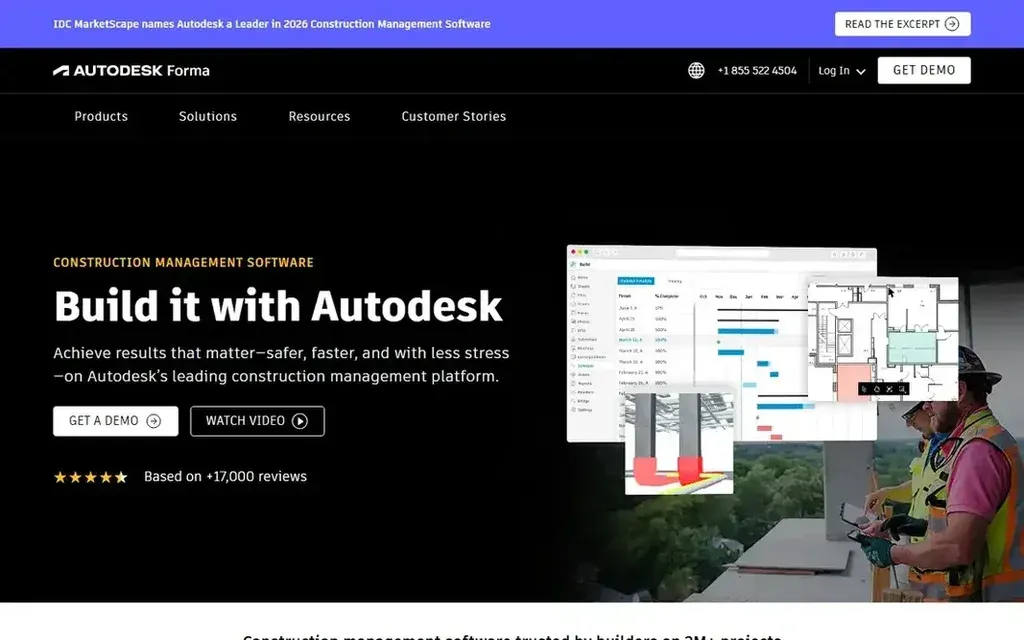
Pick Autodesk Construction Cloud if this describes you: connected design and construction data. Autodesk Construction Cloud, now presented as Autodesk Forma, is a construction management system built around secure collaboration. Its stated aim is helping project teams work rapidly and deliver projects on time and on budget.
In practice, consider alternatives when your primary need is job costing or ERP instead of connected project collaboration. Since the product spans numerous functions, teams may need time to configure workflows and train staff. This comparison lists no price for Autodesk Construction Cloud; ask the vendor. Trial and free access: Not stated.
Limits to weigh: Best fit for Autodesk-centered workflows.
- Ties design and build teams together
- Supports on-time delivery goals
- Wide scope may need setup effort
Trimble Viewpoint
Best for: Contractor job costing and ERP
For contractor job costing and ERP, Trimble Viewpoint is a natural candidate. Teams seeking light field capture or visual progress tracking may prefer a dedicated tool. Worth adding: evaluate whether your accounting and project workflows align before committing.
In daily use, Trimble Viewpoint provides construction ERP and project management software made for contractors. It concentrates on managing projects, people, and profits, with tools to simplify job costing, workflows, and reporting. Its ERP orientation means the product is most solid where financial control matters most, and setup can be substantial. Trimble Viewpoint shows no starting price here, so confirm the cost on the vendor site. On free options: Not stated.
Points against: Implementation can be involved.
- Designed for contractor workflows
- Job costing and reporting focus
- Finance-first focus may not suit every team
Bentley Systems iTwin
Best for: Infrastructure digital twin data integration
Bentley Systems iTwin targets infrastructure digital twin data integration. This is a system for building and integrating applications, so it assumes technical resources and development capacity.
In practice, choose it when infrastructure asset data integration is the central requirement. Entry price for Bentley Systems iTwin: $199 monthly. Bentley Systems iTwin offers a free plan.
Where it is weaker: Pitched at infrastructure instead of general building.
- Supports design, build
- Foundation for infrastructure SaaS options
- Developer-oriented system
How the list was put together
Selection started from tools commonly considered for construction data platforms, then narrowed to 6 that have clear pricing information or a clear quote process. Where a price is missing, the vendor does not list one publicly or ties it to a quote. Always confirm before budgeting. The ranking is editorial: typical fit first, then clear pricing, then free access. If your needs are unusual, read the profiles rather than relying on position.
What to check before you buy
- Ask OpenSpace, Procore, Kahua and others for a written quote, since no starting price is shown.
- Look at the free plan from Bentley Systems iTwin closely: its caps decide whether it is usable for real work.
- Before choosing OpenSpace, weigh its main limit: concentrated on visual data, not full project management.
- Ask Kahua which support channels and response times come with the plan you would buy.
- Find out whether the entry plan of Procore covers your must-haves or only a trimmed-down version.
FAQ
Which options for construction data platforms have a free plan?
Bentley Systems iTwin is the only tool in this list with a free plan. Free plans usually cap users, projects or features, so check the limits on the vendor page. For the full picture, the cards above cover all 6 entries of this construction data platforms list, including price, free plan and limits.
Do these tools publish their prices?
Not all of them. OpenSpace, Procore, Kahua and others publish no starting price, so expect a quote request for those. The rest, Bentley Systems iTwin included, show a starting price, though seats and billing terms still change the final cost.
Is OpenSpace the right pick for everyone comparing construction data platforms?
No single tool suits every team. OpenSpace comes first because it fits visual jobsite data capture, while Procore suits site-to-office project visibility and Kahua suits owner and agency capital programs. Match the tool to your own size, budget and workflow before deciding.
What is a construction data system?
It is software that records, links, and shares project information across design, field, and office teams. Systems range from full project management suites to specialized tools for job costing or visual documentation.
How are the tools for construction data platforms ordered?
OpenSpace sits first and Bentley Systems iTwin last because the order follows typical fit for construction data platforms, then price clarity and free access. It is a judgement call, so read each profile for fit and limits.
Do these systems work together?
Plenty of construction data products are built to connect with other systems, though the depth varies by vendor and setup. Confirm the specific connections you need, like design files, accounting, or imagery, straight with each vendor before committing.
Sources
- https://www.openspace.ai
- https://www.procore.com
- https://www.kahua.com
- https://construction.autodesk.com
- https://www.viewpoint.com
- https://www.bentley.com/software/itwin-platform